XCP-ng 8.3 updates announcements and testing
-
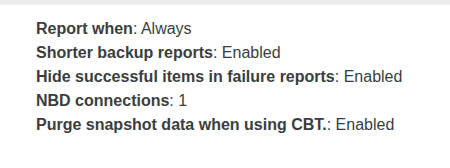
@bufanda Make sure you have enable the purge snapshot when using CBT, if you are using CBT. After the previous update that fixed fell back to full backup issue for me..
Maybe also try running a manual full backup to reset the VDI chain.
-
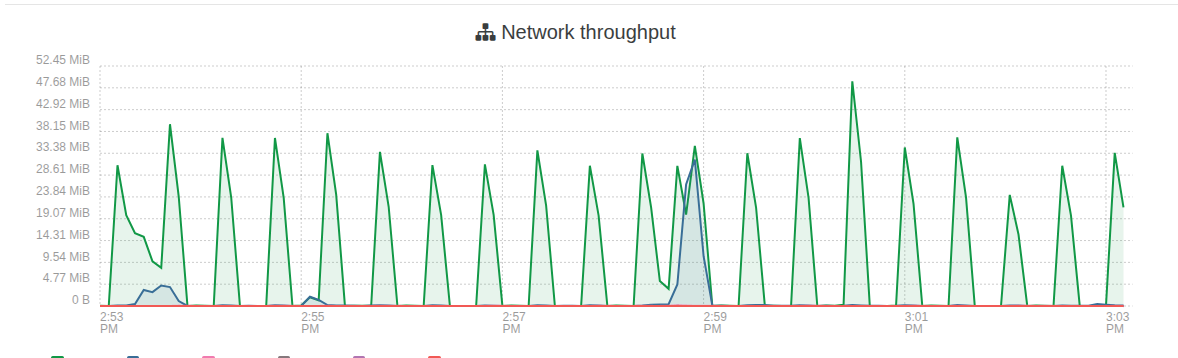
One thing i am noticing after this updates. Is i am seeing alot more traffic on my truenas. The gaps are me shutting down vms and starting each one to find the problem vms but it seems to be any vm. I didnt notice any performance issues just noticed the graph in truenas when its usally flat line there the occasional spike here and there not the big mess to the left in first screenshot. 5 vms running
My xoa is on local storage on master host. and used for these test.
All vms are powered off except xoa and xo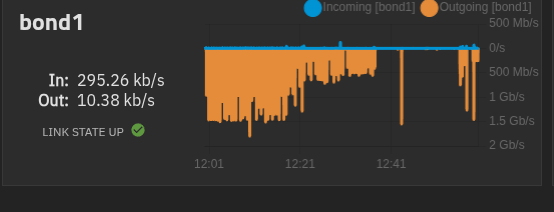
Here i booted the xo vm and left it idle. The spike after is me live migrate back to vhd SR and then left idle.
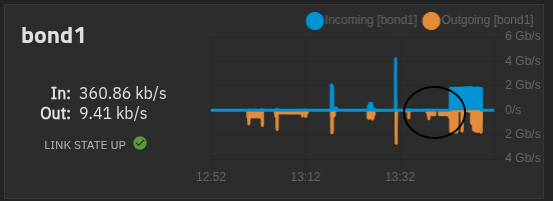
The gap in the middle is xo idle on vhd only SR.
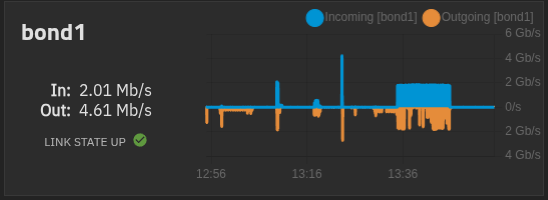
live Migrate xo back to qcow2 only SR
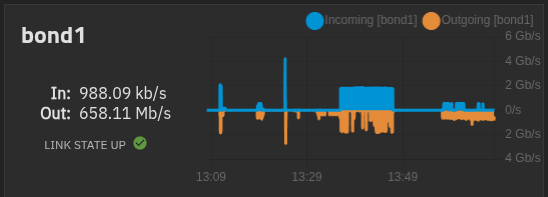
Migration back to qcow2 completed
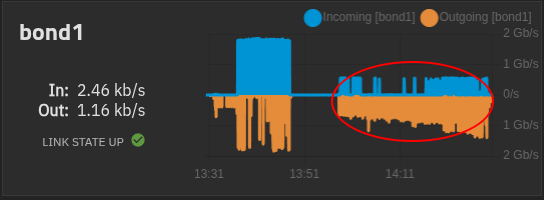
Left xo ldle after migration to qcow2 sr.
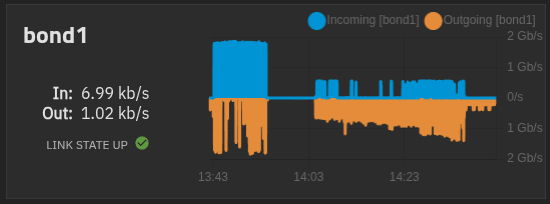
Again all vms booted and idle....
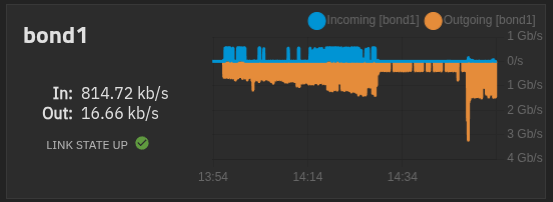
From master host.
-
@acebmxer purge snapshots is active since I created the backup job over a year ago. I always enable purge snapshots on backup jobs.
-
@bufanda I'm being told it's expected to have it the first time after the update, but in theory the next ones should be not be fulls. Can you try?
-
@acebmxer with qcow2, the way we scan the SR regularly uses more I/O, so this may explain it.
-
@acebmxer with qcow2, the way we scan the SR regularly uses more I/O, so this may explain it.
Thanks for the update, that this is expected. I think it its a bit a excessive being its only 4 -5 vms.
-
@bufanda I'm being told it's expected to have it the first time after the update, but in theory the next ones should be not be fulls. Can you try?
Just checked and the VM I was testing with was part of two backups and it seems that when one runs and the second starts that it will fall back. I removed the VM now from one backup and with being only member of one backup job it looks good then. Will keep an eye on it.
-
@acebmxer Can you evaluate the amount of data transferred at each spike? So that we can evaluate if it's more than expected. What's the total size of the VM disks?
-
Left side of chart is all VMS running. 1.5gb/s each vm's vdi ranges from 128gb - 256gb allocated. Actual disk spaced used not sure)
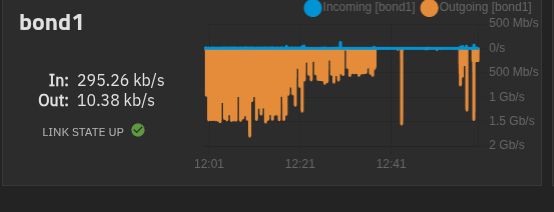
The 200mb/s - 300mb/s on far right is just XO-CE running idle.
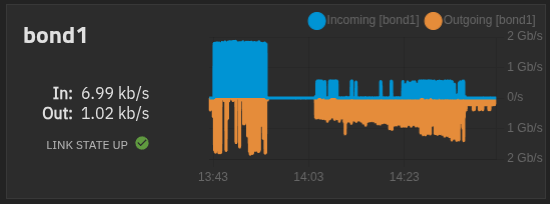
So if each vm is consuming 300mb/s ish times 4 -5 vms would get close to the 1.5gb/s.
-
Thanks. Ping @Team-Storage
-
Thanks. Ping @Team-Storage
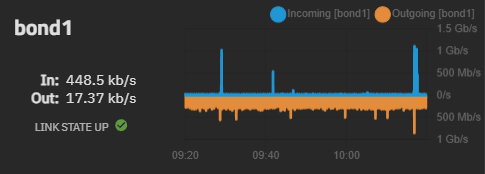
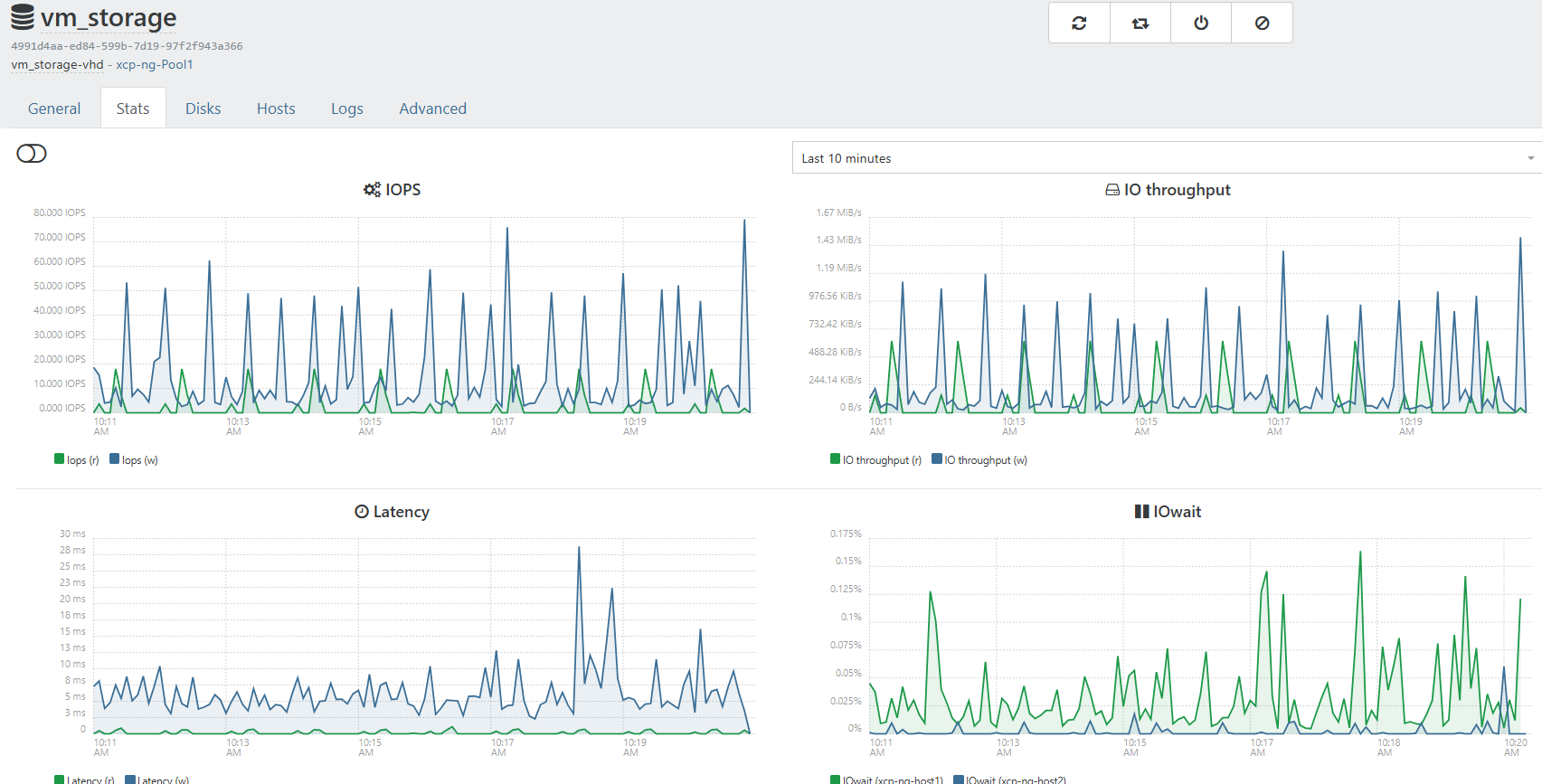
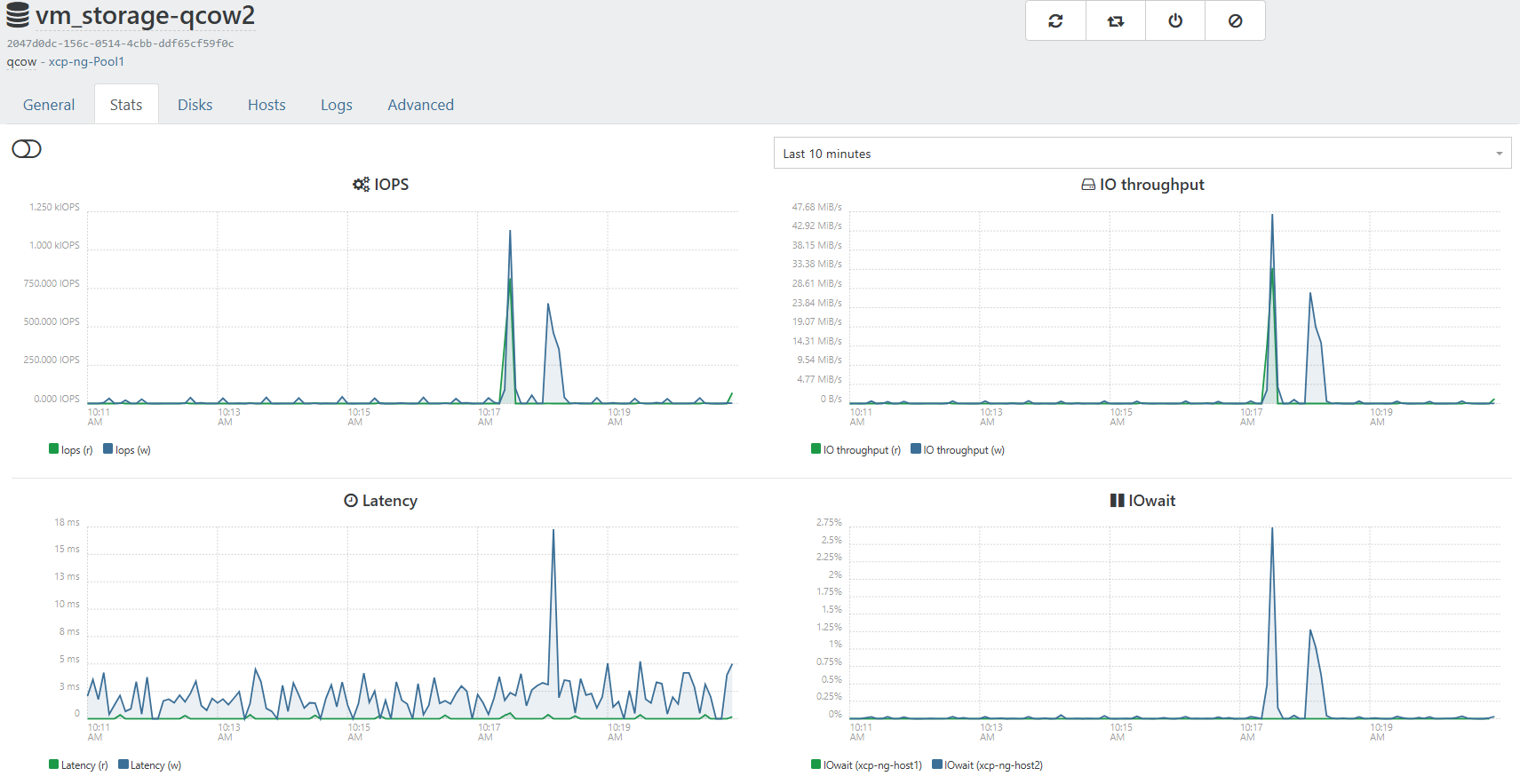
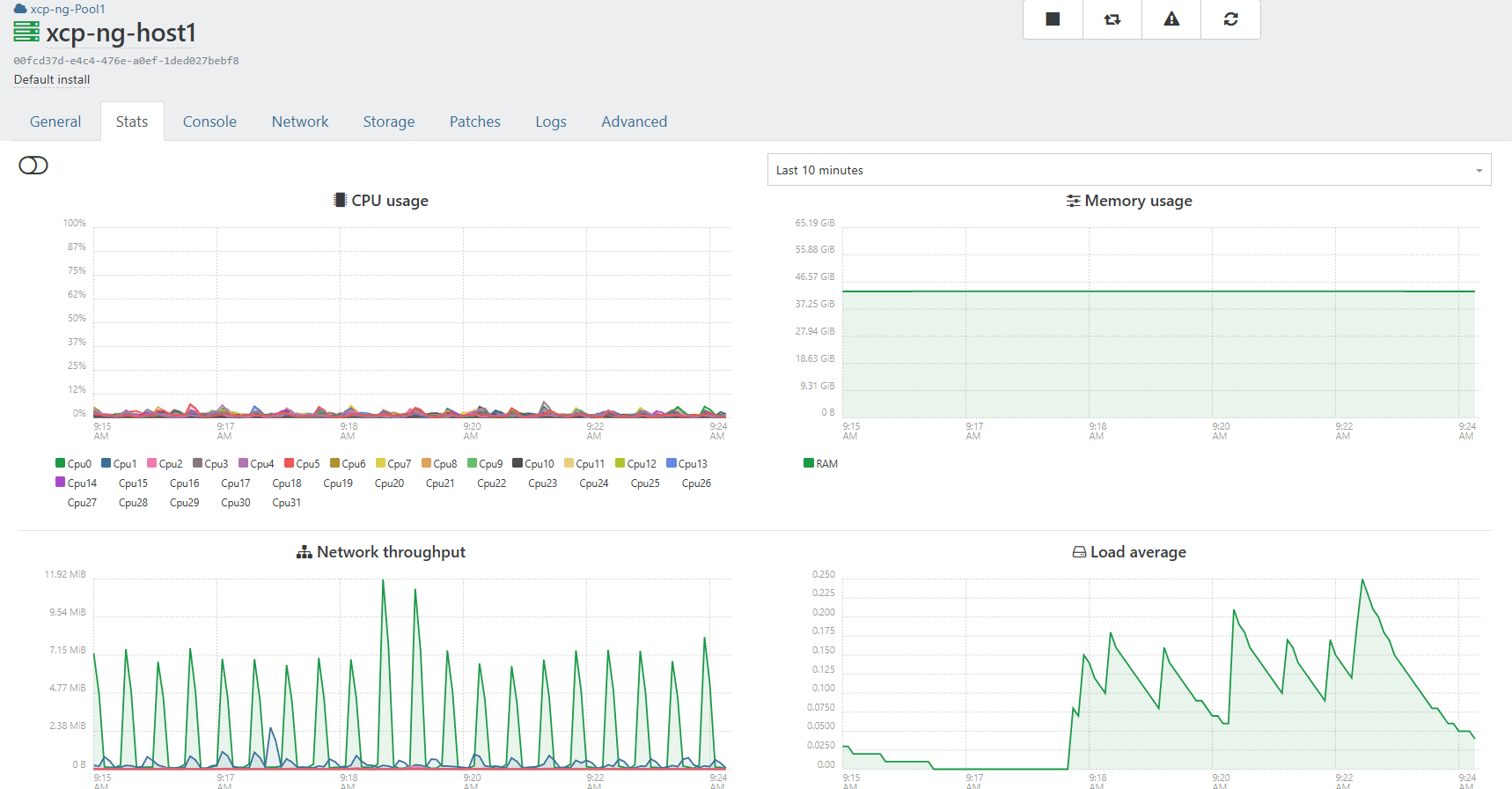
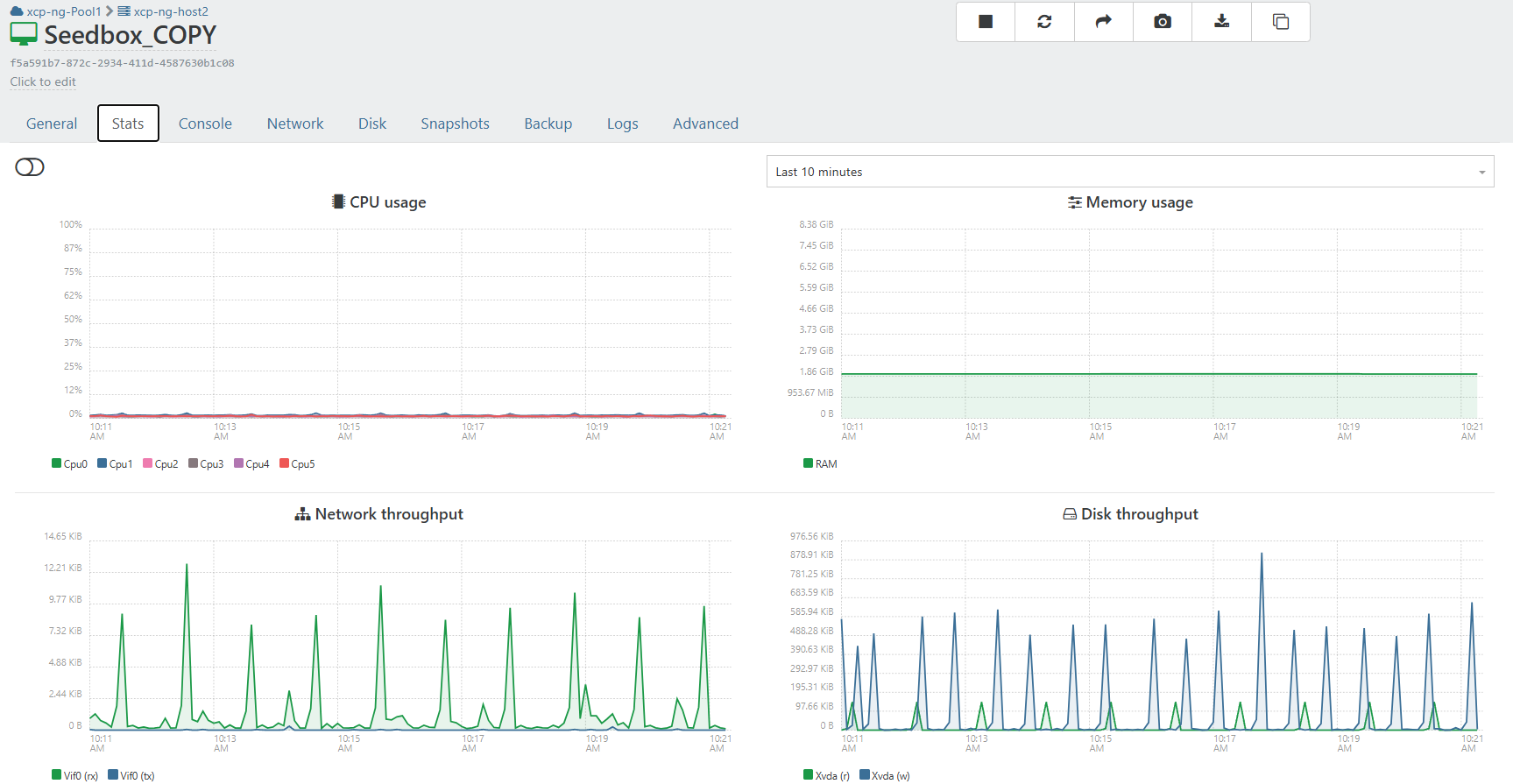
I think these screenshot better show the picture. It shows more or seems more dramatic on truenas.
That is two cloud inti vms 1 ubuntu and 1 alma, And 1 existing vm running on the qcow2 enabled SR.Both SR are on the same truenas just different data sets.
-
One thing I noticed was manually copying a qcow2 disk to an sr, with a properly generated UUID, would lock up the sr from scanning disks and updating its inventory db.
Running VMs seemed fine.Deleting that manually copied disk from sr released the lock.
Rodney
-
We just published most of the updates tested above, plus embargoed security fixes:
https://xcp-ng.org/blog/2026/04/28/april-2026-security-and-maintenance-updates-for-xcp-ng-8-3-lts/
The release of the QCOW2 image format feature (packages
sm,sm-fairlockandblktap) is planned in the coming days. You can still update a system which has these test packages with the security updates published today.Thanks everyone for the tests!
-
@stormi Updated 2 pools @office but on both RPU failed after updating master and emptying secondary host. Had to install patches manually and then move VM's back......
-
Well I just ran rolling pool update on my 2 host home lab. I wanted to watch to make sure there were no issues. Of coarse I got distracted. Only to come back and find both host updated and running. Will continue to monitor.
-
Updates deployed, no issues so far.
-
-
@stormi Did not check logs but if you tell me what to look for I can.
In config-logs on XOA there is nothing relevant. -
I updated both my test and production XCP-ng environments.
No issues during updates on all 6 hosts.
-
@MajorP93 Pls note that the updates had no issues. Just the RPU did not complete. 2 different things.....


Hello! It looks like you're interested in this conversation, but you don't have an account yet.
Getting fed up of having to scroll through the same posts each visit? When you register for an account, you'll always come back to exactly where you were before, and choose to be notified of new replies (either via email, or push notification). You'll also be able to save bookmarks and upvote posts to show your appreciation to other community members.
With your input, this post could be even better 💗
Register Login