Backups in OX v6
-
Now that there is more progress in v6 specifically in the backup section. Not sure if this is a bug or as intended, leaning towards a bug.
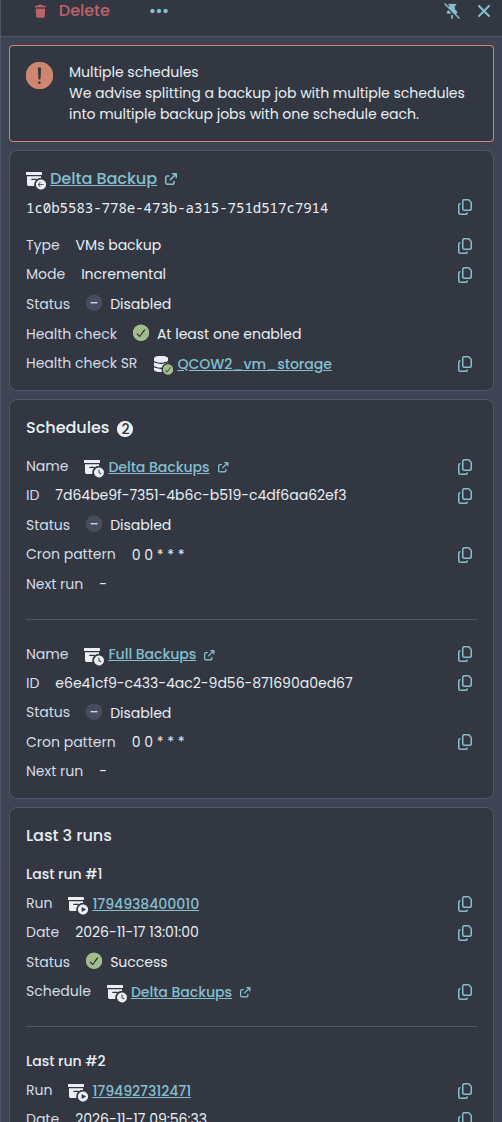
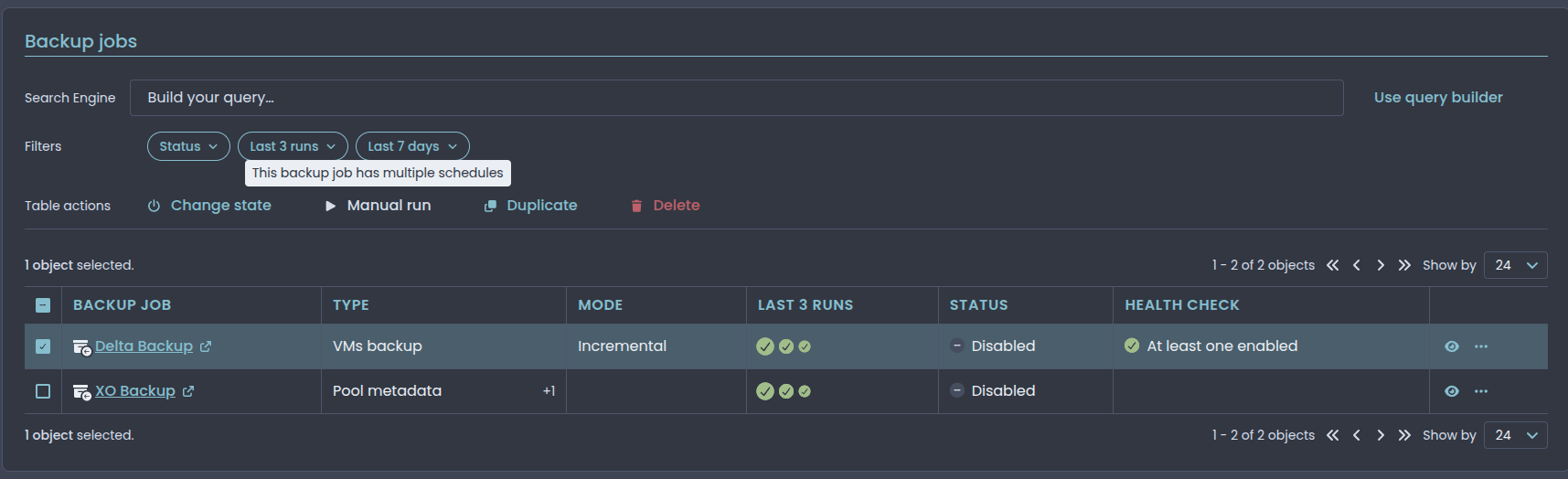
This is my existing backup job that works just fine in v5 with sequences task setup. The below recommendation would that create two separate backup chains, one of deltas, and one of full backups? Also it will not let me to manually run the backup job as it states the job has more then one schedule.
Node - v26.13.1
Commit - 3cd44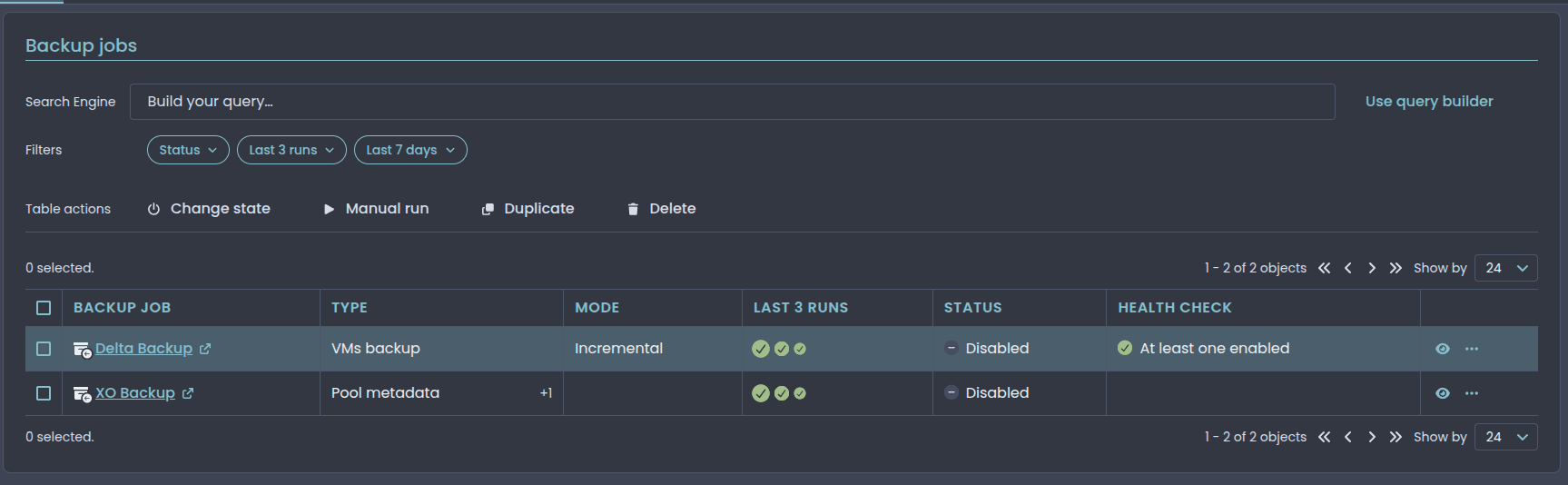
-
I don't think the manual run part is a bug. XO 6 has its own message for it ("This backup job has multiple schedules"), so it looks like a deliberate limit for now, though I don't know the reasoning behind it.

On the chains, if I'm reading the backup code right, an incremental job only looks for its parent disks in a folder named after the job's ID. If that's right, splitting into two jobs would give you two separate chains on the remote, each starting with its own full.
If the Full Backups schedule is there to restart the chain every so often, the docs describe the full backup interval setting on the delta job as the way to do that within one job: https://docs.xen-orchestra.com/backups-and-dr/backup-types/incremental_backups#key-backup-interval
I haven't tried switching a running job over to it myself. @Team-XO-Frontend can probably say what the split advice has in mind.
-
Thanks @poddingue for the detailed answer, that’s right on both points.
The split advice comes from XO 6 being designed around one schedule per backup job, but it doesn’t fit your case: as said above, two jobs would mean two separate chains. You can keep your current job (one chain) for now, and run it manually from XO 5.
The upcoming XO 6 backup job form will let you choose on which days/hours the full backup happens, on a single schedule. You’ll then be able to merge your two schedules into one: deltas every day, fulls on the chosen days, all in the same chain.
-
Thank you both for the reply's, I look forward to the upcoming changes.
-
If i can also add some feedback to how backups look in XO6. In its current from is very hard to see what VM is currently being backed up in a job. In XO5 clicking on tasks showed you a quick at a glance view of what VMs were being backedup and their current progress.
In XO6, unless im missing something this is missing:
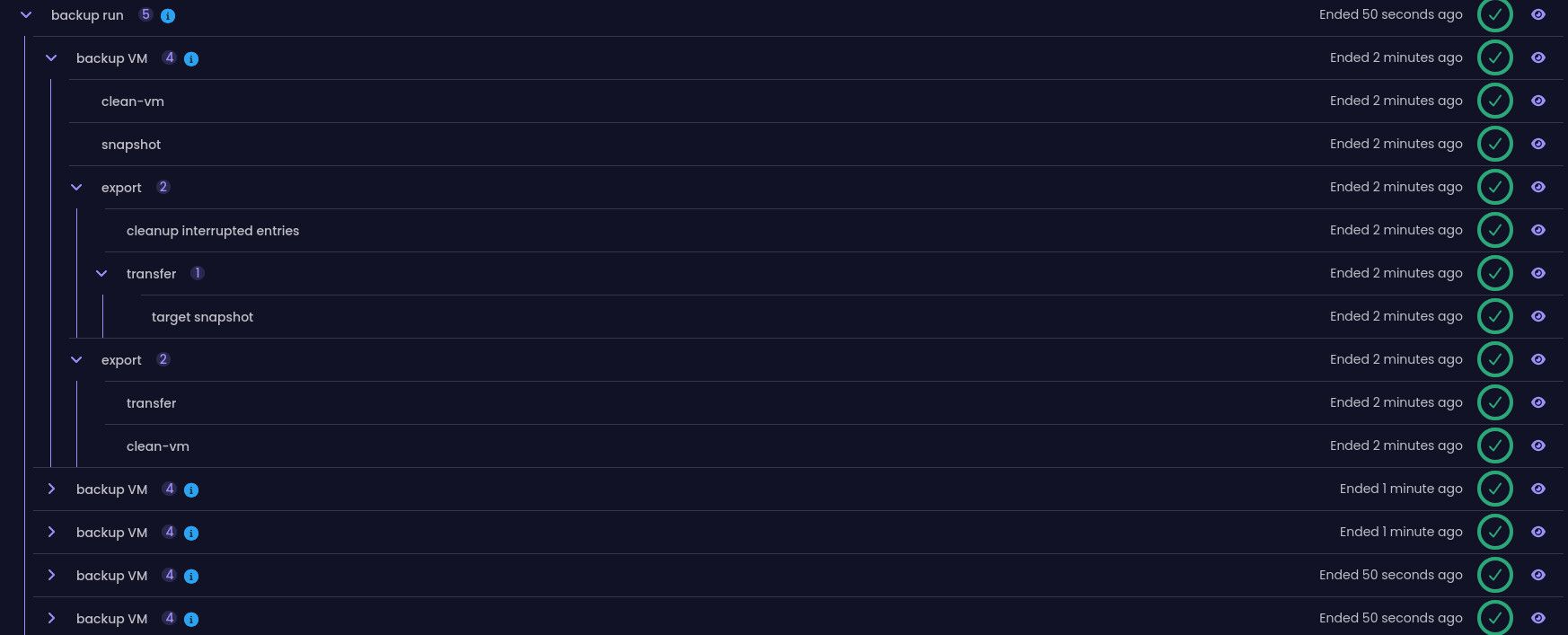
I think it would be useful to be able to monitor backup progress as we currently can in XO5.



Hello! It looks like you're interested in this conversation, but you don't have an account yet.
Getting fed up of having to scroll through the same posts each visit? When you register for an account, you'll always come back to exactly where you were before, and choose to be notified of new replies (either via email, or push notification). You'll also be able to save bookmarks and upvote posts to show your appreciation to other community members.
With your input, this post could be even better 💗
Register Login