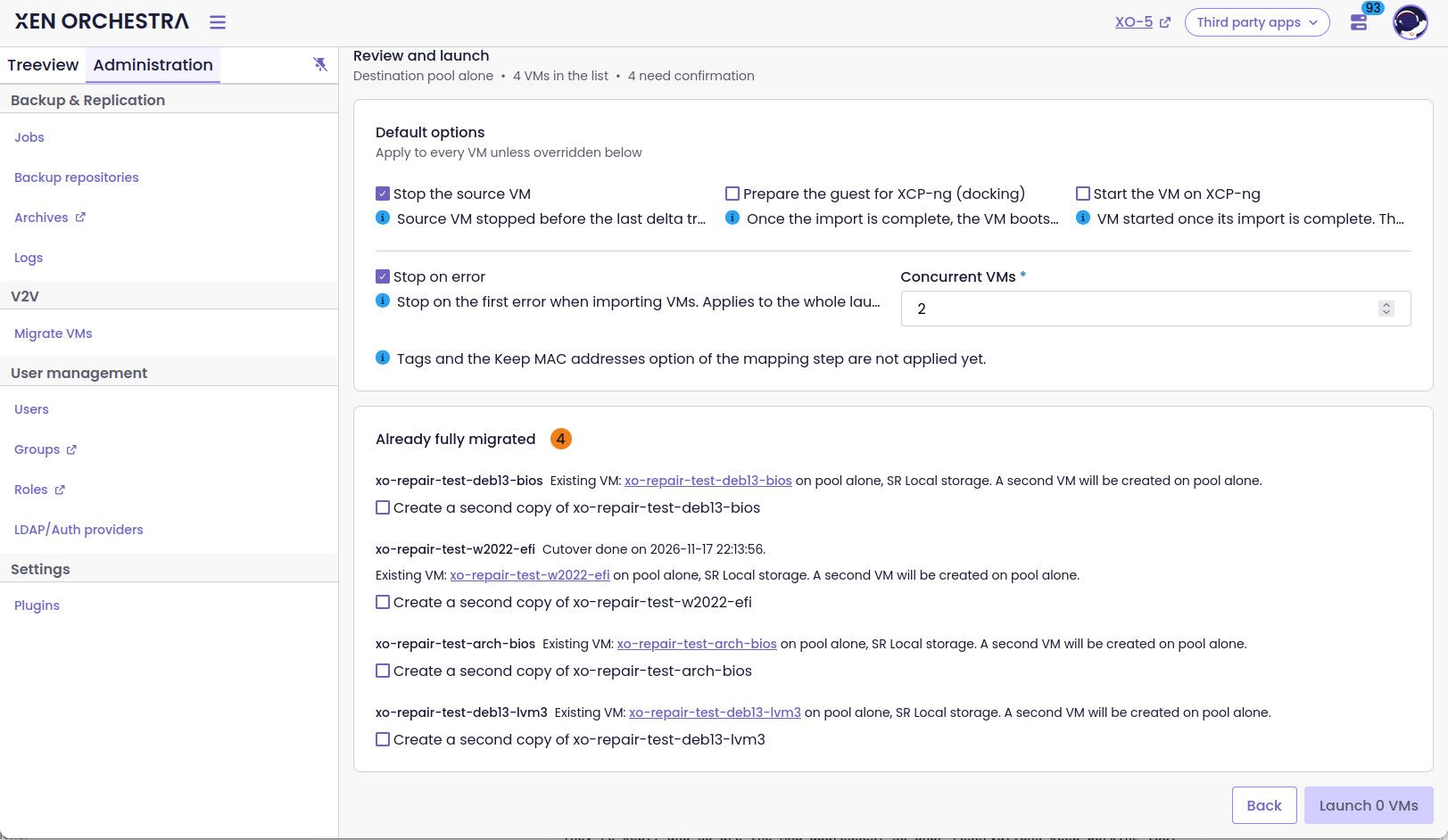
V2V in XO 6: a brand new migration wizard, with Auto-pilot docking 🛬
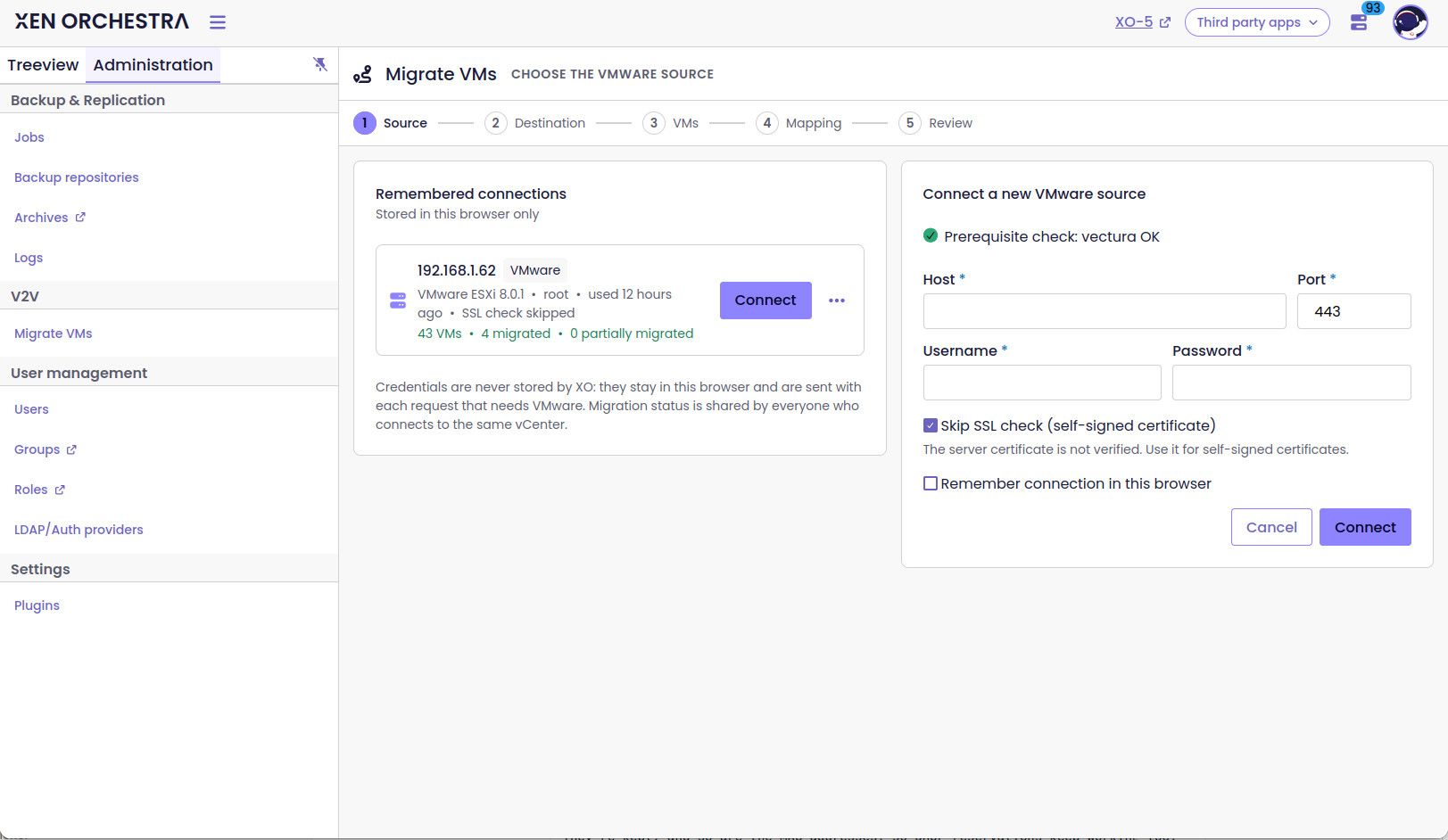
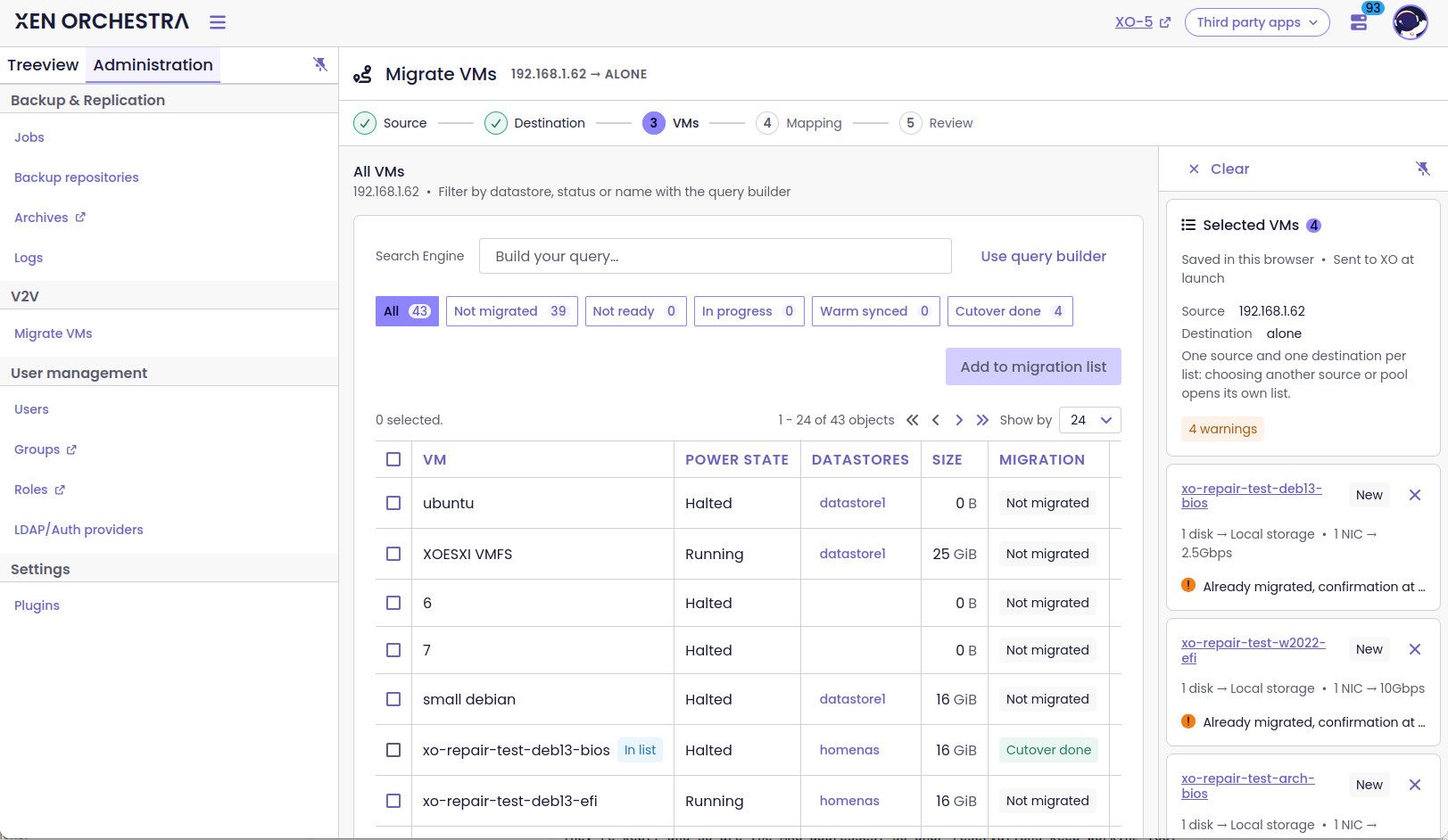
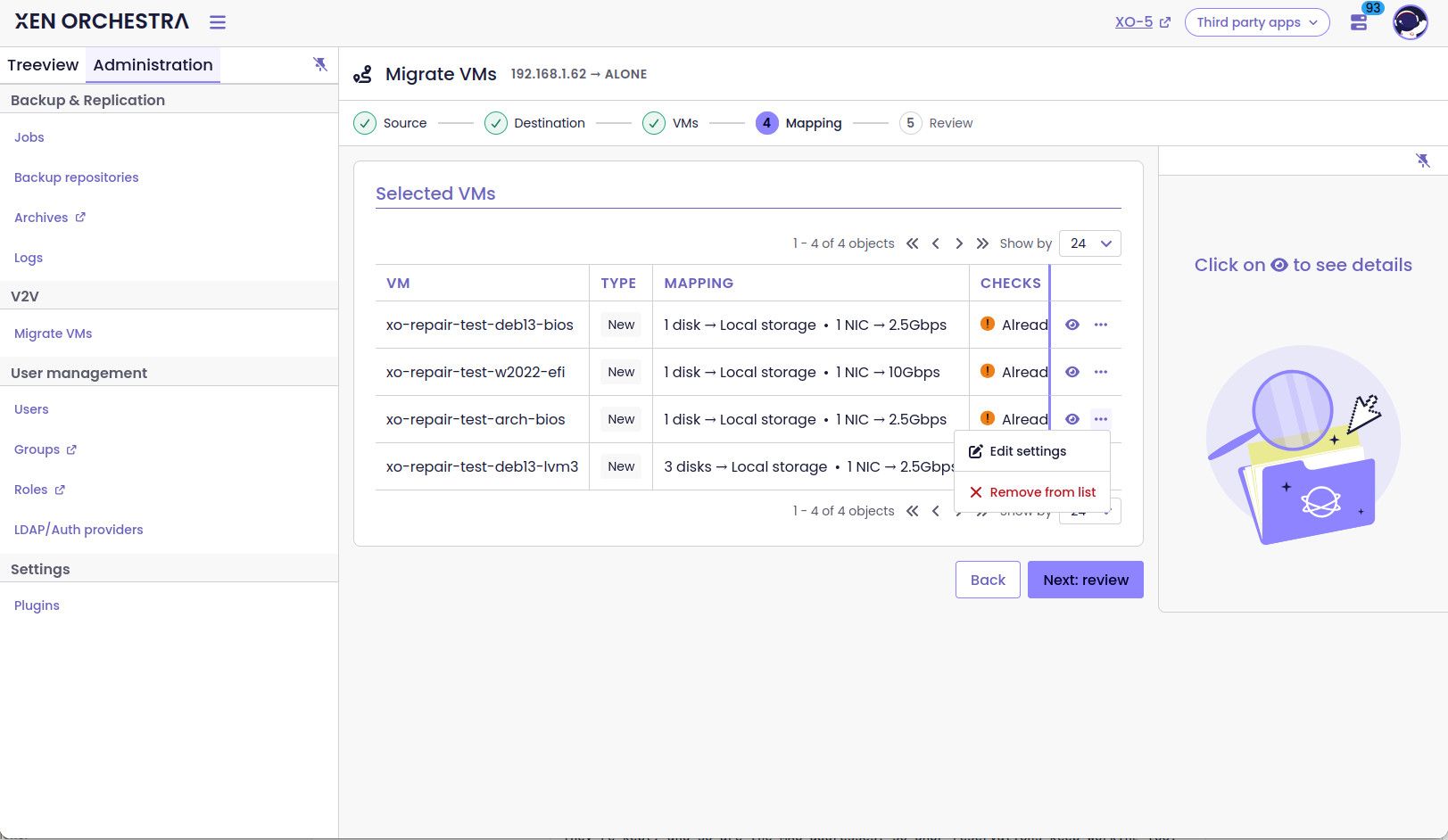
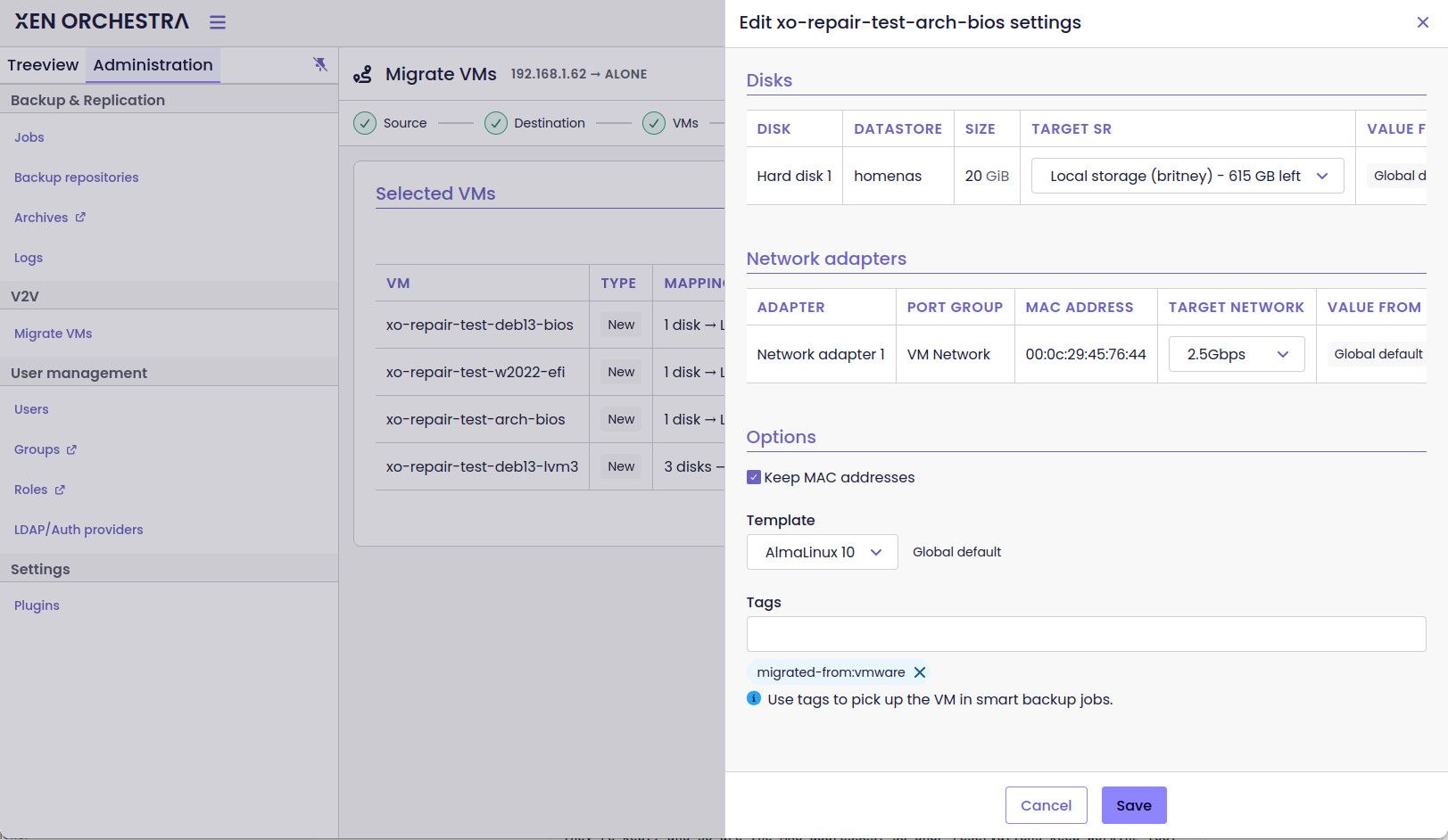
-
I will a colleague from the front team for the UI/UX question
-
vlan mapping : we hve the same quesiton for migration between xcp-ng, but have yet to find the right approach
-
tags : should be available soon
-
docking by default : we are waiting for more tester before enabling this
-
concurrent VM is already possible ( even in XO5) , by default I think it's 2 VMs
-
it should match the source , at least it did in my tests
-
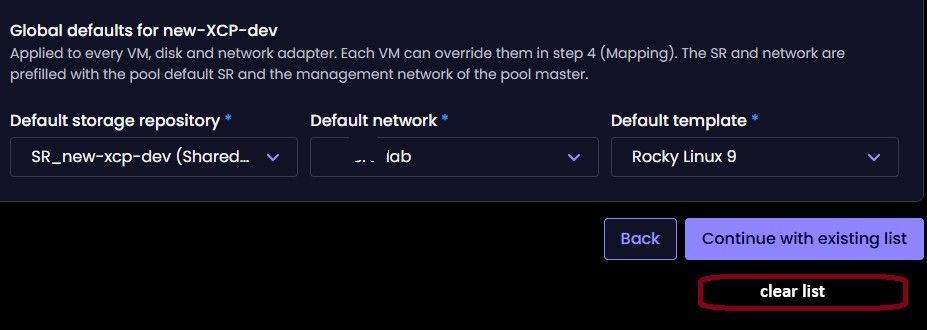
you have a clear button on the top of the VM list
-
this is planned
on a VM , there is a per disk counter ( that rely on the disk size ) . The global progress bar at the root of the task is the number of vm done Vs the total number of VM to migrate
-
-
"you have a clear button on the top of the VM list":
Yes, but you have to click into that VM-list first. My suggestion is that you could have a clear-list option prior to that. See screenshot:
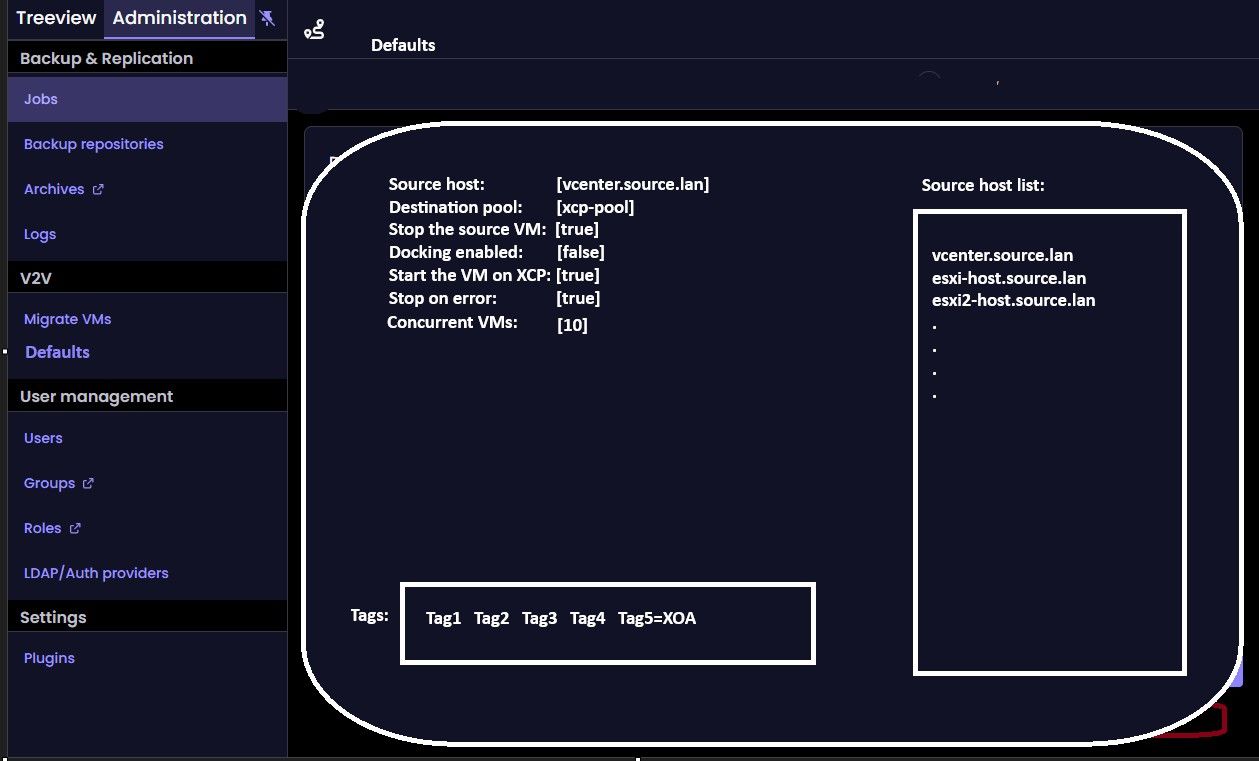
Regarding having a V2V Settings page. Here is an extremely rough mockup
Again. Great thanks to implementing this to begin with. I will also report back if I find any problems.
-
"on a VM , there is a per disk counter ( that rely on the disk size ) . The global progress bar at the root of the task is the number of vm done Vs the total number of VM to migrate"
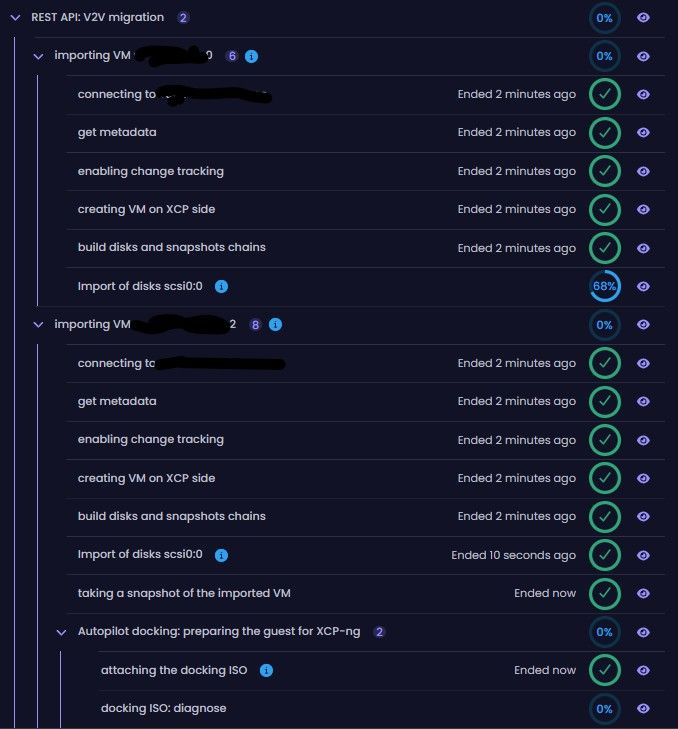
in my Humble oppinion. The progress tracker percentage for each individual VM should increase with each step. Otherwise it feel like it just goes from 0% -> 100% completed.
In my example below. The VMs has completed 7/7 steps in the importing. And one has moved on to the Docking section. Yet the tracking progress for that VM is still at 0%
-
@jr-m4 yes, the global counter is updated only when the VM has finished the docking and is completely done
thank you for testing it.
Are you using windows or liinux VMs ? which flavors ? -
@jr-m4 yes, the global counter is updated only when the VM has finished the docking and is completely done
I'm talking about the sub-counters. not the global one (that one is behaving as expected). It is the sub-counters, that I find to be goinf from 0% -> 100%, and nothing inbetween.
thank you for testing it.
Are you using windows or liinux VMs ? which flavors ?I've so far only tested with a couple of Linux VMs. Rocky 9 based. Destined to two pools, with varying amounts of NICs and such.
Will do tests with windows server (22 & 25) later as well. -
Small thing I noticed:
I have set the job to import 4 VMs. (2 concurrent)
The Global counter is listing 3, as it has completed 1 and therefore gone up from 2->3.. However, the global counter-circle is listing 3. But the tracking percentage is counting the overall job. So in this case, the percentage tracker, is the correct one.
Whereas the acctual counter is not showing the acctual amount of VMs that are in the job.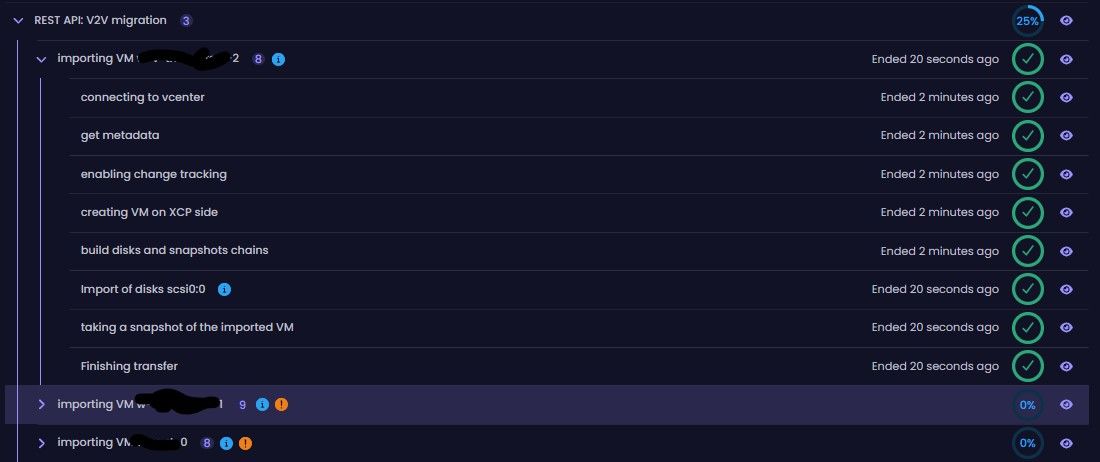
-
@jr-m4 hello, thanks for your feedback, I've gathered your feedback and will work with our designer to improve the UX/UI.
Thanks again for testing
-
@florent Sorry for the dumb question, but we are running the current "Stable" XOA version 6.9.2 - XOA build: 20251219 and don't see a "V2V" listed in the XO6 UI. Is there something we need to do to get it (i.e. hopefully without having to switch to the "Latest" release channel)? Thanks for any information...
-
@johnnezero This feature should be available in XOA later this month when v6.11 is released. If you are unwilling to switch to the Latest release channel, then you will probably need to wait for v6.11 to be available on the Stable release channel, which should occur when v6.12 is released next month.
-
@Danp Very good, we have a dedicated V2V XOA setup that I can switch to the "Latest" channel when 6.11 is released (as it only handles the V2V migrations for the current pool were moving off VMware). Unfortunately we have experience "buggy" issues when running the "Latest" release on our PROD XOA (and I was told it can be expected), which is why were a bit gun-shy of running it there.
Thanks again for all the info, and Happy Day:)



Hello! It looks like you're interested in this conversation, but you don't have an account yet.
Getting fed up of having to scroll through the same posts each visit? When you register for an account, you'll always come back to exactly where you were before, and choose to be notified of new replies (either via email, or push notification). You'll also be able to save bookmarks and upvote posts to show your appreciation to other community members.
With your input, this post could be even better 💗
Register Login