Backup job creation is available, feedback welcome
-
Hi everyone,
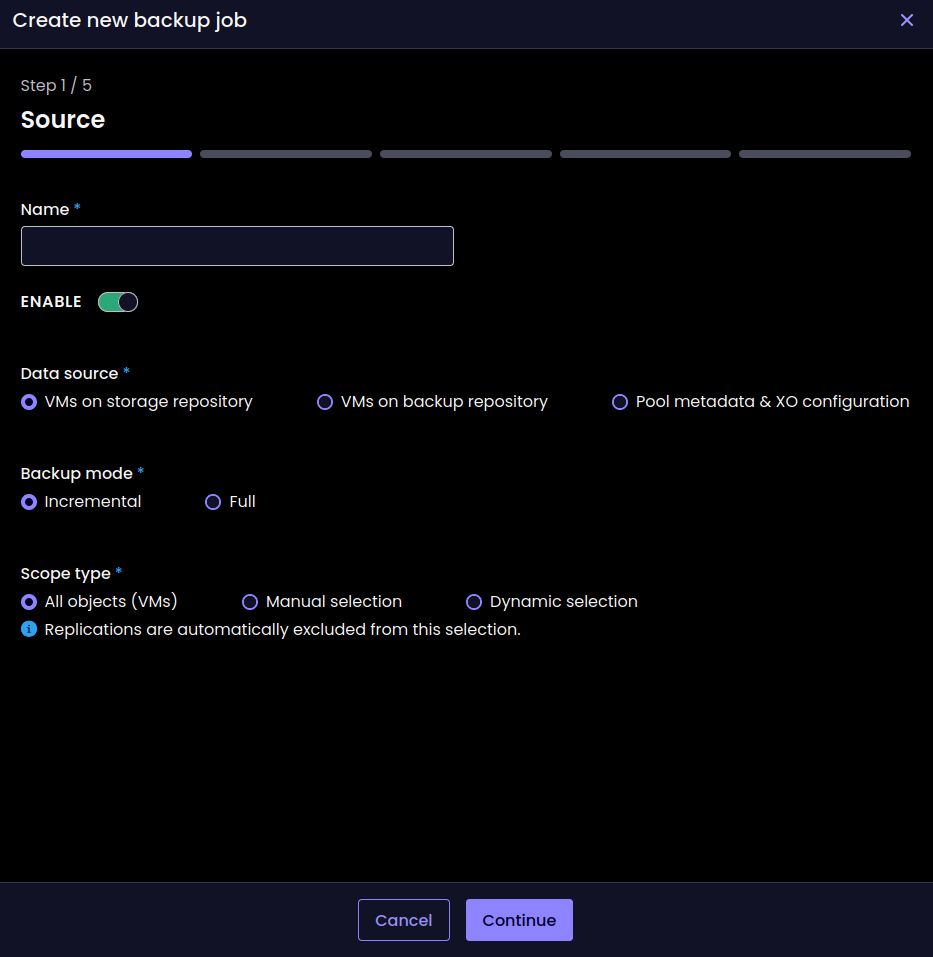
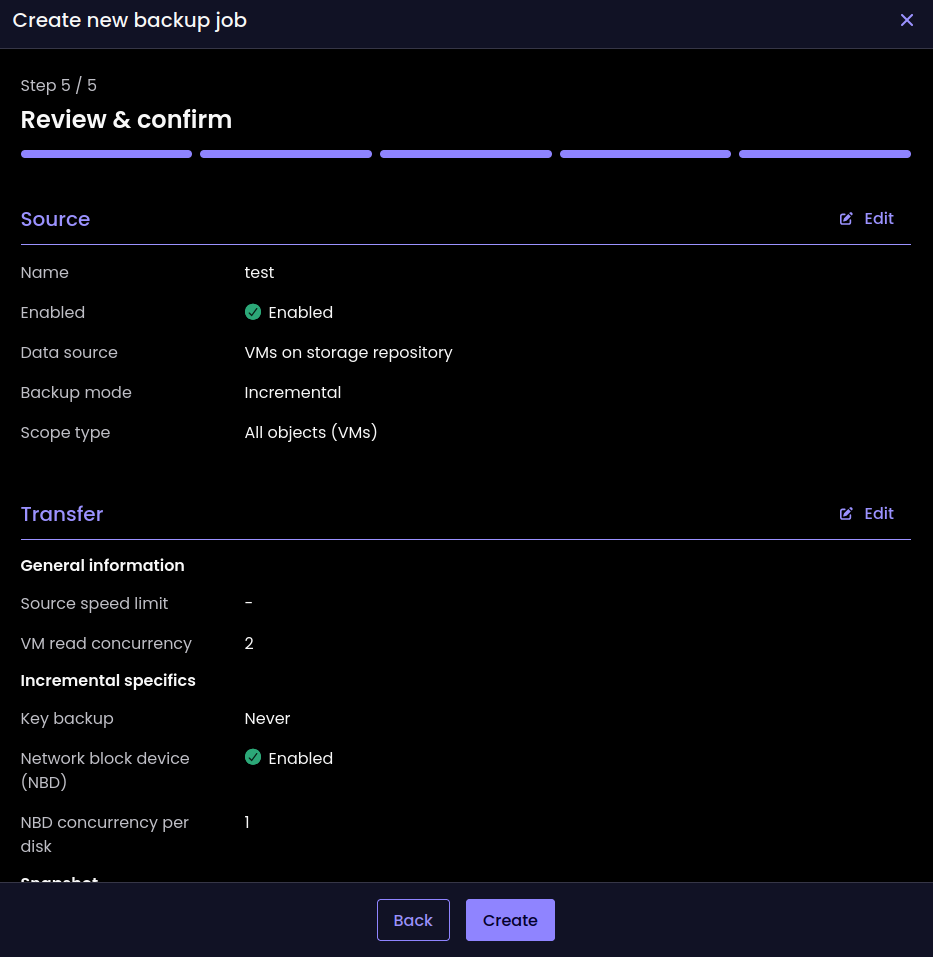
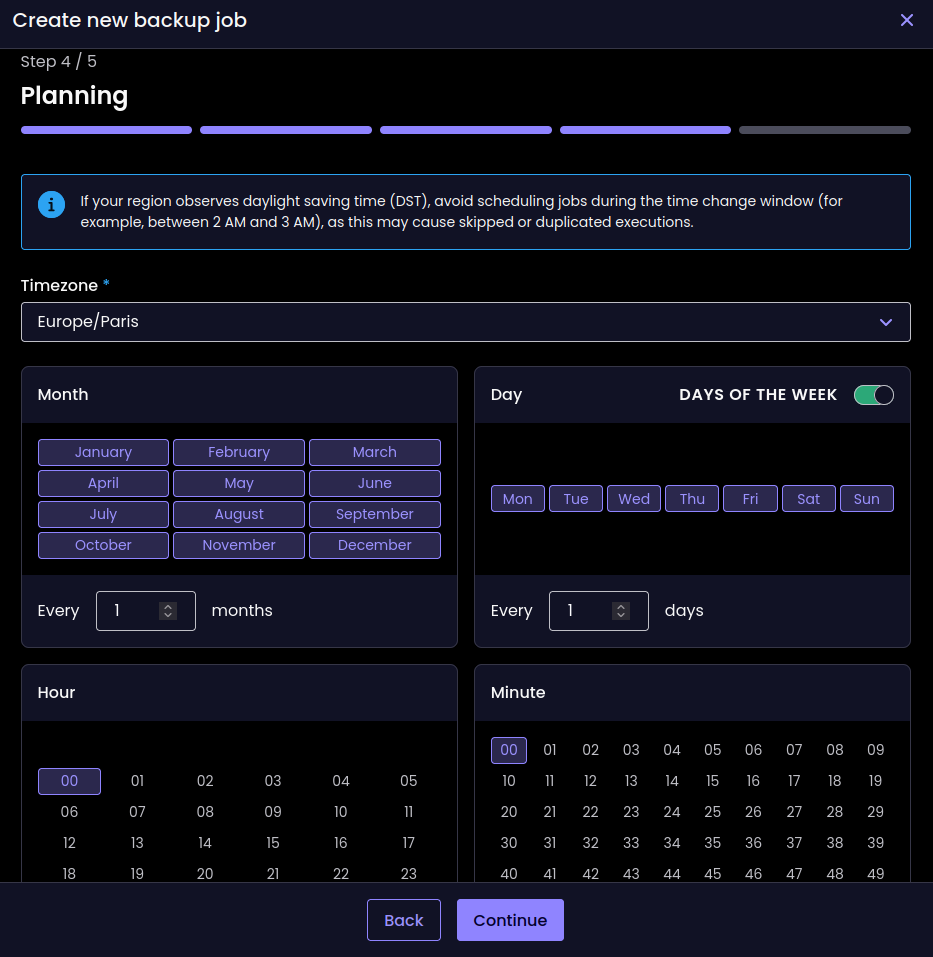
You can now create backup jobs in XO 6: Backup & Replication › Jobs, New button. The form has 5 steps:
Source: VM backup, mirror backup or metadata backup, full or delta. Manual or dynamic selection (a query with a preview of the matching objects) of VMs, pools or backup repositories.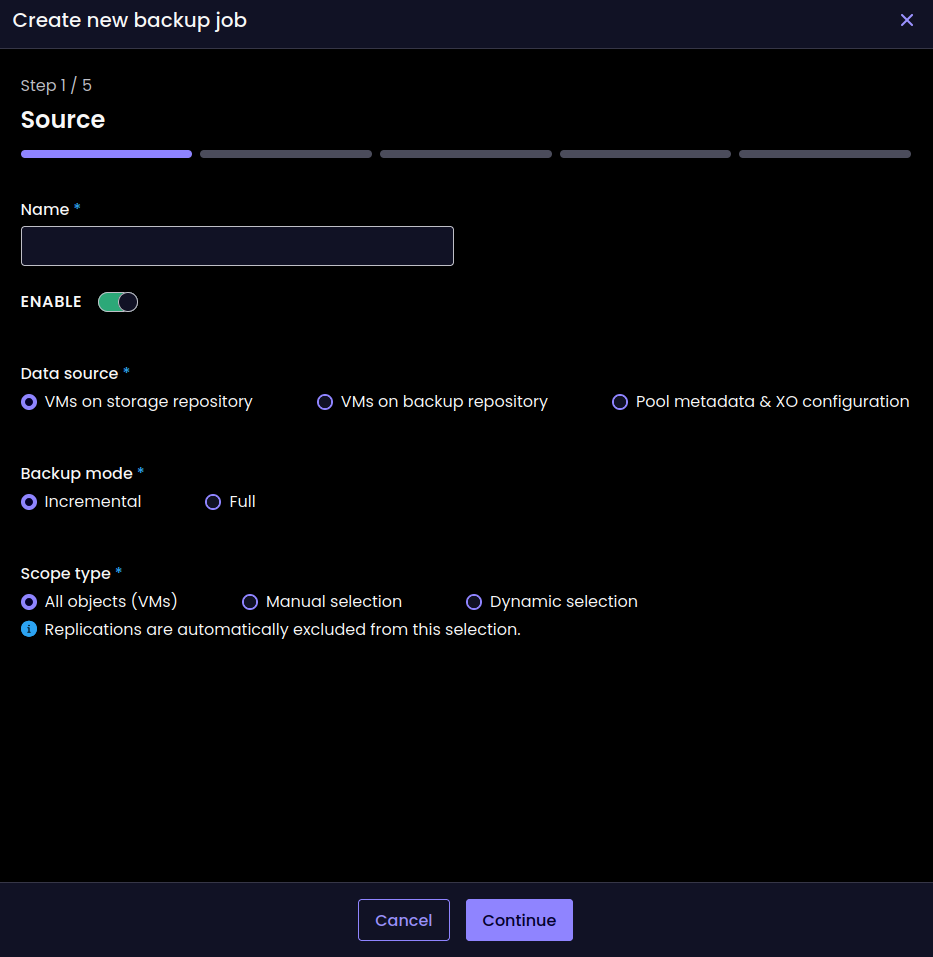
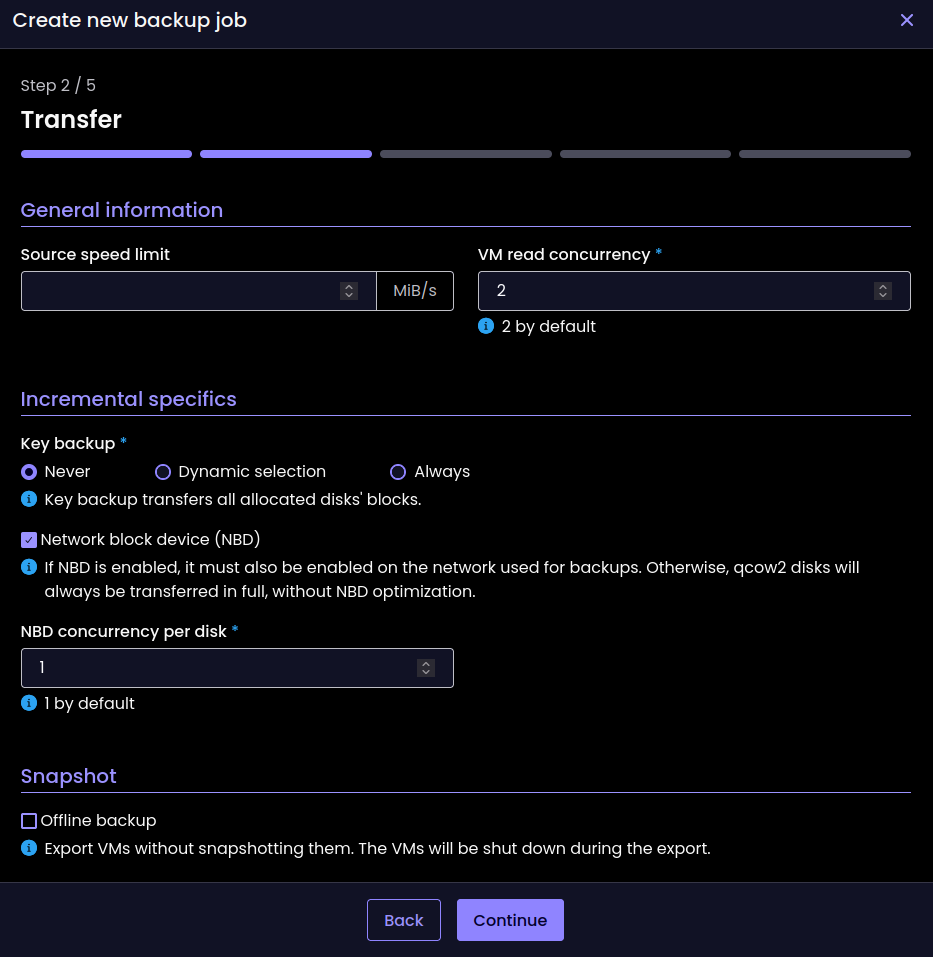
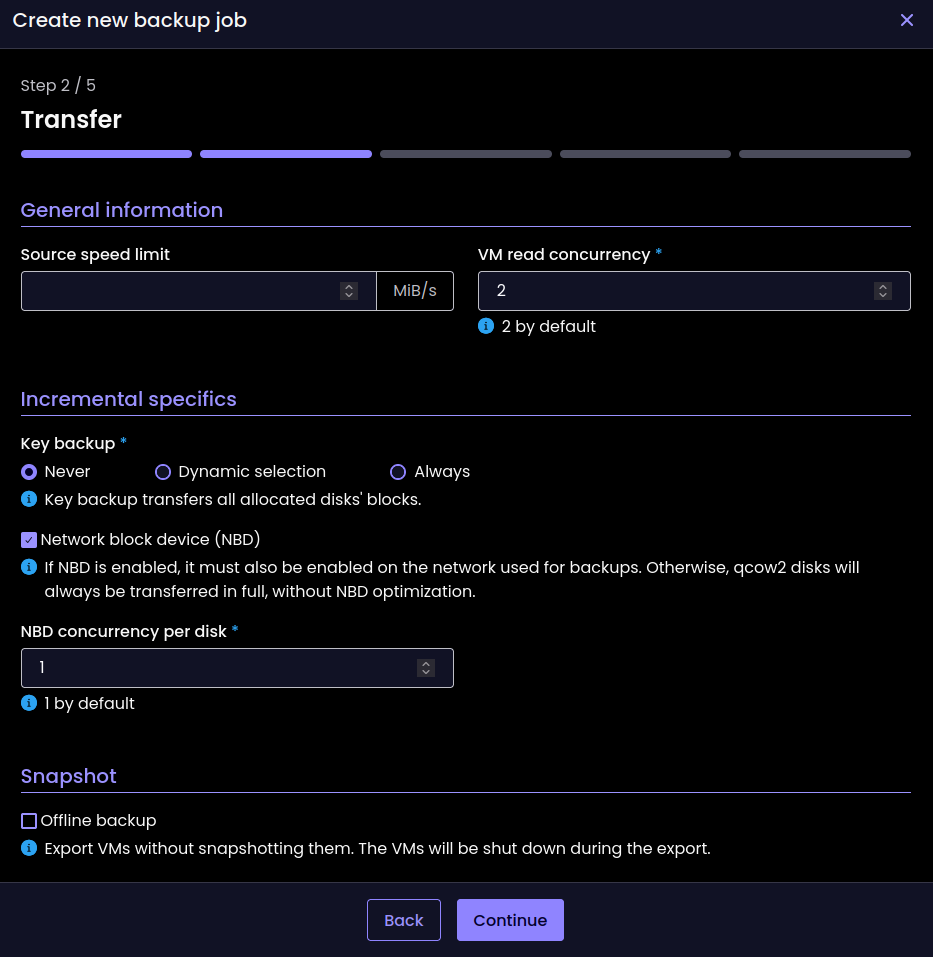
Transfer: speed limit, concurrency, NBD, snapshot options.
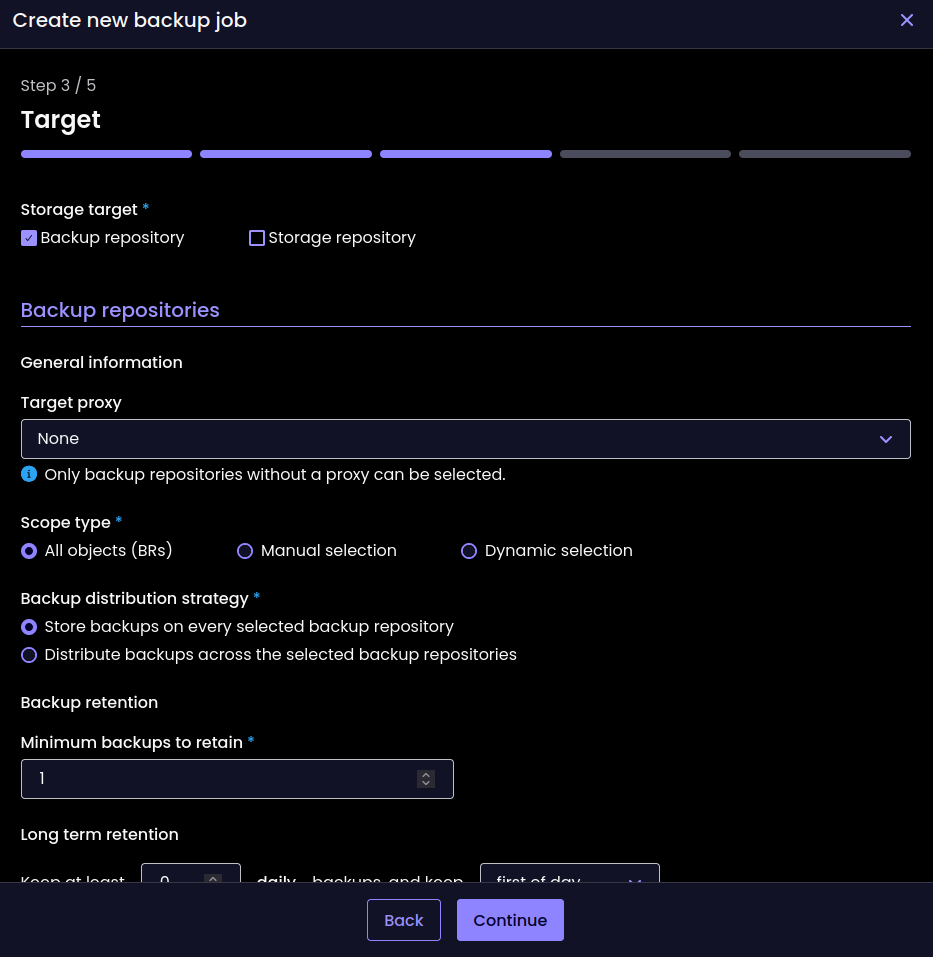
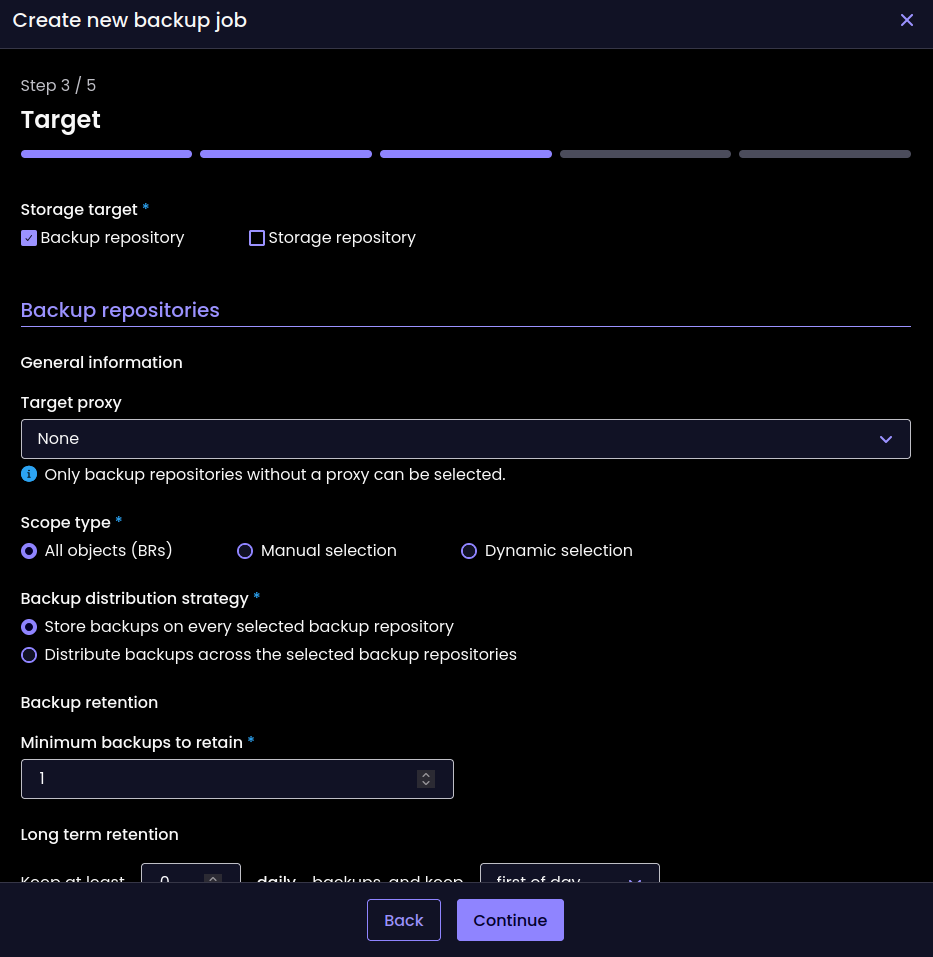
Target: backup repositories and/or storage repositories.
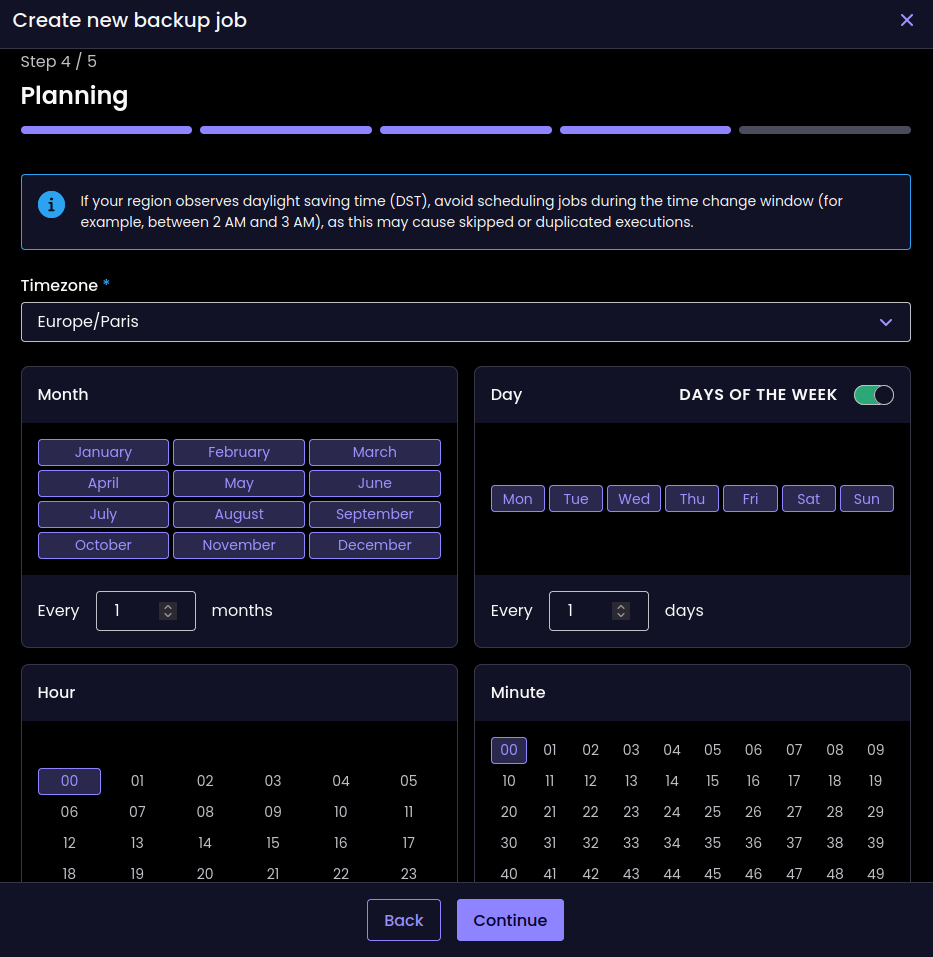
Planning: schedule editor (cron expression, timezone, next runs) and retention.
Review: summary before creation.
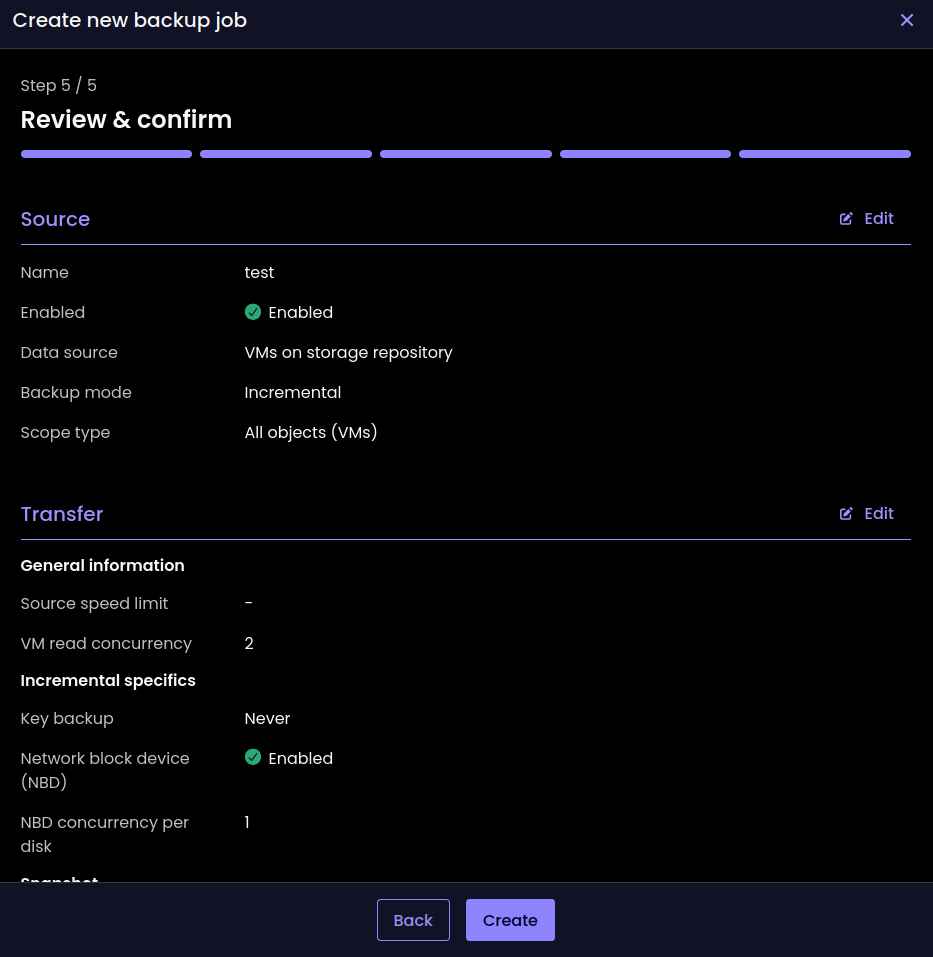
Before this goes into production, we’d like the form to be tested on as many real-world cases as possible: your backup types, your dynamic selections, your schedules. If anything looks off, or if something is unclear or missing compared to XO 5, let us know here, with screenshots if you can.
Thanks!
-
Great news that creating backup jobs in v6 is now possible...
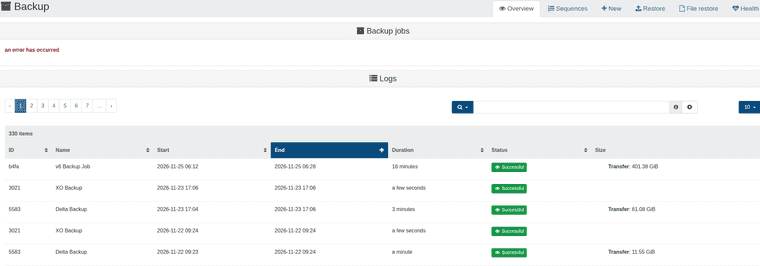
So I created a new backup job in v6 and a new job to backup xo config/meta data. (I duplicated the same settings from v5 into v6 were possible.) This is the first backup run and no health check as of yet.
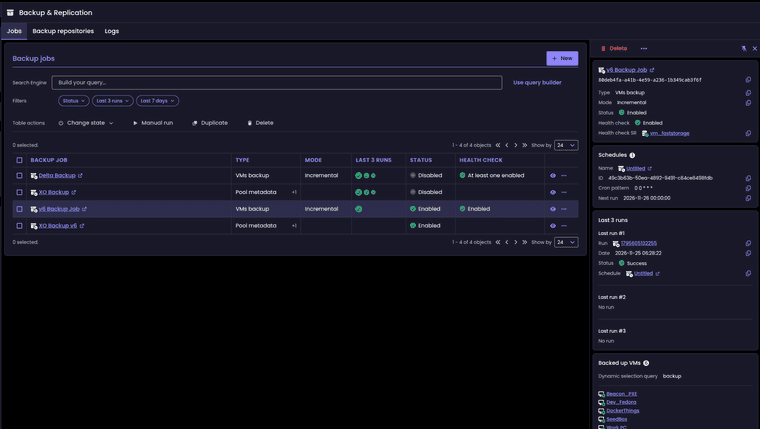
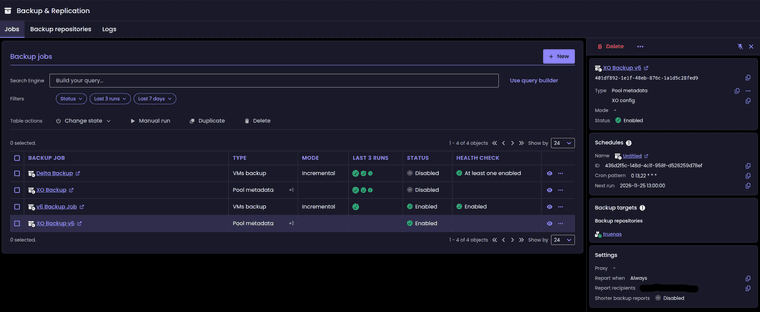
I missed taking a picture before starting the v6 backup job but it did show me the previous v5 backup jobs along with the new v6 backup. After running the v6 backup job I now see this in v5 backup.
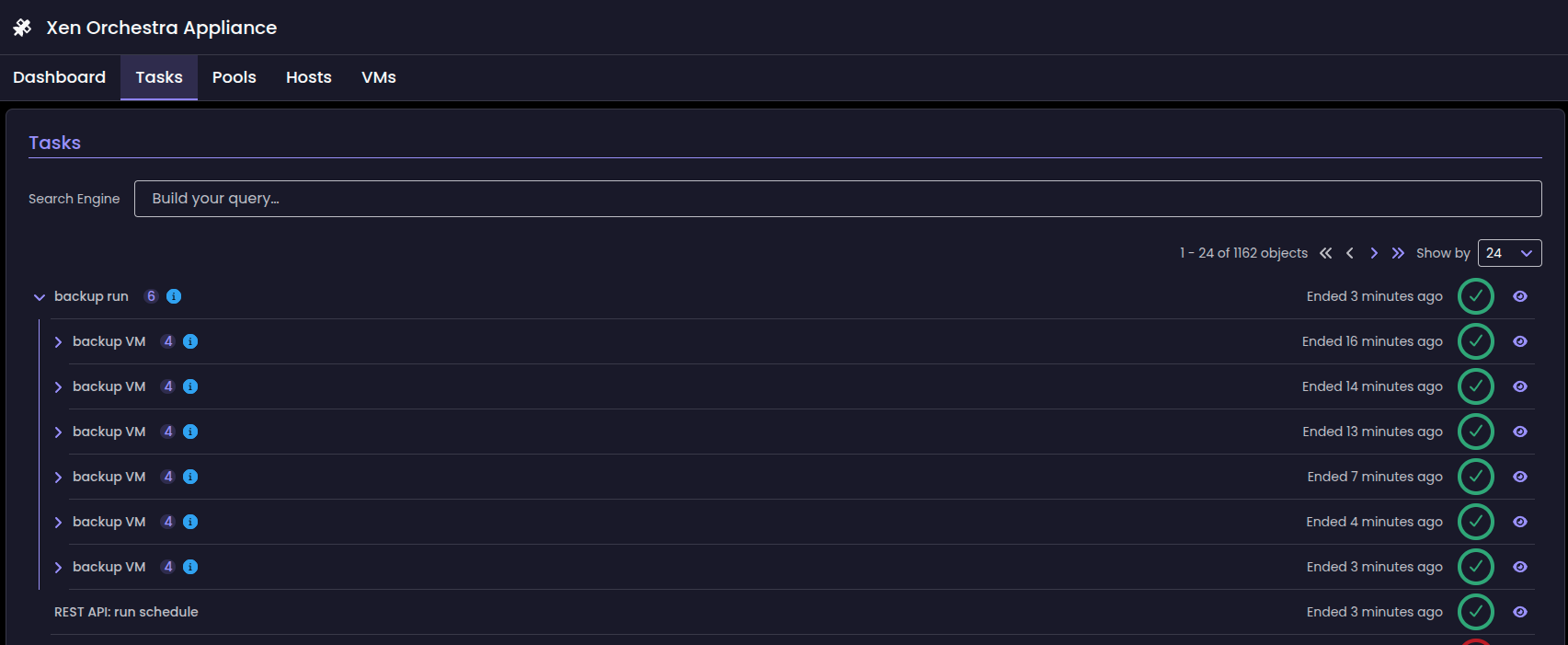
Here I missed taking a picture while the job was running but each vm backing up stayed on 0% until completion.
-
Is there more information about what "Key backup" is and what the differences between the options are/do?
-
Is there more information about what "Key backup" is and what the differences between the options are/do?
this was called "full backup " as in "full backup interval" (when storing the full disk and starting a new incremental chain), but was confusing with "full backups" (one XVA file for the vm bacckup, called only "backup" in the ui)
Thanks for clarifying.
For what it's worth. I didn't find that "previous" terminology confusing. Quite the opposite. It was quite self-explanatory imho.Calling it "Key backup" doesn't explain anything by itself. Hence me asking. Have you considered calling it something else? Suggestions could be something alike
"Create new incremental chain"
"Reset entire delta-chain"
Or whatever..I'll learn this new term too. Just thought that it maybe could use some more time in the proverbial oven.
I'll be back with some acctuall testing soon.
-
@jr-m4 this is inspeired by the video processing terminology ( key frame ) . We did check the "chain" terminology, but we though that it would create a new confusion between the action on chains and individual backup archives
naming is hard
-
@florent
Naming is hard, indeed.Chain is more logically close, imho. And you guys use it as well quite often to describe backups and such. So comming in from the left with a terminology inspired from video, was unexspected.
Regardless. I have given my two cents on the naming. And I greatly apreciate your efforts and how involved you all are with the community (me included). Thanks!!
-
@acebmxer
I wish the cron field for the schedule would be writable.
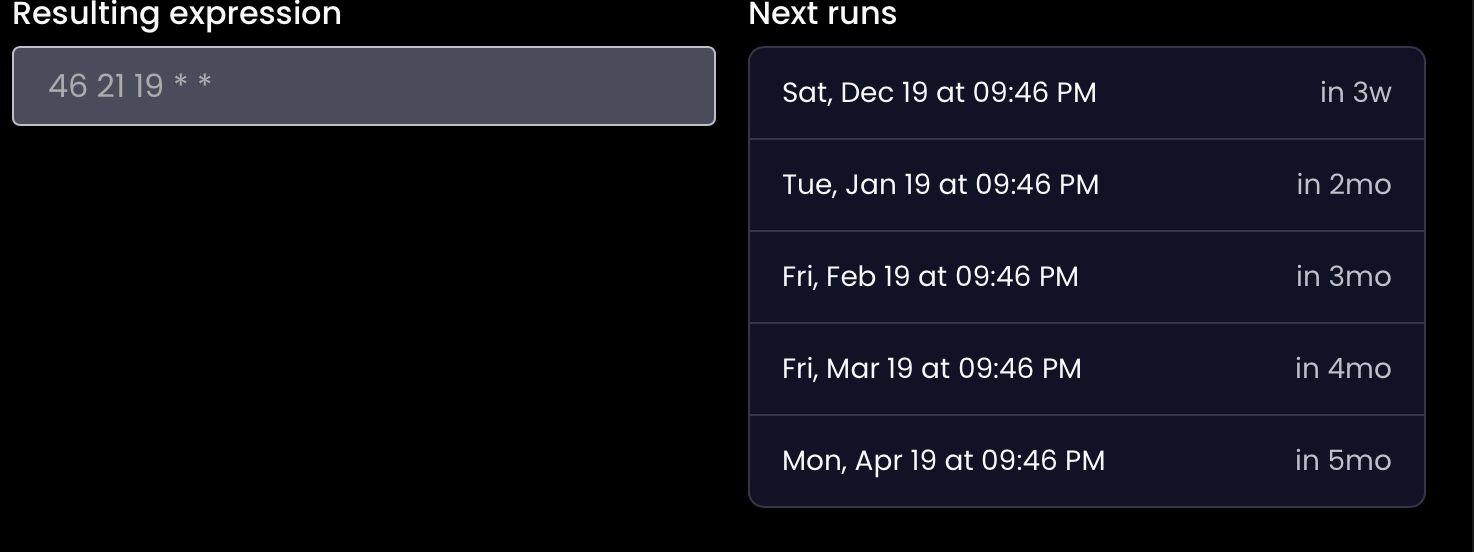
If I want to have a monthly backup on a specific day I always have to deselect 30 other days.
Also either I missed it or it changed but the key backup only allows a schedule to be used and not every X backups?



Hello! It looks like you're interested in this conversation, but you don't have an account yet.
Getting fed up of having to scroll through the same posts each visit? When you register for an account, you'll always come back to exactly where you were before, and choose to be notified of new replies (either via email, or push notification). You'll also be able to save bookmarks and upvote posts to show your appreciation to other community members.
With your input, this post could be even better 💗
Register Login