Moving VMs from one Pool to another
-
Hi,
I recently setup a new Pool with XCP-NG8 and a connected iSCSI Storage. When moving VMs from my old Pool (XCP-NG 7.6) to the new one some (most) VDIs seem to double.
On the new Storage I have one VDI connected to the VM, displayed in green and another one of the same size that is not connected to a VM and displayed in yellow or orange.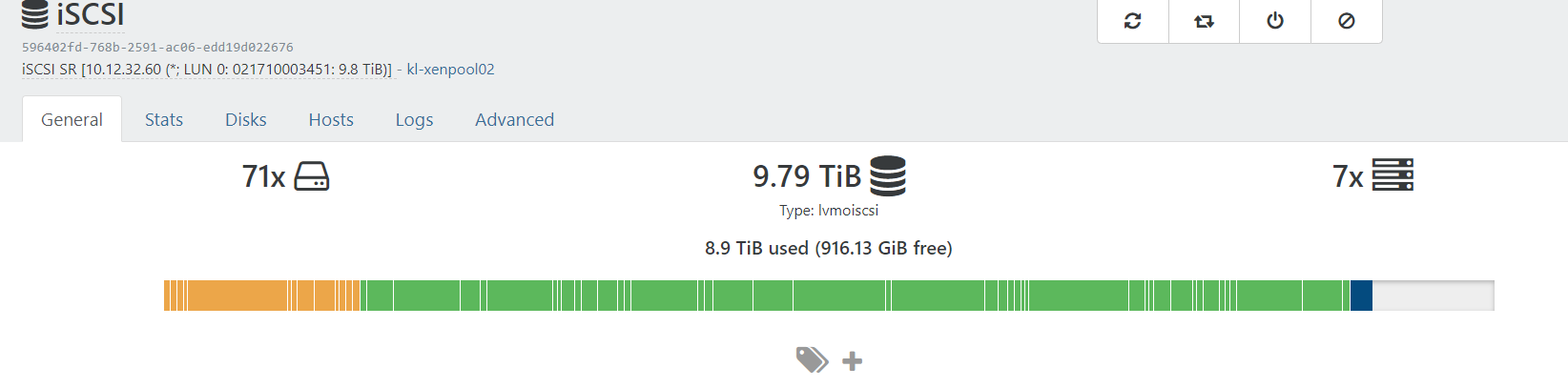
From XO I can not delete the orange copy, but I get a "no such VDI" Error

From Command Line I can forget and then delete it, but that will also destroy the linked VDI (green one
 ) as it's missing a "parent VDI" from now.
Do you know why this happens and how I can get rid of the VDIs that are not connected? And also is there a way to still use the VDIs that are Missing a parent now?
Best regards
Philipp -
You can't remove them. They'll be garbage collected automatically, or check for orphan disks in your "Disks" tab of this view.
-
Hi Olivier,
thank you for answering.
When should this Garbage Collection occur?Does it take a couple of days? When I check for "orphaned Disks" in the Disks Section it gives me only two of those VDIs -
You can remove orphaned VDIs yourself
Then rescan the SR and wait a bit (20 min in general should be enough) -
That's pretty much what I tried in first place. I can "forget" the VDI, rescan and then delete destroy it. Problem is, it also kills the VDI I still need.
In the Disk tab it looks like this for example
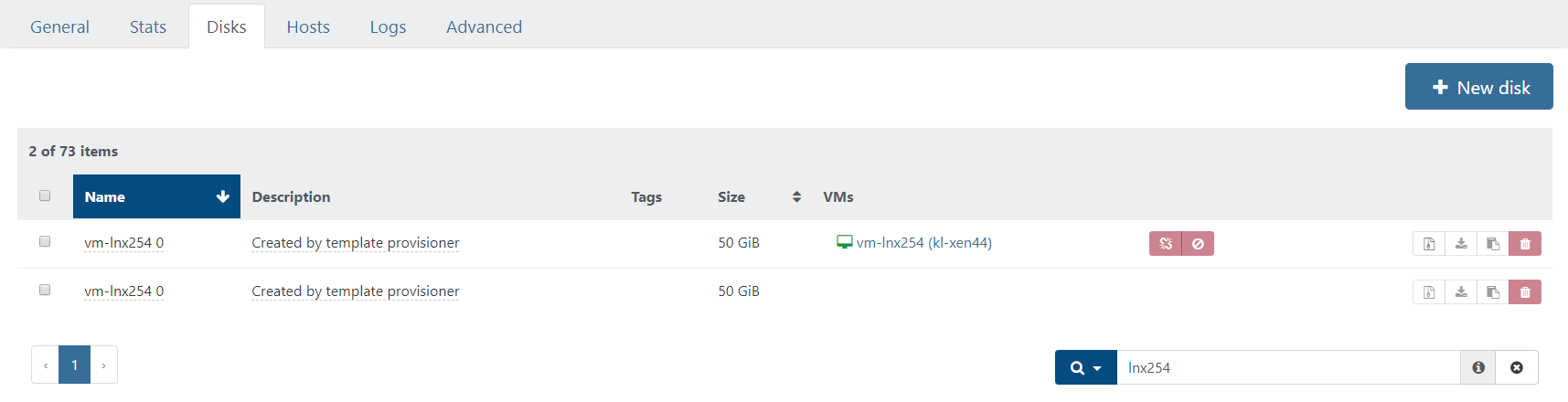
UUID of the first (attached) one: a91d9216-39ee-4c1b-a66d-df5a88f35185
UUID of the second one: f111463f-7449-4d60-bf12-2634b5ce2b00with vhd-util I can see, the second is a parent to the first, also is the second one "read only"
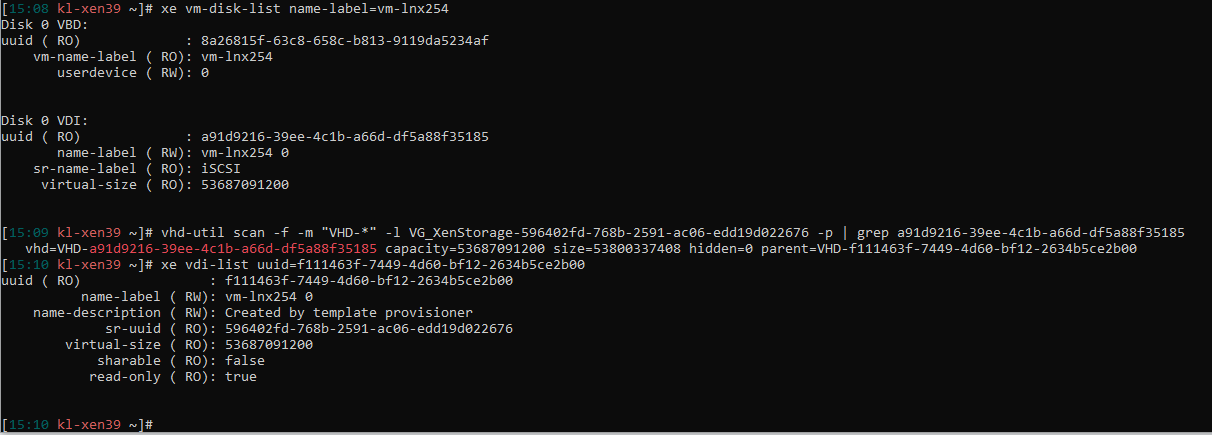
-
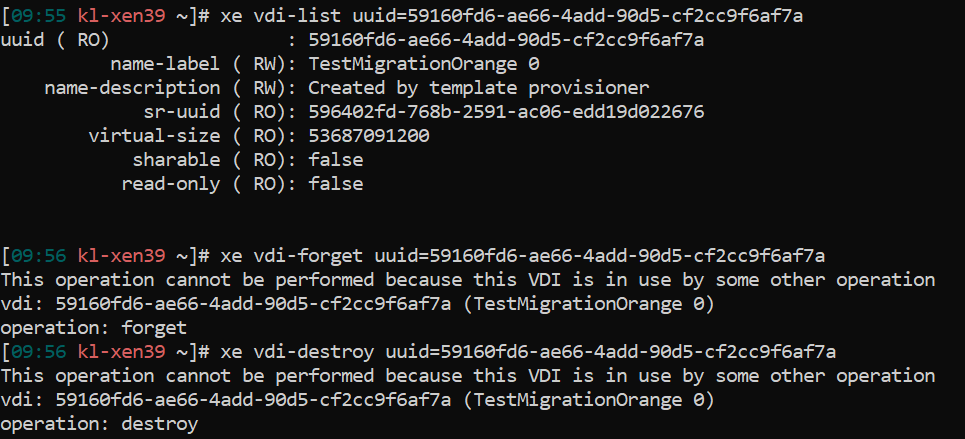
Next thing I tried was Exporting the affected VM, delete it and import it again. This fails because after deleting the VM both VDIs / VHDs are still there. Also I can not delete them. The error says:

Hello! It looks like you're interested in this conversation, but you don't have an account yet.
Getting fed up of having to scroll through the same posts each visit? When you register for an account, you'll always come back to exactly where you were before, and choose to be notified of new replies (either via email, or push notification). You'll also be able to save bookmarks and upvote posts to show your appreciation to other community members.
With your input, this post could be even better 💗
Register Login