XCP-ng
    • Categories
    • Recent
    • Tags
    • Popular
    • Users
    • Groups
    • Register
    • Login

    XOA Error when installing
    Scheduled Pinned Locked Moved Solved Xen Orchestra
    107 Posts 9 Posters 66.2k Views 1 Watching
    Loading More Posts
    • Oldest to Newest
    • Newest to Oldest
    • Most Votes
    Reply
    • Reply as topic
    Log in to reply
    This topic has been deleted. Only users with topic management privileges can see it.
    • olivierlambertO
      olivierlambert Vates 🪐 Co-Founder CEO
      last edited by

      \o/ Thanks a lot for your feedback.

      To let you know why: for an unknown reason, the XVA exported included an incorrect bridge name, xapi0 instead of xenbr0.

      So I had to unpack it, fix the XML with the right name and repack it. I remember it happened once in the past. Root cause is unclear but now I'll add extra checks before deploying, that bridge name is correct (everyone should have a xenbr0).

      I couldn't spot the issue myself because in our test lab, we got xapi0 network, so it was working.

      K 1 Reply Last reply
      Reply Quote 0
      • K
        kilo @olivierlambert
        last edited by

        @olivierlambert How do i chech whether the xoa i have is exported with xapi0 or xenbr0 ?

        1 Reply Last reply
        Reply Quote 0
        • olivierlambertO
          olivierlambert Vates 🪐 Co-Founder CEO
          last edited by

          You don't, I replaced the one on our server right now. Don't check, just redeploy and you'll have the right version.

          1 Reply Last reply
          Reply Quote 0
          • K
            kilo
            last edited by

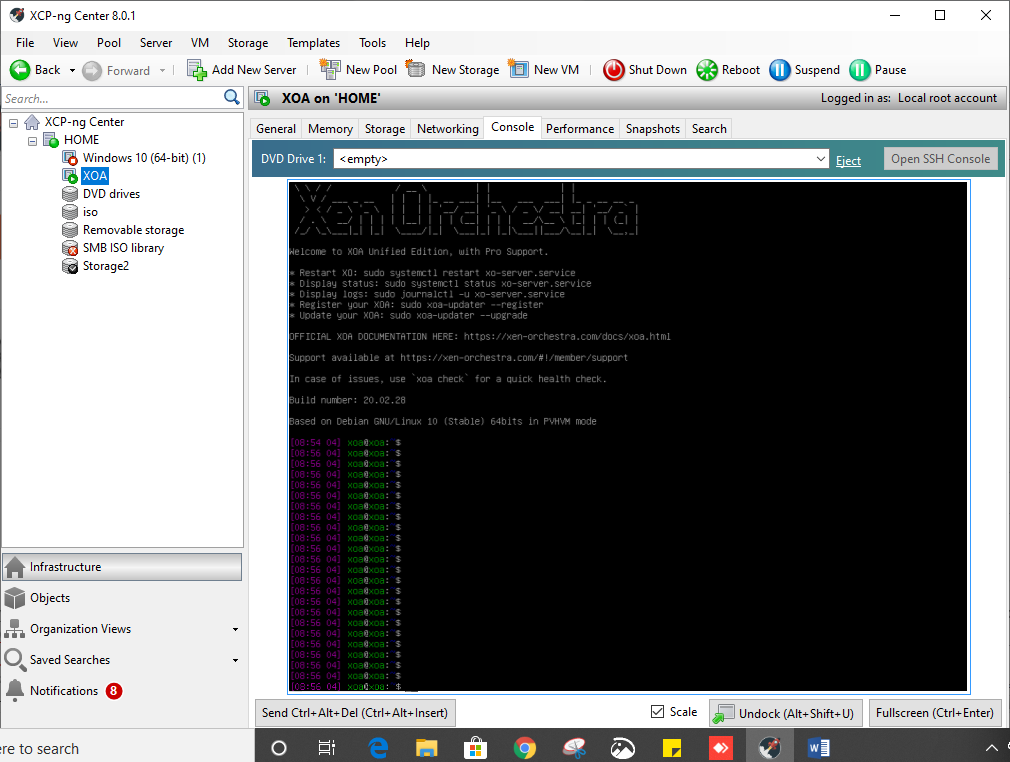
            I have redeployed. now how do i verify that the xoa i have deployed is with a xapi0 or xenbr0
            6c80807d-e1a4-4f56-9102-96cbf9ba4b7b-image.png

            1 Reply Last reply
            Reply Quote 0
            • K
              kilo
              last edited by

              also facing this error
              a66997a7-efce-4432-b5af-d1286a4a9b07-image.png

              1 Reply Last reply
              Reply Quote 0
              • olivierlambertO
                olivierlambert Vates 🪐 Co-Founder CEO
                last edited by

                @kilo you don't understand. If you still had xapi0 inside the XVA, you won't be able to import it, period. It would have fail.

                So it means this is now working.

                The error you have now is totally unrelated. You try to connect to an incorrect IP address. Enter it into your browser and see if it's the IP of your host.

                1 Reply Last reply
                Reply Quote 0
                • Z
                  ZacApplegate
                  last edited by

                  That worked thanks @olivierlambert !

                  1 Reply Last reply
                  Reply Quote 0
                  • olivierlambertO
                    olivierlambert Vates 🪐 Co-Founder CEO
                    last edited by

                    @ZacApplegate great!

                    S 1 Reply Last reply
                    Reply Quote 0
                    • S
                      sabival89 @olivierlambert
                      last edited by

                      @olivierlambert Smooth! Thanks a lot.

                      1 Reply Last reply
                      Reply Quote 0
                      • K
                        kilo
                        last edited by

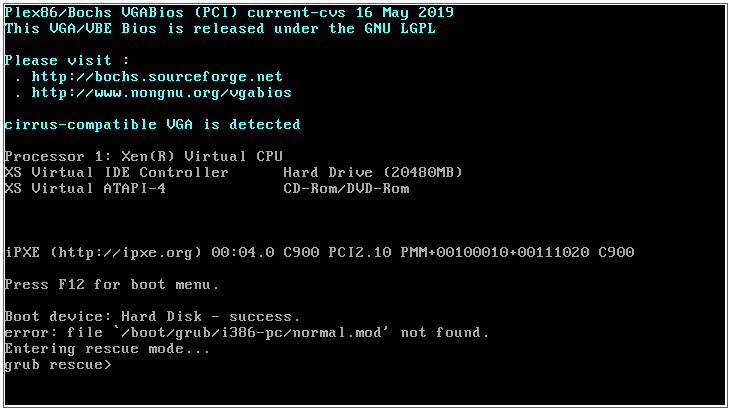
                        while deploying using the curl method this is the error faced
                        28492518-5156-4002-a5ae-06219883792c-image.png

                        DanpD 1 Reply Last reply
                        Reply Quote 0
                        • DanpD
                          Danp Pro Support Team @kilo
                          last edited by

                          @kilo I got this error while attempting to test this --

                          # curl -sS https://xoa.io/deploy | bash
                          
                          Welcome to the XOA auto-deploy script!
                          
                          Network settings:
                          Importing XOA VM...
                          Error: Unknown field 'Downloading'
                          

                          The resulting VM boots, but isn't assigned an IP address (the VIF is attached to the Private LAN network)

                          K 1 Reply Last reply
                          Reply Quote 0
                          • K
                            kilo @Danp
                            last edited by

                            @Danp you mean it should be attached to network 0 ?

                            DanpD 1 Reply Last reply
                            Reply Quote 0
                            • DanpD
                              Danp Pro Support Team @kilo
                              last edited by

                              @kilo Not sure why this is occurring. Seems like the deploy script isn't working as designed.

                              1 Reply Last reply
                              Reply Quote 0
                              • olivierlambertO
                                olivierlambert Vates 🪐 Co-Founder CEO
                                last edited by

                                Deploy script isn't recommended anymore until we implement network selection. Please use https://xen-orchestra.com/#!/xoa

                                1 Reply Last reply
                                Reply Quote 0
                                • K
                                  kilo
                                  last edited by

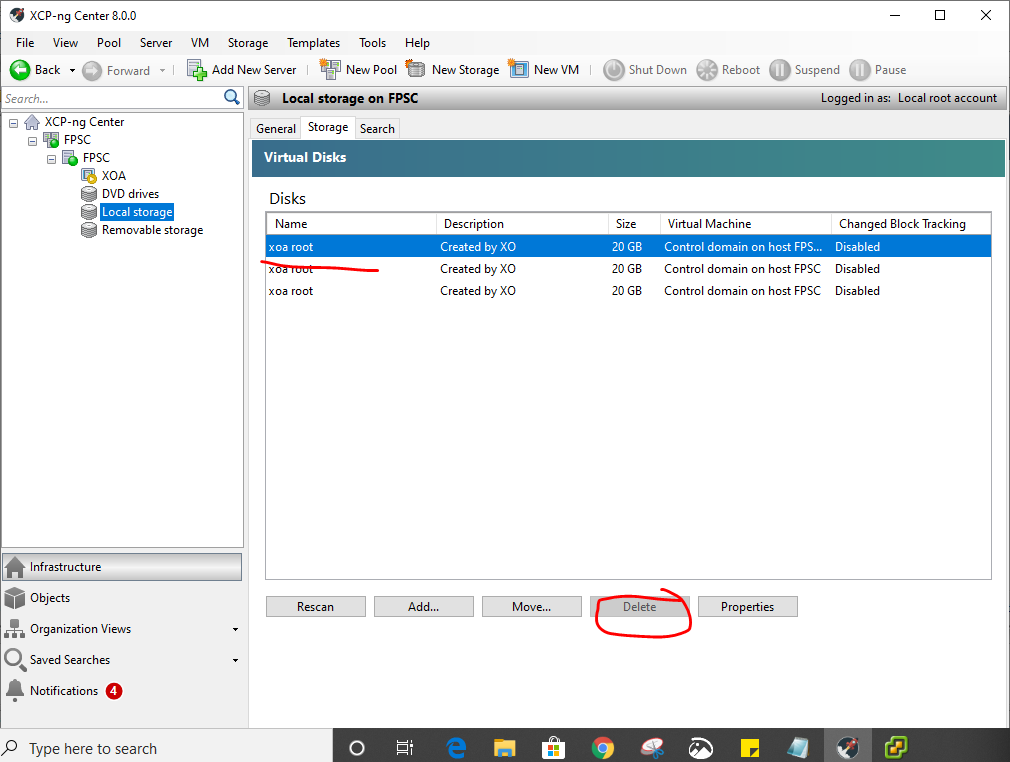
                                  how to stop the stuck XOA VM. neither can it be stopped nor could the XOA 20 GB disk be deleted!
                                  1079af3b-31e9-4d4a-ab68-051f857644a0-image.png

                                  1 Reply Last reply
                                  Reply Quote 0
                                  • K
                                    kilo
                                    last edited by

                                    should i reinstall the XCP-ng all over again???

                                    1 Reply Last reply
                                    Reply Quote 0
                                    • K
                                      kilo
                                      last edited by

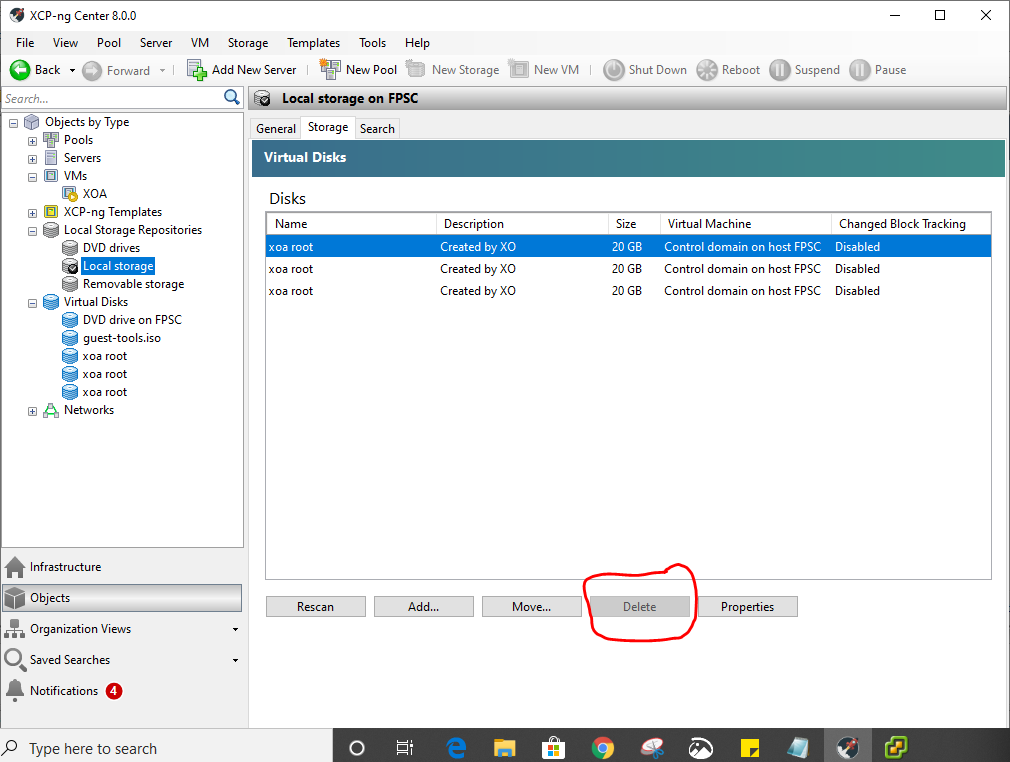
                                      ughh!!...the delete option is greyed out!
                                      f2a9f015-065b-4d75-ae84-7003be28f5a3-image.png

                                      DanpD 1 Reply Last reply
                                      Reply Quote 0
                                      • DanpD
                                        Danp Pro Support Team @kilo
                                        last edited by

                                        @kilo The disks are attached to the control domain, which is probably why you can't delete them. Have you tried restarting the toolstack?

                                        K 1 Reply Last reply
                                        Reply Quote 0
                                        • K
                                          kilo @Danp
                                          last edited by

                                          @Danp how to restart it?

                                          1 Reply Last reply
                                          Reply Quote 0
                                          • K
                                            kilo
                                            last edited by

                                            restarting did not help either...guess will have to reinstall XCP-ng.

                                            1 Reply Last reply
                                            Reply Quote 0

                                            Hello! It looks like you're interested in this conversation, but you don't have an account yet.

                                            Getting fed up of having to scroll through the same posts each visit? When you register for an account, you'll always come back to exactly where you were before, and choose to be notified of new replies (either via email, or push notification). You'll also be able to save bookmarks and upvote posts to show your appreciation to other community members.

                                            With your input, this post could be even better 💗

                                            Register Login
                                            • First post
                                              Last post