Need help creating single disk partition for Ubuntu 22.04 cloud image
-
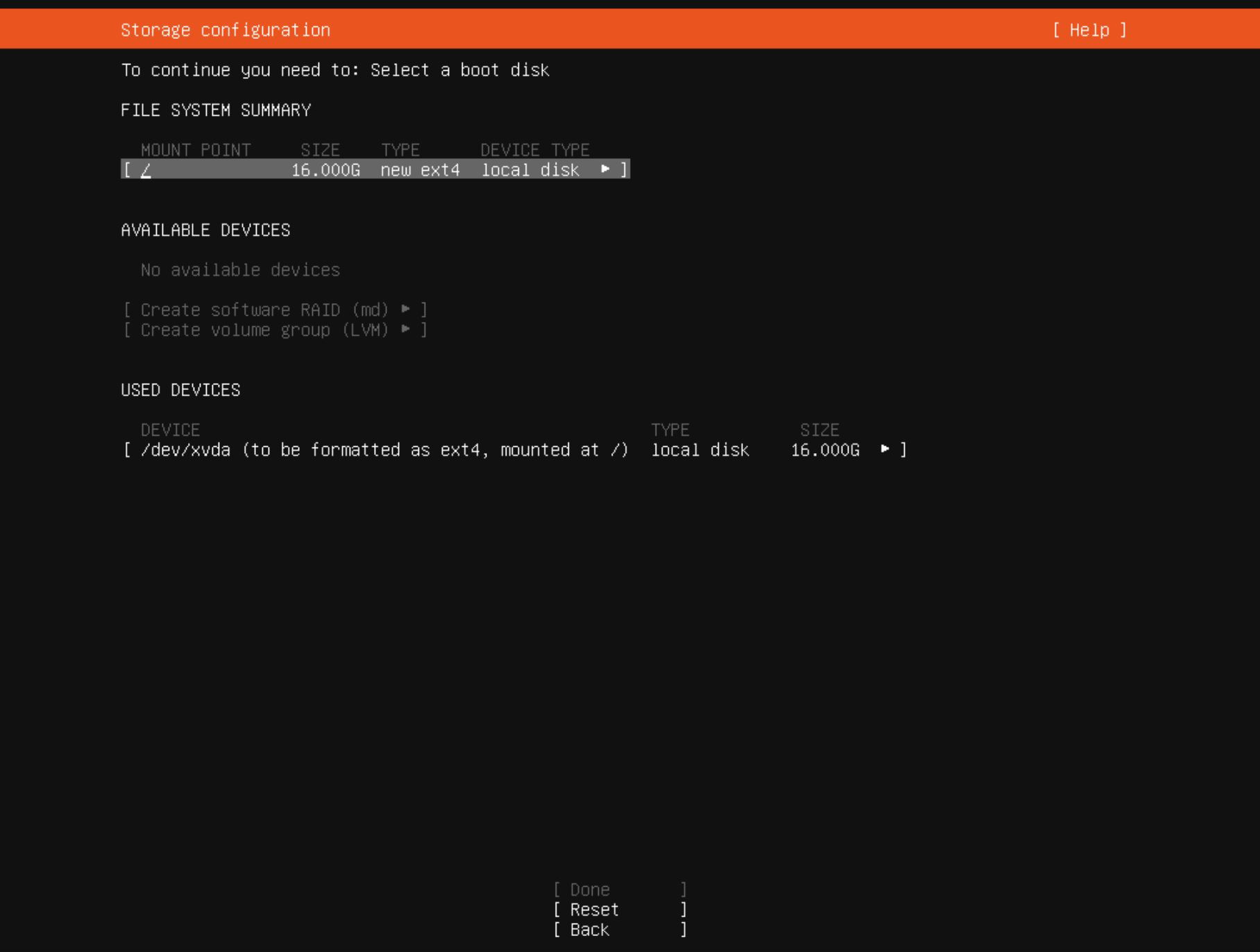
I am stuck here trying to create a single disk partition to use for cloud image for ubuntu 22.04
i am unable to move past this step, as
doneis greyed out
what am i doing wrong or how do i create the single partition needed for a cloud image to use with xen-orchestra?please post screenshot of what worked for you; thanks!
-
What options did you select on the prior screen?
-
I chose
custom storage layout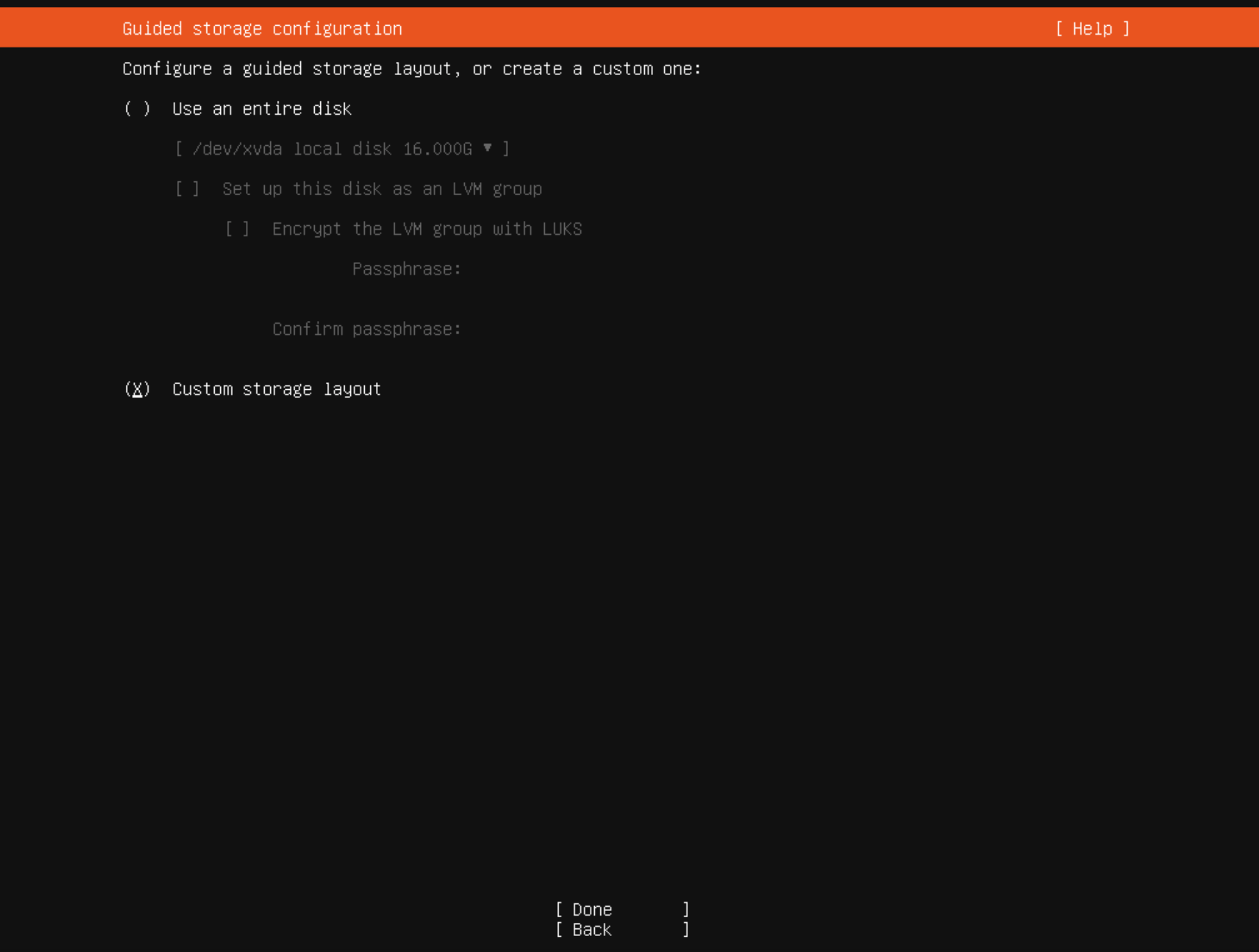
and then
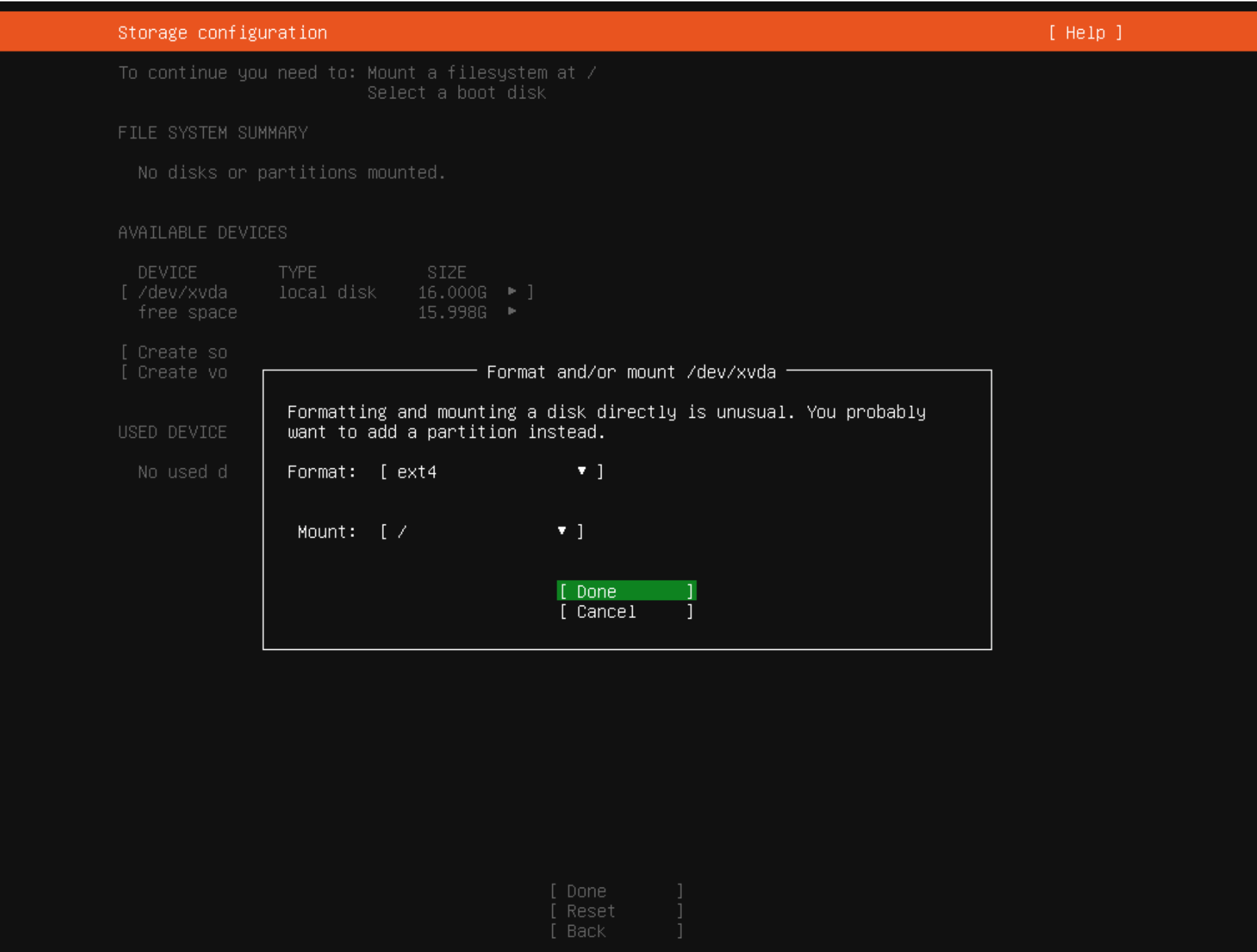
-
or should i select
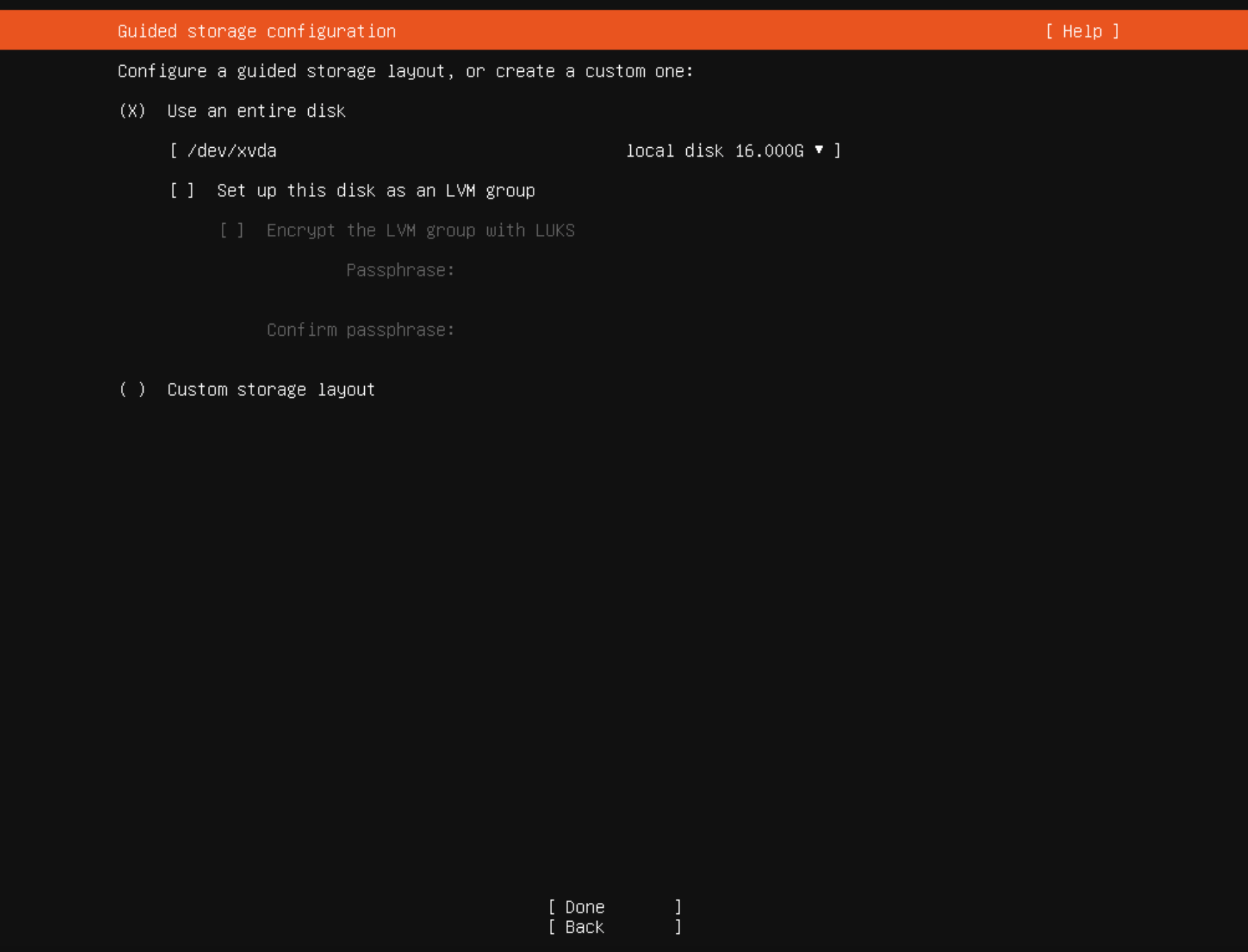
and then
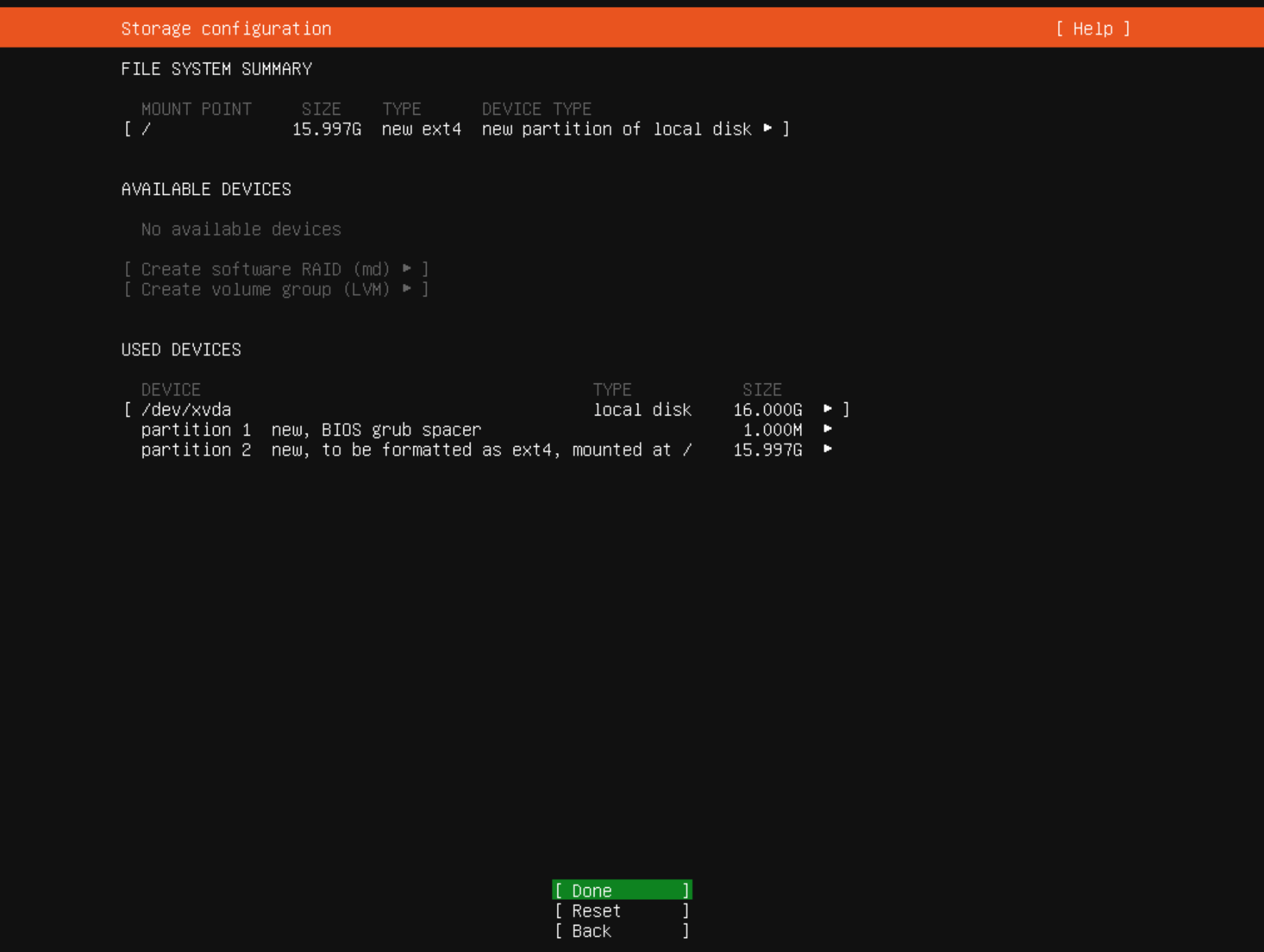
is this the way to go?
-
Yes, I would use the last option you posted. I found this post, which is similar to your situation.
-
yeah am not sure how setting up disk partitioning on ubuntu is becoming rocket science now
ok will try the last option to use entire disk with the 2 partitions autogenerated
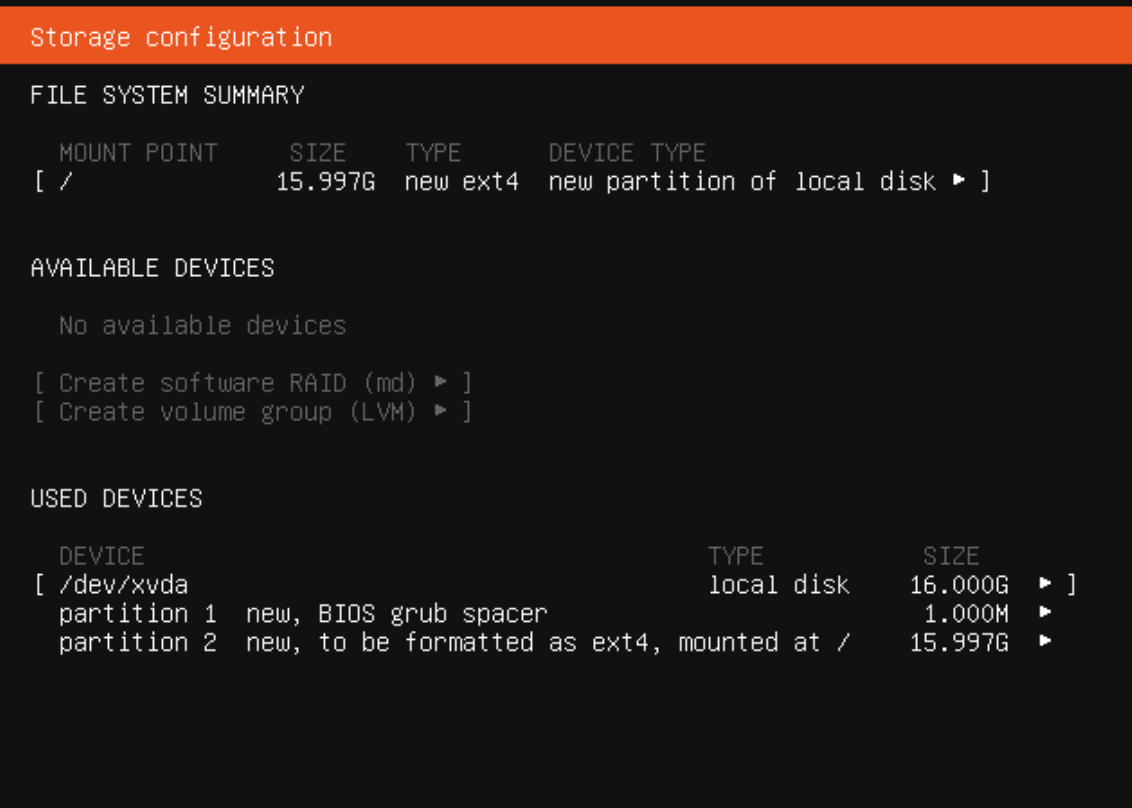
-
Ubuntu use EFI boot , now.
So BIOS grub partition is for redirect.
If your VM is with EFI enable you must have EFI partition and then Ubuntu partition.So you have two options:
- BIOS mode
- first partition BIOS grub
- second, System partition
- EFI mode
- first partition EFI, fat32
- second, System partition
- BIOS mode
-
-
yes it is ok, swap will be a file on root partition if is not on a dedicate partition
For me is more like this with partitions:
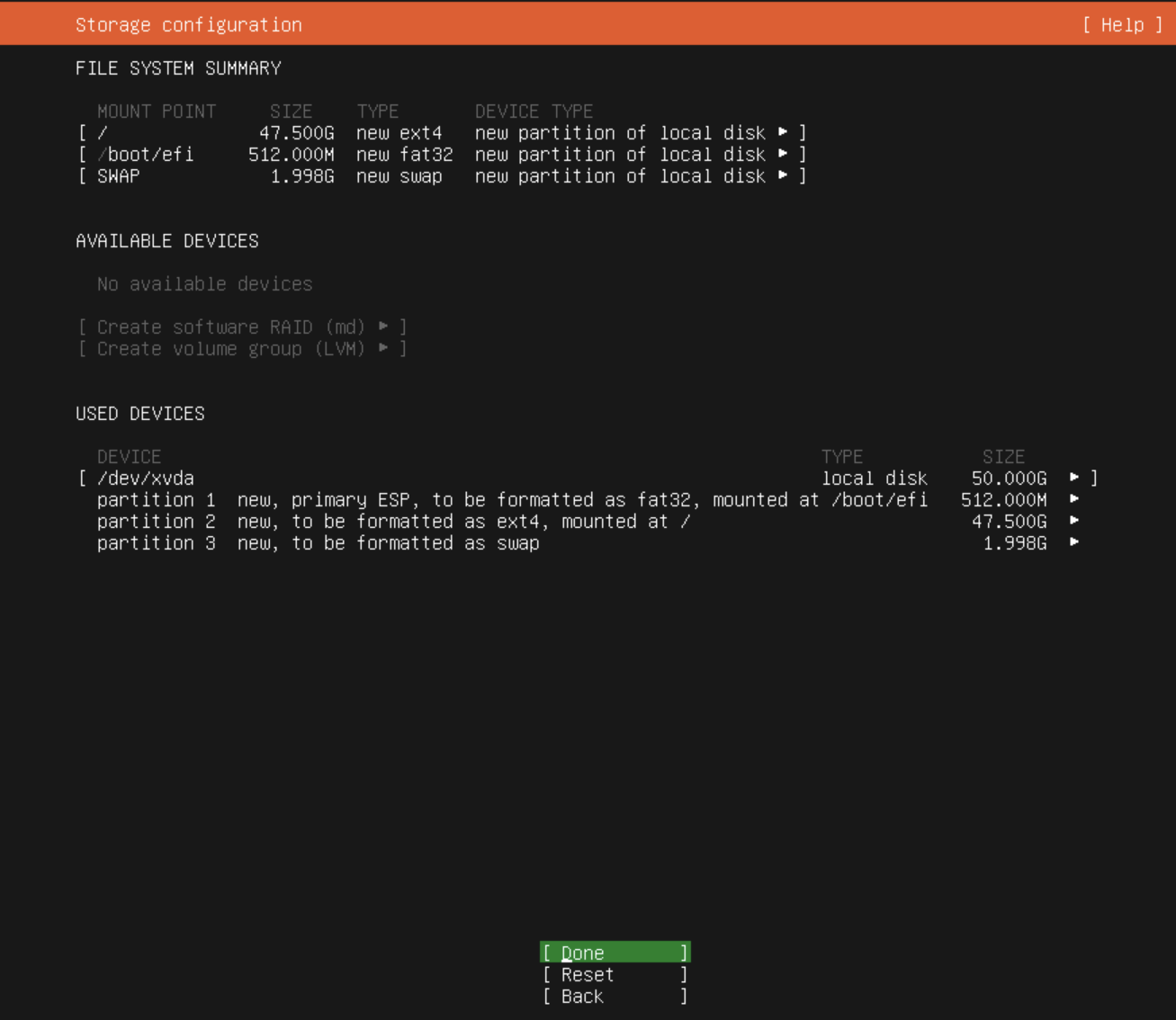
- EFI, 50Mb
- root, rest of space
- swap 2Gb
-
can you share screenshot? or anything to see the setup
-
this is an EFI boot for 50Gb hdd
-
EFI
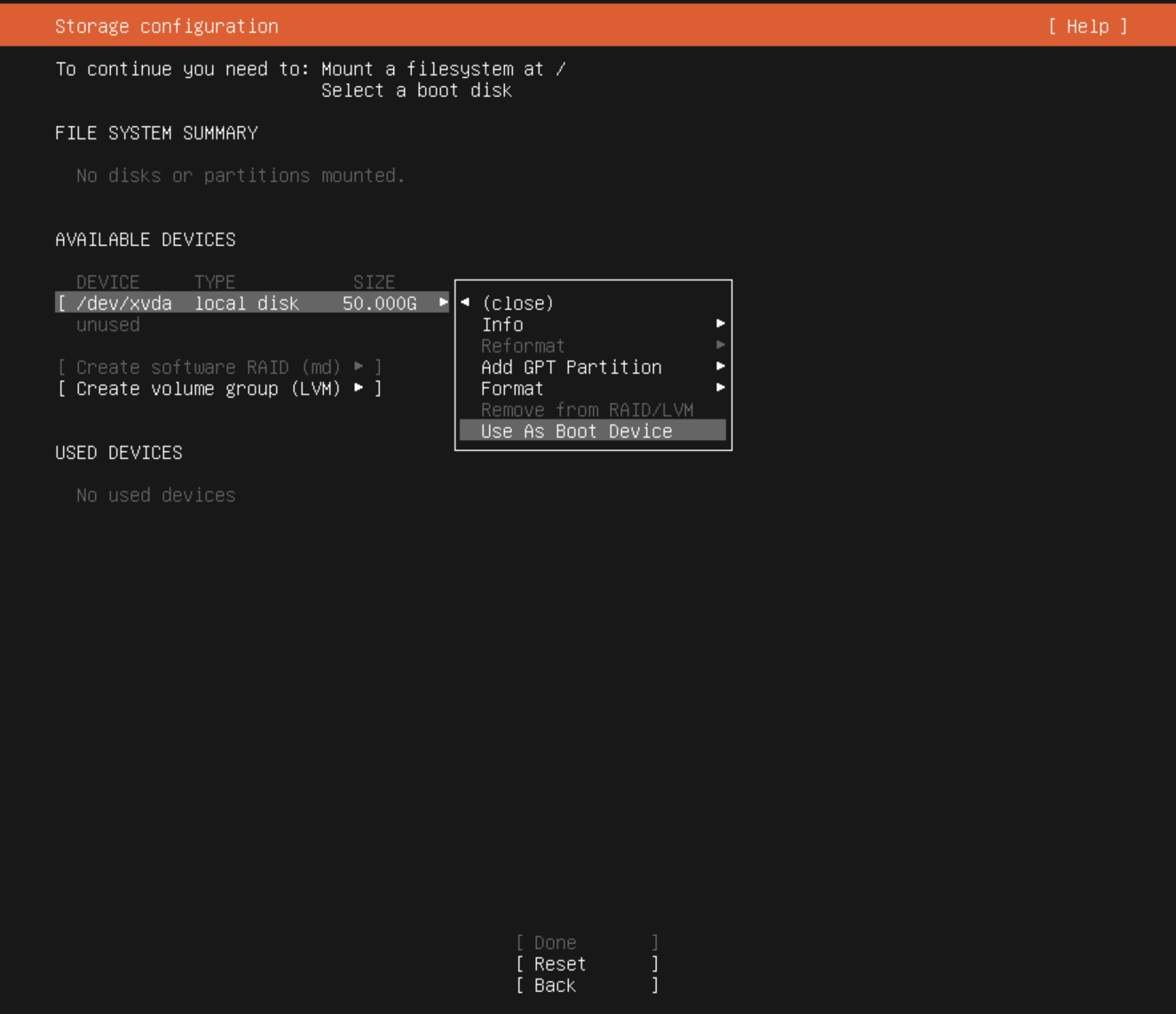
-
root
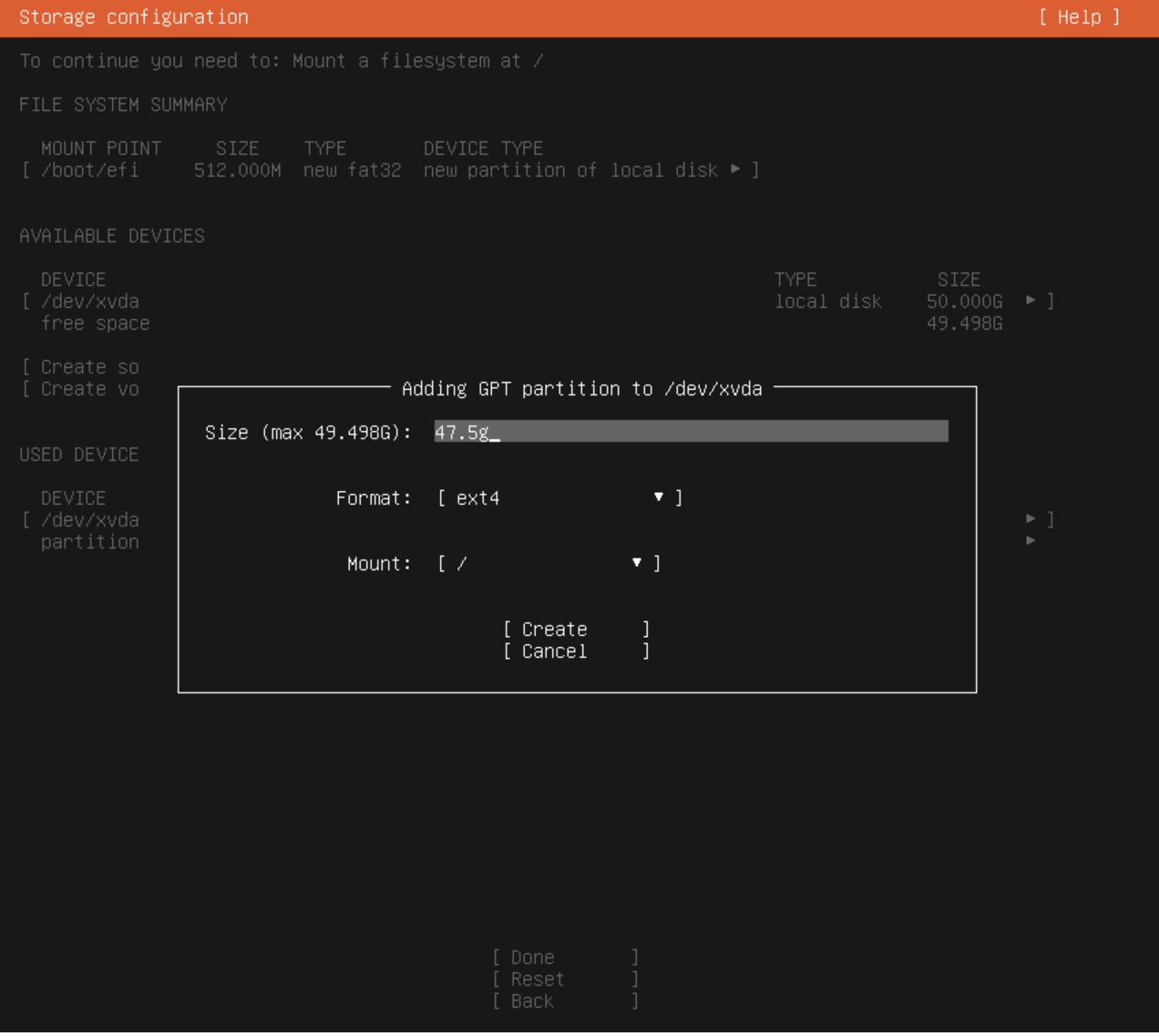
-
swap
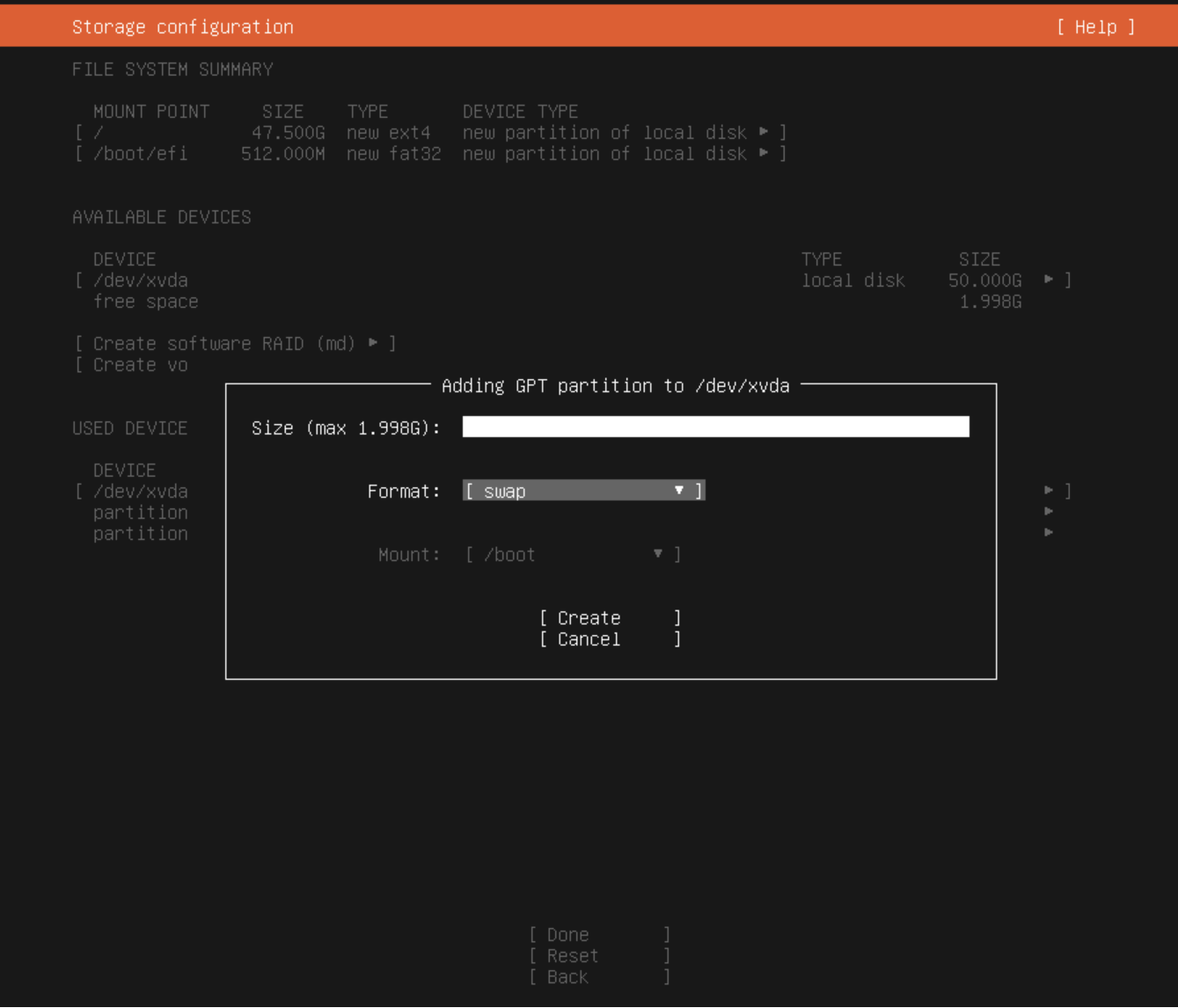
final
-
-
nice, thanks!


Hello! It looks like you're interested in this conversation, but you don't have an account yet.
Getting fed up of having to scroll through the same posts each visit? When you register for an account, you'll always come back to exactly where you were before, and choose to be notified of new replies (either via email, or push notification). You'll also be able to save bookmarks and upvote posts to show your appreciation to other community members.
With your input, this post could be even better 💗
Register Login