XCP-ng
    • Categories
    • Recent
    • Tags
    • Popular
    • Users
    • Groups
    • Register
    • Login

    [Beta Release] XCP-ng Windows Client tools 8.2.1-beta1
    Scheduled Pinned Locked Moved Development
    53 Posts 11 Posters 48.6k Views 7 Watching
    Loading More Posts
    • Oldest to Newest
    • Newest to Oldest
    • Most Votes
    Reply
    • Reply as topic
    Log in to reply
    This topic has been deleted. Only users with topic management privileges can see it.
    • ruskofdR
      ruskofd
      last edited by

      I will not able to make some additionals tests, too many problems with nested virtualization and VMware..... And I can't using QEMU/KVM due to a wtf problem with XS/XCP-ng in nested virtualization (XS/XCP-ng VM crash due to a thermal interrupt when launching a nested VM 😒 ). And my VM server is 2000km away from where I live now.

      1 Reply Last reply
      Reply Quote 0
      • Ethan6123E
        Ethan6123
        last edited by Ethan6123

        On a host running XCP-ng 7.6 I tested the tools on 2 VMs:

        1. On new install of Server 2016: Ran XCP-ng tools' setup.exe as administrator which gave a "Windows Management Agent failed to install" error message. Then remembered I needed .net framework 3.5 and installed it then tried again. Installed successfully and was prompted to reboot. It appears to be working correctly. Both XO and XCP Center tell me the management agent is not installed on the VM (though I believe it is). You might consider adding a reminder about the .net 3.5 requirement in the setup.exe prompts.

        2. On existing install of Server 2016 with .net 3.5 installed: Uninstalled Citrix guest tools then rebooted. Server came back up with full capabilities of guest tools and correctly recognized NIC. From what I can tell, Citrix's tools didn't actually uninstall. I then installed Citrix's guest-tool-leftovers uninstaller (xluninstallerfix.exe), ran it, and rebooted to a blue screen. Restored to snapshot. Attempted same process (xluninstallerfix.exe) then installed XCP-ng guest tools before reboot but still blue screen. Attempted to remove Citrix's guest tools in safe mode using the process described here: https://antisp.in/recovering-windows-server-2012-on-xen-server/ (author fails to mention you need to manually start the two services). Restarted several times but Citrix's tools are still active. Did the same thing with xluninstallfix.exe in safe mode and then attempted to install XCP tools while still in safe mode. XCP tools failed to install as it was unable to start a service (error 1603, related to task scheduler I believe). After several failed install attempts rebooted to another blue screen. I could have booted to safe mode again but I'd still be unable to install tools in safe mode so out of luck.

        As far as I can tell it works great on new VMs but there seems to be no way to safely replace Citrix tools with XCP-ng tools at the moment.

        dbeatoD 1 Reply Last reply
        Reply Quote 2
        • dbeatoD
          dbeato @Ethan6123
          last edited by

          @harrise I have the same experience.

          dbeatoD 1 Reply Last reply
          Reply Quote 0
          • dbeatoD
            dbeato @dbeato
            last edited by

            @dbeato said in [Beta Release] XCP-ng Windows Client tools 8.2.1-beta1:

            @harrise I have the same experience.

            Actually mine said Management Agent installed, then I also needed to do Cause A( steps on the troubleshooting guide here
            https://github.com/xcp-ng/xcp/wiki/Troubleshooting#windows-management-agent--windows-pv-tools

            1 Reply Last reply
            Reply Quote 0
            • dbeatoD
              dbeato
              last edited by

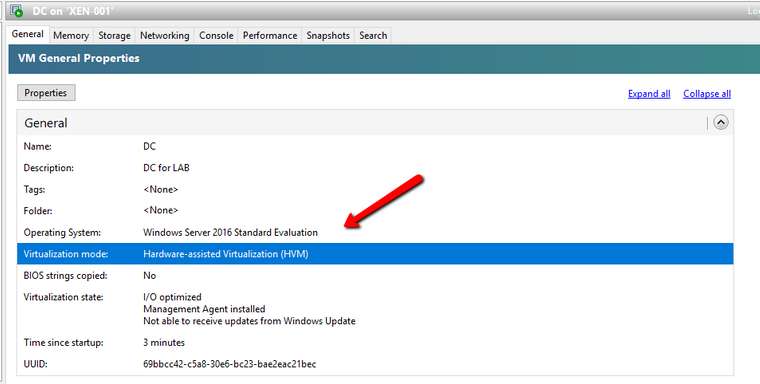
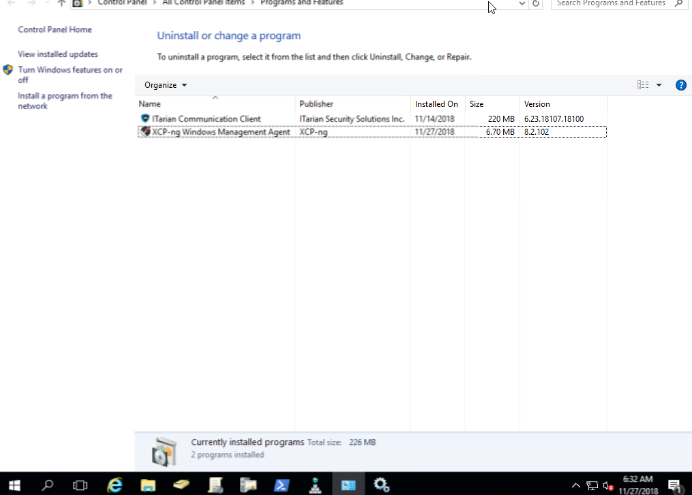
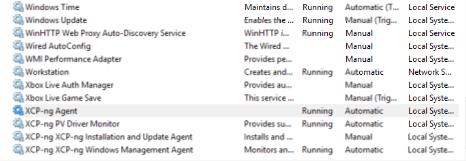
              See below my results
              0_1543318176087_2018-11-27_0629.png
              0_1543318351240_2018-11-27_0632.png
              0_1543318394138_2018-11-27_0632_001.png

              borzelB 1 Reply Last reply
              Reply Quote 1
              • borzelB
                borzel XCP-ng Center Team @dbeato
                last edited by

                @dbeato glad that it works now... I actually don't know an automated way to find all the little things that can cause the drivers to fail. It's mostly detective work 😕

                dbeatoD 1 Reply Last reply
                Reply Quote 1
                • dbeatoD
                  dbeato @borzel
                  last edited by

                  @borzel said in [Beta Release] XCP-ng Windows Client tools 8.2.1-beta1:

                  @dbeato glad that it works now... I actually don't know an automated way to find all the little things that can cause the drivers to fail. It's mostly detective work 😕

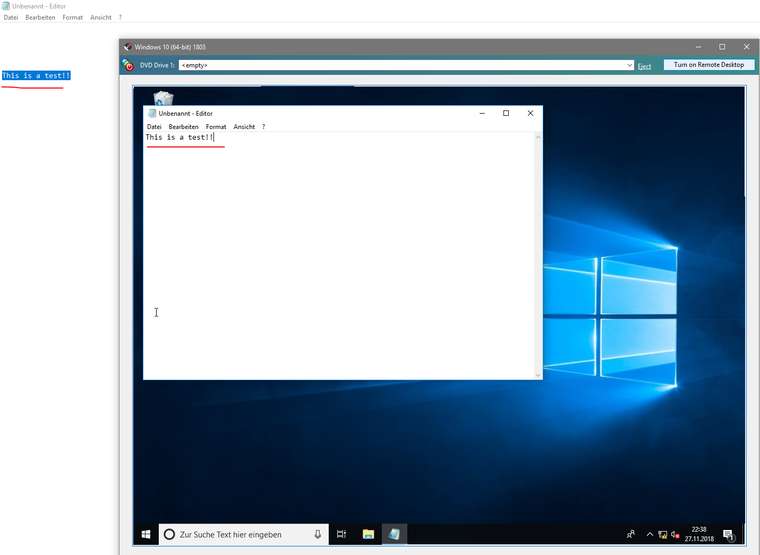
                  Yeah, that is why I am reporting here 🙂 One thing I would say though, it doesn't seem to do the paste from the host as XenServer used to. Not sure if it is supposed to be that way.

                  borzelB 2 Replies Last reply
                  Reply Quote 0
                  • borzelB
                    borzel XCP-ng Center Team @dbeato
                    last edited by

                    @dbeato hmm.. never saw this feature ... I'll try with some test VMs

                    1 Reply Last reply
                    Reply Quote 0
                    • borzelB
                      borzel XCP-ng Center Team @dbeato
                      last edited by

                      @dbeato it just works!

                      0_1543354762165_1e58c732-fb06-4288-870b-207858a7cd40-grafik.png

                      dbeatoD 1 Reply Last reply
                      Reply Quote 0
                      • dbeatoD
                        dbeato @borzel
                        last edited by

                        @borzel said in [Beta Release] XCP-ng Windows Client tools 8.2.1-beta1:

                        @dbeato it just works!

                        0_1543354762165_1e58c732-fb06-4288-870b-207858a7cd40-grafik.png

                        Good, that's what I need to review again as this morning did not want to work.

                        1 Reply Last reply
                        Reply Quote 0
                        • C
                          conradical
                          last edited by

                          I've installed this on Win server 2019, PV Drivers install, but XCP-ng center reports the management agent is not installed AND under the performance it says to install XCP-ng tools to view memory data.

                          borzelB 1 Reply Last reply
                          Reply Quote 1
                          • borzelB
                            borzel XCP-ng Center Team @conradical
                            last edited by

                            @conradical Did you reboot? Do you see the XCP-ng devices in Device Manager?

                            C 1 Reply Last reply
                            Reply Quote 1
                            • C
                              conradical @borzel
                              last edited by

                              @borzel
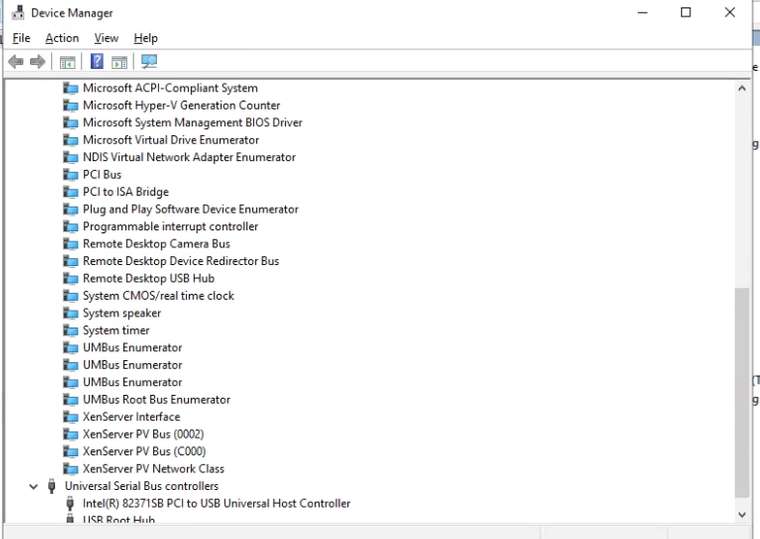
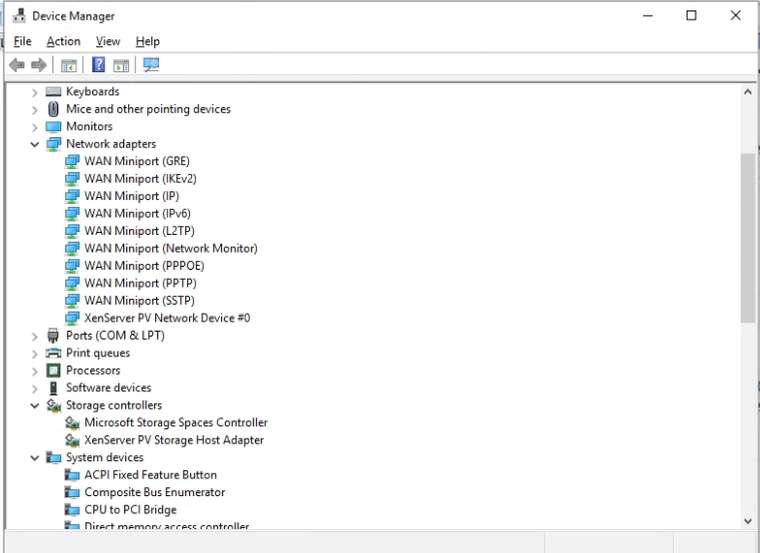
                              Yes, I did reboot. I don't see XCP-ng, but see
                              XenServer PV Netowrk Device
                              XenSRC PV scsi disk device
                              and XenServer PV Bus's

                              How that I look closer i see Xenserver Agent and XenServer PV Driver monitor. -- I'm wondering if these grabbed from windows update automatically post XCP-ng tools install.

                              1 Reply Last reply
                              Reply Quote 1
                              • C
                                conradical
                                last edited by

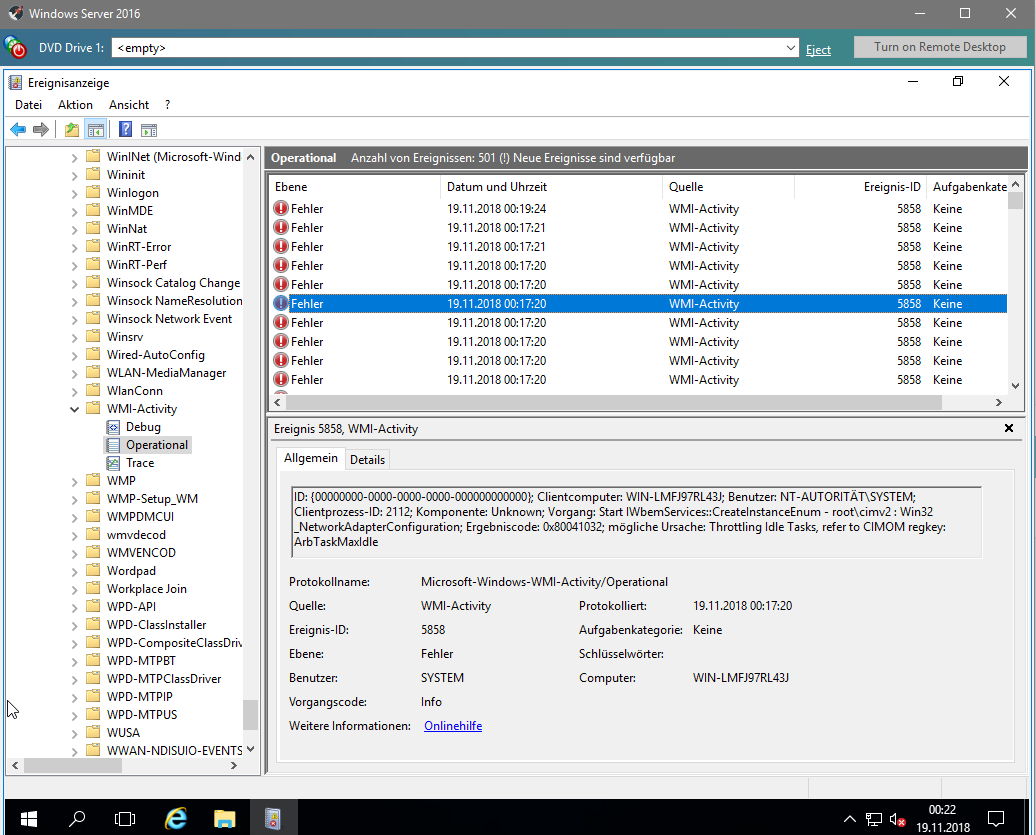
                                Screenshots..2_1543503748332_pv-services.png 1_1543503748331_devices-2.png 0_1543503748330_devices-1.png

                                1 Reply Last reply
                                Reply Quote 1
                                • C
                                  conradical
                                  last edited by

                                  so I did a fresh 2019 install, using the server 2016 template since 2019 template isn't available yet, post install i was prompted with this screenshot:
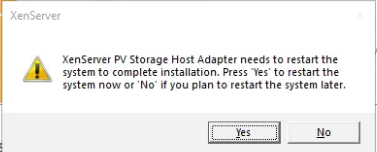
                                  0_1543512092072_PV-Restart.png

                                  This is also the recently re-released Win Server 2019 disk.

                                  1 Reply Last reply
                                  Reply Quote 0
                                  • C
                                    conradical
                                    last edited by

                                    Apparently be default the template has "Windows Update tools" enabled. Should this not pull the drivers for XCP-ng?

                                    borzelB 1 Reply Last reply
                                    Reply Quote 0
                                    • borzelB
                                      borzel XCP-ng Center Team @conradical
                                      last edited by

                                      @conradical we don't have xcp-ng drivers on Windows Update. Maybe later....

                                      C 1 Reply Last reply
                                      Reply Quote 0
                                      • C
                                        conradical @borzel
                                        last edited by

                                        @borzel
                                        I thought I read where you were working on that process and got it done and were registering the device IDs. I guess i read wrong 🙂

                                        borzelB 1 Reply Last reply
                                        Reply Quote 0
                                        • borzelB
                                          borzel XCP-ng Center Team @conradical
                                          last edited by borzel

                                          @conradical device id's are "registered" in the xen project and in "the pci database" â„¢ ... but they are for future use

                                          C 1 Reply Last reply
                                          Reply Quote 0
                                          • C
                                            conradical @borzel
                                            last edited by

                                            @borzel
                                            Got it! Good work by the way!

                                            borzelB 1 Reply Last reply
                                            Reply Quote 0

                                            Hello! It looks like you're interested in this conversation, but you don't have an account yet.

                                            Getting fed up of having to scroll through the same posts each visit? When you register for an account, you'll always come back to exactly where you were before, and choose to be notified of new replies (either via email, or push notification). You'll also be able to save bookmarks and upvote posts to show your appreciation to other community members.

                                            With your input, this post could be even better 💗

                                            Register Login
                                            • First post
                                              Last post