XCP-ng
    • Categories
    • Recent
    • Tags
    • Popular
    • Users
    • Groups
    • Register
    • Login

    [Beta Release] XCP-ng Windows Client tools 8.2.1-beta1
    Scheduled Pinned Locked Moved Development
    53 Posts 11 Posters 39.4k Views 7 Watching
    Loading More Posts
    • Oldest to Newest
    • Newest to Oldest
    • Most Votes
    Reply
    • Reply as topic
    Log in to reply
    This topic has been deleted. Only users with topic management privileges can see it.
    • borzelB Offline
      borzel XCP-ng Center Team @dbeato
      last edited by

      @dbeato glad that it works now... I actually don't know an automated way to find all the little things that can cause the drivers to fail. It's mostly detective work 😕

      dbeatoD 1 Reply Last reply Reply Quote 1
      • dbeatoD Offline
        dbeato @borzel
        last edited by

        @borzel said in [Beta Release] XCP-ng Windows Client tools 8.2.1-beta1:

        @dbeato glad that it works now... I actually don't know an automated way to find all the little things that can cause the drivers to fail. It's mostly detective work 😕

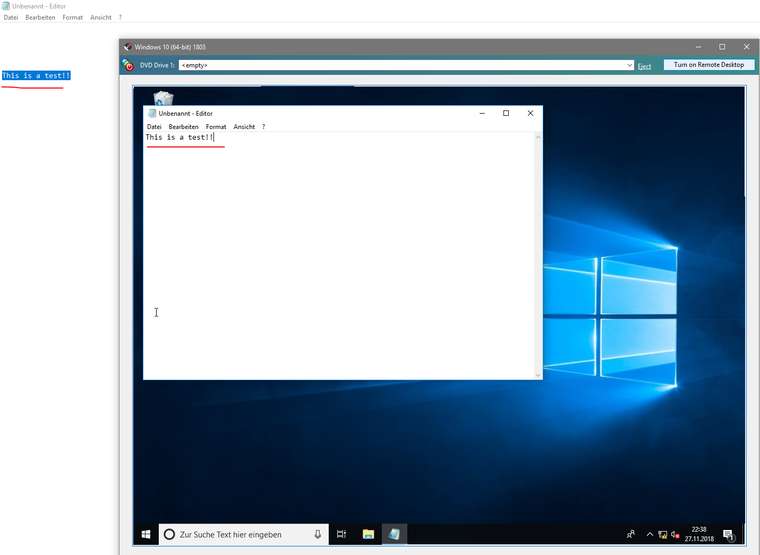
        Yeah, that is why I am reporting here 🙂 One thing I would say though, it doesn't seem to do the paste from the host as XenServer used to. Not sure if it is supposed to be that way.

        borzelB 2 Replies Last reply Reply Quote 0
        • borzelB Offline
          borzel XCP-ng Center Team @dbeato
          last edited by

          @dbeato hmm.. never saw this feature ... I'll try with some test VMs

          1 Reply Last reply Reply Quote 0
          • borzelB Offline
            borzel XCP-ng Center Team @dbeato
            last edited by

            @dbeato it just works!

            0_1543354762165_1e58c732-fb06-4288-870b-207858a7cd40-grafik.png

            dbeatoD 1 Reply Last reply Reply Quote 0
            • dbeatoD Offline
              dbeato @borzel
              last edited by

              @borzel said in [Beta Release] XCP-ng Windows Client tools 8.2.1-beta1:

              @dbeato it just works!

              0_1543354762165_1e58c732-fb06-4288-870b-207858a7cd40-grafik.png

              Good, that's what I need to review again as this morning did not want to work.

              1 Reply Last reply Reply Quote 0
              • C Offline
                conradical
                last edited by

                I've installed this on Win server 2019, PV Drivers install, but XCP-ng center reports the management agent is not installed AND under the performance it says to install XCP-ng tools to view memory data.

                borzelB 1 Reply Last reply Reply Quote 1
                • borzelB Offline
                  borzel XCP-ng Center Team @conradical
                  last edited by

                  @conradical Did you reboot? Do you see the XCP-ng devices in Device Manager?

                  C 1 Reply Last reply Reply Quote 1
                  • C Offline
                    conradical @borzel
                    last edited by

                    @borzel
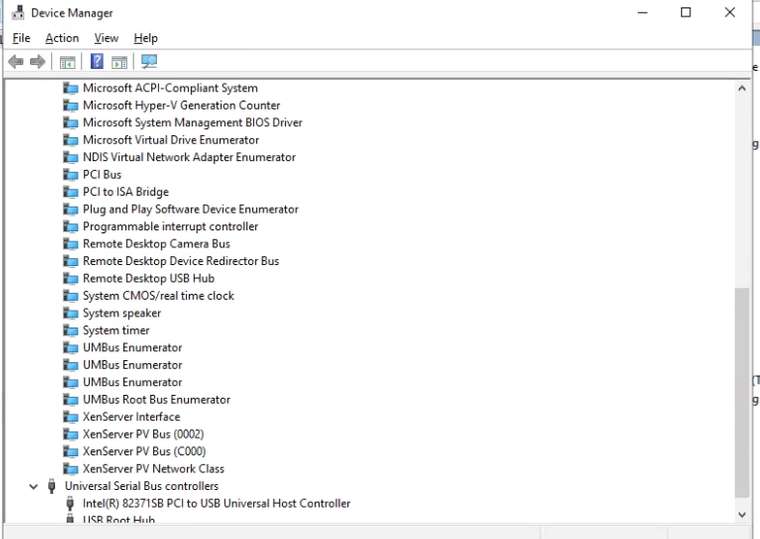
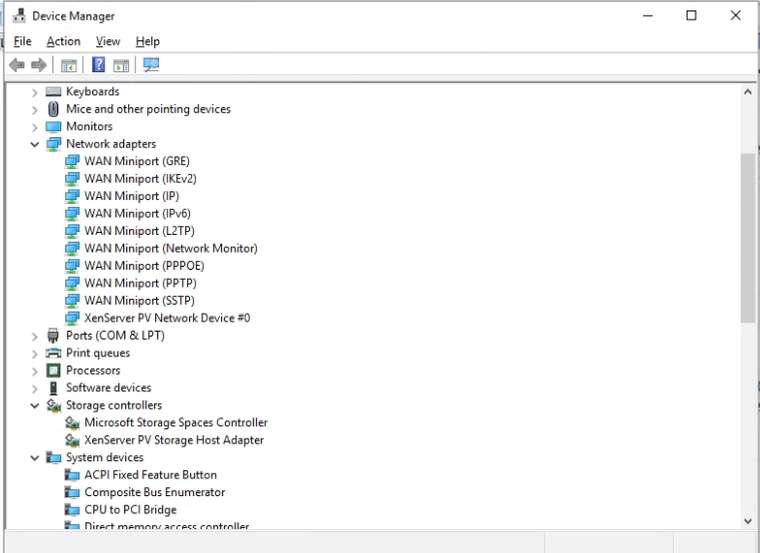
                    Yes, I did reboot. I don't see XCP-ng, but see
                    XenServer PV Netowrk Device
                    XenSRC PV scsi disk device
                    and XenServer PV Bus's

                    How that I look closer i see Xenserver Agent and XenServer PV Driver monitor. -- I'm wondering if these grabbed from windows update automatically post XCP-ng tools install.

                    1 Reply Last reply Reply Quote 1
                    • C Offline
                      conradical
                      last edited by

                      Screenshots..2_1543503748332_pv-services.png 1_1543503748331_devices-2.png 0_1543503748330_devices-1.png

                      1 Reply Last reply Reply Quote 1
                      • C Offline
                        conradical
                        last edited by

                        so I did a fresh 2019 install, using the server 2016 template since 2019 template isn't available yet, post install i was prompted with this screenshot:
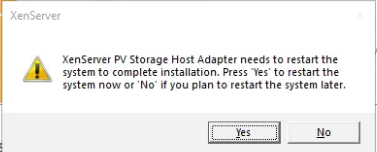
                        0_1543512092072_PV-Restart.png

                        This is also the recently re-released Win Server 2019 disk.

                        1 Reply Last reply Reply Quote 0
                        • C Offline
                          conradical
                          last edited by

                          Apparently be default the template has "Windows Update tools" enabled. Should this not pull the drivers for XCP-ng?

                          borzelB 1 Reply Last reply Reply Quote 0
                          • borzelB Offline
                            borzel XCP-ng Center Team @conradical
                            last edited by

                            @conradical we don't have xcp-ng drivers on Windows Update. Maybe later....

                            C 1 Reply Last reply Reply Quote 0
                            • C Offline
                              conradical @borzel
                              last edited by

                              @borzel
                              I thought I read where you were working on that process and got it done and were registering the device IDs. I guess i read wrong 🙂

                              borzelB 1 Reply Last reply Reply Quote 0
                              • borzelB Offline
                                borzel XCP-ng Center Team @conradical
                                last edited by borzel

                                @conradical device id's are "registered" in the xen project and in "the pci database" ™ ... but they are for future use

                                C 1 Reply Last reply Reply Quote 0
                                • C Offline
                                  conradical @borzel
                                  last edited by

                                  @borzel
                                  Got it! Good work by the way!

                                  borzelB 1 Reply Last reply Reply Quote 0
                                  • borzelB Offline
                                    borzel XCP-ng Center Team @conradical
                                    last edited by

                                    @conradical 🏆

                                    1 Reply Last reply Reply Quote 0
                                    • borzelB Offline
                                      borzel XCP-ng Center Team
                                      last edited by borzel

                                      Status update: I'm currently working on avoiding these WMI errors. Here is my current progress:
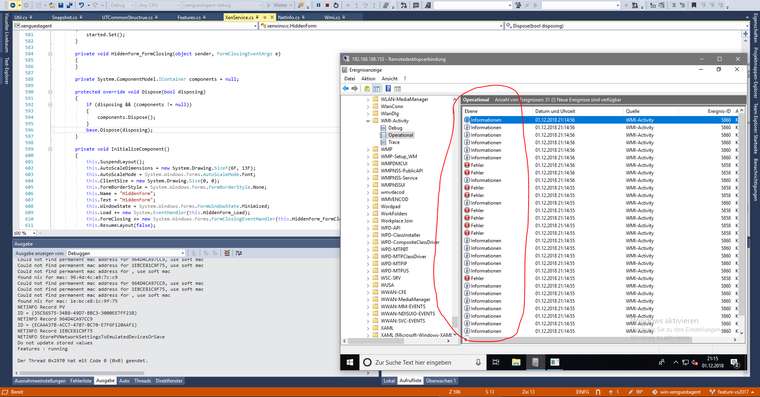
                                      0_1543695450544_c08507e5-eba8-45e6-94e8-2ba601777c01-grafik.png

                                      https://github.com/xcp-ng/win-xenguestagent/commit/280847a38a0687a3c06608b51f9cc0cb9b4d9f9b

                                      0 borzel committed to xcp-ng/win-xenguestagent
                                      current progress to avoid WMI errors
                                      - tidy up most of the unnecessary untry()-catch() blocks
                                      - switched to .Net 4.7.1
                                      - fix IntPtr.Int32 errors (use IntPtr.Int64!)
                                      1 Reply Last reply Reply Quote 1
                                      • R Offline
                                        RKO1337
                                        last edited by

                                        Thanks for the XCP-ng tools.

                                        I tried to install the XCP-ng Tools on a new Windows Server 2019 vm (german locale), XCP-ng 7.5.
                                        I used the Windows Server 2016 default Template.

                                        Installed Net Framework 3.5 beforehand, launched the setup.exe as administrator.
                                        The installation finishes with the management agenet could not be started message.

                                        I restarted the vm, no new Xen Devices are shown in device management.
                                        Only both of these services were installed.

                                        892c2ea7-6c57-415c-abe2-b1785cd0142d-image.png

                                        I ran

                                        C:\Program Files\XCP-ng\XenTools\InstallAgent.exe DEFAULT
                                        

                                        this installed the XCP-ng Interface Package.
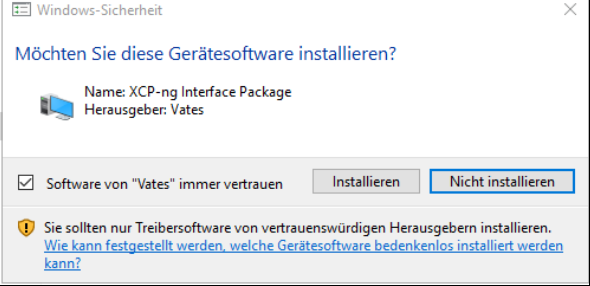
                                        af6c61f8-f38e-48be-a422-47aced5a5dad-image.png

                                        I got no popup that asked to reboot the vm, but restarted anyways.

                                        Services after reboot:

                                        d6a7e406-8686-423b-99b7-ed983b609971-image.png

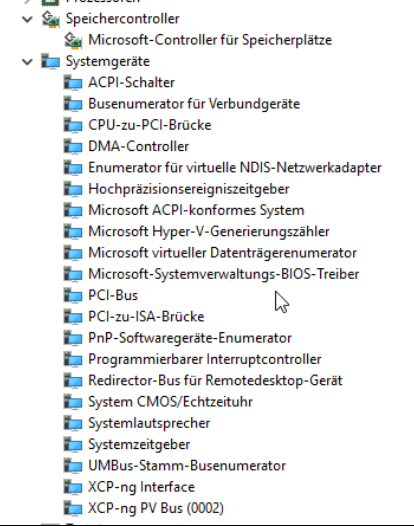
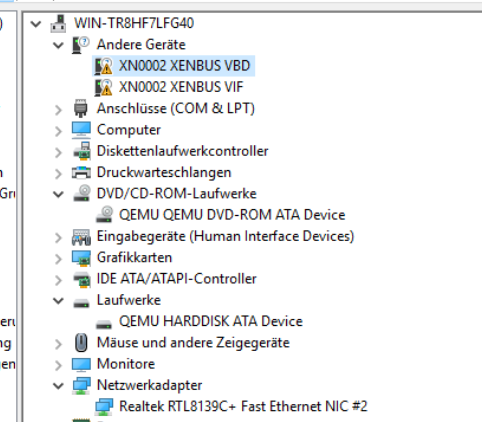
                                        Device manager shows two new unknown XENBUS devices. Under system devices XCP-ng Interface and XCP-ng PV Bus (0002) are now listed.
                                        Network adapter, drives etc. are same as before the driver installation.
                                        515e2f4b-99b8-417d-ae8e-2e241a869f76-image.png
                                        e548cbee-1488-4a39-b881-04d1c1439629-image.png

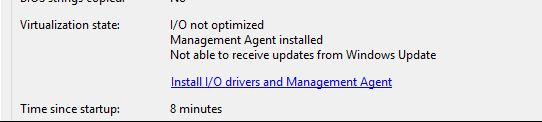
                                        Xen Orchestra displays that Xen Tools are not detected, but i can see Memory Usage etc.
                                        XCP-ng Center:
                                        e94af70e-5391-4e15-b0b4-802a8db2dd28-image.png

                                        borzelB 1 Reply Last reply Reply Quote 0
                                        • borzelB Offline
                                          borzel XCP-ng Center Team @RKO1337
                                          last edited by borzel

                                          @RKO1337 you have to install the drivers then manually ... point the driver install dialog from windows to c:\programe files\xcp-ng\drivers (don't forget to tell him to search also in subfolders)

                                          R V 2 Replies Last reply Reply Quote 1
                                          • R Offline
                                            RKO1337 @borzel
                                            last edited by

                                            @borzel thanks now all devices correctly recognized

                                            1 Reply Last reply Reply Quote 0

                                            Hello! It looks like you're interested in this conversation, but you don't have an account yet.

                                            Getting fed up of having to scroll through the same posts each visit? When you register for an account, you'll always come back to exactly where you were before, and choose to be notified of new replies (either via email, or push notification). You'll also be able to save bookmarks and upvote posts to show your appreciation to other community members.

                                            With your input, this post could be even better 💗

                                            Register Login
                                            • First post
                                              Last post