XCP-ng
    • Categories
    • Recent
    • Tags
    • Popular
    • Users
    • Groups
    • Register
    • Login

    XCP-ng Center 20.04.01 - console no "remote desktop RDP" on Windows 11 VM

    Scheduled Pinned Locked Moved Solved XCP-ng
    15 Posts 3 Posters 3.7k Views 2 Watching
    Loading More Posts
    • Oldest to Newest
    • Newest to Oldest
    • Most Votes
    Reply
    • Reply as topic
    Log in to reply
    This topic has been deleted. Only users with topic management privileges can see it.
    • X Offline
      xentester123 @Darkbeldin
      last edited by

      @Darkbeldin i will try it.
      where to place this file?

      DarkbeldinD 1 Reply Last reply Reply Quote 0
      • DarkbeldinD Offline
        Darkbeldin Vates 🪐 Pro Support Team @xentester123
        last edited by

        @xentester123
        Yoiu just create the file on your desktop and execute it it will add the register key.

        1 Reply Last reply Reply Quote 0
        • X Offline
          xentester123 @Darkbeldin
          last edited by

          @Darkbeldin I have executed the reg file. the RDP is still grayed out in console.
          when i hover over the button, error "no IP address reported by client tools."
          am I need to install VM tools? i right click on VM and there is option to install tool. however it is in linux version.

          1 Reply Last reply Reply Quote 0
          • olivierlambertO Offline
            olivierlambert Vates 🪐 Co-Founder CEO
            last edited by

            You should always install VM tools in your guest. Otherwise, we can't report the IP address outside, and therefore you can't get the RDP URL.

            X 2 Replies Last reply Reply Quote 0
            • X Offline
              xentester123 @olivierlambert
              last edited by xentester123

              @olivierlambert ok i saw it
              https://github.com/xcp-ng/win-pv-drivers/releases
              let me install it.

              1 Reply Last reply Reply Quote 0
              • X Offline
                xentester123 @olivierlambert
                last edited by

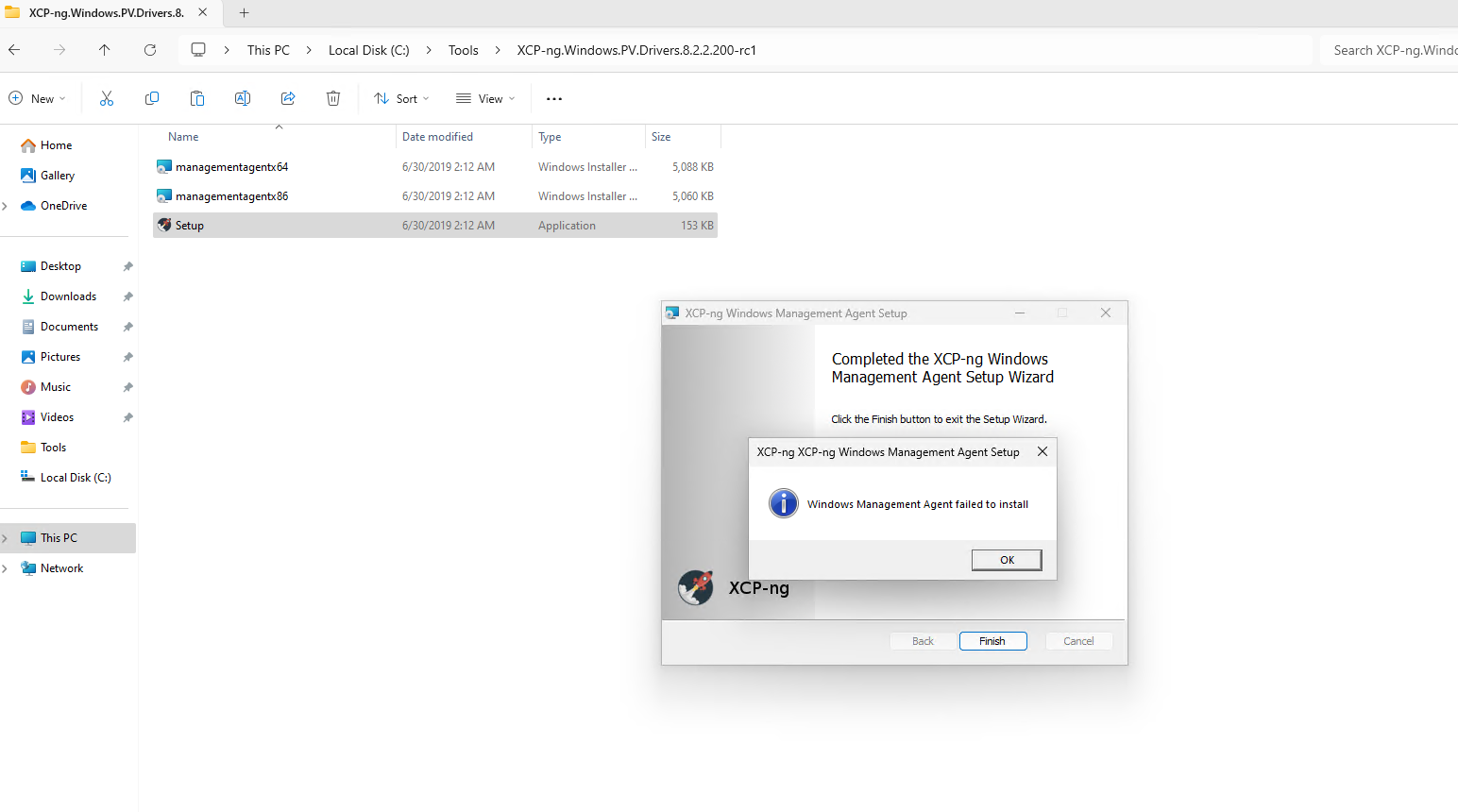
                @olivierlambert 2023-11-30_17h20_16.png
                it is failed.

                X 1 Reply Last reply Reply Quote 0
                • X Offline
                  xentester123 @xentester123
                  last edited by xentester123

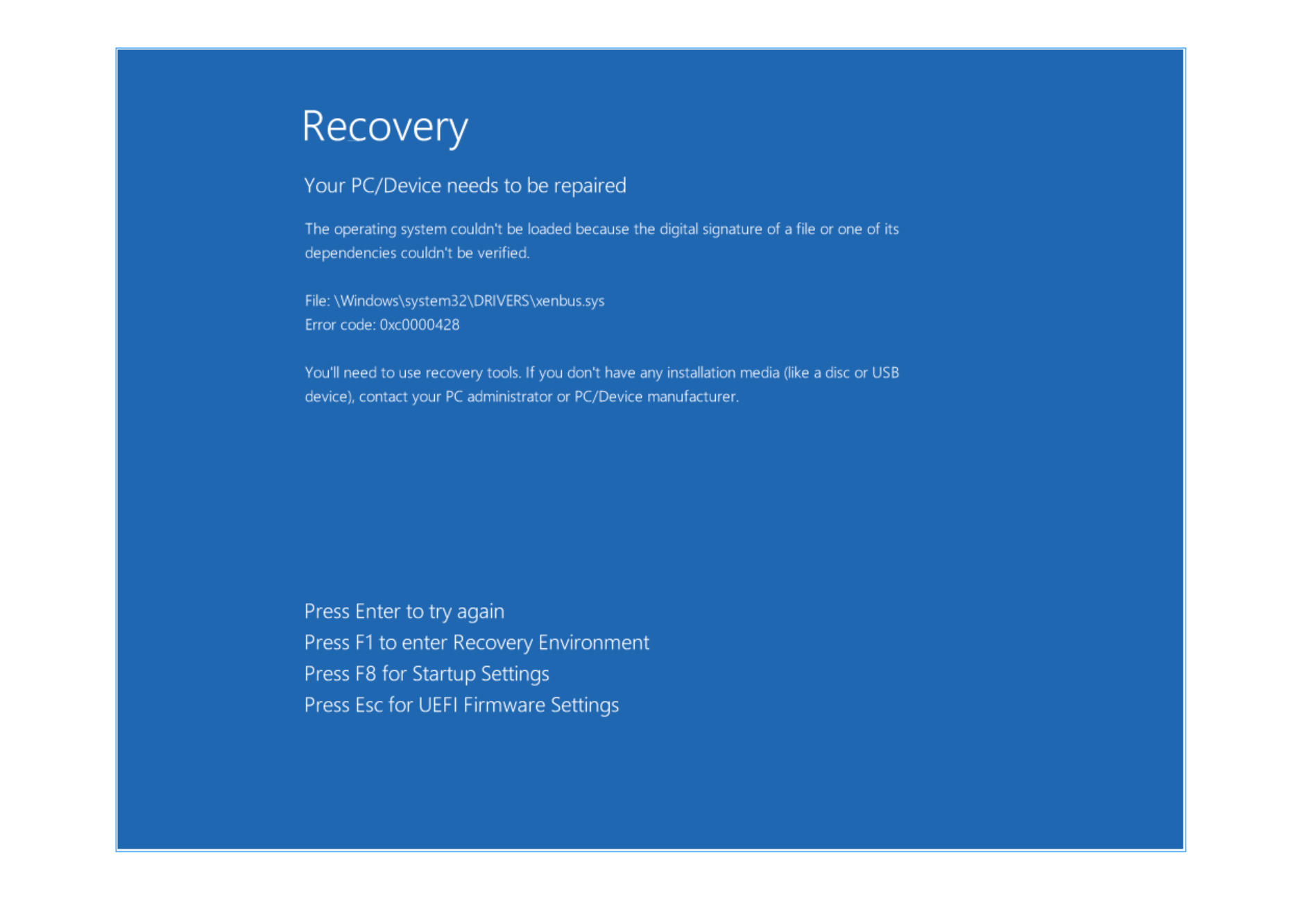
                  @xentester123 2023-11-30_17h27_12.png
                  I restarted PC then this error appear.

                  DarkbeldinD 1 Reply Last reply Reply Quote 0
                  • DarkbeldinD Offline
                    Darkbeldin Vates 🪐 Pro Support Team @xentester123
                    last edited by

                    @xentester123
                    Yes current tools are probably not compatible with W11 as we don't support installing W11 VMs into XCP.

                    1 Reply Last reply Reply Quote 0
                    • olivierlambertO Offline
                      olivierlambert Vates 🪐 Co-Founder CEO
                      last edited by

                      Try with the Citrix tools then 🙂

                      X 1 Reply Last reply Reply Quote 0
                      • X Offline
                        xentester123 @olivierlambert
                        last edited by

                        @olivierlambert
                        oh yes XenServer VM Tools for Windows 9.3.2.msi works fine now i can rdp in console.

                        1 Reply Last reply Reply Quote 1
                        • olivierlambertO Offline
                          olivierlambert Vates 🪐 Co-Founder CEO
                          last edited by

                          Perfect! 🍾

                          1 Reply Last reply Reply Quote 0
                          • olivierlambertO olivierlambert marked this topic as a question on
                          • olivierlambertO olivierlambert has marked this topic as solved on

                          Hello! It looks like you're interested in this conversation, but you don't have an account yet.

                          Getting fed up of having to scroll through the same posts each visit? When you register for an account, you'll always come back to exactly where you were before, and choose to be notified of new replies (either via email, or push notification). You'll also be able to save bookmarks and upvote posts to show your appreciation to other community members.

                          With your input, this post could be even better 💗

                          Register Login
                          • First post
                            Last post