Understanding templates
-
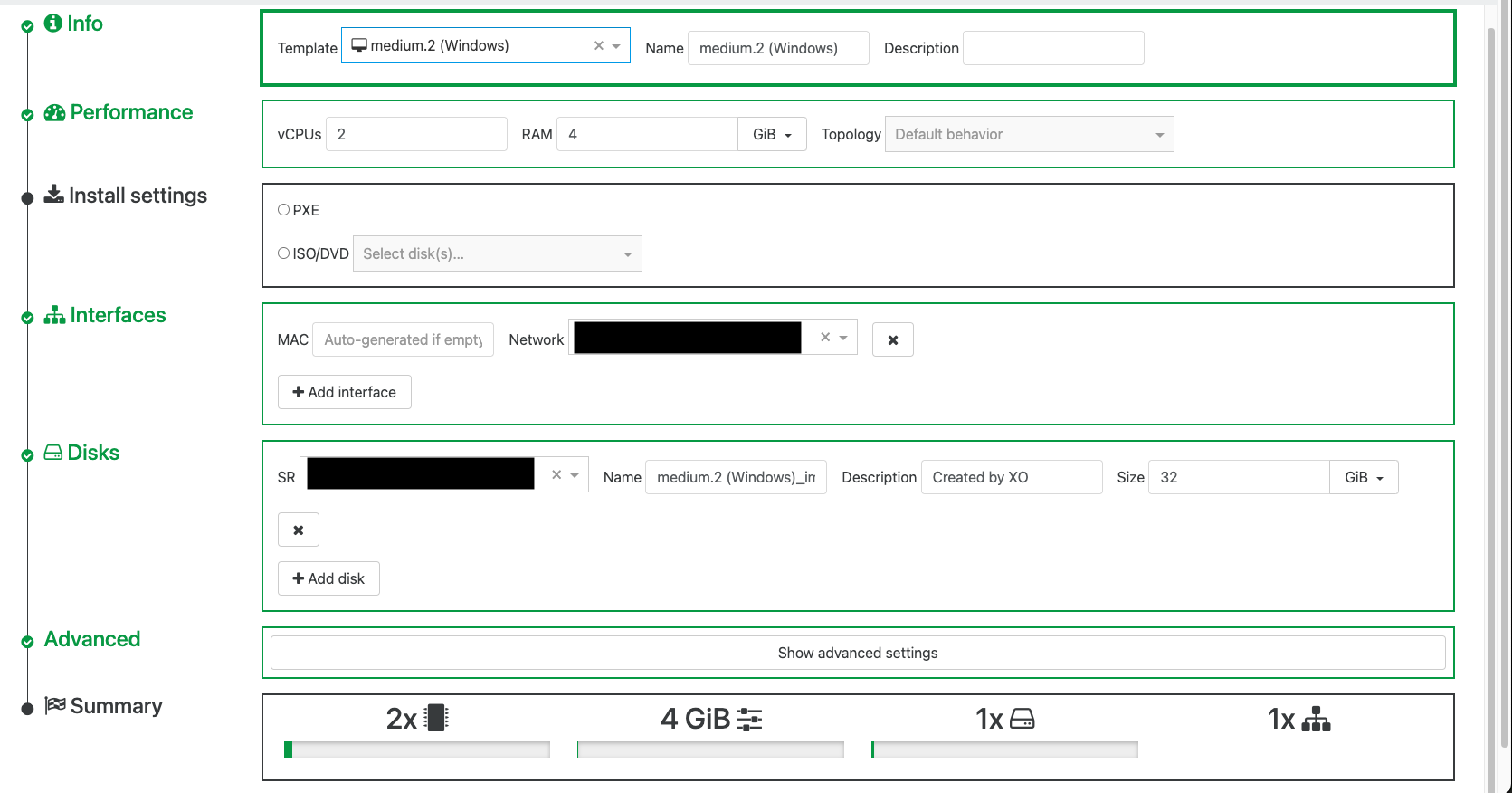
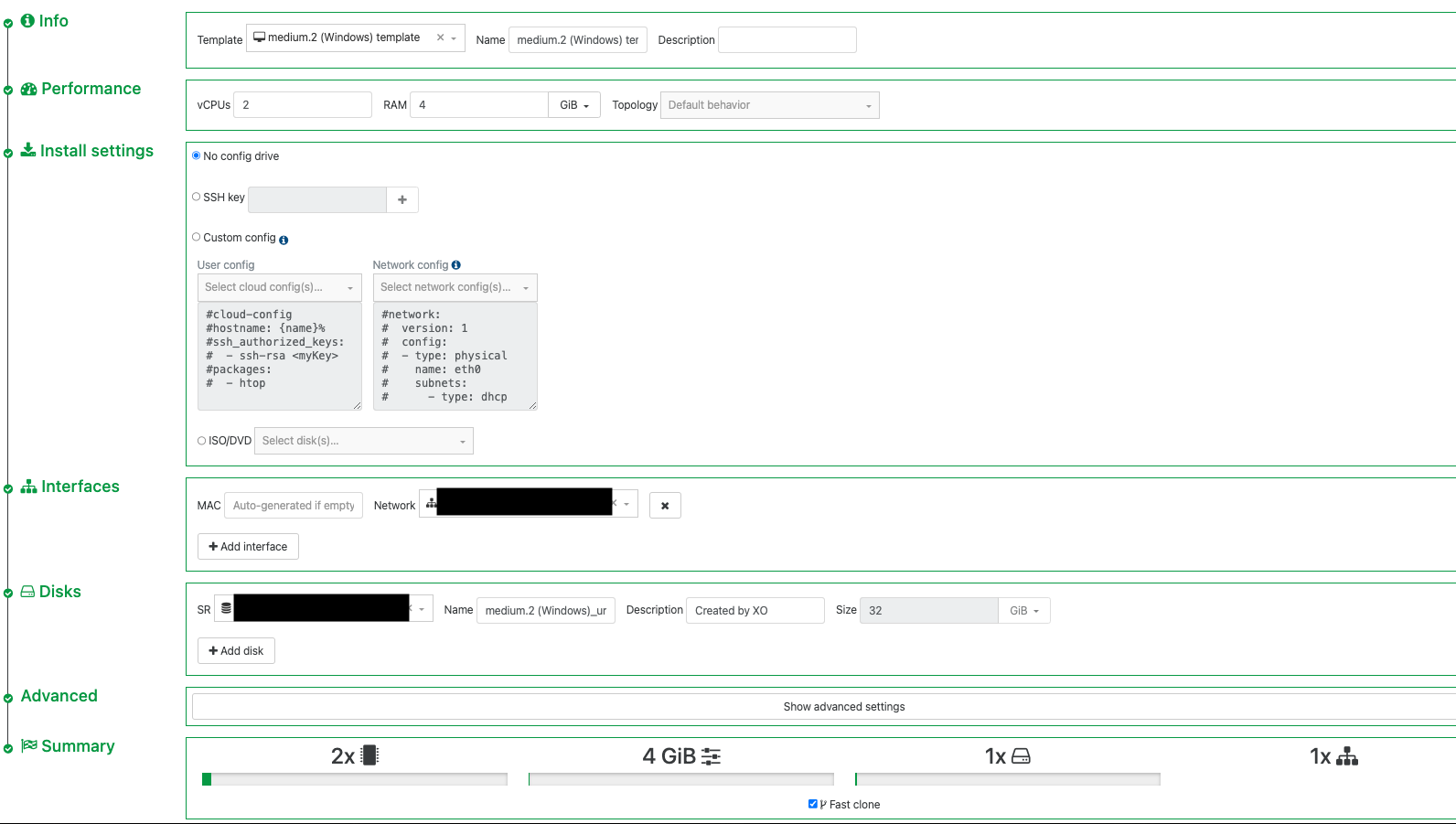
How can we create a template from a VM that provides the same install options as those provided with the default XO templates? In our case we usually create empty shells then roll with PXE to install the OS, whether it be Windows or Linux, etc. I'm trying to find a way to take a default template, tweak it a little (i.e. mainly wanting to enable HA as a default) then redeploy that as a template with the exact same options during the VM create process as those provided by the built-in templates. In particular the main issue I'm seeing is the "install settings" are different and I also want to deselect the "fast clone" option as a default.
Default template replica:
Template created from a VM using the same template:
-
@jimmymiller you mean disk size is locked on? You can't change it.
I think only way it's try to automate VM creation with things like packer https://xcp-ng.org/blog/2024/02/22/using-packer-with-xcp-ng/

Hello! It looks like you're interested in this conversation, but you don't have an account yet.
Getting fed up of having to scroll through the same posts each visit? When you register for an account, you'll always come back to exactly where you were before, and choose to be notified of new replies (either via email, or push notification). You'll also be able to save bookmarks and upvote posts to show your appreciation to other community members.
With your input, this post could be even better 💗
Register Login