Potential bug with Windows VM backup: "Body Timeout Error"
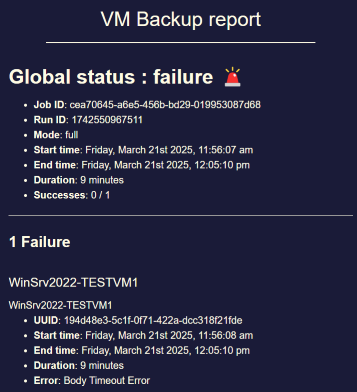
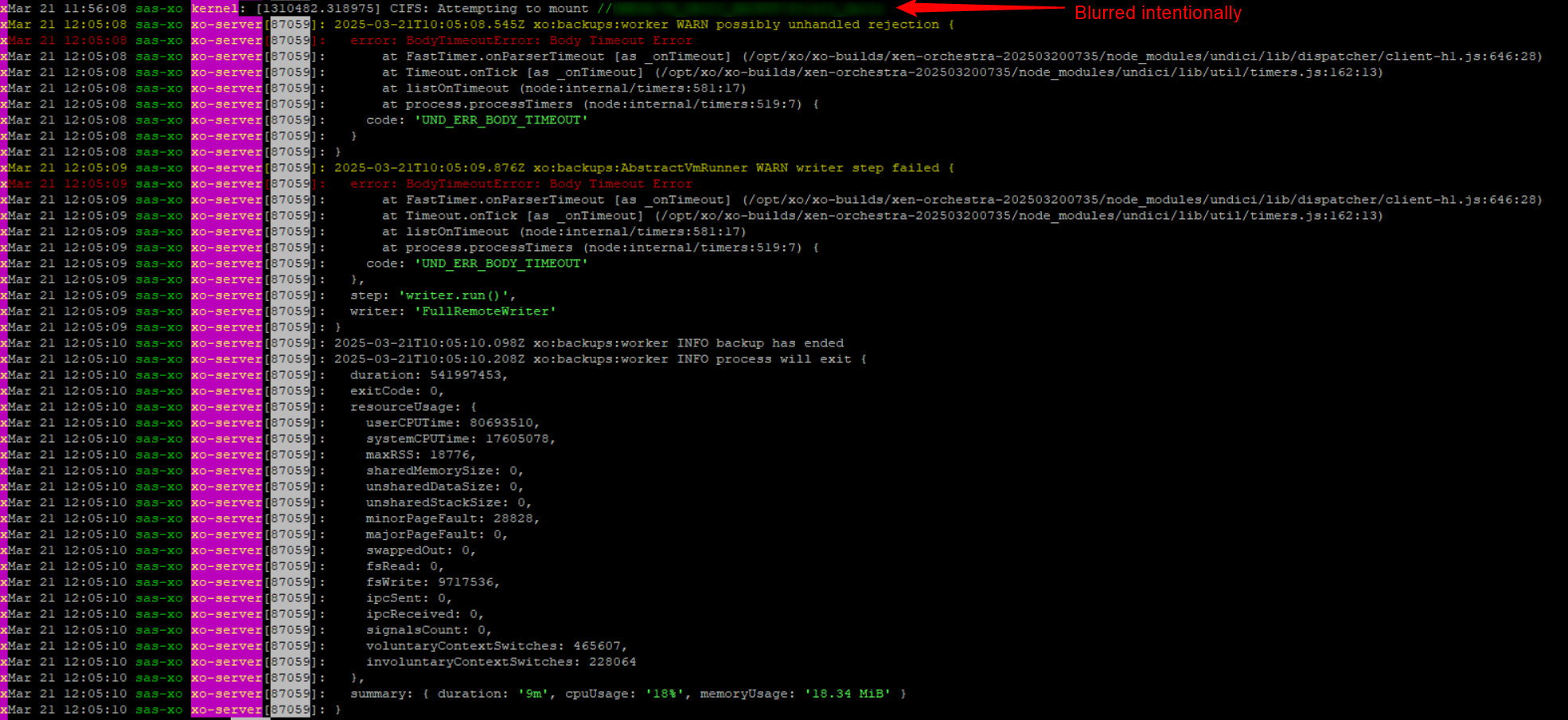
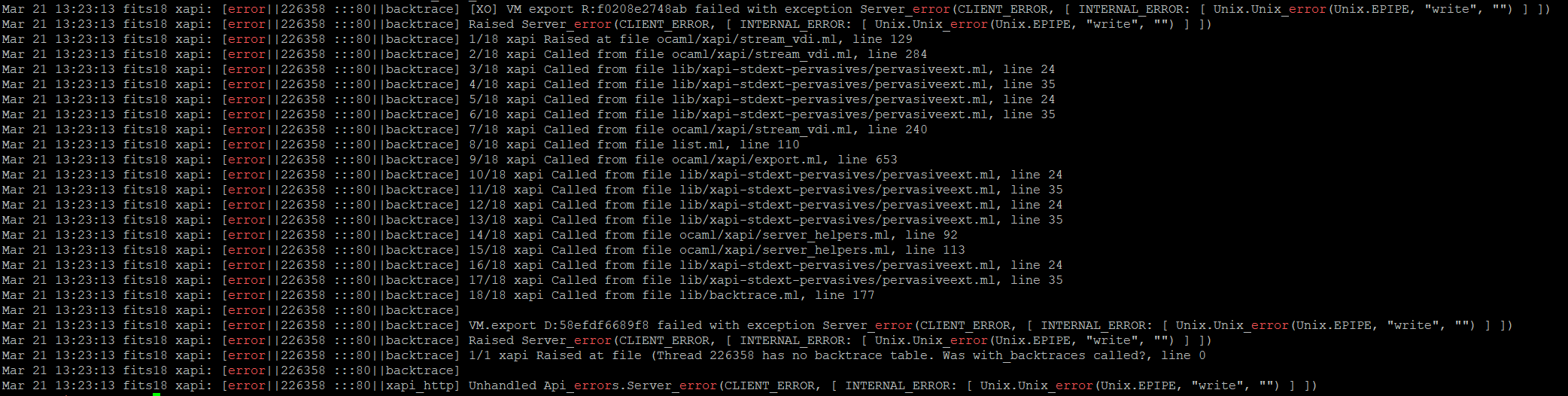
-
Another thing to check is the exact time between your XO and your host.
I installed the host with NTP from "static" DHCP (OK according to https://docs.xcp-ng.org/installation/requirements/) not made any manual changes/configs
After I did a RTC adjustment in BIOS 3 days ago, the time now is ~1s ahead
This is the output fromtimedatectl[22:04 x2 ~]# timedatectl status Local time: tor 2026-07-16 22:06:45 CEST Universal time: tor 2026-07-16 20:06:45 UTC RTC time: tor 2026-07-16 20:06:42 Time zone: Europe/Stockholm (CEST, +0200) NTP enabled: yes NTP synchronized: no RTC in local TZ: no DST active: yes Last DST change: DST began at sön 2026-03-29 01:59:59 CET sön 2026-03-29 03:00:00 CEST Next DST change: DST ends (the clock jumps one hour backwards) at sön 2026-10-25 02:59:59 CEST sön 2026-10-25 02:00:00 CETNTP synchronized: no
I thought that the time would be adjusted automatically at reboot
The first NTP sync should allow a bigger step than when it's already synced.do you make these backup regularly?
They run once a day @ 03:04 before the normal backup that starts @ 03:10 and they have all run OK since July 8, the failed one reported 8 days ago ( post ~85 )
Maybe you should resync your clock
NTP is enabled but not synced, I don't know the correct way to sync it
Inxsconsole/I triedUse DHCP NTP Servers
It changed the RTC clock to the same asUTC timebut time was still 1s ahead and NTP not synced.I rebooted the host and I got this:
[23:36 x2 ~]# timedatectl status
      Local time: tor 2026-07-16 23:37:17 CEST
  Universal time: tor 2026-07-16 21:37:17 UTC
        RTC time: tor 2026-07-16 21:37:16
       Time zone: Europe/Stockholm (CEST, +0200)
     NTP enabled: yes
NTP synchronized: no
 RTC in local TZ: no
      DST active: yes
 Last DST change: DST began at
                  sön 2026-03-29 01:59:59 CET
                  sön 2026-03-29 03:00:00 CEST
 Next DST change: DST ends (the clock jumps one hour backwards) at
                  sön 2026-10-25 02:59:59 CEST
                  sön 2026-10-25 02:00:00 CET
NTP still not synced, Local time 2s ahead, RTC 1s ahead,
I don't know, If not someone can show me the proper way to manually resync, maybe I should try to reinstall the host -
-
Hi, just to be sure, are you saying it is working ok apart one task 8 days ago?
Yes, after I adjusted the time it's working
Hello! It looks like you're interested in this conversation, but you don't have an account yet.
Getting fed up of having to scroll through the same posts each visit? When you register for an account, you'll always come back to exactly where you were before, and choose to be notified of new replies (either via email, or push notification). You'll also be able to save bookmarks and upvote posts to show your appreciation to other community members.
With your input, this post could be even better 💗
Register Login