XCP-ng
    • Categories
    • Recent
    • Tags
    • Popular
    • Users
    • Groups
    • Register
    • Login

    Boot New VM to ISO in XO-Lite?

    Scheduled Pinned Locked Moved XO Lite
    29 Posts 5 Posters 9.0k Views 5 Watching
    Loading More Posts
    • Oldest to Newest
    • Newest to Oldest
    • Most Votes
    Reply
    • Reply as topic
    Log in to reply
    This topic has been deleted. Only users with topic management privileges can see it.
    • C
      coolsport00
      last edited by

      Hi again great XCP-ng Team and Community!
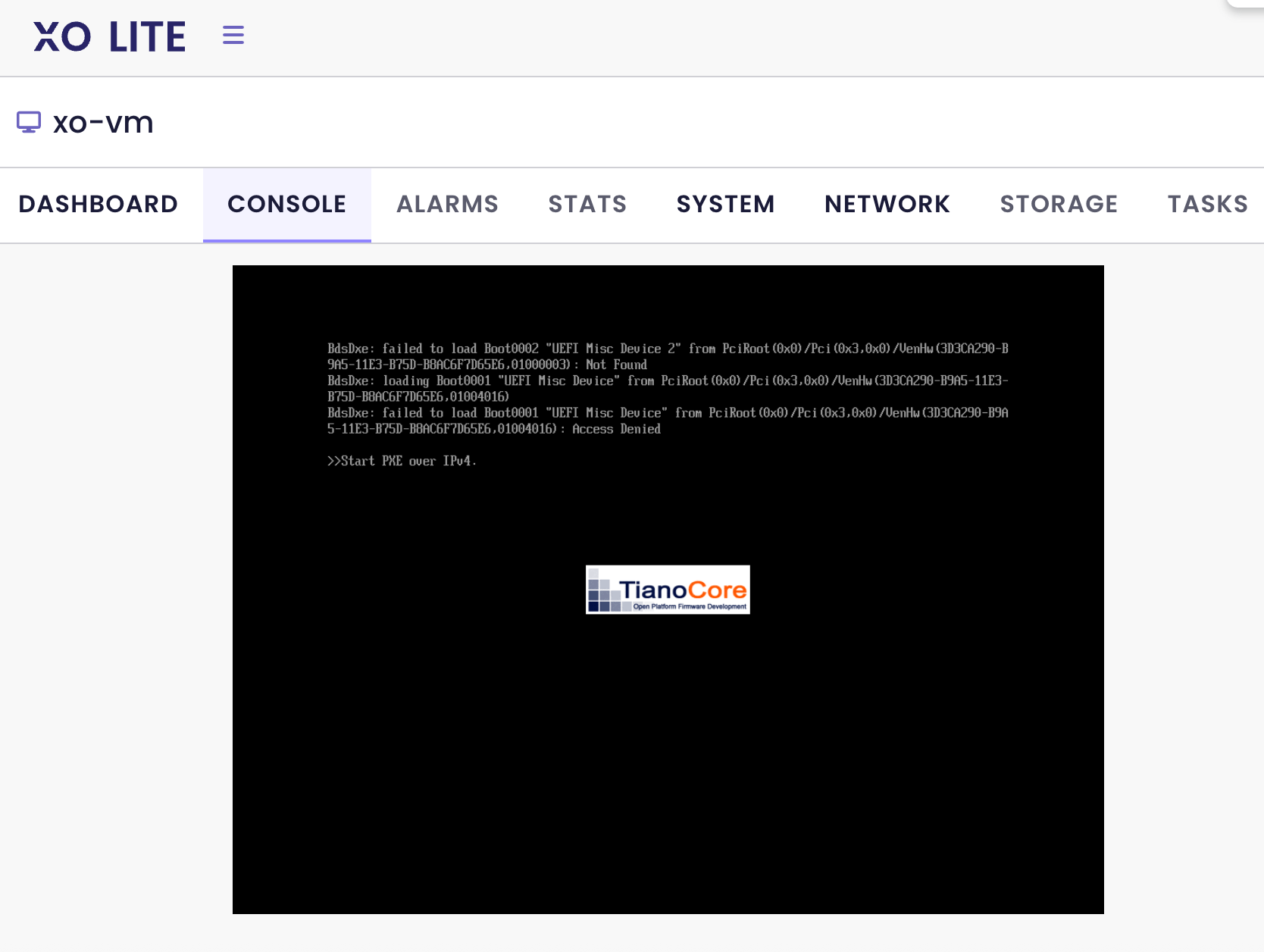
      I've yet another question with regards to functionality in XO-Lite. I just worked through my mess-up in creating a custom ISO SR on my XCP-ng Host so I can create a new VM from ISO. All good (now 😉 ). I boot up the VM and it never sees the ISO. There's no settings I can see to change boot order to boot the VM to ISO. I saw another Forums post:
      https://xcp-ng.org/forum/topic/10760/starting-over-fresh-build-with-xo-lite./4
      ...and seems a way to get this to work is change the VM's boot firmware from UEFI to BIOS? Hmm.. 🤔 ....not sure that's a good thing to do. If doing this works, can I change the firmware back to UEFI after creation? If this works, is this functionality going to be added for UEFI in a (hopefully soon) future XO-Lite version? Thanks!

      1 Reply Last reply
      Reply Quote 0
      • olivierlambertO
        olivierlambert Vates 🪐 Co-Founder CEO
        last edited by

        Hi,

        Can you describe all the steps in details so we can try to reproduce? Which template for example

        C 1 Reply Last reply
        Reply Quote 0
        • C
          coolsport00 @olivierlambert
          last edited by

          @olivierlambert Nothing out of the ordinary Olivier. I created a VM in XO-Lite and selected my Ubunut ISO. I finished it and it powered on and would not boot to ISO. There is no setting, like in XO, to force boot the VM to the ISO....unless I'm missing something, which of course may be the case 😛
          Screenshot 2025-08-29 at 9.07.12 AM.png

          1 Reply Last reply
          Reply Quote 0
          • olivierlambertO
            olivierlambert Vates 🪐 Co-Founder CEO
            last edited by

            I need to know the exact template you selected

            C 1 Reply Last reply
            Reply Quote 0
            • C
              coolsport00 @olivierlambert
              last edited by

              @olivierlambert Ah, ok; it was Ubuntu Jammy Jellyfish 22.04

              1 Reply Last reply
              Reply Quote 0
              • olivierlambertO
                olivierlambert Vates 🪐 Co-Founder CEO
                last edited by

                OK, in XO 5, when you create a VM from this template, do you need to change the boot order anywhere? Trying to understand exactly the difference and why it doesn't work out of the box in XO Lite

                C P 3 Replies Last reply
                Reply Quote 0
                • C
                  coolsport00 @olivierlambert
                  last edited by coolsport00

                  @olivierlambert There is nowhere in XO-Lite to be able to change the boot order. That is the issue. Lack of functionality for that.

                  1 Reply Last reply
                  Reply Quote 0
                  • C
                    coolsport00 @olivierlambert
                    last edited by

                    @olivierlambert Greg, in my other forums post, confirmed this lack of functionality as well.

                    C 1 Reply Last reply
                    Reply Quote 0
                    • C
                      coolsport00 @coolsport00
                      last edited by coolsport00

                      @olivierlambert - I just removed my UEFI-based VM and created BIOS-based one. It booted right up to the ISO. So it appears lack of functionality with UEFI booting to ISO. Not sure if that's a function of UEFI in general, or lack of feature set of XO-Lite. Well, may be both. Would be nice to have that boot order feature in XO-Lite, like in XO, which should take care of the issue with UEFI booting to ISO.

                      1 Reply Last reply
                      Reply Quote 0
                      • G Greg_E referenced this topic on
                      • P
                        ph7 @olivierlambert
                        last edited by

                        @olivierlambert
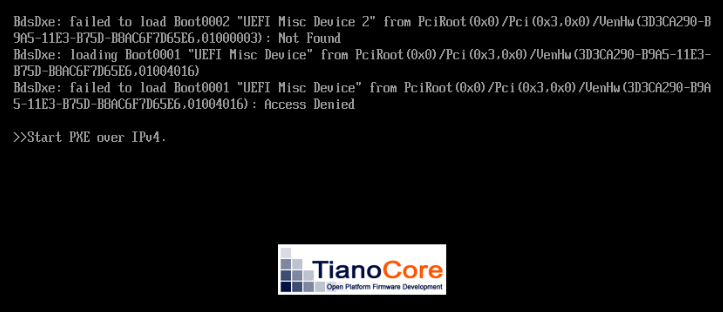
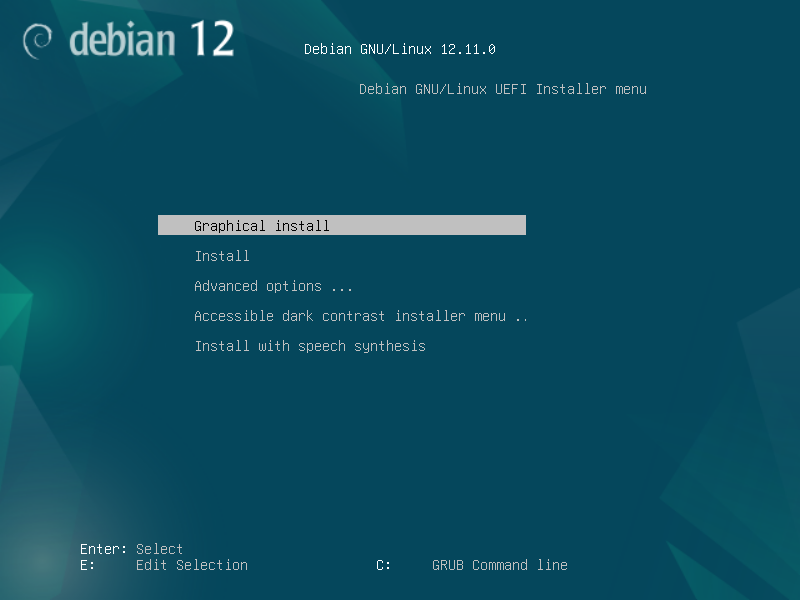
                        I can confirm that a new built debian VM in XO Lite with Debian Bookworm 12 template with UEFI boot will end up with this.

                        cafe79aa-e2a4-4e77-a83f-ac2d572b838b-image.png

                        If I try to start it in XO5 it will have the same result
                        But if I change it to BIOS in XO5, it will start.

                        If I during the creation in XO-Lite change to BIOS it will start.

                        1 Reply Last reply
                        Reply Quote 0
                        • olivierlambertO
                          olivierlambert Vates 🪐 Co-Founder CEO
                          last edited by

                          Okay and what's the boot order by default of this template? When you create it in XO 5, same template, do you have the issue?

                          P 1 Reply Last reply
                          Reply Quote 0
                          • P
                            ph7 @olivierlambert
                            last edited by

                            @olivierlambert
                            (Fully updated xcp and xo ce 4dfd4)
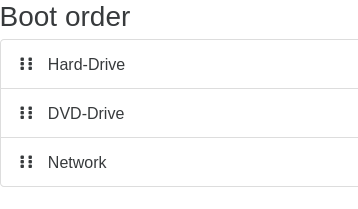
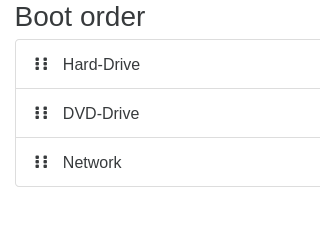
                            Default bootorder in 5 and Lite:

                            Created by XO-Lite:
                            a7424a7e-f96e-45f5-8e42-00b5ac06a8cc-image.png
                            (I had to check in XO5, didnt find it in Lite)

                            Created by XO5:
                            8c44b06f-f5f6-406f-a0d7-8c7fa3de334e-image.png

                            olivierlambertO 1 Reply Last reply
                            Reply Quote 0
                            • olivierlambertO
                              olivierlambert Vates 🪐 Co-Founder CEO @ph7
                              last edited by

                              @ph7 We cannot see if they are all enabled in the screenshot. Also, I'm not sure to get it. With XO5 "end to end", does the VM boots?

                              P 1 Reply Last reply
                              Reply Quote 0
                              • P
                                ph7 @olivierlambert
                                last edited by

                                @olivierlambert

                                Yes, They where all enabled but the clip was so wide I did cut it off.
                                The only thing I entered was the iso and changed to 2 cpu

                                New VM in xo5 with uefi
                                5a3324c1-fbc0-48a9-b60d-74b79b3694a4-image.png

                                And starting fine in XO5
                                56545c88-3fb4-46b3-a813-9f6c1dbc88ca-image.png

                                1 Reply Last reply
                                Reply Quote 0
                                • olivierlambertO
                                  olivierlambert Vates 🪐 Co-Founder CEO
                                  last edited by

                                  So there's something different in VM creation between the two that makes UEFI boot not working 🤔

                                  Thanks for the feedback, we'll try to reproduce internally and if confirmed, fixing it

                                  C P 2 Replies Last reply
                                  Reply Quote 0
                                  • C
                                    coolsport00 @olivierlambert
                                    last edited by

                                    @olivierlambert Thank you for looking into it Olivier; and...not that you all have extra time on your hands... 😛 ...but if you could enable being able to configure Host networking in XO-Lite, I think that would be a semi-urgent feature to release as well. Thanks.

                                    1 Reply Last reply
                                    Reply Quote 0
                                    • P
                                      ph7 @olivierlambert
                                      last edited by

                                      @olivierlambert
                                      When created with XO-Lite, secure boot is enabled but when created with XO5 secure boot is disabled.

                                      XO-Lite:
                                      bee67ae7-8b65-4596-b875-84b16445fffa-image.png

                                      XO 5
                                      824cea08-64ed-4d23-a4fb-03addc204917-image.png

                                      C 1 Reply Last reply
                                      Reply Quote 0
                                      • C
                                        coolsport00 @ph7
                                        last edited by coolsport00

                                        @ph7 where are you seeing secure boot in XO-Lite? I don't even have that option 🤔 After creating a VM in XO-Lite, I see boot settings and Secure Boot is shown as Disabled
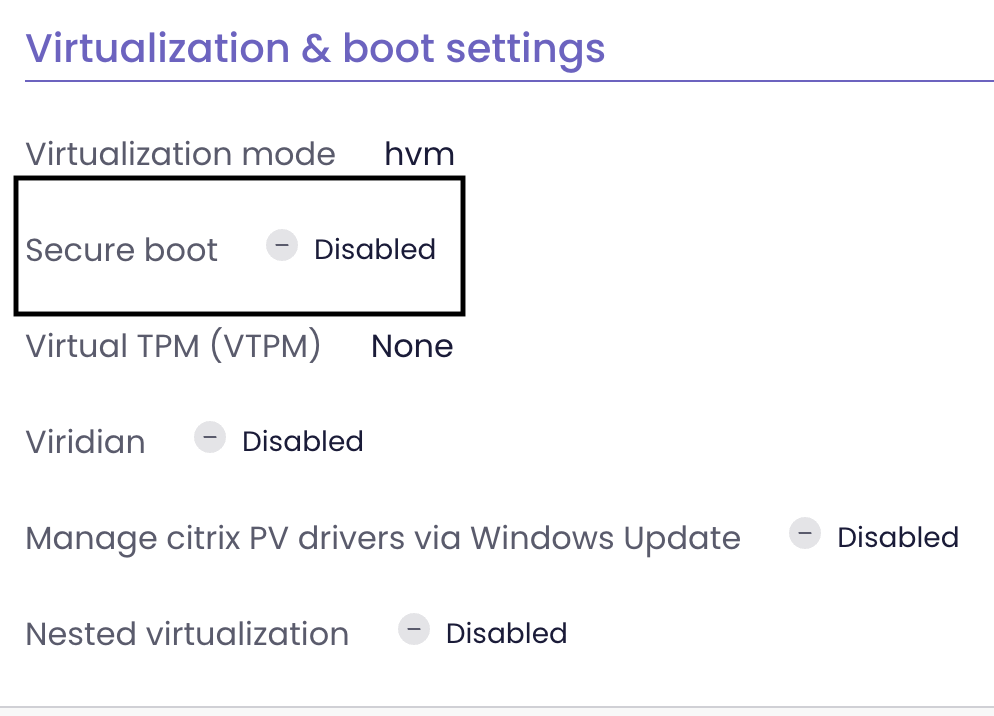
                                        Screenshot 2025-08-29 at 11.53.30 AM.png

                                        P 1 Reply Last reply
                                        Reply Quote 0
                                        • P
                                          ph7 @coolsport00
                                          last edited by

                                          @coolsport00
                                          I created the VM in Lite, then checked in XO5

                                          C 1 Reply Last reply
                                          Reply Quote 0
                                          • C
                                            coolsport00 @ph7
                                            last edited by

                                            @ph7 Ah, ok

                                            P 1 Reply Last reply
                                            Reply Quote 0

                                            Hello! It looks like you're interested in this conversation, but you don't have an account yet.

                                            Getting fed up of having to scroll through the same posts each visit? When you register for an account, you'll always come back to exactly where you were before, and choose to be notified of new replies (either via email, or push notification). You'll also be able to save bookmarks and upvote posts to show your appreciation to other community members.

                                            With your input, this post could be even better 💗

                                            Register Login
                                            • First post
                                              Last post