VDIS not showing in XO5, but are in XO6 and on the VM itself ?
-
Hi,
I have an issue where the VDIS are not listed in the X05 console for a VM, but they are still mounted in the host itself and are showing in XO6 (but you can't edit them there).
I made a copy (Fast) and they are showing against the copy - so initial panic over. But what would cause this to happen ?
Also, what does the 'Used Space' represent ? I thought it was the used space on the drive by the machine itself, but the reason I was looking at this VM was the Storage drive is currently using 95% (according to Windows) and I was wanting to resize it larger.
Cheers
Kent.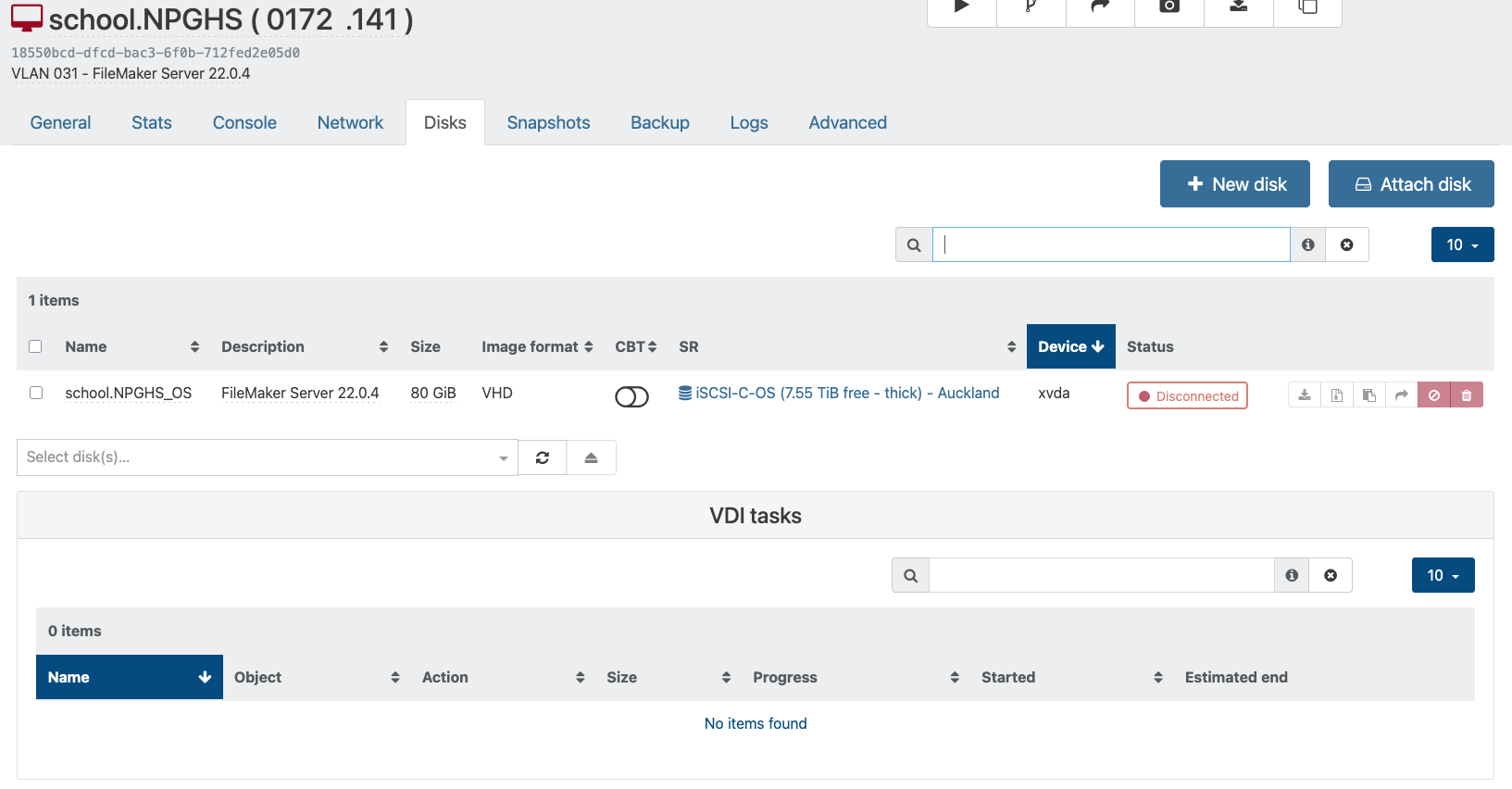
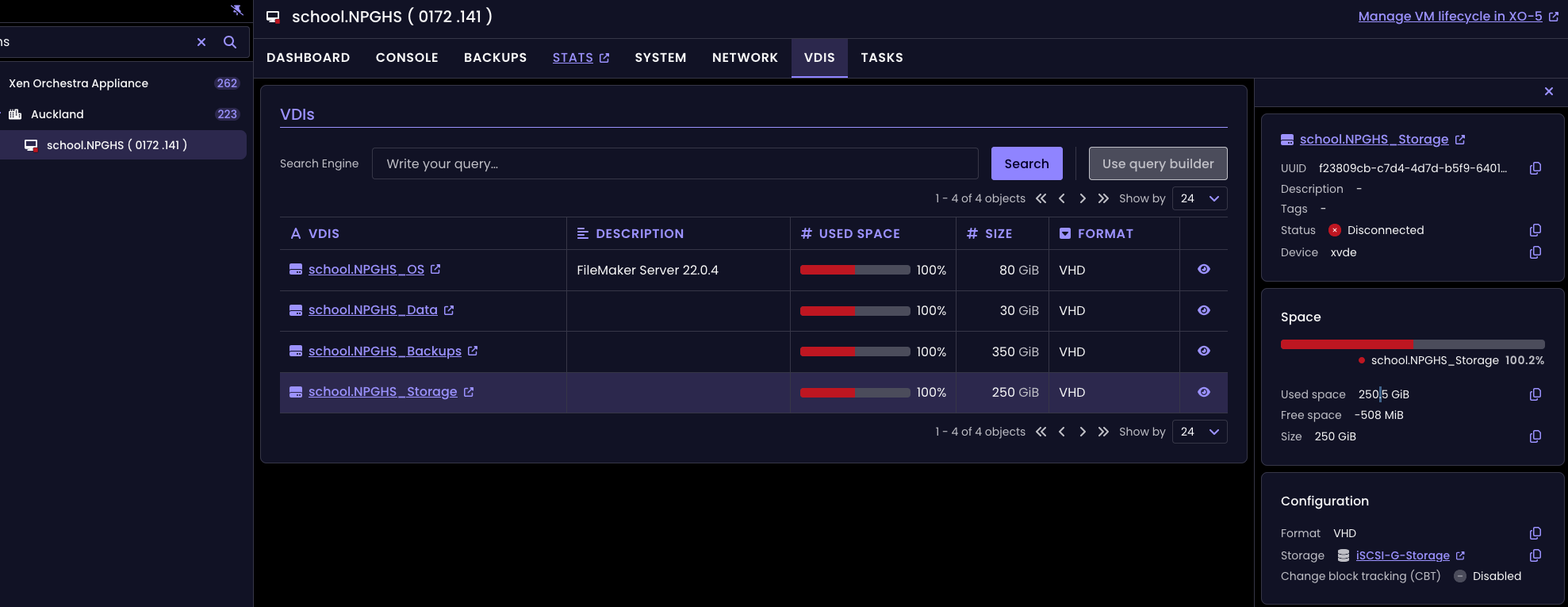
-
-
Thanks - not just me then. I've found that fast cloning the VMSeems like the easiest option to get the VHD's to show again.
But the best option for now may be to revert back to the previous XO where this wasn't happening.
Since posting this, I found further VMs (though not all) where the OS VHD was showing but none of the others.
Cheers
Kent. -
@kent you would have to rollback to early december 2025 XO/XOA (before the 10 of december)
quite a long wayI'm just waiting the devs to eventually fix it as we have other way to manage VDIs (API calls)

Hello! It looks like you're interested in this conversation, but you don't have an account yet.
Getting fed up of having to scroll through the same posts each visit? When you register for an account, you'll always come back to exactly where you were before, and choose to be notified of new replies (either via email, or push notification). You'll also be able to save bookmarks and upvote posts to show your appreciation to other community members.
With your input, this post could be even better 💗
Register Login