XOA Quick Deploy
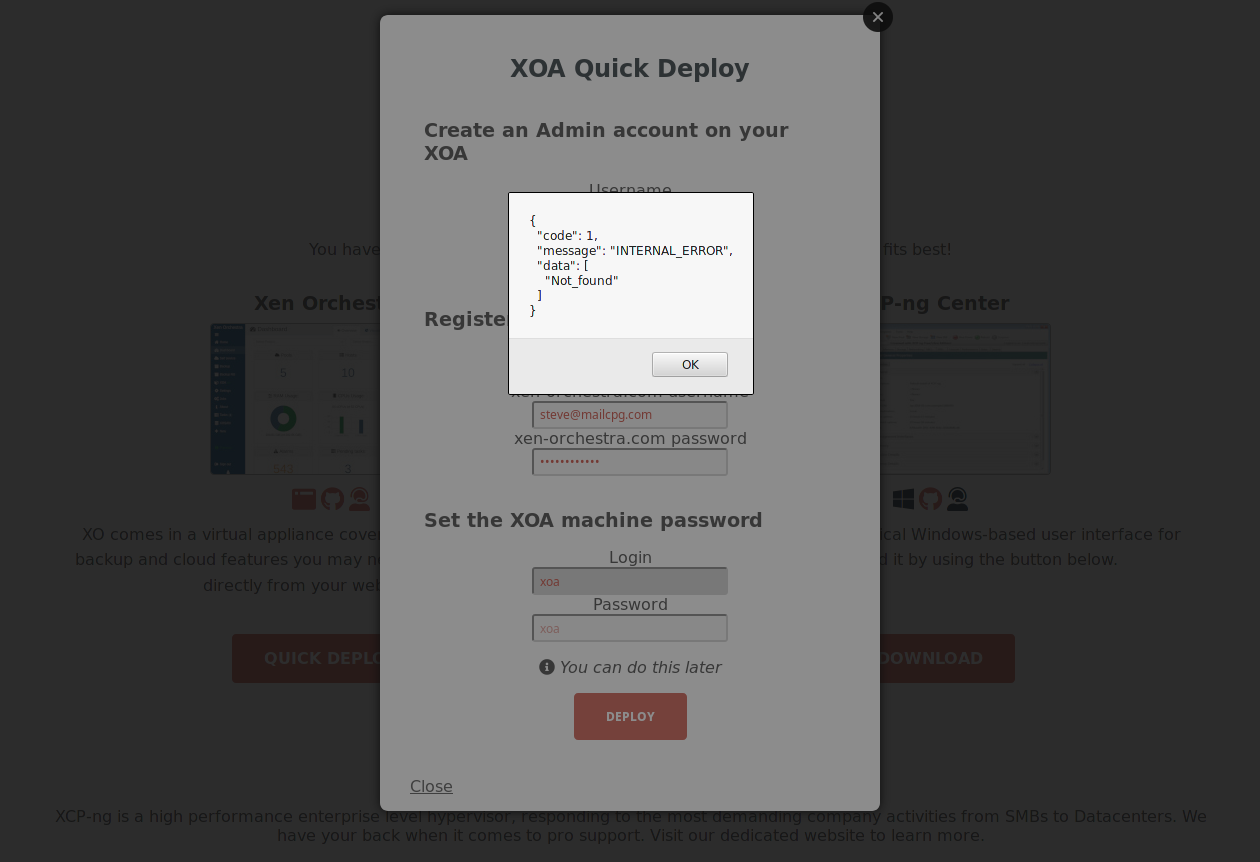
-
@danp Yes, see https://xcp-ng.org/forum/post/42132
-
Hi,
I'm having the same issues and I tried
bash -c "$(curl -sS http://xoa.io/deploy)"(notice http only to skip the ssl error). I am stuck inImporting XOA VM. Whenever I checkxe vm-listit says XOA is halted. Tried starting it manually but still no luck.Here's my xapi-core version
xapi-core-1.249.9-1.1.xcpng8.2.x86_64. I tried upgrading and downgrading but still no luck. Not sure how to troubleshoot this issue. -
Hi,
On what XCP-ng or XenServer version are you trying to deploy it?
-
@olivierlambert XCP-NG 8.2
-
@jcapagcuan-svi It's a supermicro servers with 32 cores cpu and 128GB memory
-
I've just had exactly the same problems - XOA wouldn't deploy either through the web interface or the CLI. After much squinting and pondering and trial and error, I eventually traced it to a DNS issue. I changed the DNS nameserver to 1.1.1.1 and it now works perfectly.
I then excitedly looked for this thread again to post the solution, and accidentally came across this very similar thread where the solution is in the first reply. https://xcp-ng.org/forum/topic/4500/xoa-deployment-issue
Oh well, those are 2 hours of my life I'll never get back! I hope this helps someone else!
-
Hi! Thanks for the feedback. The issue was "on your side"? (ie DNS you filled incorrectly initially?) or on ours? I mean, is there anything we can do to improve this from our perspective?
Thanks!
-
@olivierlambert The issue was very much on my side (the network configuration was DHCP, so I blame my router). It was definitely not caused by XCP-NG itself.
I suppose the only thing that could potentially be refined on your side is the signposting, as the error message is a little cryptic. Having said that, the error says "source not found", which is absolutely accurate, and I guess there's no way for the installer to know why it can't find the source repository!
The main reason I posted was so the information would be available in this thread whenever the next person searches the same error, but thank you for following it up anyway. This forum is a great resource, and I'm sure I'm not the only one who really appreciates you taking the time to engage with the community and look for opportunities for improvement.
-
I know this is quite old but wanted to update with additional findings.
I had the same error and it turns out you are using a non-standard port. In this case, tcp/8888 which I have blocked on my perimeter firewall.



Hello! It looks like you're interested in this conversation, but you don't have an account yet.
Getting fed up of having to scroll through the same posts each visit? When you register for an account, you'll always come back to exactly where you were before, and choose to be notified of new replies (either via email, or push notification). You'll also be able to save bookmarks and upvote posts to show your appreciation to other community members.
With your input, this post could be even better 💗
Register Login