XCP-ng
    • Categories
    • Recent
    • Tags
    • Popular
    • Users
    • Groups
    • Register
    • Login

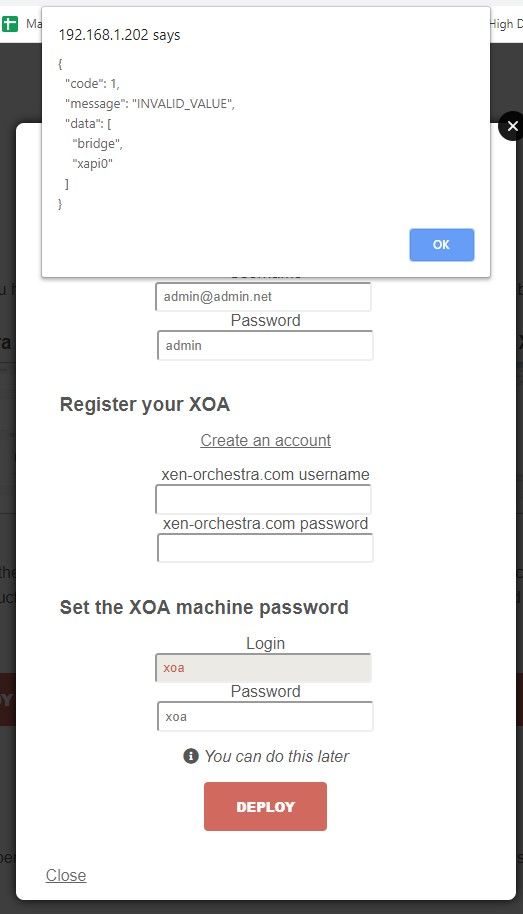
    XOA Error when installing
    Scheduled Pinned Locked Moved Solved Xen Orchestra
    107 Posts 9 Posters 44.3k Views 1 Watching
    Loading More Posts
    • Oldest to Newest
    • Newest to Oldest
    • Most Votes
    Reply
    • Reply as topic
    Log in to reply
    This topic has been deleted. Only users with topic management privileges can see it.
    • DanpD Offline
      Danp Pro Support Team @kilo
      last edited by

      @kilo I got this error while attempting to test this --

      # curl -sS https://xoa.io/deploy | bash
      
      Welcome to the XOA auto-deploy script!
      
      Network settings:
      Importing XOA VM...
      Error: Unknown field 'Downloading'
      

      The resulting VM boots, but isn't assigned an IP address (the VIF is attached to the Private LAN network)

      K 1 Reply Last reply Reply Quote 0
      • K Offline
        kilo @Danp
        last edited by

        @Danp you mean it should be attached to network 0 ?

        DanpD 1 Reply Last reply Reply Quote 0
        • DanpD Offline
          Danp Pro Support Team @kilo
          last edited by

          @kilo Not sure why this is occurring. Seems like the deploy script isn't working as designed.

          1 Reply Last reply Reply Quote 0
          • olivierlambertO Offline
            olivierlambert Vates 🪐 Co-Founder CEO
            last edited by

            Deploy script isn't recommended anymore until we implement network selection. Please use https://xen-orchestra.com/#!/xoa

            1 Reply Last reply Reply Quote 0
            • K Offline
              kilo
              last edited by

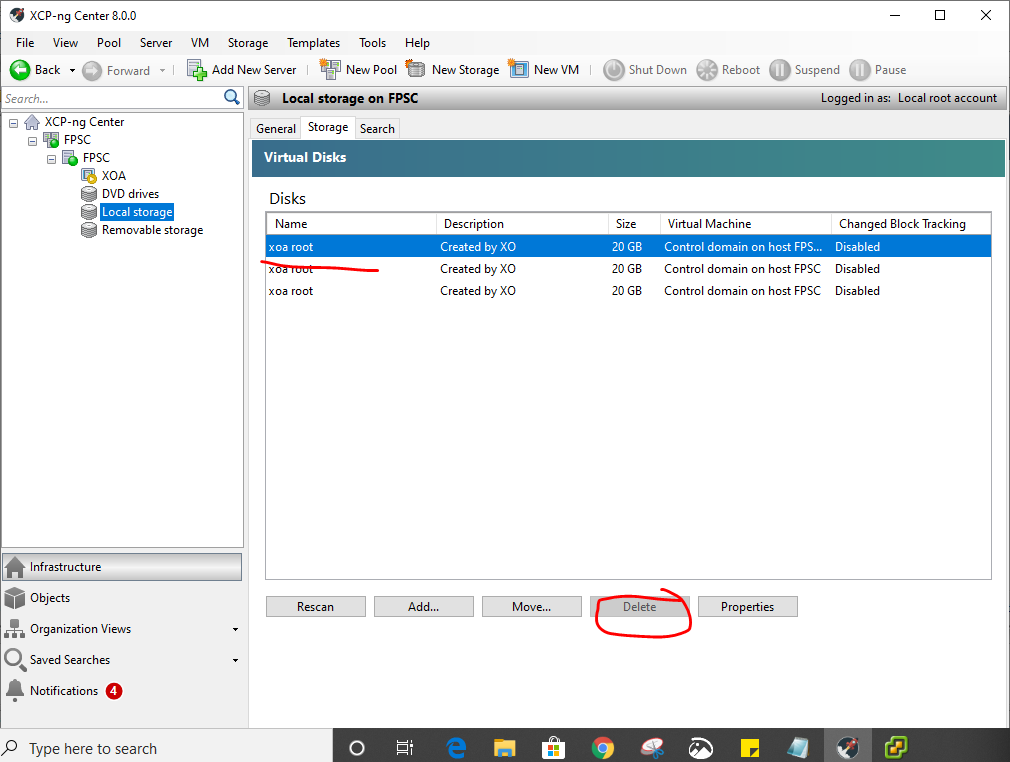
              how to stop the stuck XOA VM. neither can it be stopped nor could the XOA 20 GB disk be deleted!
              1079af3b-31e9-4d4a-ab68-051f857644a0-image.png

              1 Reply Last reply Reply Quote 0
              • K Offline
                kilo
                last edited by

                should i reinstall the XCP-ng all over again???

                1 Reply Last reply Reply Quote 0
                • K Offline
                  kilo
                  last edited by

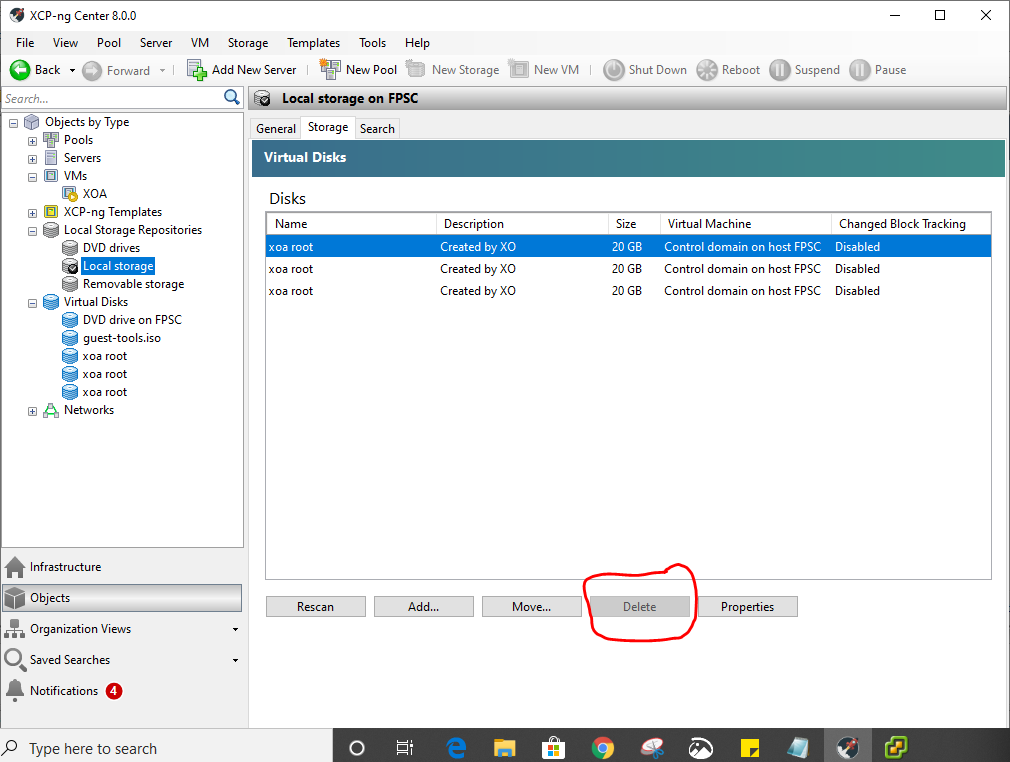
                  ughh!!...the delete option is greyed out!
                  f2a9f015-065b-4d75-ae84-7003be28f5a3-image.png

                  DanpD 1 Reply Last reply Reply Quote 0
                  • DanpD Offline
                    Danp Pro Support Team @kilo
                    last edited by

                    @kilo The disks are attached to the control domain, which is probably why you can't delete them. Have you tried restarting the toolstack?

                    K 1 Reply Last reply Reply Quote 0
                    • K Offline
                      kilo @Danp
                      last edited by

                      @Danp how to restart it?

                      1 Reply Last reply Reply Quote 0
                      • K Offline
                        kilo
                        last edited by

                        restarting did not help either...guess will have to reinstall XCP-ng.

                        1 Reply Last reply Reply Quote 0
                        • olivierlambertO Offline
                          olivierlambert Vates 🪐 Co-Founder CEO
                          last edited by

                          Don't. No need. Just reboot and you are fine.

                          1 Reply Last reply Reply Quote 0
                          • K Offline
                            kilo
                            last edited by

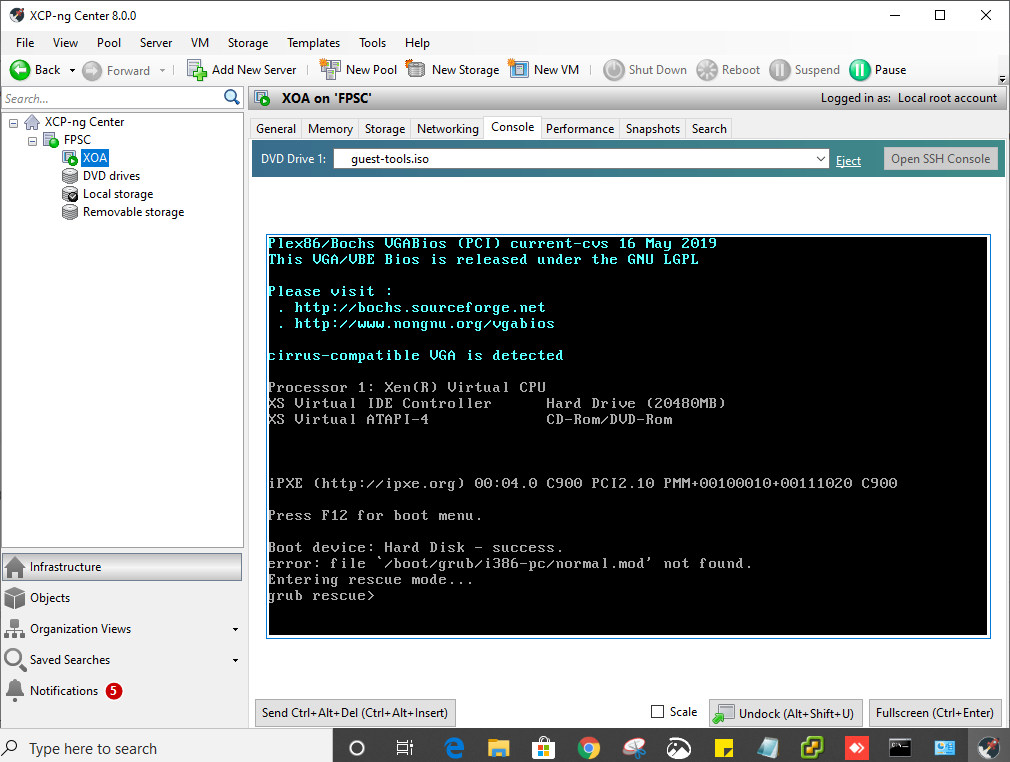
                            this error persists....tried restarting,,,,,tried re-installing XCP-ng!....error!
                            0e427d5c-7c82-441b-84da-6447a374e575-image.png

                            1 Reply Last reply Reply Quote 0
                            • olivierlambertO Offline
                              olivierlambert Vates 🪐 Co-Founder CEO
                              last edited by

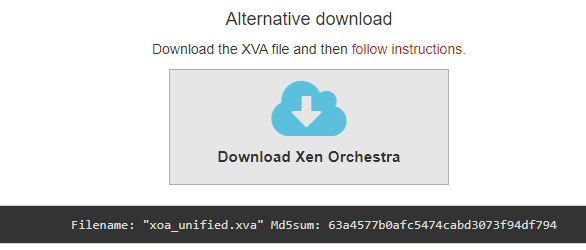
                              Can you download the XVA then, and tell me the md5sum you have for it?

                              1 Reply Last reply Reply Quote 0
                              • K Offline
                                kilo
                                last edited by

                                Filename: "xoa_unified.xva" Md5sum: 63a4577b0afc5474cabd3073f94df794
                                so i am downloading a new xva now with Md5sum above. will get back after doing the import step and launching in xcp-ng center.
                                3f70ebdd-2622-42c9-8299-fcebf67748da-image.png

                                1 Reply Last reply Reply Quote 0
                                • olivierlambertO Offline
                                  olivierlambert Vates 🪐 Co-Founder CEO
                                  last edited by

                                  Please do a md5sum on your side and tell us

                                  1 Reply Last reply Reply Quote 0
                                  • K Offline
                                    kilo
                                    last edited by

                                    This post is deleted!
                                    1 Reply Last reply Reply Quote 0
                                    • K Offline
                                      kilo
                                      last edited by

                                      it worked. however i am now unable to ping XOA from PC. tried restarting (systemctl restart networking) service but error. can ping the XCP-ng host from PC.

                                      f5be2e92-e09c-4bf1-8e2a-228082273c40-image.png

                                      1 Reply Last reply Reply Quote 0
                                      • K Offline
                                        kilo
                                        last edited by

                                        interface state is also 'UP'
                                        2124b0fc-14fb-464d-9496-b7467cf7bd49-image.png

                                        1 Reply Last reply Reply Quote 0
                                        • K Offline
                                          kilo
                                          last edited by

                                          networking service could not be found
                                          b7f7a057-aae1-4898-8485-5ebb711588a6-image.png

                                          DanpD 1 Reply Last reply Reply Quote 0
                                          • DanpD Offline
                                            Danp Pro Support Team @kilo
                                            last edited by

                                            @kilo It helps if you spell it correctly. 😆

                                            K 1 Reply Last reply Reply Quote 0

                                            Hello! It looks like you're interested in this conversation, but you don't have an account yet.

                                            Getting fed up of having to scroll through the same posts each visit? When you register for an account, you'll always come back to exactly where you were before, and choose to be notified of new replies (either via email, or push notification). You'll also be able to save bookmarks and upvote posts to show your appreciation to other community members.

                                            With your input, this post could be even better 💗

                                            Register Login
                                            • First post
                                              Last post



