XCP-ng
    • Categories
    • Recent
    • Tags
    • Popular
    • Users
    • Groups
    • Register
    • Login

    One of the backups fail with no error
    Scheduled Pinned Locked Moved Xen Orchestra
    29 Posts 4 Posters 8.1k Views 3 Watching
    Loading More Posts
    • Oldest to Newest
    • Newest to Oldest
    • Most Votes
    Reply
    • Reply as topic
    Log in to reply
    This topic has been deleted. Only users with topic management privileges can see it.
    • A Offline
      ashinobi @olivierlambert
      last edited by

      @olivierlambert

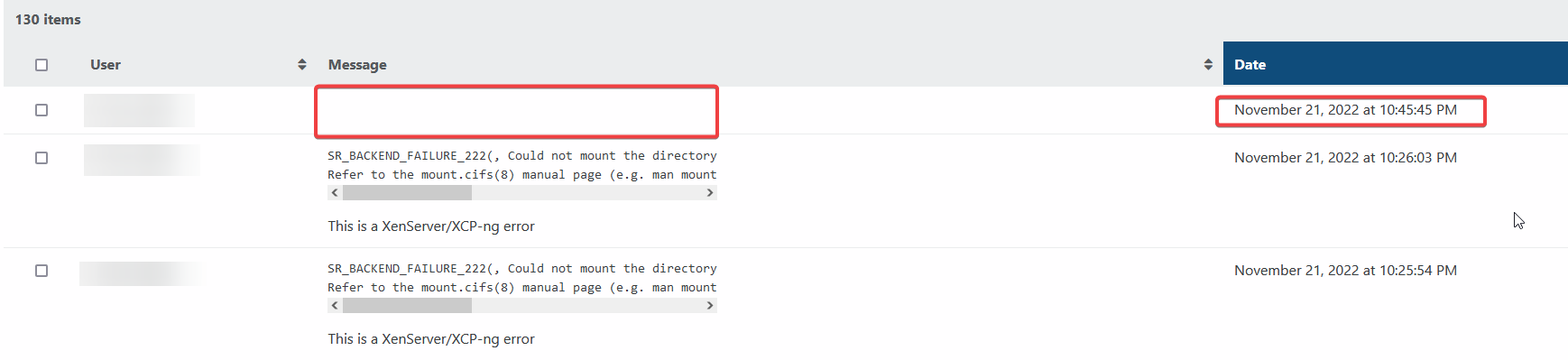
      That is my point, it does not produce any error logs when this happen. Please check my screenshot below:

      41605a2b-92a4-4240-af45-4f014b19f0ba-image.png

      fdd4fdc1-7412-4f89-849a-e89c2a4d651c-image.png

      As you can see on the screenshot that I have provided. The backup failed at 22:45:44 and when I go to Settings-Logs it shows a blank entry during that time.

      So my question is why it is not creating any logs and what would have may caused this? Also is there any command that I could run to help us identify what have cause this problem?

      1 Reply Last reply Reply Quote 0
      • olivierlambertO Offline
        olivierlambert Vates 🪐 Co-Founder CEO
        last edited by

        On the log, you click on the "Failed", then there's a modal with a icon "export the log".

        A 1 Reply Last reply Reply Quote 0
        • A Offline
          ashinobi @olivierlambert
          last edited by

          @olivierlambert

          Olivier, thank you so much for the help I am very thankful that you are helping me with this problem.

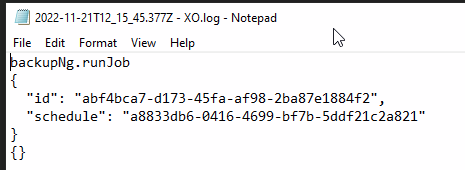
          Regarding your procedure, I went back to logs I can only see "display details", "download log", "report as a bug" and "delete log". If click on Display details and download log, this is the only information it has:

          backupNg.runJob
          {
            "id": "abf4bca7-d173-45fa-af98-2ba87e1884f2",
            "schedule": "a8833db6-0416-4699-bf7b-5ddf21c2a821"
          }
          {}
          
          1 Reply Last reply Reply Quote 0
          • olivierlambertO Offline
            olivierlambert Vates 🪐 Co-Founder CEO
            last edited by

            Download the log and open it. What do you have inside?

            A 1 Reply Last reply Reply Quote 0
            • A Offline
              ashinobi @olivierlambert
              last edited by

              @olivierlambert

              Same thing:

              59e94d84-fd8a-4a55-9a0f-c85007e8b6dd-image.png

              1 Reply Last reply Reply Quote 0
              • olivierlambertO Offline
                olivierlambert Vates 🪐 Co-Founder CEO
                last edited by

                Weird. Does it ring a bell @julien-f ?

                1 Reply Last reply Reply Quote 0
                • tjkreidlT Offline
                  tjkreidl Ambassador @ashinobi
                  last edited by tjkreidl

                  @ashinobi Iss there still enough storage space to contain the backup? How big is the storage? Did it take close to 24 hours last time (might be a timeout issue)? From what storage to what backup server/storage are you doing the backup? What was the state of the active task while it was running (xe task-list)?

                  A 1 Reply Last reply Reply Quote 0
                  • olivierlambertO Offline
                    olivierlambert Vates 🪐 Co-Founder CEO
                    last edited by

                    Also, what's your Node version?

                    A 1 Reply Last reply Reply Quote 0
                    • A Offline
                      ashinobi @tjkreidl
                      last edited by ashinobi

                      @tjkreidl

                      "Iss there still enough storage space to contain the backup?"--> yes there is, the backup location only using 36% of disk. I'll add another 100 GB just to test and see if that is the issue.

                      448f807b-ffb7-43be-9b24-f0e1e5f10005-image.png

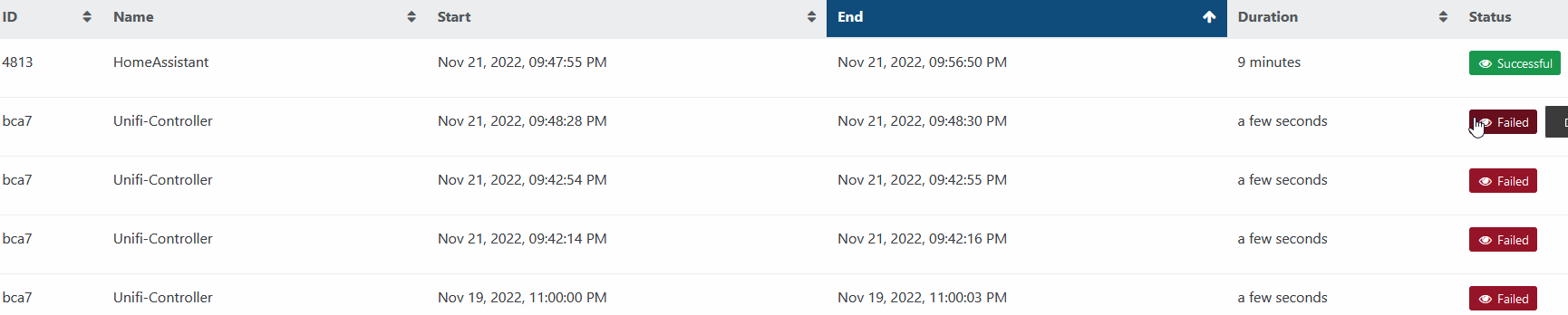
                      "Did it take close to 24 hours last time (might be a timeout issue)" ---> Correction on the last successful backup, it was 5th of November of 2022 was the last successful backup. It only took 26 minutes to perform the backup:

                      585a119f-1f31-41ca-a565-c012348c277e-image.png

                      "From what storage to what backup server/storage are you doing the backup? " I have 2 storage DSM 920+ and 1522+. The DSM 1522+ is where VMDisk storage is located, it has a 10 GB nic dedicated to connect XCP-NG to the storage and 1GB NIC to manage it. The DSM 920+ is where the backup goes to, it only has has 2 1GB NIC in LAGG.

                      "What was the state of the active task while it was running (xe task-list)?" --> I ran the backup again and it failed, this what I was able to get in xe task-list

                      [18:22 home-hypervisor ~]# xe task-list
                      uuid ( RO)                : ab0df756-9f87-d6c2-9d08-69eabc030686
                                name-label ( RO): SR.scan
                          name-description ( RO):
                                    status ( RO): pending
                                  progress ( RO): 0.000
                      
                      
                      uuid ( RO)                : 81af28e4-eb75-5549-3858-e26987dd6d65
                                name-label ( RO): SR.scan
                          name-description ( RO):
                                    status ( RO): pending
                                  progress ( RO): 0.000
                      
                      
                      uuid ( RO)                : d3774ca1-f7d2-a782-8e77-d91c0c83d7d2
                                name-label ( RO): SR.scan
                          name-description ( RO):
                                    status ( RO): pending
                                  progress ( RO): 0.000
                      
                      
                      uuid ( RO)                : 32c87459-b0ab-a28c-6de7-a85292f81190
                                name-label ( RO): SR.scan
                          name-description ( RO):
                                    status ( RO): pending
                                  progress ( RO): 0.000
                      
                      1 Reply Last reply Reply Quote 0
                      • A Offline
                        ashinobi @olivierlambert
                        last edited by

                        @olivierlambert

                        My version is XCP-NG 8.2.1

                        julien-fJ 1 Reply Last reply Reply Quote 0
                        • julien-fJ Offline
                          julien-f Vates 🪐 Co-Founder XO Team @ashinobi
                          last edited by julien-f

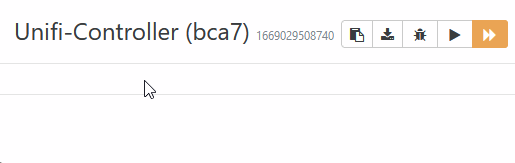
                          @ashinobi The backup log is available at the top of the detailed view of the run. The first button are Copy to clipboard and Download log:
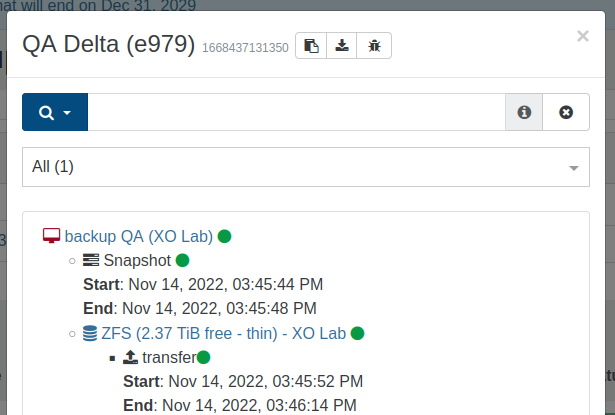
                          ecce8d77-138a-4dc4-af68-c1dbea77311e-image.png

                          Also, what's your backup config?

                          • Full Backup, Delta Backup, Disaster Recovery or Continuous Replication?
                          • Are you using an XO Proxy?
                          A 1 Reply Last reply Reply Quote 0
                          • A Offline
                            ashinobi @julien-f
                            last edited by

                            @julien-f

                            Checking your screenshot, I believe you are pertaining to this information:
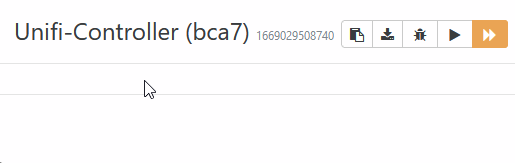
                            5a00e849-61da-4b04-b930-5dab97c487bf-image.png

                            As you can see on the above screenshot it does not contain any information

                            Regarding the backup type it is configured to use Delta Backup and I do not have XO Proxy. I only have 1 XO and 1 XCP-NG host.

                            julien-fJ 1 Reply Last reply Reply Quote 0
                            • julien-fJ Offline
                              julien-f Vates 🪐 Co-Founder XO Team @ashinobi
                              last edited by julien-f

                              @ashinobi Indeed, and what happens when you click on the button above to copy the log?

                              Is the result empty?

                              A julien-fJ 2 Replies Last reply Reply Quote 0
                              • A Offline
                                ashinobi @julien-f
                                last edited by

                                @julien-f

                                When I click copy, this is the content:

                                {
                                  "data": {
                                    "mode": "delta",
                                    "reportWhen": "never"
                                  },
                                  "id": "1669110304104",
                                  "jobId": "abf4bca7-d173-45fa-af98-2ba87e1884f2",
                                  "jobName": "Unifi-Controller",
                                  "message": "backup",
                                  "scheduleId": "a8833db6-0416-4699-bf7b-5ddf21c2a821",
                                  "start": 1669110304104,
                                  "status": "failure",
                                  "end": 1669110305095,
                                  "result": {}
                                }
                                
                                1 Reply Last reply Reply Quote 0
                                • julien-fJ Offline
                                  julien-f Vates 🪐 Co-Founder XO Team @julien-f
                                  last edited by

                                  @ashinobi Thank you, this is the log we wanted to see, even though there are not much info there ^^

                                  Do you have an official XOA? If so, can you open a support tunnel so we can investigate directly?

                                  A 2 Replies Last reply Reply Quote 0
                                  • A Offline
                                    ashinobi @julien-f
                                    last edited by

                                    This post is deleted!
                                    1 Reply Last reply Reply Quote 0
                                    • A Offline
                                      ashinobi @julien-f
                                      last edited by

                                      @julien-f

                                      I currently don't have a support license, if I buy a standard license. Can I still keep all the bells and whistle while having only standard license?

                                      1 Reply Last reply Reply Quote 0
                                      • olivierlambertO Offline
                                        olivierlambert Vates 🪐 Co-Founder CEO
                                        last edited by

                                        You can use an XOA Premium in trial for free, so we can at least see if you reproduce the problem 🙂

                                        A 1 Reply Last reply Reply Quote 0
                                        • A Offline
                                          ashinobi @olivierlambert
                                          last edited by

                                          @olivierlambert

                                          I have installed XOA. Is it okay to just disabled the current failing backup and create a new a new backup for the VM we are having trouble or do I need to delete the existing backup before doing anything?

                                          julien-fJ 1 Reply Last reply Reply Quote 0
                                          • olivierlambertO Offline
                                            olivierlambert Vates 🪐 Co-Founder CEO
                                            last edited by

                                            What do you think @julien-f ?

                                            1 Reply Last reply Reply Quote 0

                                            Hello! It looks like you're interested in this conversation, but you don't have an account yet.

                                            Getting fed up of having to scroll through the same posts each visit? When you register for an account, you'll always come back to exactly where you were before, and choose to be notified of new replies (either via email, or push notification). You'll also be able to save bookmarks and upvote posts to show your appreciation to other community members.

                                            With your input, this post could be even better 💗

                                            Register Login
                                            • First post
                                              Last post