Replication Backup failure
-
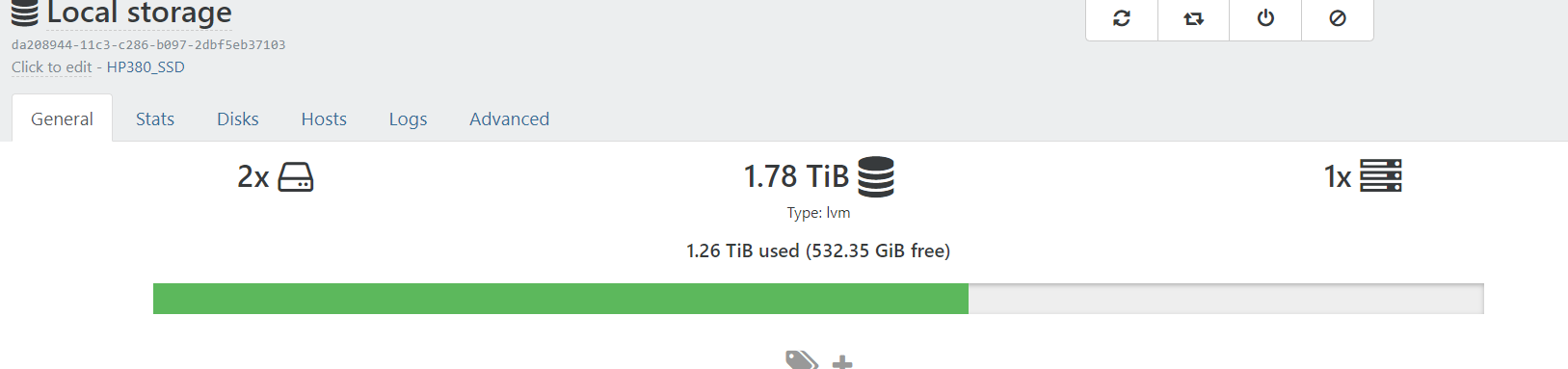
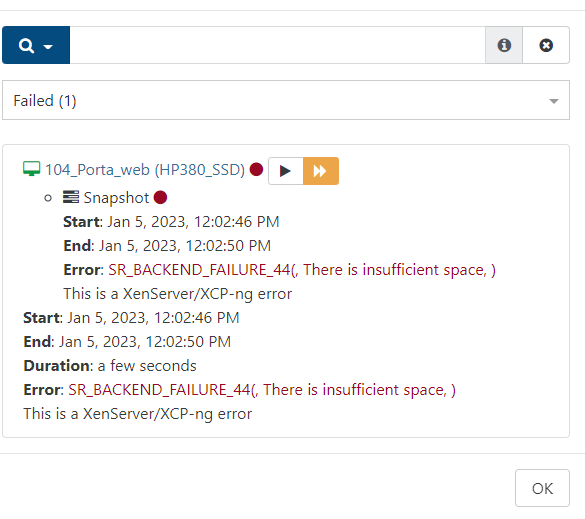
Jan 5 11:50:26 xcp-ng-slqtflub SM: [15261] ['/sbin/vgs', '--noheadings', '--nosuffix', '--units', 'b', 'VG_XenStorage-da208944-11c3-c286-b097-2dbf5eb37103']
Jan 5 11:50:26 xcp-ng-slqtflub SM: [15261] pread SUCCESS
Jan 5 11:50:26 xcp-ng-slqtflub SM: [15261] lock: released /var/lock/sm/.nil/lvm
Jan 5 11:50:26 xcp-ng-slqtflub SM: [15261] Not enough space! free space: 571608137728, need: 994645639168
Jan 5 11:50:26 xcp-ng-slqtflub SM: [15261] Raising exception [44, There is insufficient space]To Backup a LVM 1000GB VM , SMlog showing the rquired storage is more than 900GB.BTW , I'm trying to take backup in a external NAS storage using continuous replication
Can you please suggest any work around to backup the VM.
-
@sumansahabd
Its an LVM-repository. To replicate, you need a snapshot first. A snapshot needs at least 2x the size of the volume on the repository.Please check, if this is really the case. If you have a VHD which consumes 51% of the SR, you are not able to snapshot/replicate.
-
It's more work, but...
- you have to stop the VM and export them,
- delete the current SR (Local Storage),
- recreate SR (Local Storage) as local ext4 format
- import the VM back
In this way you switch from LVM to ext4 and the space it needs will be small, not double the space

Hello! It looks like you're interested in this conversation, but you don't have an account yet.
Getting fed up of having to scroll through the same posts each visit? When you register for an account, you'll always come back to exactly where you were before, and choose to be notified of new replies (either via email, or push notification). You'll also be able to save bookmarks and upvote posts to show your appreciation to other community members.
With your input, this post could be even better 💗
Register Login