XCP-ng
    • Categories
    • Recent
    • Tags
    • Popular
    • Users
    • Groups
    • Register
    • Login

    XCP-ng 8.3 updates announcements and testing

    Scheduled Pinned Locked Moved News
    324 Posts 36 Posters 116.2k Views 53 Watching
    Loading More Posts
    • Oldest to Newest
    • Newest to Oldest
    • Most Votes
    Reply
    • Reply as topic
    Log in to reply
    This topic has been deleted. Only users with topic management privileges can see it.
    • O Offline
      ovicz @stormi
      last edited by ovicz

      @stormi on some yes on some no...I did enabled on one but no go.
      They used to work before the update, no matter if secure boot was enabled or not.

      F 1 Reply Last reply Reply Quote 0
      • F Offline
        flakpyro @ovicz
        last edited by flakpyro

        @stormi Installed on my usual test hosts probably an hour after your initial post and let them run thoughout the day (Intel Minisforum MS-01, and Supermicro running a Xeon E-2336 CPU). Also installed onto a 2 host AMD epyc pool. Updates went smooth, backups continue to function as before.

        A couple of windows VMs had secure boot enabled on our test pool. After the initial reboot i ran " secureboot-certs clear" on the pool master, then In XOA i clicked "Copy pool's default UEFI certificates to the VM" after that. The VMs continued to reboot without issue after. Strange to see someone else having issues with VMs not booting.

        O 1 Reply Last reply Reply Quote 0
        • O Offline
          ovicz @flakpyro
          last edited by

          @flakpyro I did what you said about clearing certs and reinstall them, still no go.

          1 Reply Last reply Reply Quote 0
          • D Offline
            dinhngtu Vates 🪐 XCP-ng Team @ovicz
            last edited by

            @ovicz No UEFI mapping displayed in the shell suggests that the VM couldn't detect its disks. Is your SR doing OK?

            O 1 Reply Last reply Reply Quote 0
            • O Offline
              ovicz @dinhngtu
              last edited by ovicz

              @dinhngtu [11:31 xcp-ng-akz ~]# zpool status
              pool: ZFS_Pool
              state: ONLINE
              config:

              NAME        STATE     READ WRITE CKSUM
              ZFS_Pool    ONLINE       0     0     0
                sda       ONLINE       0     0     0
              

              errors: No known data errors

              I guess so...
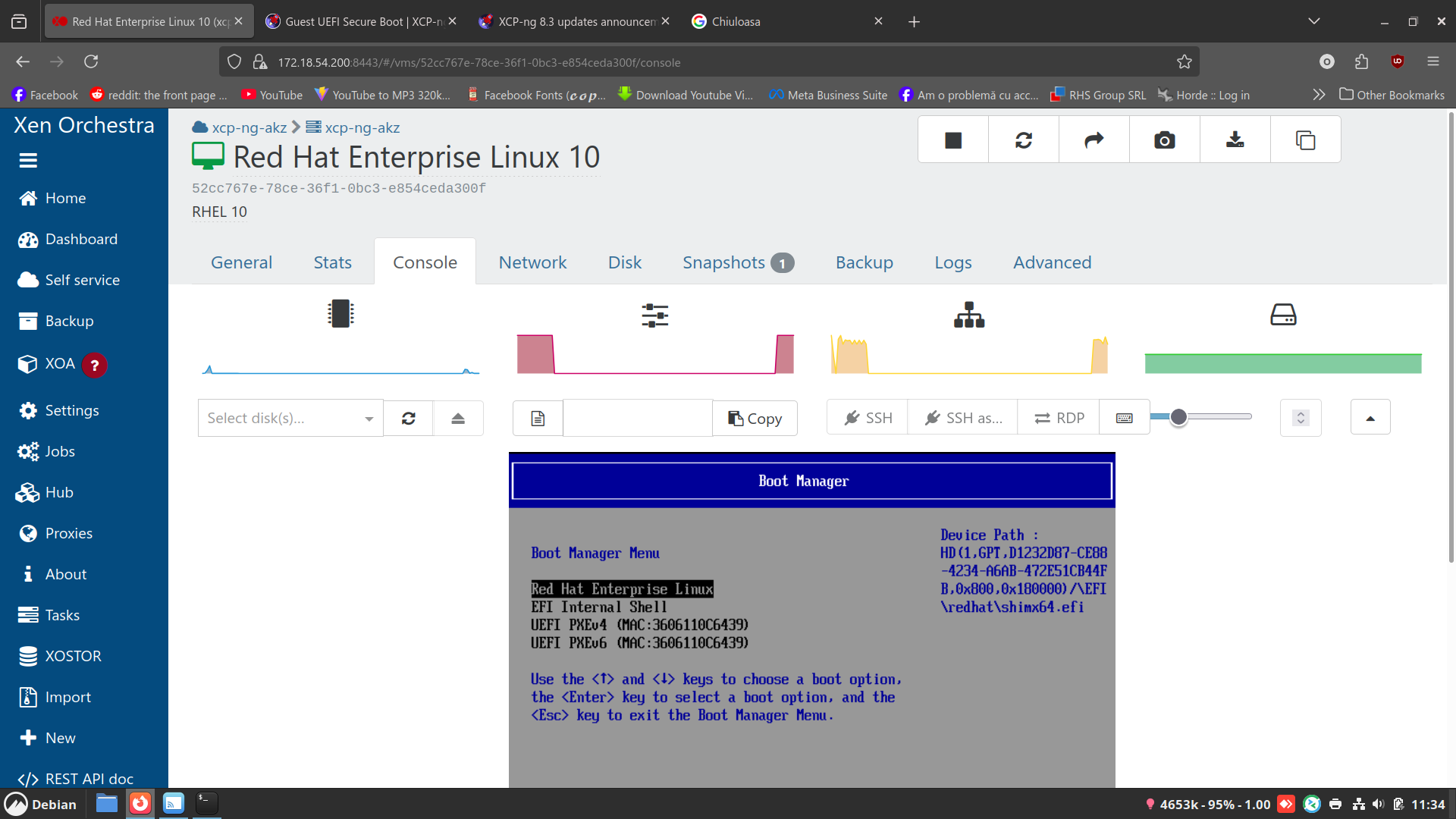
              Screenshot from 2025-12-17 11-34-47.png

              D ronan-aR 2 Replies Last reply Reply Quote 0
              • D Offline
                dinhngtu Vates 🪐 XCP-ng Team @ovicz
                last edited by

                @ovicz How is your SR connected to the host, via NFS or something else?

                O 1 Reply Last reply Reply Quote 0
                • O Offline
                  ovicz @dinhngtu
                  last edited by ovicz

                  @dinhngtu No. It's a local SSD mounted with the zfs pool. Everything worked before the update. I don't see other errors in the host.

                  D 2 Replies Last reply Reply Quote 0
                  • D Offline
                    dinhngtu Vates 🪐 XCP-ng Team @ovicz
                    last edited by

                    @ovicz Let me call @storage

                    1 Reply Last reply Reply Quote 0
                    • D Offline
                      dinhngtu Vates 🪐 XCP-ng Team @ovicz
                      last edited by

                      @ovicz To confirm, you were using the ZFS integration documented here https://docs.xcp-ng.org/storage/#zfs right?

                      O 1 Reply Last reply Reply Quote 0
                      • O Offline
                        ovicz @dinhngtu
                        last edited by ovicz

                        @dinhngtu Yes. Like I said, all was good before the update from testing. The host xcp-ng is on another drive and the zfs pool is on other ssd if that matters. The host is using ext4 partitions.

                        lsblk
                        NAME MAJ:MIN RM SIZE RO TYPE MOUNTPOINT
                        nvme0n1 259:0 0 238.5G 0 disk
                        ├─nvme0n1p5 259:4 0 4G 0 part /var/log
                        ├─nvme0n1p3 259:3 0 512M 0 part /boot/efi
                        ├─nvme0n1p1 259:1 0 18G 0 part /
                        ├─nvme0n1p6 259:5 0 1G 0 part [SWAP]
                        └─nvme0n1p2 259:2 0 18G 0 part
                        sda 8:0 0 465.8G 0 disk
                        ├─sda9 8:9 0 8M 0 part
                        └─sda1 8:1 0 465.8G 0 part

                        D 1 Reply Last reply Reply Quote 0
                        • D Offline
                          dinhngtu Vates 🪐 XCP-ng Team @ovicz
                          last edited by

                          @ovicz I'd start by listing the VDIs on your SR to see if things are still there.

                          O 1 Reply Last reply Reply Quote 0
                          • O Offline
                            ovicz @dinhngtu
                            last edited by ovicz

                            @dinhngtu xe sr-list
                            uuid ( RO) : 5956893e-7041-d424-a35e-6e7449238663
                            name-label ( RW): LocalISO
                            name-description ( RW):
                            host ( RO): xcp-ng-akz
                            type ( RO): iso
                            content-type ( RO): iso

                            uuid ( RO) : dccbfe9d-3e28-2163-2ea9-b0e972a42804
                            name-label ( RW): DVD drives
                            name-description ( RW): Physical DVD drives
                            host ( RO): xcp-ng-akz
                            type ( RO): udev
                            content-type ( RO): iso

                            uuid ( RO) : 8e908932-0577-d6f0-3133-14d94a317b90
                            name-label ( RW): LocalZFS
                            name-description ( RW):
                            host ( RO): xcp-ng-akz
                            type ( RO): zfs
                            content-type ( RO): user

                            uuid ( RO) : b37d8ad6-d9fa-203b-b057-a834908ae0e7
                            name-label ( RW): Removable storage
                            name-description ( RW):
                            host ( RO): xcp-ng-akz
                            type ( RO): udev
                            content-type ( RO): disk

                            uuid ( RO) : 34133934-0724-f9c1-3831-79cf54445fae
                            name-label ( RW): XCP-ng Tools
                            name-description ( RW): XCP-ng Tools ISOs
                            host ( RO): xcp-ng-akz
                            type ( RO): iso
                            content-type ( RO): iso!

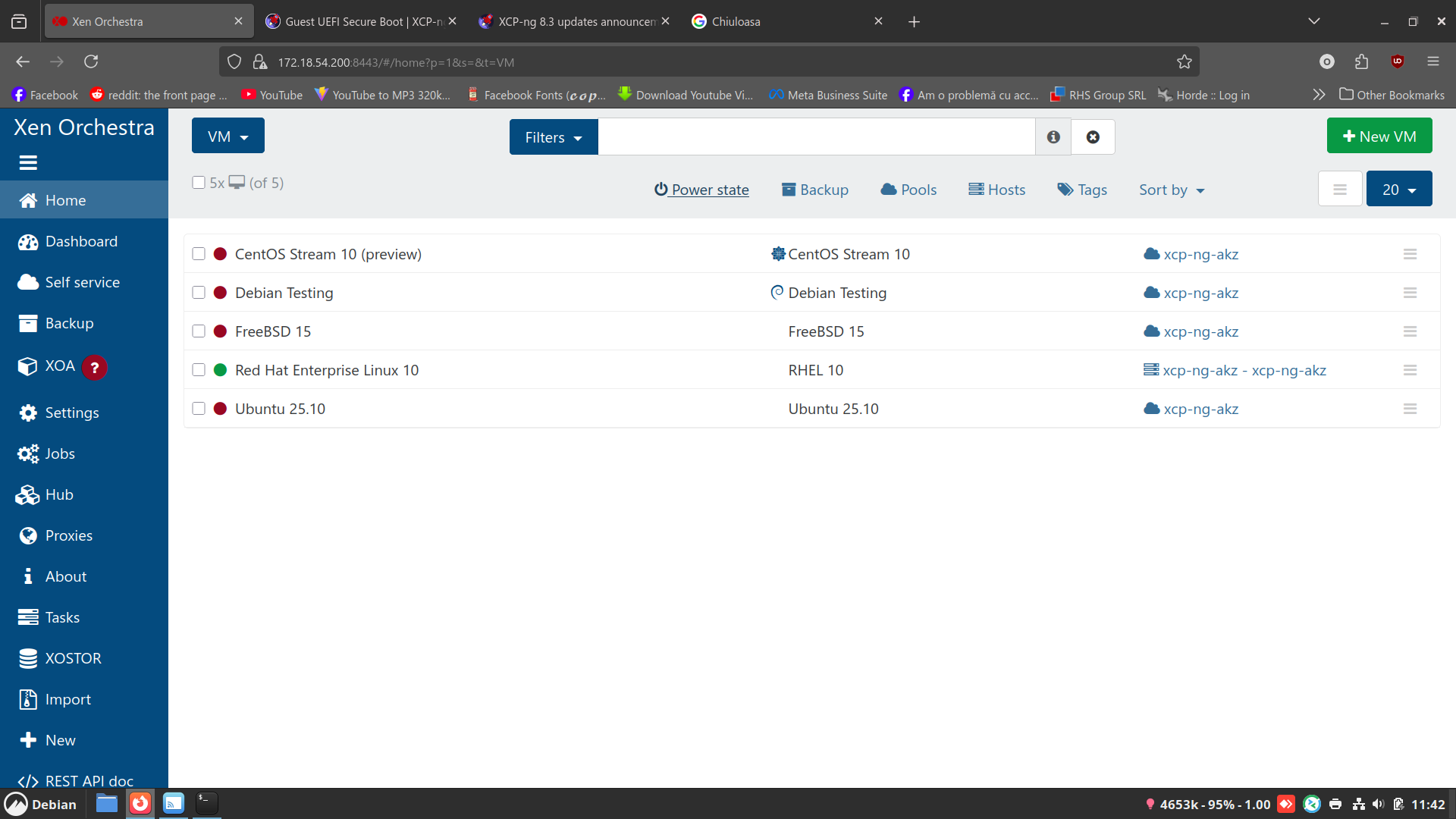
                            Screenshot from 2025-12-17 11-42-47.png

                            D 1 Reply Last reply Reply Quote 0
                            • D Offline
                              dinhngtu Vates 🪐 XCP-ng Team @ovicz
                              last edited by

                              @ovicz How about xe vdi-list sr-uuid=8e908932-0577-d6f0-3133-14d94a317b90 ?

                              O 1 Reply Last reply Reply Quote 0
                              • O Offline
                                ovicz @dinhngtu
                                last edited by

                                @dinhngtu no ouput from that command.

                                D 1 Reply Last reply Reply Quote 0
                                • D Offline
                                  dinhngtu Vates 🪐 XCP-ng Team @ovicz
                                  last edited by

                                  @ovicz Ok, I've contacted the storage team for a look.

                                  1 Reply Last reply Reply Quote 0
                                  • ronan-aR Offline
                                    ronan-a Vates 🪐 XCP-ng Team @ovicz
                                    last edited by

                                    @ovicz Can you share the /var/log/SMlog file from the master? It's quite strange considering that this driver is small and hasn't been modified.

                                    O 1 Reply Last reply Reply Quote 0
                                    • stormiS Offline
                                      stormi Vates 🪐 XCP-ng Team
                                      last edited by

                                      @ovicz I'd also like to have a look at /var/log/daemon.log after a failed VM startup attempt.

                                      O 1 Reply Last reply Reply Quote 0
                                      • A Online
                                        acebmxer
                                        last edited by acebmxer

                                        i have applied updates to my 2 amd home lab hosts. Ryzen 7700x and 7950x amd x670e mobo's. No issues to report. Windows vm migrated between hosts no isssues. No issues with windows vm booting with uefi enabled prior to update.

                                        1 Reply Last reply Reply Quote 1
                                        • O Offline
                                          ovicz @ronan-a
                                          last edited by

                                          @ronan-a SMlog.txt
                                          Attached. Please rename it as tgz and extract it as I couldn't uploaded as an archive file.
                                          1 Reply Last reply Reply Quote 0
                                          • O Offline
                                            ovicz @stormi
                                            last edited by ovicz

                                            @stormi daemon.txt

                                            Attached. Please rename it as tgz and extract it as I couldn't uploaded as an archive file.

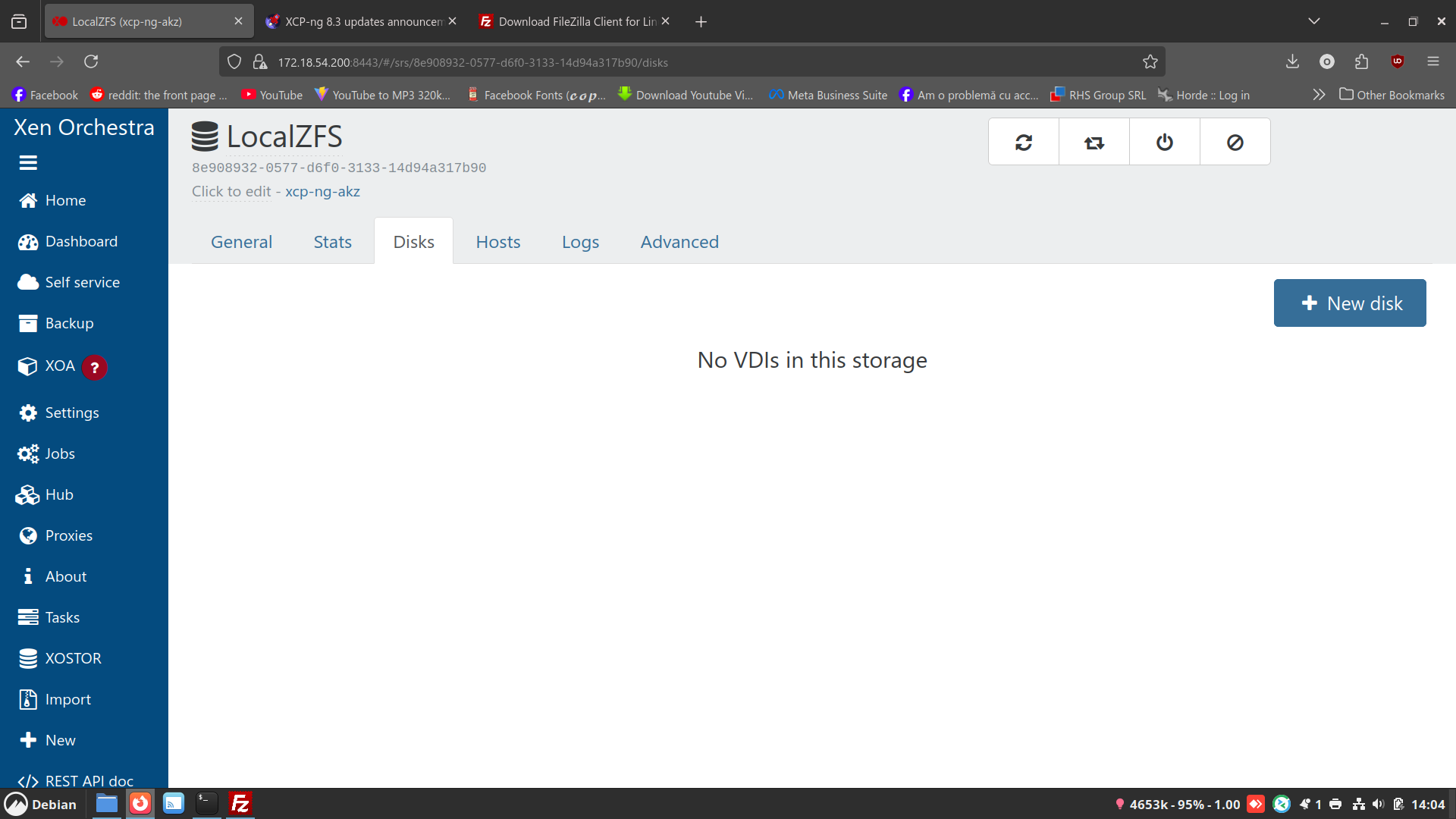
                                            Screenshot from 2025-12-17 14-04-50.png

                                            Strange thing the disks don't appear in xen orchestra but they are on the drive:

                                            [14:04 xcp-ng-akz zfs]# ls -l
                                            total 34863861
                                            -rw-r--r-- 1 root root 393216 Dec 10 11:19 2b94bb8f-b44d-4c3d-9844-0b2c80e7d11c.qcow2
                                            -rw-r--r-- 1 root root 16969367552 Dec 17 09:15 37c89d4e-93d0-4f47-a340-4add9fb91307.qcow2
                                            -rw-r--r-- 1 root root 5435228160 Dec 16 18:41 67d7cb86-864b-4bfc-9ec6-f54dbb9c9f45.qcow2
                                            -rw-r--r-- 1 root root 10212737024 Dec 17 09:37 740d3e10-ebc9-42a3-bc7c-849f6bcc0e61.qcow2
                                            -rw-r--r-- 1 root root 2685730816 Dec 16 14:52 76dc4b94-ad88-4514-87ef-99357b93daaf.qcow2
                                            -rw-r--r-- 1 root root 197408 Dec 10 11:19 8158436c-327a-4dcf-ba49-56e73006ed66.qcow2
                                            -rw-r--r-- 1 root root 11897602048 Dec 17 10:09 e219112b-73b7-46a4-8fcb-4ee8810b3625.qcow2
                                            -rw-r--r-- 1 root root 11566120960 Dec 10 09:51 f5d157cb-39df-482b-a39d-432a90d60e89.qcow2
                                            -rw-r--r-- 1 root root 1984 Dec 10 11:02 filelog.txt

                                            [14:07 xcp-ng-akz zfs]# zfs list
                                            NAME USED AVAIL REFER MOUNTPOINT
                                            ZFS_Pool 33.3G 416G 33.2G /mnt/zfs
                                            [14:07 xcp-ng-akz zfs]# zpool list
                                            NAME SIZE ALLOC FREE CKPOINT EXPANDSZ FRAG CAP DEDUP HEALTH ALTROOT
                                            ZFS_Pool 464G 33.3G 431G - - 5% 7% 1.00x ONLINE -
                                            [14:07 xcp-ng-akz zfs]# zpool status
                                            pool: ZFS_Pool
                                            state: ONLINE
                                            config:

                                            NAME        STATE     READ WRITE CKSUM
                                            ZFS_Pool    ONLINE       0     0     0
                                              sda       ONLINE       0     0     0
                                            

                                            errors: No known data errors

                                            dthenotD 1 Reply Last reply Reply Quote 0
                                            • First post
                                              Last post