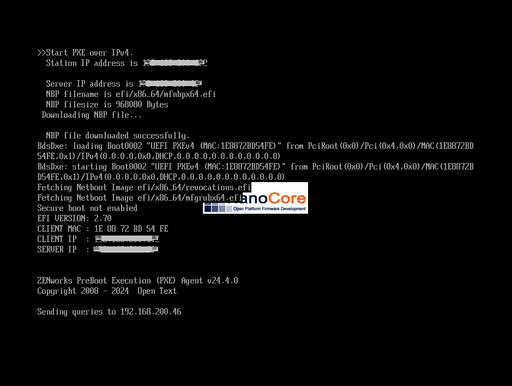
@JBlessing as it looks like it does start, it looks like the networking side is working, at least at first.
Just for debugging purpose you could try to switch that VM to BIOS instead of UEFI if it is possible, maybe it is related to what the pxe is starting in the VM.
You could also try switching the VM between realtek and e1000 NIC, at this stage, PV drivers are not there so it is using an emulated NIC, maybe the image your PXE starts doesn't like the one you're using and it gets stuck somehow.
As you're already using it with vmware, I assume you know how to size your VM, but if you went for a tight RAM value for this VM, you could try to give it more RAM to see if that could be related, as everything has to fit in RAM at some point, we may be using more at startup than vmware…
Hope one of this can help