XCP-ng
    • Categories
    • Recent
    • Tags
    • Popular
    • Users
    • Groups
    • Register
    • Login
    • Profile
    • Following 0
    • Followers 0
    • Topics 14
    • Posts 69
    • Groups 0
    K Offline
    1. Home
    2. kagbasi-wgsdac
    3. Topics

    Topics

    • K

      Windows guests destroyed by PoD exhaustion with Citrix tools — XCP-ng tools fix it, but XO gives no warning either way

      Watching Ignoring Scheduled Pinned Locked Moved Compute
      6
      0 Votes
      6 Posts
      341 Views
      K
      Filed both XO related issues: Memory visibility at VM creation: https://github.com/vatesfr/xen-orchestra/issues/10225 domain_crash invisible in XO: https://github.com/vatesfr/xen-orchestra/issues/10226 Linking to this thread as promised earlier, thanks all. Hope this helps someone out.
    • K

      RPU Failure on 8.3: Yum HTTPS 500 Error for xo-lite package (Hung Task)

      Watching Ignoring Scheduled Pinned Locked Moved Unsolved Management
      4
      2
      0 Votes
      4 Posts
      589 Views
      K
      @julienXOvates Got it. I didn't get a chance to work on this over the weekend, so sometime this week, I'll just bounce the host and see if it comes back. Right now, while I can SSH into it, the admin console appears to be frozen and unresponsive (over iLO).
    • K

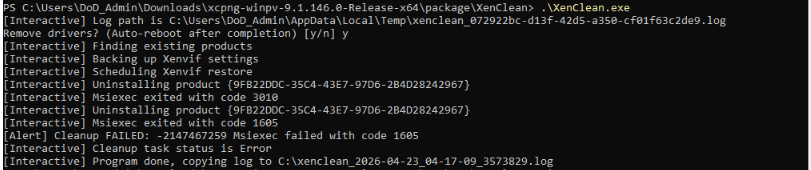
      XenClean | Cleanup Failed on Windows Server 2022 VM

      Watching Ignoring Scheduled Pinned Locked Moved Management
      3
      1
      0 Votes
      3 Posts
      953 Views
      K
      @dinhngtu Thanks for the fast response, as always.
    • K

      Feedback from Automation Project (vCPUs, VDI rename, boot order)

      Watching Ignoring Scheduled Pinned Locked Moved REST API
      5
      0 Votes
      5 Posts
      923 Views
      K
      @olivierlambert & @mathieura thanks for the speedy response. Duly noted, very much appreciated.
    • K

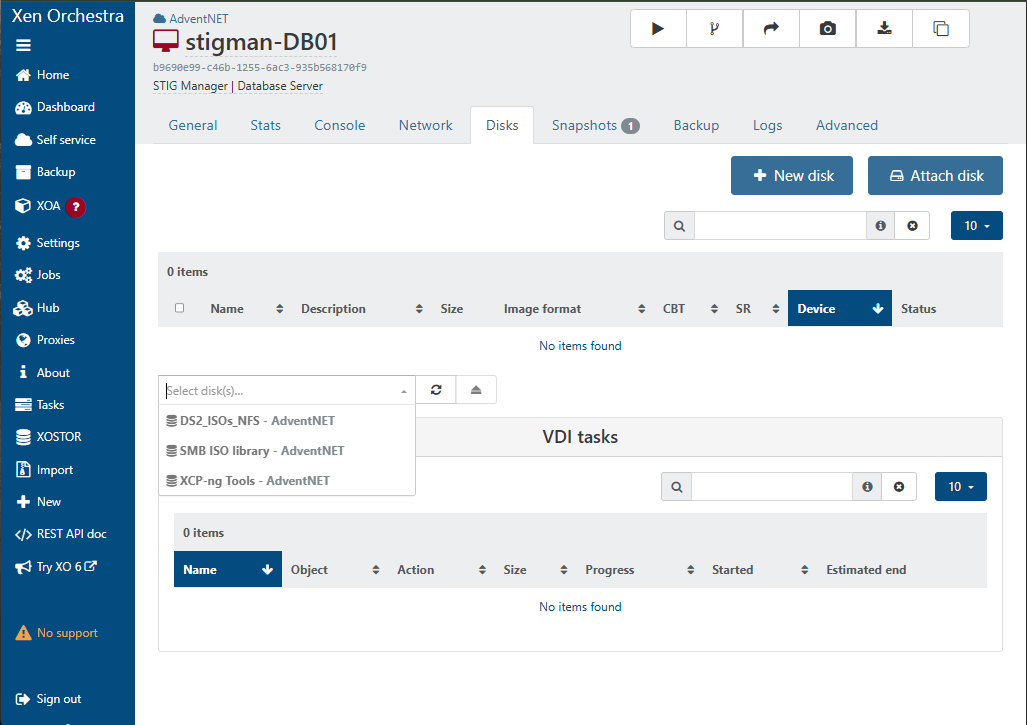
      VM Unable to Attach ISOs After Reverting Snapshot

      Watching Ignoring Scheduled Pinned Locked Moved Unsolved Management
      3
      2
      0 Votes
      3 Posts
      411 Views
      K
      @dinhngtu Yeah, I suspected that as well. So I inspected the SR and it showed connected to both hosts (at least in the XO UI - I didn't drop to the CLI to really confirm). By altering my workflow a bit and slowing down, I seem to have found the right "sweet spot" of delay and the issue hasn't resurfaced. Here's what I'm doing now, when I need to revert the snapshots of all three VMs: In the XO VM list, I select the three VMs and power them off at the same time. I then start with VM1 and eject the ISO, VM2 and eject the ISO, then VM3 and eject the ISO. By the time I circle back to VM1 for the next step, about 10-15 secs have elapsed. I then start with VM1 and revert the snapshot, and repeat the same on VM2 and VM3. By the time I circle back to VM1 for the next step, another 10-15 secs have elapsed. I re-attach the ISO to all three VMs in sequence. Another 10-15 secs elapse. I then start with VM1 and power all three VMs sequentially. The entire workflow takes about 30-45 secs, and I'm finding that by doing this, the issue hasn't resurfaced.
    • K

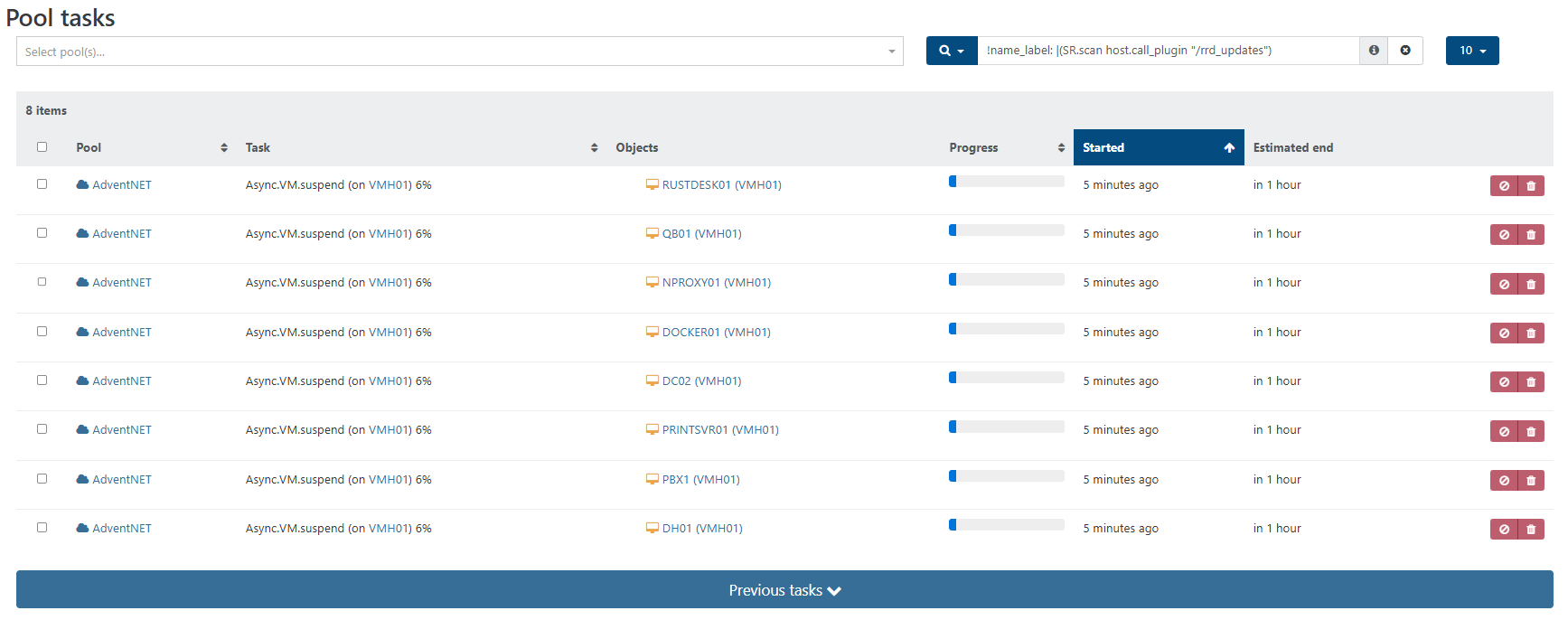
      Need Help Understanding the VM Suspend Process

      Watching Ignoring Scheduled Pinned Locked Moved Solved Management
      11
      2
      0 Votes
      11 Posts
      2k Views
      K
      @olivierlambert Yes sir, it is and I'm glad I confirmed this for myself. Thanks also for helping me understand how the VM Suspend process works. Hopefully this post helps other newbies with the same understanding in the future.
    • K

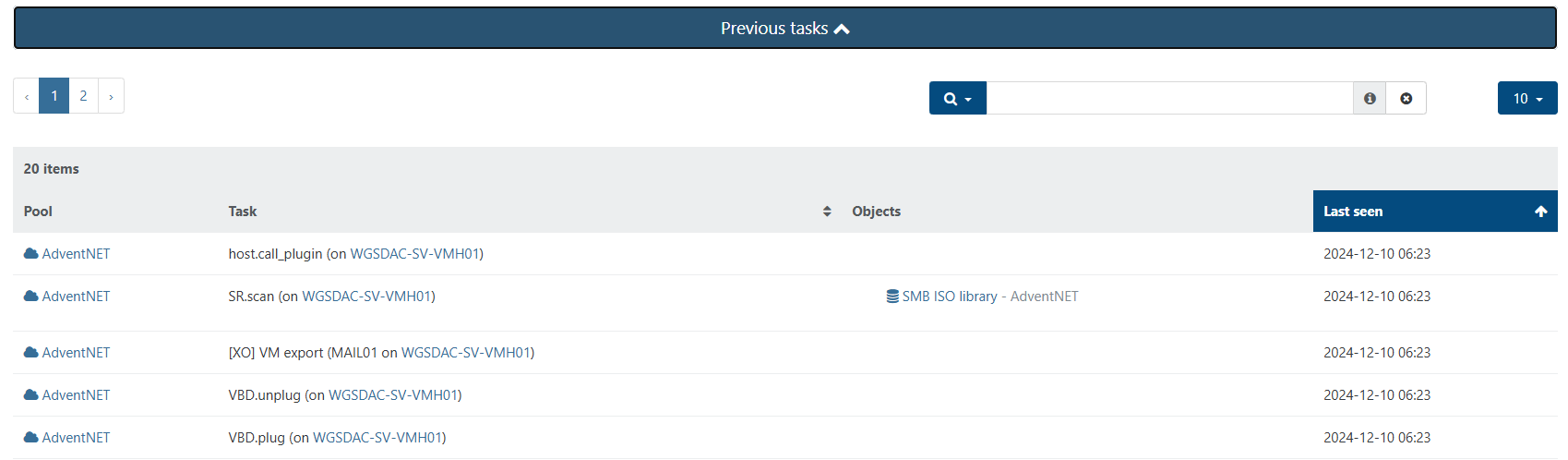
      Cannot Download Exported VM After Export Task Completes Successfully

      Watching Ignoring Scheduled Pinned Locked Moved Unsolved Xen Orchestra
      18
      2
      0 Votes
      18 Posts
      4k Views
      K
      @olivierlambert Yep. Here's the video of the test - https://www.youtube.com/watch?v=tiVdR74PNjw
    • K

      Existing AD Users Cannot Login to XOCE but New Users Can

      Watching Ignoring Scheduled Pinned Locked Moved Solved Xen Orchestra
      19
      0 Votes
      19 Posts
      4k Views
      K
      RESOLVED — root cause found, three years later. Leaving a full write-up for anyone who lands here from a search. Short version: this was never an XO bug, and it was never intermittent. The answer was sitting in the very first test-cli.js output I posted back in May 2023, and I misread it — as did everyone else in this thread, myself very much included. The line that mattered failed to bind as CN=Agbasi\, Kismet,...: 80090308: LdapErr: DSID-0C090434, comment: AcceptSecurityContext error, data 569, v4f7c We all pattern-matched AcceptSecurityContext error to "bad credentials" and moved on. But the meaning is entirely carried by the data field, which is the underlying Win32 status in hex: data 52e = 0x52E = 1326 = ERROR_LOGON_FAILURE — this is the "wrong password" one data 525 = 1317 = ERROR_NO_SUCH_USER data 532 = 1330 = password expired data 775 = 1909 = account locked out data 569 = 0x569 = 1385 = ERROR_LOGON_TYPE_NOT_GRANTED I was getting 569, not 52e. My password was correct all along. AD validated it, then refused the logon type. Why that happens xo-server-auth-ldap verifies a password the only way LDAP allows — it re-binds to the directory as the user. Against Active Directory, an LDAP simple bind to a DC is processed as a Type 3 (network) logon on that DC. So if an account is caught by "Deny access to this computer from the network" (SeDenyNetworkLogonRight) in the Default Domain Controllers Policy (or any other WINNING GPO, for that matter), it cannot complete an LDAP bind — no matter how correct the password is, and no matter which LDAP client is asking. My environment uses a tiered admin model. Non-domain-admin admin groups are explicitly denied network logon to the DCs. My admin account is in those groups. Hence 569, every single time, by design. Why it looked intermittent It wasn't. I sampled it either side of a config change. I could prove a bind had succeeded recently, because my LDAP-only XO account (no local password on the record at all) minted an API token on 28 July. Then on 31 July I restored RBAC settings on the Default Domain Controllers Policy that had drifted at some point — I found that during unrelated PKI work. GptTmpl.inf last-write confirms it. The token's last successful use is about eleven hours before that edit. Two deterministic states, one config change in the middle. That's the whole "intermittency." My 2023 "seven security groups" theory was wrong For the record, since it's still up there and someone will find it: I removed group memberships one at a time until auth worked, and concluded there was a membership count limit. There isn't. My own control test disproved it at the time — adding fifteen groups never reproduced the failure — and I should have taken that seriously instead of filing it under "weird." The variable was never the count. It was which group. One of the removals happened to drop the account out of a denied group. My other closing theory in this thread — special-character handling in the username or password — was also wrong. Getting 569 back proves AD parsed the escaped DN (CN=Agbasi\, Kismet), found the object, and got as far as evaluating the password. A mangled DN gives you 525 or a DN syntax error, not a logon-rights rejection. ldapts and passport were behaving correctly throughout. How to check this in 60 seconds Run the plugin test CLI and note the data value. Convert hex → decimal, look it up in Microsoft's System Error Codes list. On the DC, look for Security event 4625 with Sub Status 0xC000015B (STATUS_LOGON_TYPE_NOT_GRANTED). Fastest test of all — from a workstation, as the affected account: net use \\dc01\sysvol. If network logon to the DC is denied, this fails too, and you've confirmed it without touching XO at all. Check the policy directly: $p = "\\mydomain.net\SYSVOL\mydomain.net\Policies\{6AC1786C-016F-11D2-945F-00C04fB984F9}" + "\Machine\Microsoft\Windows NT\SecEdit\GptTmpl.inf" Select-String -Path $p -Pattern "SeDenyNetworkLogonRight|SeNetworkLogonRight" Resolve the SIDs and see whether your user is in any of the denied groups. Also worth checking your grant side: if Access this computer from the network doesn't list Authenticated Users directly, ordinary users are probably getting it transitively via Pre-Windows 2000 Compatible Access. Worth confirming before you assume a plain non-privileged account will work. What I am NOT doing Removing those groups from the deny right. It's doing exactly what I rebuilt it to do. Restoring an app login by handing admin groups network access to the DCs for SMB/RPC/LDAP is a bad trade, and I'd just be undoing my own remediation. Fix Interim: local XO accounts for the admins who need them. No AD objects created, nothing to unwind later, per-user attribution preserved in the audit log. Long term: federate XO through Keycloak (OIDC) instead of LDAP. Kerberos ticket issuance is a KDC service operation and is not gated by SeNetworkLogonRight — which is exactly why these accounts log into workstations all day while failing an LDAP bind. ️ Important if you go the Keycloak route: Keycloak's LDAP user federation validates passwords by doing an LDAP bind. Configure it that way and you'll hit data 569 inside Keycloak instead of inside XO and gain nothing. Password validation has to be delegated to Kerberos/GSSAPI. This will bite you on anything else you point at LDAP too — Bitwarden, NPM, TrueNAS, the lot. Worth solving once at the IdP. One request for Vates @olivierlambert @julien-f — you were right that it was environmental, and I owe you both thanks for the time you put in back in 2023. That said, there's a real (small) improvement available here. xo-server collapses every auth provider exception into a generic invalid credentials, and the plugin only emits the actual AD error at DEBUG. The DC told us precisely what was wrong on the very first attempt — it just never reached anywhere a user would look. Surfacing the LDAP result code and the AD data sub-code at INFO on failure, and in the plugin test output in the UI, would turn this class of problem from a multi-year hunt into a single-session diagnosis. Happy to open an issue on GitHub with the full reproduction if that's useful. Hope this saves someone else three years. If you found this thread by searching data 569, *ERROR_LOGON_TYPE_NOT_GRANTED**, or "LDAP invalid credentials but password is correct" — check your Deny access to this computer from the network user right first. That's almost certainly it.
    • K

      Xen Orchestra Update Failed - Error: ENOSPC: no space left on device

      Watching Ignoring Scheduled Pinned Locked Moved Xen Orchestra
      9
      0 Votes
      9 Posts
      4k Views
      DanpD
      You may need to extend the partition first using growpart.
    • K

      ISO Import to Local Storage via XO Not Working

      Watching Ignoring Scheduled Pinned Locked Moved Xen Orchestra
      5
      0 Votes
      5 Posts
      3k Views
      K
      @olivierlambert Oh nice, hope it's not too cold over there. It's 9AM over here in Maryland and a bit nippy but not too cold. Nope, no host or pool logs available (both are empty). Then again, I cleared all the alerts from the dashboard earlier this morning, so not sure if that's what wiped all the logs. I'm not too worried, as this is a testing environment so I'm using this host to do a lot of learning.
    • K

      No Hosts Available When Creating New VM

      Watching Ignoring Scheduled Pinned Locked Moved Xen Orchestra
      5
      0 Votes
      5 Posts
      7k Views
      K
      @olivierlambert Thanks for that information, will use it next time I run into the issue. Before I read your above reply, I was poking around and noticed that the only SR I had added was disconnected, somehow. So I researched into it and discovered that this was my own doing. Without going into too much detail, I had converted my Active Directory environment from a Zentyal server to a Windows Server and I was hosting the SMB share on the old domain controller. So I had made a DNS error which was causing the SR to not be reachable from the XCP-ng host. So I deleted the SR and recreated it and viola I was able to create the VM. Honestly, I'm not sure how the two are connected since I'm not storing any disks on this SR; I only use it for ISOs which I mount into the newly created VM to install an OS and then I eject it. Long story short, my problem is solved but I'm still confused as to how it happened.
    • K

      Network & SR Dropdowns Empty When Attempting to Create New VM

      Watching Ignoring Scheduled Pinned Locked Moved Solved Xen Orchestra
      5
      0 Votes
      5 Posts
      2k Views
      K
      @olivierlambert OH nice! That will be awesome, I can't wait to try it.
    • K

      XCP-ng Login Incorrect (both Console and SSH)

      Watching Ignoring Scheduled Pinned Locked Moved Solved Compute
      5
      0 Votes
      5 Posts
      6k Views
      K
      @Darkbeldin Aaah, thanks for the clarification. Now I know....learned something today. By the way, I've been so busy at work that I forgot my host has an iLO which I'd previously configured. I used it to gain console access and successfully rest the root credentials. I'm in and I have successfully reconnected XO to the host using the root credentials.
    • K

      Host Patch Installation Failure | "global name 'commmand' is not defined"

      Watching Ignoring Scheduled Pinned Locked Moved Solved Xen Orchestra
      6
      0 Votes
      6 Posts
      2k Views
      K
      @olivierlambert Aaah, thanks Olivier. Still learning. Great product by the way. Hoping I can get comfortable with it enough to make a recommendation to my company.