XCP-ng
    • Categories
    • Recent
    • Tags
    • Popular
    • Users
    • Groups
    • Register
    • Login
    1. Home
    2. MK.ultra
    3. Posts
    Offline
    • Profile
    • Following 0
    • Followers 0
    • Topics 2
    • Posts 13
    • Groups 0

    Posts

    Recent Best Controversial
    • RE: Cloudbase-init on Windows

      Alright I finally got it to work.

      I think the trick was to put "Ethernet 2" in quotations. I also perfected the YAML spacing and bracketed the two nameserver addresses.

      Thanks for the help gentlemen. Final working network config:

      #network:
        version: 2
        ethernets:
          "Ethernet 2":
            dhcp4: false
            addresses:
              - 192.168.1.30/24
            gateway4: 192.168.1.1
            nameservers:
              addresses: [192.168.1.5, 8.8.8.8]
      
      posted in Advanced features
      MK.ultraM
      MK.ultra
    • RE: Cloudbase-init on Windows

      Is "network:" required at the top of the network config? And is "cloud-config" required at the top for the user config?

      posted in Advanced features
      MK.ultraM
      MK.ultra
    • RE: Cloudbase-init on Windows

      Still having trouble getting it to take the network config, even with the new networkconfig.py file copied in and recompiled.

      This is what I'm using:

      network:
      version: 2
      ethernets:
      Ethernet 2:
      dhcp4: false
      addresses:
      - x.x.x.x/16
      nameservers:
      addresses:
      - x.x.x.x
      - x.x.x.x
      search:
      - my.domain.net
      routes:
      - to: default
      via: x.x.x.x
      

      Any ideas?

      posted in Advanced features
      MK.ultraM
      MK.ultra
    • RE: Cloudbase-init on Windows

      @tmk said in Cloudbase-init on Windows:

      @jkatz

      I ran into the same issue when trying to configure a network adapter with cloudbase-init. The documentation says that the MAC address value is optional but in reality it is required.

      In my case I want Xen Orchestra to choose a unique MAC during deployment, and I since I am deploying from a template, the NIC name is a known value. The fix that ended up working for me was to modify the networkconfig.py file in cloudbase-init so that the NIC name is required and the MAC address is optional.

      I ended up making some additional changes to allow for the network-config v2 format along with the existing v1 support and some additional logic to aid in setting the dns search domains (I can't recall if this was originally supported or not but I had issues getting it to work with the original networkconfig.py file)

      This file needs to replace the existing one that is installed in the C:\Program Files\Cloudbase Solutions\Cloudbase-Init\Python\Lib\site-packages\cloudbaseinit\plugins\common\ directory. To replace it you should make sure that the cloudbase-init service is stopped, then replace the file.

      Once this file is replaced, delete the pycache folder in the same parent folder as networkconfig.py - this will ensure that python recompiles this file on service start. Start the cloudbase-init service and confirm that you see a new pycache get created.

      I'm not a python programmer by trade so others may be able to point out areas for improvement but this ended up working for me and I wanted to share in case it could help others needing to deploy new servers without manually specifying a new MAC address. Below is an example network-config v2 format that works with the updated file.

      version: 2
      ethernets:
      Ethernet 2:
      dhcp4: false
      addresses:
      - 10.20.30.10/24
      nameservers:
      addresses:
      - 10.20.5.12
      - 10.20.5.13
      - 10.20.5.14
      search:
      - intranet.domain.org
      - domain.org
      - public-domain.org
      routes:
      - to: default
      via: 10.20.30.1

      Updated networkconfig.py file:
      networkconfig.py.txt

      Thank you for posting! I followed your directions verbatim and I'm still having trouble getting the network config to take. Does it work with Windows Server 2025?

      posted in Advanced features
      MK.ultraM
      MK.ultra
    • RE: Automating VM configurations after mass VMware imports

      @olivierlambert said in Automating VM configurations after mass VMware imports:

      Okay so let's try to prioritize what you need exactly 🙂 Can you do a list of the top 5 calls you'd like to have?

      Well, in terms of the specific goal outlined in the original post:

      1. VM network assignment
      2. VM disable/enable Secure Boot
      3. VM configure HA
      4. VM mount ISO from repository

      In general:

      1. Host patching
      2. Host storage addition
      posted in XCP-ng
      MK.ultraM
      MK.ultra
    • RE: Automating VM configurations after mass VMware imports

      @Cyrille said in Automating VM configurations after mass VMware imports:

      Hi,
      If you're familiar with Golang, I'm pretty sure the xenorchestra-go-sdk might be able to do what you want (except the network configuration within Windows, but for this you can use Ansible with Xen Orchestra Inventory plugin: read the blogpost.)

      The Powershell module is quite new, and we are working on improving it. Please let us know what you are expecting from it 🙂

      Configuration of pool, host, and VM settings would be the primary things I'm used to accomplishing with PowerShell in VMware.

      posted in XCP-ng
      MK.ultraM
      MK.ultra
    • RE: XeniFace Error Even on Updating Drivers

      I had the same problem, I had to run the XenClean script and do a fresh install of 9.4.1 which resolved the issue.

      https://github.com/xcp-ng/win-pv-drivers/releases

      posted in Management
      MK.ultraM
      MK.ultra
    • RE: Automating VM configurations after mass VMware imports

      @olivierlambert said in Automating VM configurations after mass VMware imports:

      Hi,

      Commvault should work out of the box with XCP-ng 🤔 (native support)

      Note: we have a powershell module for XO API

      Hi Olivier,

      Commvault has significant limitations with Xen such as NBD only transport mode. For our infrastructure size, HotAdd or SAN transport is strongly preferred. Also, I have a ticket open with Commvault, I have thus far not been able to back up a VM with 2x 1.95 TB disks (I made a different thread about that). Lastly, since the Pool Master host is imported into Commvault as the "hypervisor" instead of XOA, if that particular host is down, the VM backups will all fail since they are configured for a single host.

      As for the PowerShell module, I ran through all the commands. I did not see anything for actually changing VM configuration in there, only basic start/stop/reboot stuff.

      posted in XCP-ng
      MK.ultraM
      MK.ultra
    • Automating VM configurations after mass VMware imports

      Good morning,

      I am nearing the end of a thorough POC of XCP-NG as a potential VMware replacement. It ticks many boxes, although there are a few caveats of course, particularly integration with specific 3rd party software like Commvault.

      My primary concern though is that our VMs are requiring significant manual configuration post-V2V import. Here is what I am needing to do with them:

      -Set the VM network
      -Power on VM
      -Disable Secure Boot if enabled
      -Enable HA on VM
      -Mount ISO to install Xen Tools
      -Reboot
      -Reapply the network configuration within Windows

      Is all of this possible via XAPI? I am well-versed in PowerShell but I am a complete noob working with API calls.

      Thanks

      posted in XCP-ng
      MK.ultraM
      MK.ultra
    • Commvault backups failing for a VM with large disks

      Good morning,

      I am testing backing up XCP-NG Windows VM's into Commvault. I have successfully backed up 7 of my 8 VM's with no problems whatsoever. I am using the recommended Windows VSA proxy.

      The VM which is failing backups is a test file server. It has a 100 GB OS VDI, and 2x 1.95TB VDIs. These VDIs are pooled together in Windows using Storage Spaces to create a Storage Pool of slightly under 4TB. I have enough overhead to create a snapshot of this VM on the SAN datastore it is using.

      After detaching the 2x 1.95TB VDIs, the server backs up normally. Any recommendations? I also have a ticket open with Commvault to troubleshoot this. The error that Commvault throws is "Error initializing proxy mount path." I have done troubleshooting on the proxy including disabling Automount, Automount scrub, reinstalling the agent, and updating the agent.

      posted in XCP-ng
      MK.ultraM
      MK.ultra
    • RE: "Management agent not detected" and "No Xen tools detected"

      @dinhngtu said in "Management agent not detected" and "No Xen tools detected":

      @MK.ultra Do you have the "Manage Citrix PV drivers via Windows Update" option enabled on these VMs? If so they'll need to be updated via Windows Update. If not, try XenClean to remove all the existing drivers and install clean 9.4.1 ones.

      Using XenClean and then reinstalling 9.4.1 directly cleaned up the vulnerability alerts. The VM's had been upgraded from 9.4 to 9.4.1
      Thanks!

      posted in Xen Orchestra
      MK.ultraM
      MK.ultra
    • RE: "Management agent not detected" and "No Xen tools detected"

      @olivierlambert said in "Management agent not detected" and "No Xen tools detected":

      You mean 2x VMs?

      Sorry yes, I meant 2 VMs.

      posted in Xen Orchestra
      MK.ultraM
      MK.ultra
    • RE: "Management agent not detected" and "No Xen tools detected"

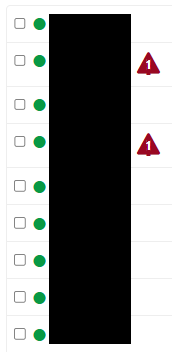
      I'm having a similar issue. I recently upgraded all my clients' Xen Server tools to 9.4.1 to remediate the xeniface vulnerability. Even after multiple reboots, I have 2 hosts that refuse to acknowledge that they have been updated:

      d8d11aa9-0aff-4cc6-b785-327a26c83de0-image.png

      posted in Xen Orchestra
      MK.ultraM
      MK.ultra