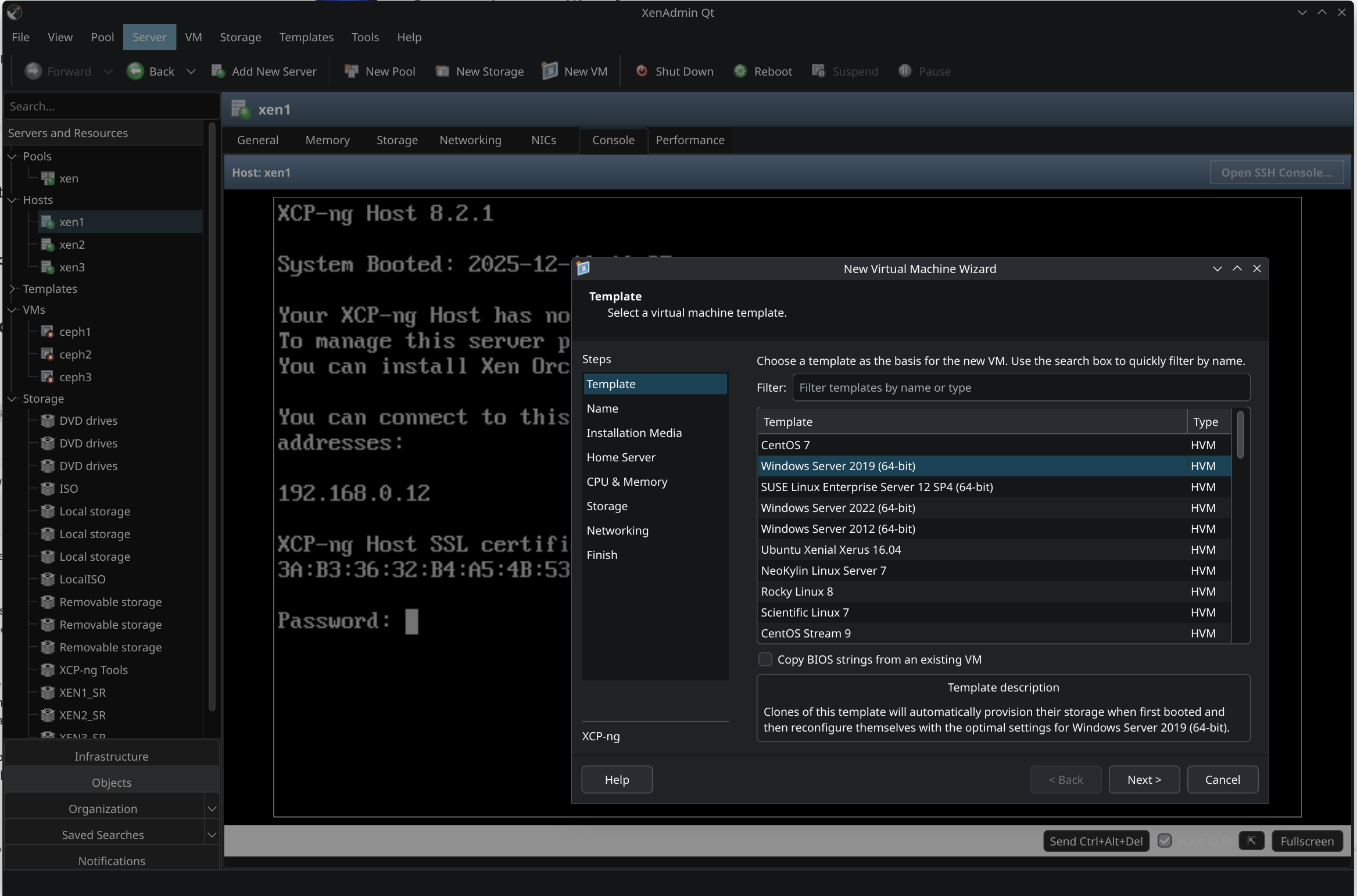
New project - XenAdminQt - a cross-platform GNU/Linux, macOS, Windows native thick client
-
@Greg_E most likely yes, RAM wouldn't be problem, since it's a C++ app it only needs little of it. On macOS when connected to large cluster with many VMs and consoles it shows 110MB usage.
It just needs X11 or wayland compatible environment to start
-
Thanks, I will have to play with this when I have time.
-
I made a first "demonstrator" preview release for macOS, will upload .deb and .rpm packages as well: https://github.com/benapetr/XenAdminQt/releases/tag/v0.0.1-alpha
-
I just released 0.0.2 https://github.com/benapetr/XenAdminQt/releases/tag/v0.0.2-alpha
The first version was really just a proof-of-concept demonstration, this second version is already pretty usable. It can handle all basic stuff, including provisioning of new VMs, VM control (start / stop / suspend / pause), force actions, parallel connections to multiple clusters etc. etc.
Status of what is tested and works and what does:
# Needs work * Menu items * Tree view - should show Virtual Disks, Networks in objects view * Pool HA tab missing * Actions and commands, see actions todo * Performance tab * Search tab has unfinished options panel * VM import / export * Folder and tag views * Network tab (host) - needs finish and test, especially wizards and properties * New pool wizard * New storage wizard * New VM wizard * VM deleting * HA tab * NIC tab - bonding * Clone VM * Create template from VM * Create VM from template # Needs polish * General tab - shows data, but access to data is weird (should use native XenObjects and their properties instead of scrapping QVarianMaps), overall layout is also not good * Memory tabs - they already work, but could look better * Console - it works most of the time, but there are random scaling issues during boot, RDP not supported * UI - menus and toolbar buttons sometime don't refresh on events (unpause -> still shows force shutdown) # Needs testing * VM disk resize * VM disk move * VM live migration * VM cross pool migration * Properties of Hosts, VMs and Pools * VM deleting * Options * Maintenance mode # Finished and tested * Add server * Connection to pool - redirect from slave to master * Connection persistence * Basic VM controls (start / reboot / shutdown) * Pause / Unpause * Suspend / Resume * Snapshots * VM disk management (create / delete / attach / detach) * SR attach / detach / repair stack * CD management * Grouping and search filtering (clicking hosts / VMs in tree view top level) * Tree view (infrastructure / objects) * Events history * Network tab (VM) * Host command -> Restart toolstack -
I also added windows build so that people can help with testing also on windows. It's a static build, no need for installer, just single zipped .exe file. No dependencies.
-
I just released 0.0.3 https://github.com/benapetr/XenAdminQt/releases/tag/v0.0.3-alpha it brings it even closer to the original client, with packages for macos, debian12, debian13, ubuntu 22, ubuntu 24, Fedora 43, windows
-
Wow, great news. Tried it with my pools.
Connected, basic functions is working, handled pool unavailability.About UI usability:
- templates mixed up with disabled VMs at same root directory. Without any sorting.
I prefer to never see them, since it not important items.

-
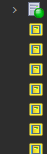
After app restart all icons became yellow.
-
looks like this option do nothing.
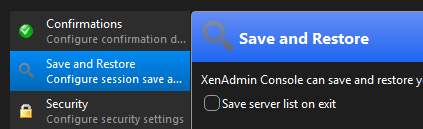
How about portable mode? App mostly required for asap situations when XO is down.
- templates mixed up with disabled VMs at same root directory. Without any sorting.
-
@Tristis-Oris hello, the app is already somewhat portable. On windows it doesn't require any installation it's just a single .exe file
Regarding templates and sorting of tree view - that's being worked out but you can already hide the templates using View menu (just uncheck you want to display them, they will disappear).
Not sure about the yellow template icons, they is a debug console, you can check logs from it for more details.
Save and restore using encryption / master password isn't implemented in that version you have, it just always remembers all connections, but it's already ported over, see - https://github.com/benapetr/XenAdminQt/pull/15 this option will be available in next version (+ master password encryption)
-
@benapetr yes, i'm about connections and credentials export\portable mode. Got it.
-
@benapetr said in New project - XenAdminQt - a cross-platform GNU/Linux, macOS, Windows native thick client:
you can already hide the templates using View menu (just uncheck you want to display them, they will disappear).
What is the criterion for custom templates?
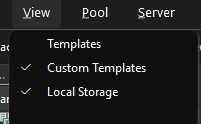
by default, the usual templates are disabled, but I see them. Disabling custom ones disables all templates.
-
@Tristis-Oris the logic was directly ported over from C# version, so it does the same stuff what it filters there. It just toggles this search scope:
QueryScope* TreeSearch::GetTreeSearchScope()
{
    ObjectTypes types = Search::DefaultObjectTypes();
    types |= ObjectTypes::Pool;

    SettingsManager& settings = SettingsManager::instance();

    if (settings.getDefaultTemplatesVisible())
        types |= ObjectTypes::DefaultTemplate;

    if (settings.getUserTemplatesVisible()) // these are custom
        types |= ObjectTypes::UserTemplate;

    if (settings.getLocalSRsVisible())
        types |= ObjectTypes::LocalSR;

    return new QueryScope(types);
}
I assume it matches all user-defined templates, the defaults you see are "system defined" and part of xcp-ng .rpm packages. It's possible that this logic just wasn't ported correctly, I will look into it.
-
@Tristis-Oris just FYI I fixed all of those issues you had, also regarding portable stuff - I implemented CLI switch -c <path> where you can specify directory where you want to store config, so you can wrap the app in a .bat or .sh script that would start it to use local storage (like flash drive) for config files, that should achieve portability.
If you expected something more sophisticated let me know
-
@benapetr Nice, great.
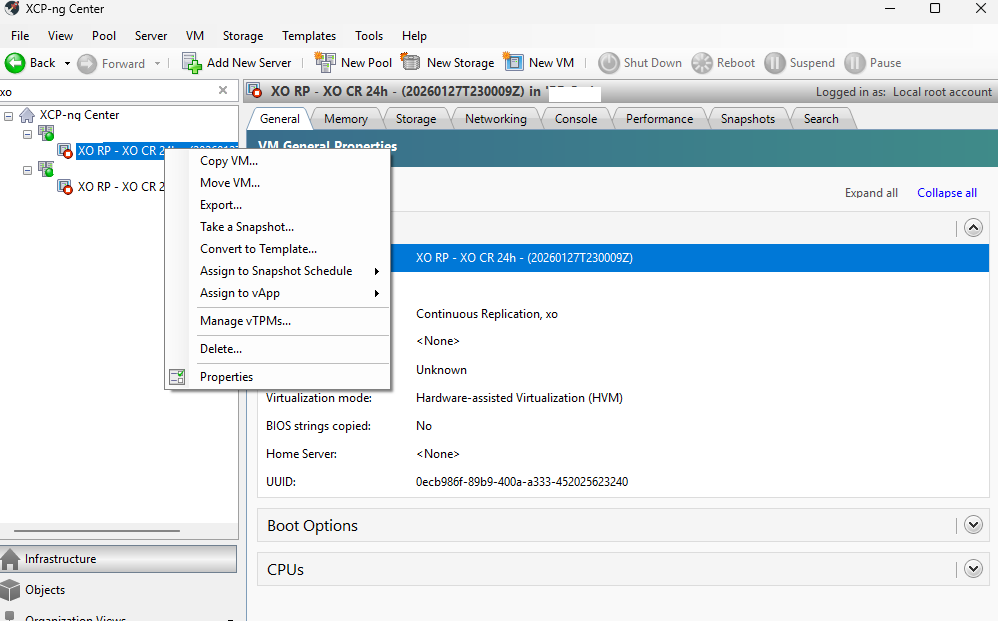
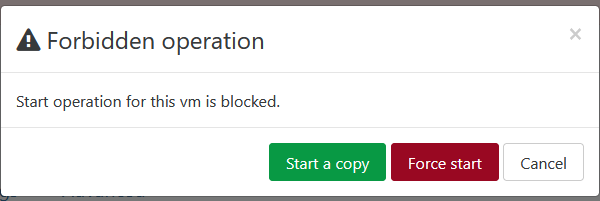
How about to implement a launch of CR backup VMs?https://xcp-ng.org/forum/assets/uploads/files/1769679350079-677dfcbb-211b-452f-ad8f-db59e2860579-изображение.png
https://xcp-ng.org/forum/assets/uploads/files/1769679584572-3e39d799-a2fd-4cb0-8e2e-6b9c4312a2e6-изображение.png -
@Tristis-Oris There are many features missing since it's alpha now, but you can open bug tracker request on github if you want to keep track of progress for this particular feature.
-
@benapetr
Consider making a PR to https://github.com/xcp-ng/xcp-ng-org (https://github.com/xcp-ng/xcp-ng-org/blob/master/docs/management/management.md) if you want to make your project more visible. -
@TeddyAstie good idea, thanks, I will do it once I get close to releasing first non-alpha version, right now it's still too immature for production use (although latest master version is so good and stable I already use it to manage most of my own clusters)
-
Note we already gave visibility on this project twice, with the last 2 XO blog post release and newsletter

-
@olivierlambert ok that's great, I didn't even notice, thanks!
-
I just released 0.0.4! Still an alpha, but it's becoming pretty usable - there was over 60 commits of code cleanup, polish and also limited testing of all visible features - pretty much everything that is now visible in the UI should be operational at this point, option pages, properties of hosts, pools, VDIs, configuration of NICs, even bonding and advanced stuff like pool password / secret rotation. All XAPI actions and commands were already ported over from C# variant, so my focus now is only on finishing it into a final usable product.
We also have some features that original client doesn't have (such as XenCache explorer)!
Next on my to-do is to add all features that are currently missing completely: HA, GPU, PCIe, VM import / export etc.
Note: I will not be porting over any licensed or proprietary Citrix stuff. This tool may work with XenServer just fine, but I will not be porting over any of the proprietary features, because I will never use it and I have no way to test it either.
-
Version 0.0.5 alpha was just released.
Tree view got major fix - it's now almost fully on-par with the C# version, all logic and missing icons and context menus were fixed.
This is rather a quality of life release, from features only GPU support was added, rest were only bug fixes, but a lot of them. XenAdmin is now so stable now I am even using it on my production servers. It already feels same (even better in some aspects) as the C# version.
I also added some new minor feature - all table views now support export to CSV via context menu (into clipboard), very handy if you need to export data from various views.



Hello! It looks like you're interested in this conversation, but you don't have an account yet.
Getting fed up of having to scroll through the same posts each visit? When you register for an account, you'll always come back to exactly where you were before, and choose to be notified of new replies (either via email, or push notification). You'll also be able to save bookmarks and upvote posts to show your appreciation to other community members.
With your input, this post could be even better 💗
Register Login