XOSTOR
-
I'm reaching out to you again to get some info on XOSTOR. I currently have three nodes, each with one SSD dedicated to XOSTOR (just for testing), but when I try to create a new instance, I get an error.
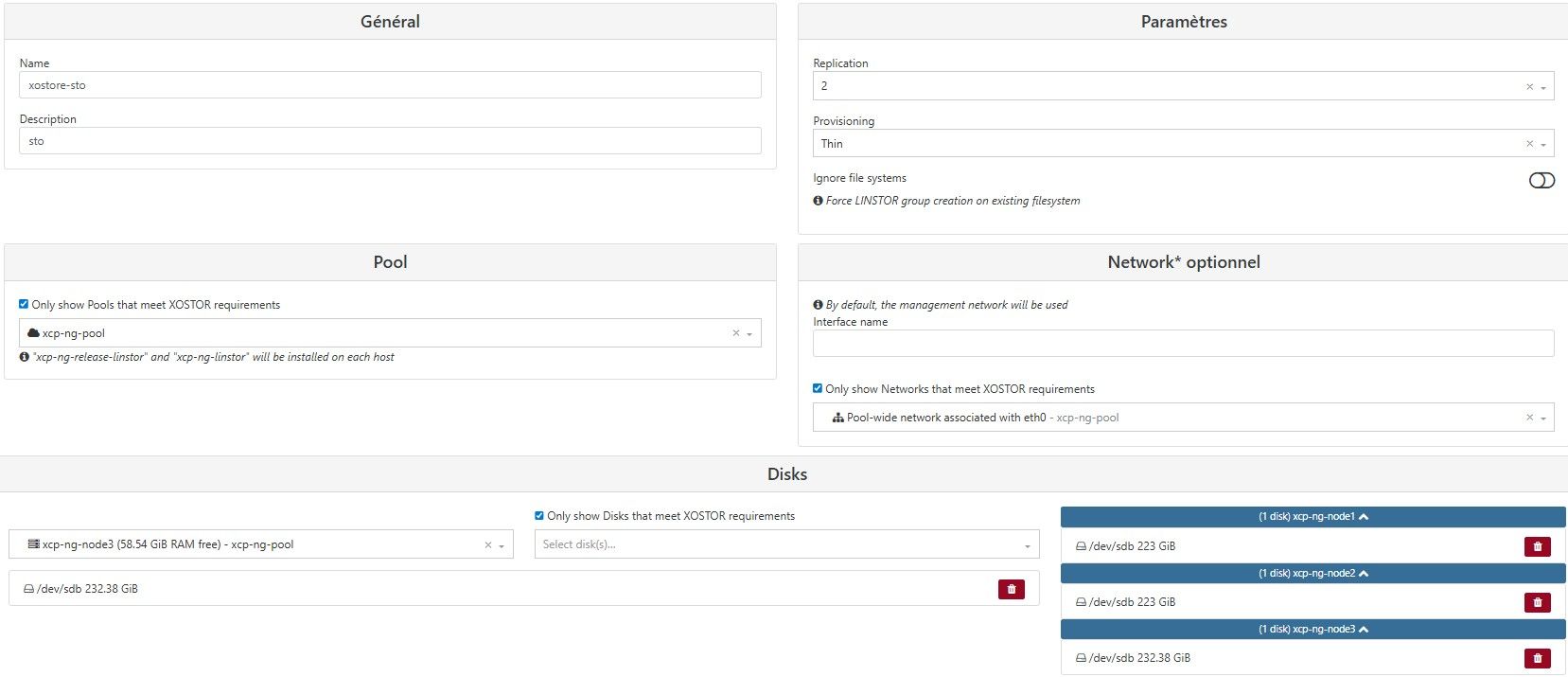
Here's the error:
unknown error from the peerAnd I was wondering if I needed to install something or not.
-
Ping @Team-Storage
-
@User-cxs Hey

That's a bit hard to tell just from that what's happening

You might get some clues from your logs on
/var/log/SMlog. If you get something bad from here, it means there is an issue with the storage stack.
If you get nothing, maybe it's an issue at the xapi command itself, you might want to look at/var/log/xensource.log.Hope that can help you
-
@User-cxs "unknown error from the peer" => It can be a problem with licenses, or another thing caused by XOA, you should have more info in XO server logs. Otherwise check the logs indicated by Antoine on the XCP-ng side.
-
There is no information in the logs apart from :
 ,and the error details show
xostor.create { "description": "sto", "disksByHost": { "5ad40c85-dce1-4931-b877-c4657c994d3c": [ "/dev/sdb" ], "df688858-70ad-47b9-9149-39727d1ef386": [ "/dev/sdb" ], "bdb77d14-25f6-4ec8-bf01-03aeef3b5661": [ "/dev/sdb" ] }, "ignoreFileSystems": false, "name": "xostore-sto", "provisioning": "thin", "replication": 2, "preferredInterface": { "networkId": "e6d4f817-9d2b-69b9-3c62-2b27f5ff88a1", "name": "eth0" } } { "code": -32000, "message": "unknown error from the peer", "name": "JsonRpcError", "stack": "JsonRpcError: unknown error from the peer at Peer._callee$ (/usr/local/lib/node_modules/xo-server-xoa/node_modules/json-rpc-peer/src/index.js:98:9) at Peer.<anonymous> (/usr/local/lib/node_modules/xo-server-xoa/node_modules/@babel/runtime/helpers/regeneratorRuntime.js:52:18) at Generator.<anonymous> (/usr/local/lib/node_modules/xo-server-xoa/node_modules/@babel/runtime/helpers/regenerator.js:52:51) at Generator.next (/usr/local/lib/node_modules/xo-server-xoa/node_modules/@babel/runtime/helpers/regeneratorDefine.js:11:21) at asyncGeneratorStep (/usr/local/lib/node_modules/xo-server-xoa/node_modules/@babel/runtime/helpers/asyncToGenerator.js:3:17) at _next (/usr/local/lib/node_modules/xo-server-xoa/node_modules/@babel/runtime/helpers/asyncToGenerator.js:17:9) at /usr/local/lib/node_modules/xo-server-xoa/node_modules/@babel/runtime/helpers/asyncToGenerator.js:22:7 at Promise._execute (/usr/local/lib/node_modules/xo-server/node_modules/bluebird/js/release/debuggability.js:384:9) at Promise._resolveFromExecutor (/usr/local/lib/node_modules/xo-server/node_modules/bluebird/js/release/promise.js:518:18) at new Promise (/usr/local/lib/node_modules/xo-server/node_modules/bluebird/js/release/promise.js:103:10) at Peer.<anonymous> (/usr/local/lib/node_modules/xo-server-xoa/node_modules/@babel/runtime/helpers/asyncToGenerator.js:14:12) at Peer.exec (/usr/local/lib/node_modules/xo-server-xoa/node_modules/json-rpc-peer/dist/index.js:182:20) at Peer.write (/usr/local/lib/node_modules/xo-server-xoa/node_modules/json-rpc-peer/src/index.js:206:10) at JsonRpcWebSocketClient.<anonymous> (/usr/local/lib/node_modules/xo-server-xoa/node_modules/jsonrpc-websocket-client/src/index.js:57:12) at JsonRpcWebSocketClient.emit (node:events:518:28) at JsonRpcWebSocketClient.emit (/usr/local/lib/node_modules/xo-server/node_modules/@xen-orchestra/log/configure.js:52:17) at WebSocket.<anonymous> (/usr/local/lib/node_modules/xo-server-xoa/node_modules/jsonrpc-websocket-client/src/websocket-client.js:179:20) at callListener (/usr/local/lib/node_modules/xo-server-xoa/node_modules/ws/lib/event-target.js:290:14) at WebSocket.onMessage (/usr/local/lib/node_modules/xo-server-xoa/node_modules/ws/lib/event-target.js:209:9) at WebSocket.emit (node:events:518:28) at WebSocket.patchedEmit [as emit] (/usr/local/lib/node_modules/xo-server/node_modules/@xen-orchestra/log/configure.js:52:17) at Receiver.receiverOnMessage (/usr/local/lib/node_modules/xo-server-xoa/node_modules/ws/lib/websocket.js:1220:20)" }Ensuite j'ai regarder :
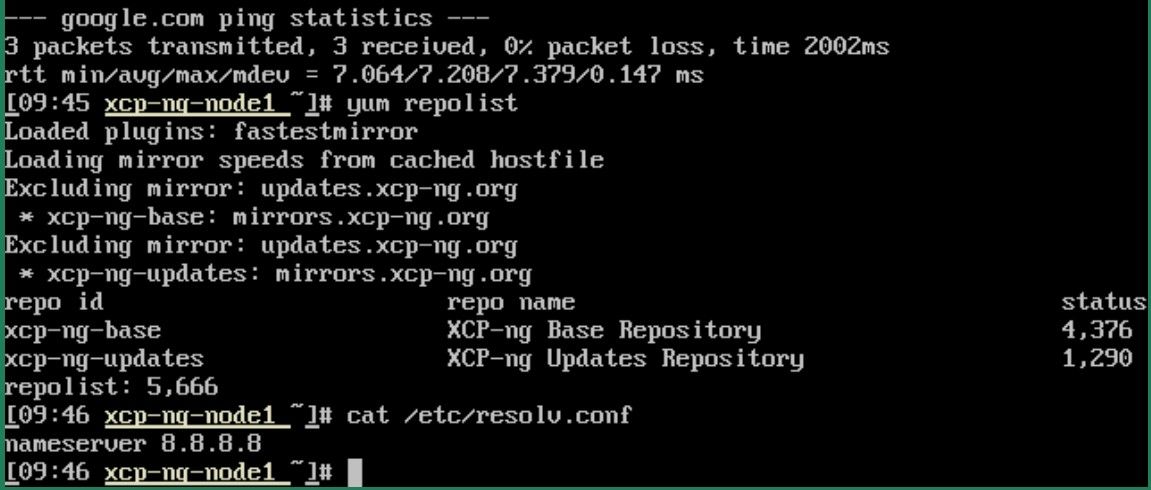 .And finally, I asked ChatGPT and it told me "First, on a single node, just try this:
yum install -y xcp-ng-release-linstor
Next:
yum repolist | grep -i linstor
Then:
yum install -y xcp-ng-linstor
If that works, then do the same on all three nodes.
Next:
on all three nodes:
systemctl enable --now linstor-satellite
on a single node:
systemctl enable --now linstor-controller"
-
@User-cxs Ping @xen-orchestra for additional help regarding this trace.
Concerning LINSTOR, you don't have to manually configure it using yum/systemctl. The controller must never be started like this, please stop it with:
systemctl disable --now linstor-controllerFor you info it's started automatically by another service and to mount the DB volume list of the SR. Otherwise, this information is not shared across all hosts.
-
@ronan-a I didn’t do it; I just showed what ChatGPT told me to do, but I didn’t actually do it.
Do I need the Premium version for XOSTOR, perhaps ? -
@User-cxs Can you show us the output of
ip aon your XOA VM? -
You actually needed to update it by entering an email account.
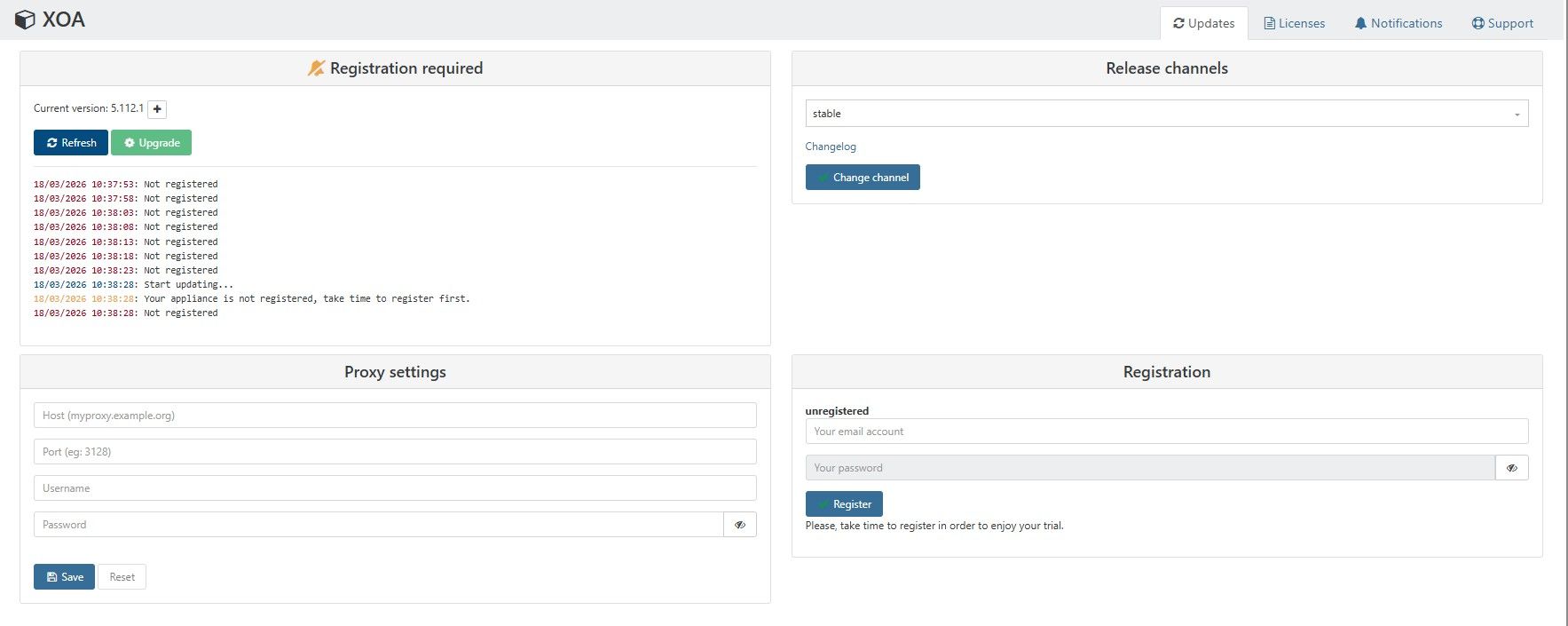
Then it was updated :
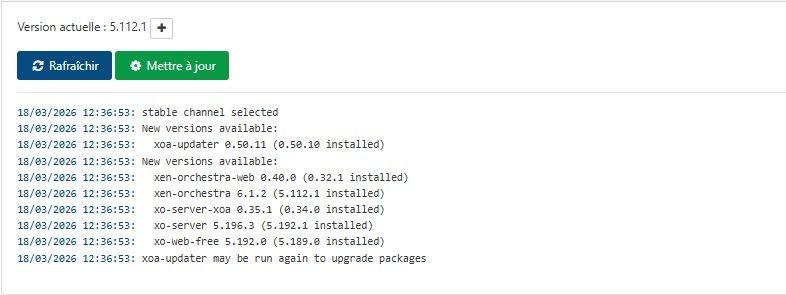
and that should sort it out for me. -
@User-cxs Are you saying that the initial problem was due to the appliance not being registered?
-
Well, yes, you had to register with an email address and then update.
-
But thank you for your time all the same.
-
 D Danp marked this topic as a question on
-
D Danp has marked this topic as solved on



Hello! It looks like you're interested in this conversation, but you don't have an account yet.
Getting fed up of having to scroll through the same posts each visit? When you register for an account, you'll always come back to exactly where you were before, and choose to be notified of new replies (either via email, or push notification). You'll also be able to save bookmarks and upvote posts to show your appreciation to other community members.
With your input, this post could be even better 💗
Register Login