Too many snapshots
-
-
Recreated, testing now.
-
@Pilow
Was there an announcement about the change in how these CR backups are done with snapshots now?I'd love to read up on it.
-
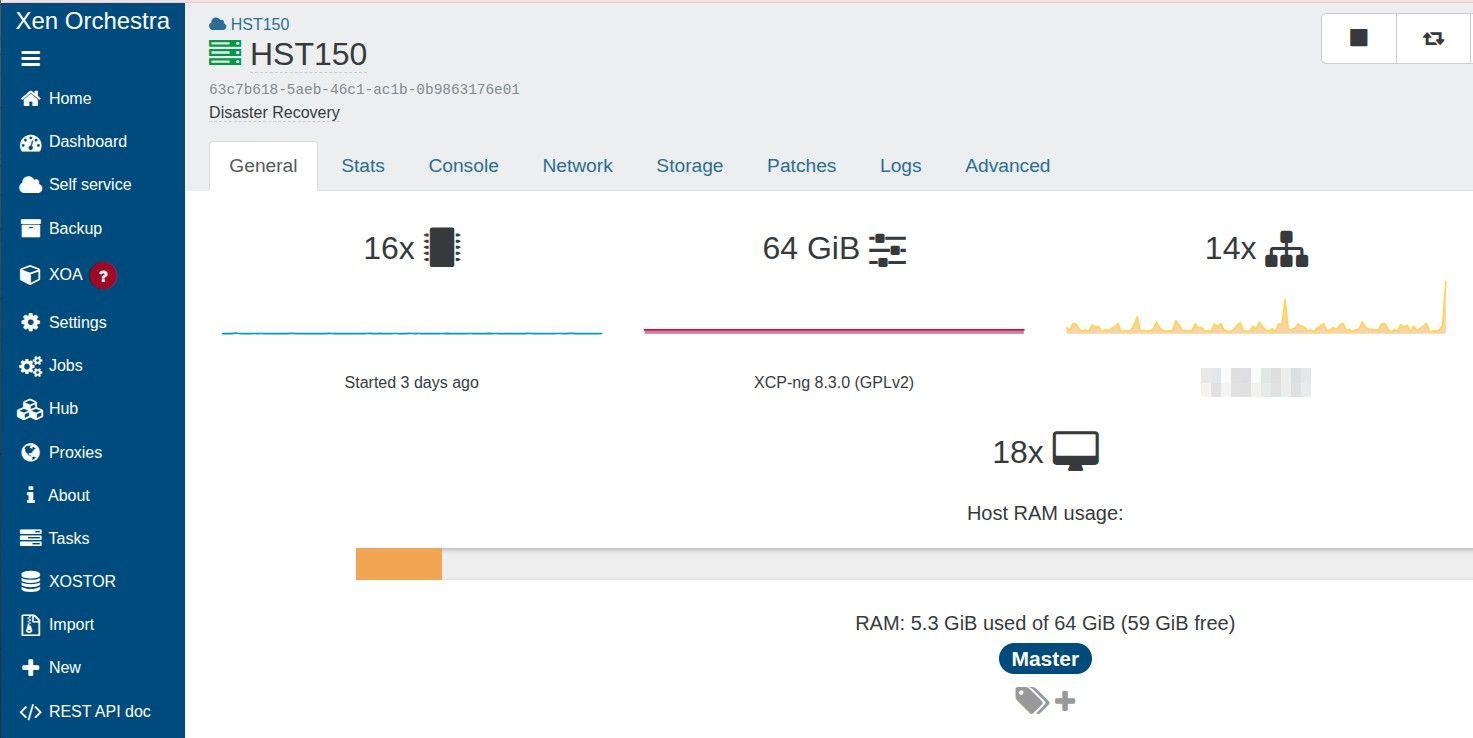
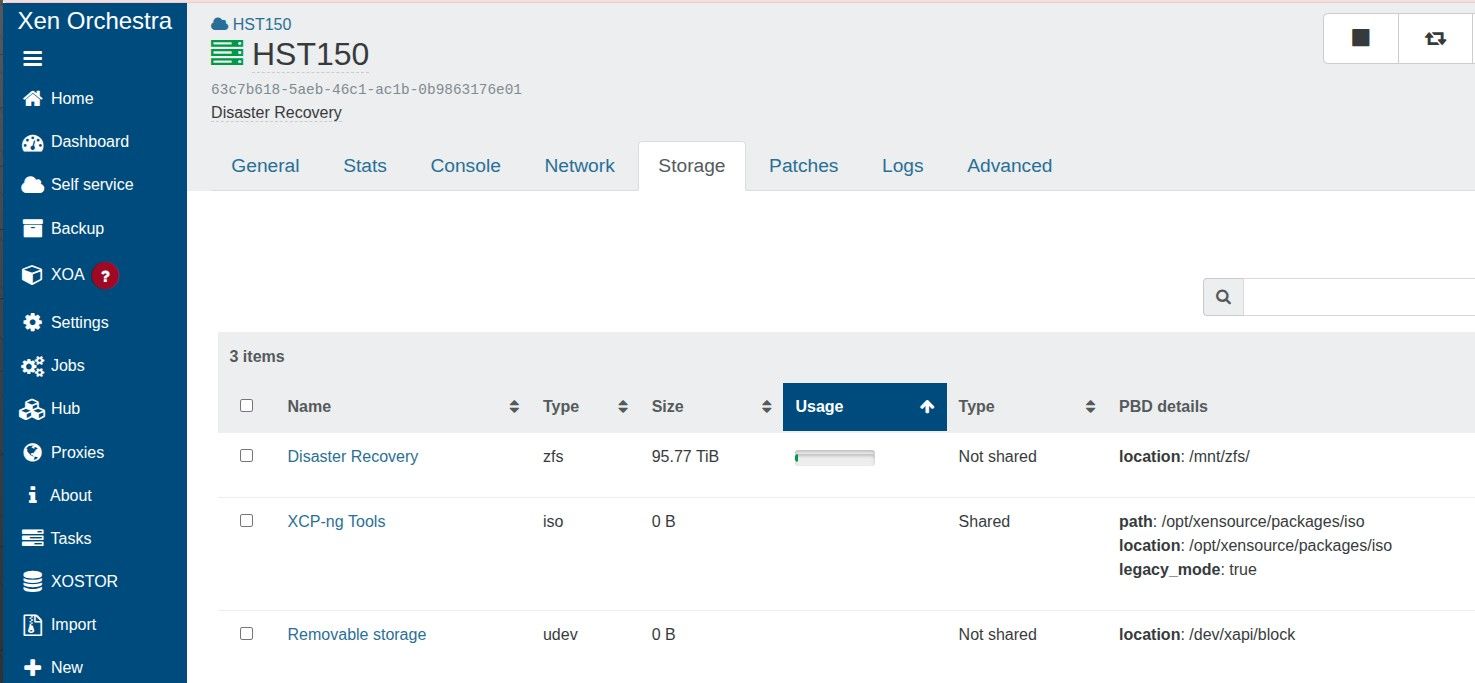
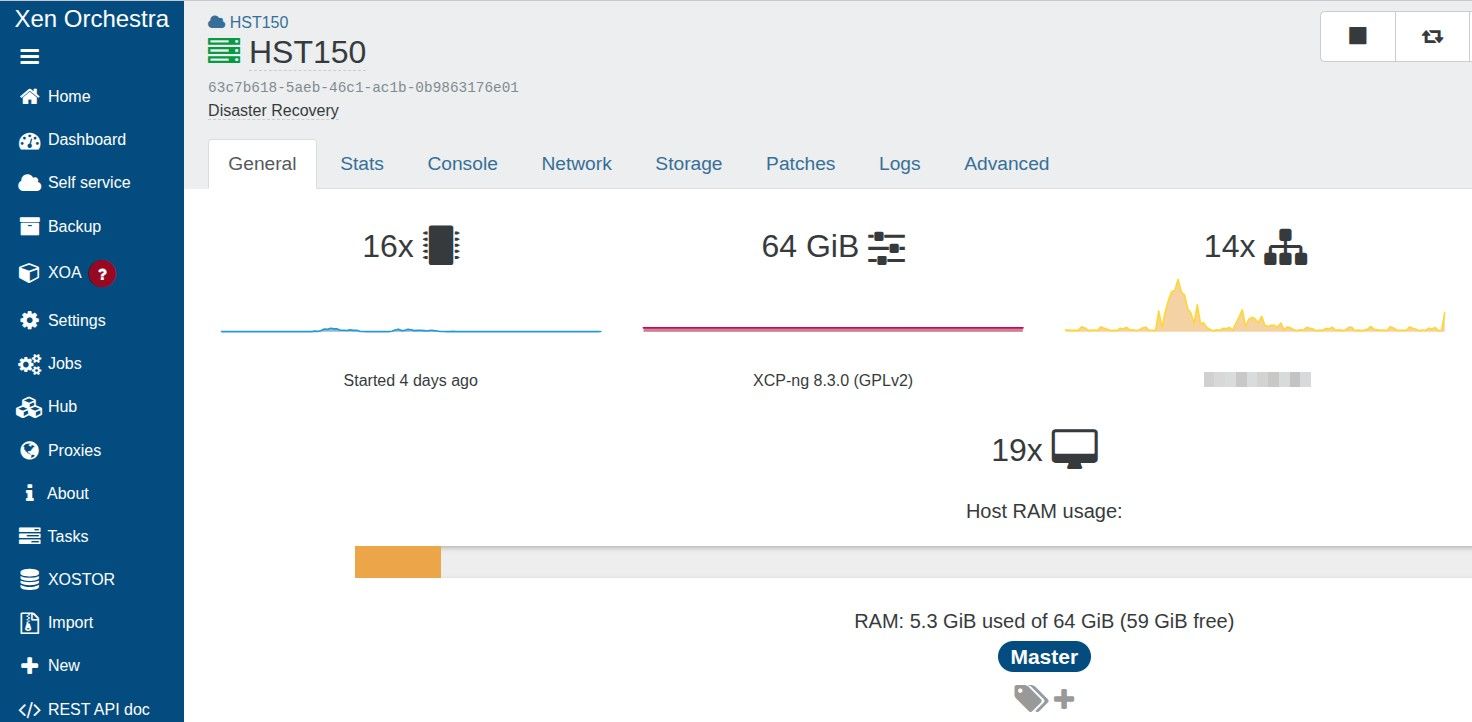
@McHenry screenshot the GENERAL tab of "Disaster Recovery" SR please
just to see how many VDIs it hosts... at least 288it was announced here
https://xen-orchestra.com/blog/xen-orchestra-6-3/# -backup
but it is not explaing in details, I gathered information in another topix in this forum from @florentyou also have the Changelog of 6.3.0
https://github.com/vatesfr/xen-orchestra/blob/master/CHANGELOG.md#630-2026-03-31points to PR9524
[Replication] Reuse the same VM as an incremental replication target (PR #9524) -
-
@Pilow Yes; it's been my understanding that this has been the default for many years now.
-
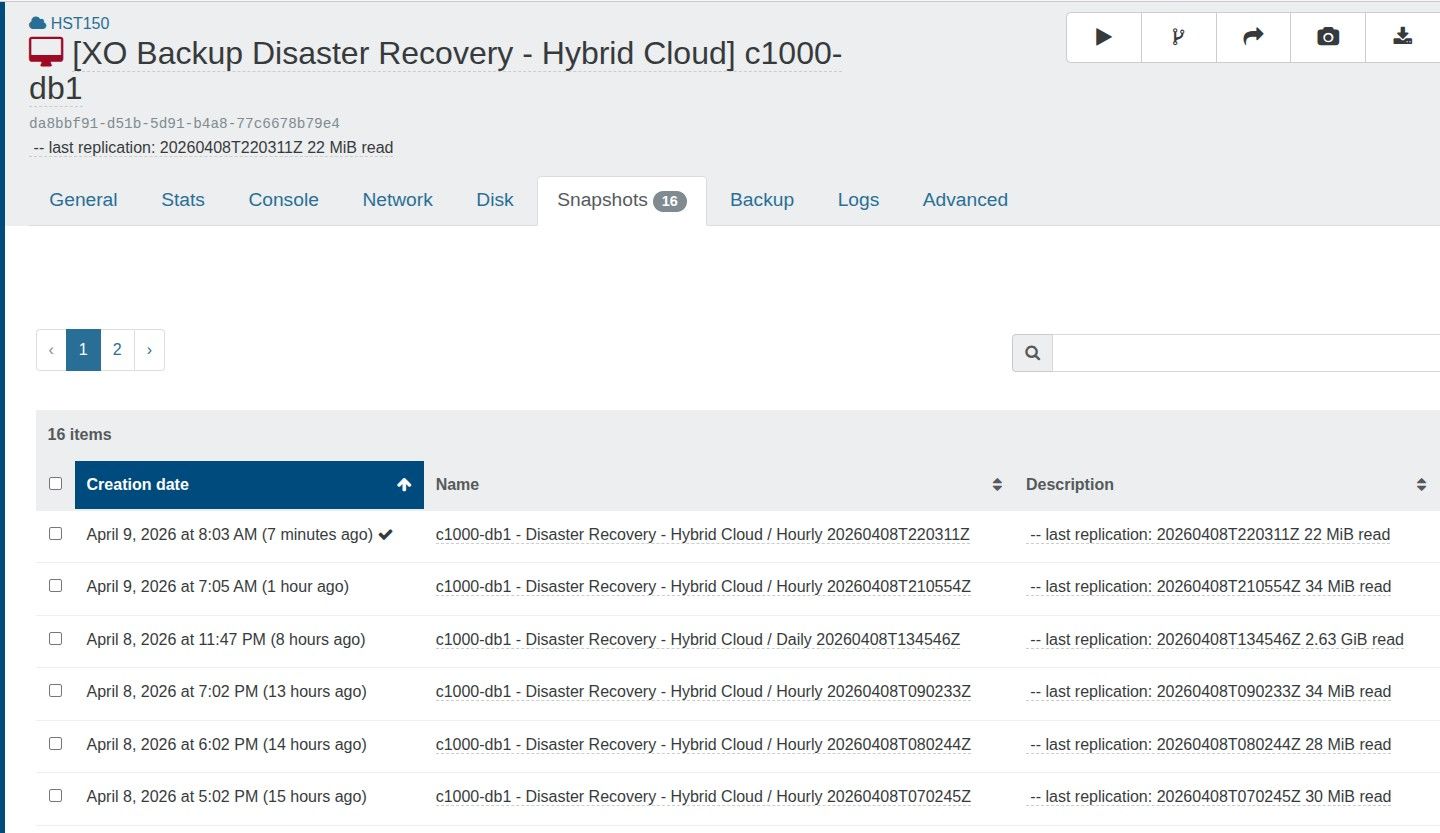
@tjkreidl yeah, but he has 16 snapshots.
but the documentation also talks about vdi chain lengthbut it seems to me impossible to have only 16 snaps and a vdi chain length >30
thats why I wondered perhaps is it a cap limit of snapshots per SR, but I didn't find relevant info about this possibility
you know a lot about Xen, ever heard of this type of per SR limit of snapshots ?
Only info I found is that more than 100/150 VDIs in production per SR can degrade performance -
@Pilow Yes, you are correct that the chain length is also limited. You might try to manually delete some of the snapshots and though the limit is supposed to be 30, perhaps there are other factors involved? Does that VM have a particularly large amount of storage and a lot of changes between snapshots? Are any other of your VMs experiencing similar issues? Your SR appears to be mostly empty, correct? Are there any related errors showing up in /var/log/SMlog ?
-
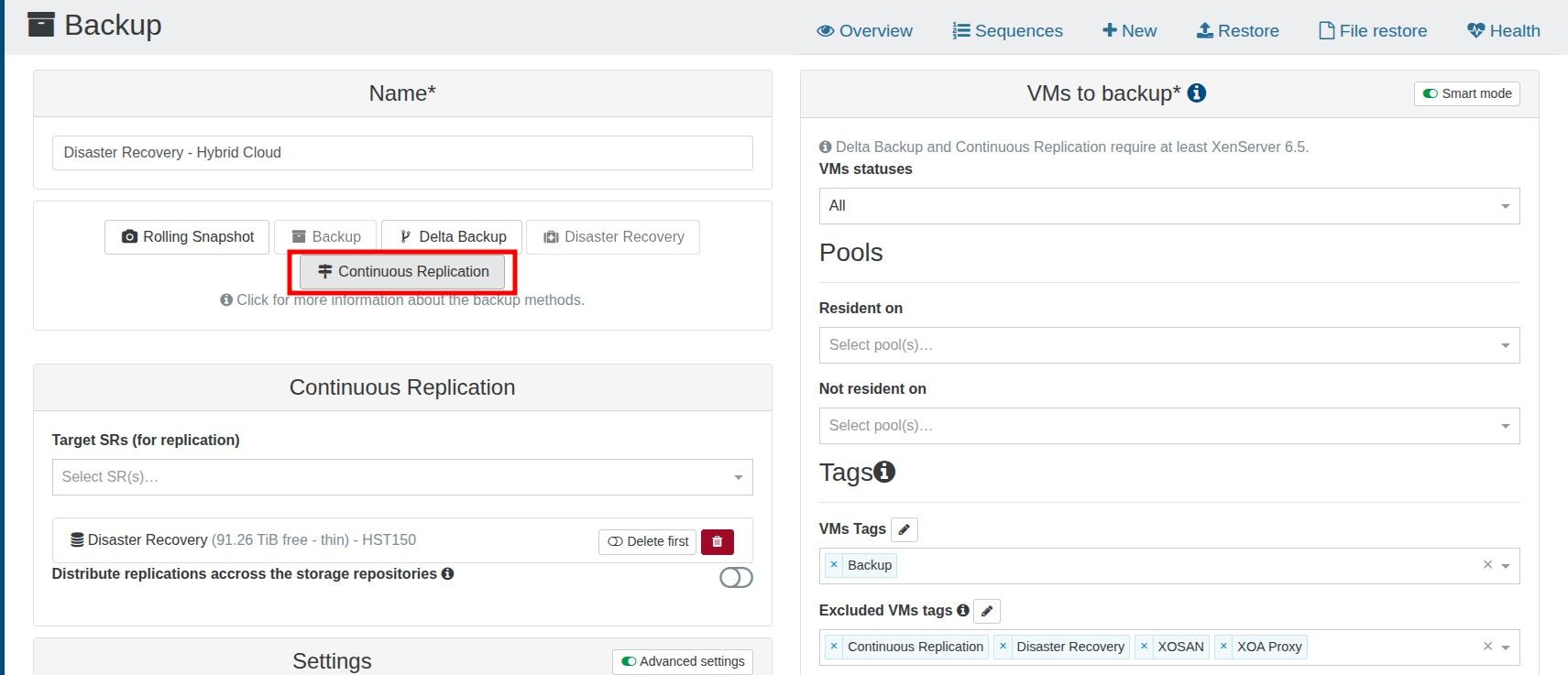
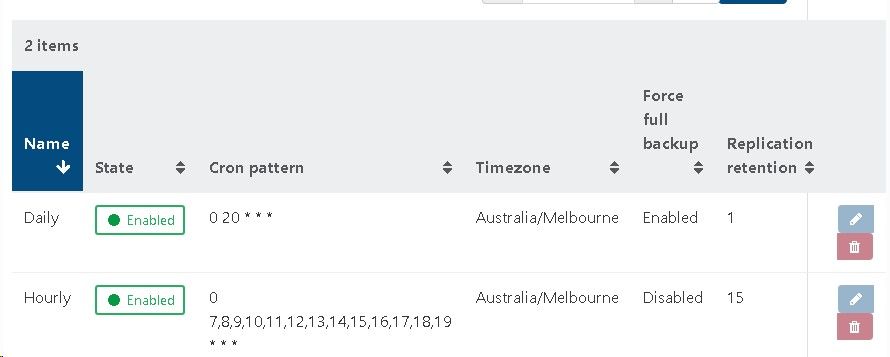
I wish to maintain 16 restore points using CR, being an hourly restore point over the last two days (8 per day)
I perform a full backup nightly to reset the chain.
It appears that each CR creates a new snapshot and the old snapshot is removed when a new one is crated
The documentation states this error is shown then there are more than 3 snapshots on a VM
https://docs.xen-orchestra.com/manage_infrastructure#too-many-snapshotsIs this a problematic backup strategy?
-
@McHenry Are you sure with that frequent running backups that each backup completes successfully before the next one starts? How long does the full backup typically take (less than 7 hours?) as well as the incrementals (under 1 hour?)? Again, I'd suggest looking in /var/log/SMlog for any error conditions that might help identify an issue. Also, how fragmented is your storage, as that can slow things down quite a bit, as can the lack of adequate CPU power as well as memory (run the top or xentop utility to view the load during backups).
-
@tjkreidl @mchenry haaaa I remember how & when I was able to provoke this error
I was trying to purge 12 "replica VM" with the new CR method by forcing CR manually to get 1 VM with 12 replicasso I ended up clicking START on the CR job as soon as the CR finished, and got this same error.
this was because GC didn't finish the previous job. Just had to wait 2 min for GC to reduce the chain length and I could go manual again on the CRso I guess @tjkreidl is right, and the error message is misleading
your CR probably finish before the one hour interval BUT Garbage Collector do notyou have two options
- space up your CR jobs to give GC some time to finish
- find why GC is taking too much time (could be SR performance, nerver ending GC because of high I/O on the VM, ...)
-
@florent @bastien-nollet could it be possible to monitor GC job to pause the job instead of failing with misleading error message ?
instead of TOO MANY SNAPSHOTS juste pause with WAITING PREVIOUS GARBAGE COLLECTOR TO FINISH and resume ASAP ?
this would force the admin of backup to re think his CR RPO/RTO strategy but not fail jobs
-
@Pilow I agree, the error message is misleading and indeed, garbage collection can take some time to complete and likely in some cases to be greater than one hour.
Is there the option to monitor garbage collection with task-list or some other utility? Because if so, one could write a script to kick off backups instead of using the cron pattern in the backup setting. Just a suggestion ... -
@tjkreidl in DASHBOARD/HEALTH/UNHEALTHY VDIs
there you can see GC doing its magic, with VDI Chain Length progressivly going down to zero when deleting a snapshot.my 2 cents, he has multiple VMs in the same CR job, and GC is sequential. in the one hour timeframe, next CR is launched and stumble upon VMs that are not yet sanitized
downing the number of VM per job could do the trick, and chain/sequence 2 CR jobs with a dispatch of the VMs
-
Is there the option to monitor garbage collection with task-list or some other utility?
# tail -f /var/log/SMlog |grep coalescewith this you can monitor live the coalescence of VDI chains
-
@Pilow Ah, right. You'd have to check the time stamp if you worked on automating this.
So maybe @McHenry could write a script to do the backups and that way, ensure there was no on-going task in progress before kicking off the next backup instance.
It could be run periodically from a cron job and if there's still on-going activity, just exit and try again the next time. -
@tjkreidl yes would be a good way to deal with the original problem
hope backup Devs @florent and/or @bastien-nollet can implement this, would profit to everyone
-
@Pilow Right, just skip the currently planned backup if a coalesce is still in progress and check again the next scheduled backup. This could potentially be implemented in the existing backup code.
-
@tjkreidl either skip or wait until possible
I'm used to veeam backup & recovery that is very resilient to these corner cases, on vmware if it understands that a Datastore has too many snapshots, or some backup ressouce is not ready yet (you can throttle number of active workers on a repository or per proxy), veeam will just wait for availability and keep going.problem with this way of doing is it can shift in time the schedule where you expect CR or backup to be happening.
but can be a problem to skip altogether, if @mchenry need compliancy of a certain number of replicas happening
waiting vs skipping, in a perfect world the devs give us a switch to choose our destiny

ps : I know XO Backup is not to be 100% mapped on Veeam functionnalities, but some of these functionnalities would really augment the XO Backup experience. just have to take into account Xen environment (no GC in vmware infrastructure)
-
@Pilow The other thing to to consider is being cognizant of how long your backups typically take (or even, planning a worst-case condition) and defining the backup intervals accordingly.
In other words, if you know you cannot consistently do your incremental backups in less than an hour, perform them 90 minutes or two hours between backups. It's better IMO to have a solid backup less frequently than have them fail on a regular basis.

Hello! It looks like you're interested in this conversation, but you don't have an account yet.
Getting fed up of having to scroll through the same posts each visit? When you register for an account, you'll always come back to exactly where you were before, and choose to be notified of new replies (either via email, or push notification). You'll also be able to save bookmarks and upvote posts to show your appreciation to other community members.
With your input, this post could be even better 💗
Register Login