Create a new SR: qcow2 failure
-
Evening, my setting to create a SR for importing my .qcow2 is:
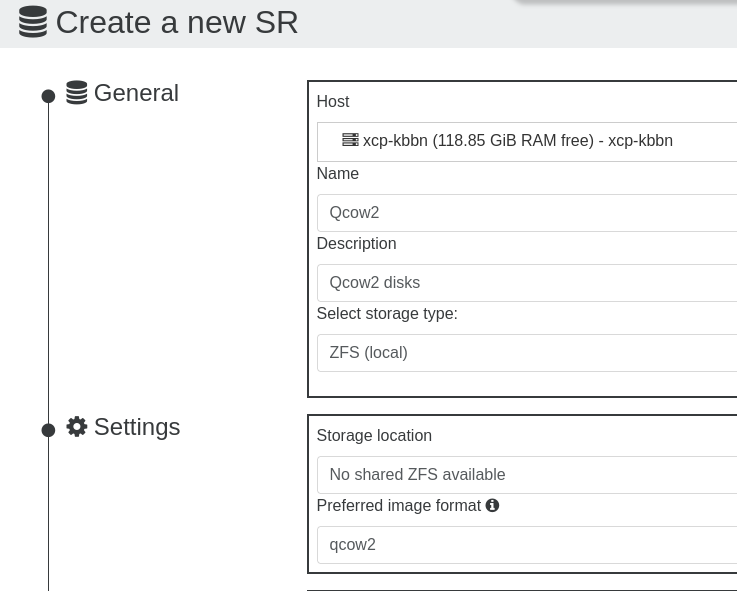
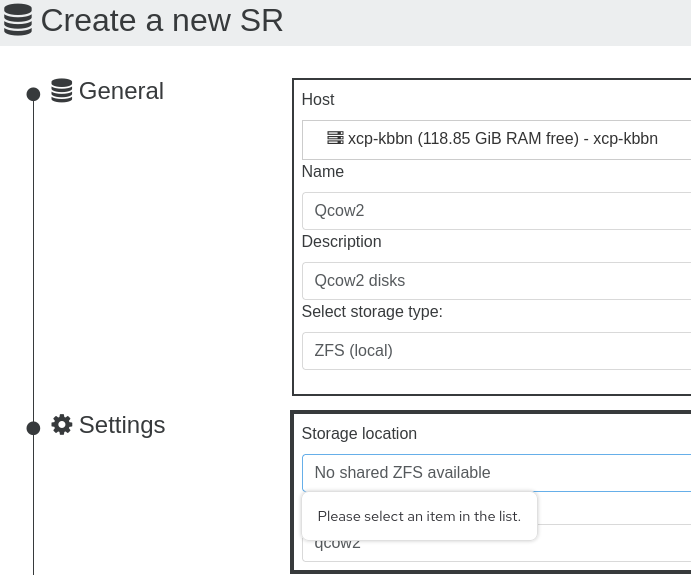
but when I try to create the SR I get this:
I hover over the (i) for the information for the preferred type:
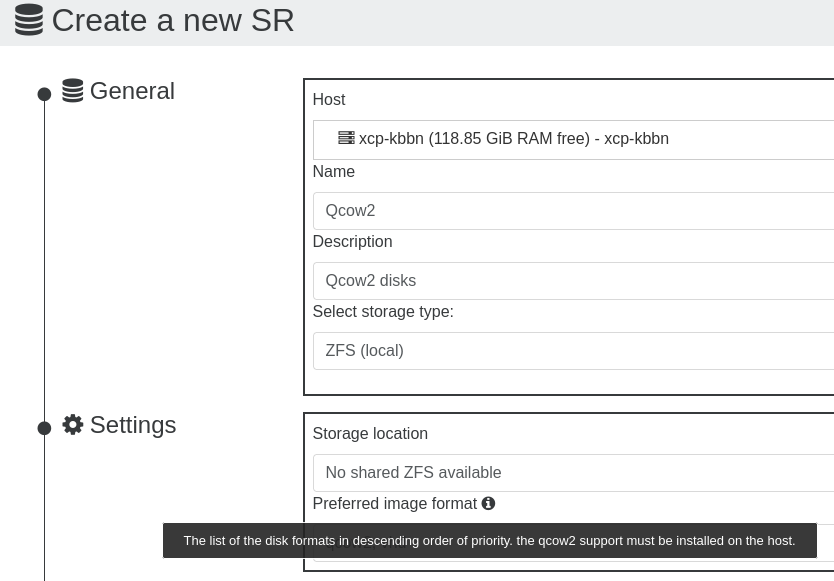
I've read this QCOW2 FAQ, so my question is, if I have to install this on the host, where is the instruction or the plug-in for this feature?
I attempted to import my .qcow2 in the Default SR:
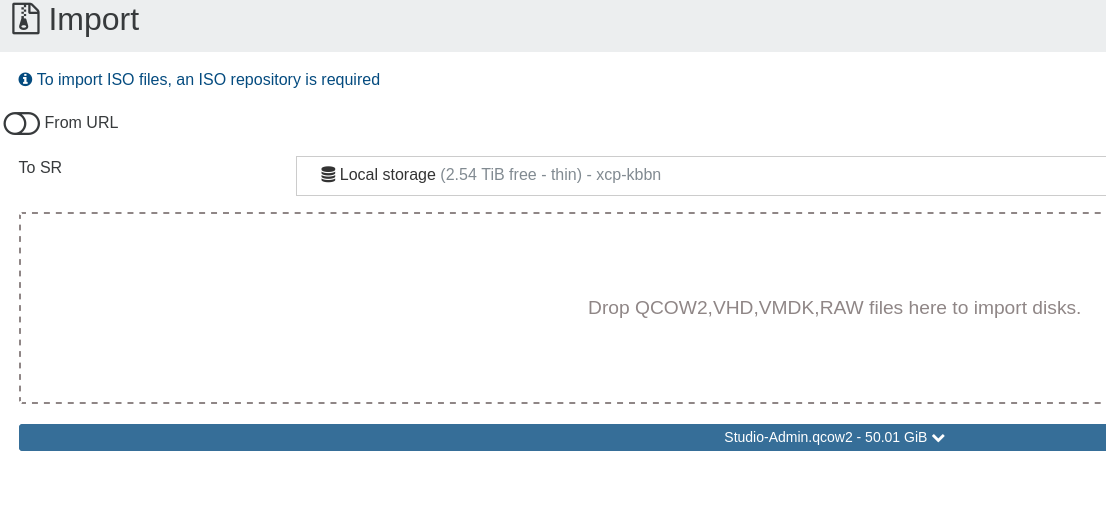
For a moment is appears to be importing:
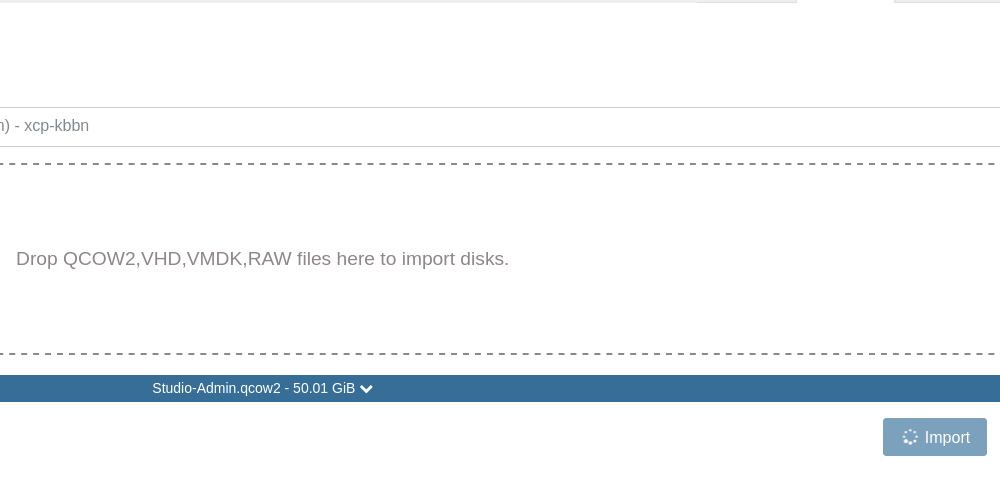
Then I get this error message:
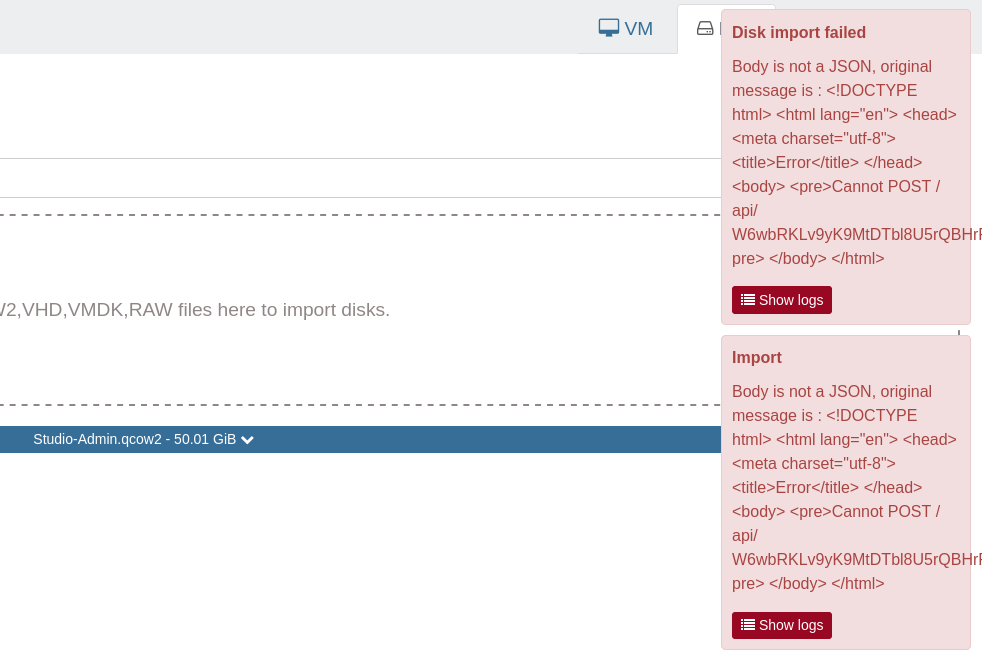
I try to import it again and I get his error message:
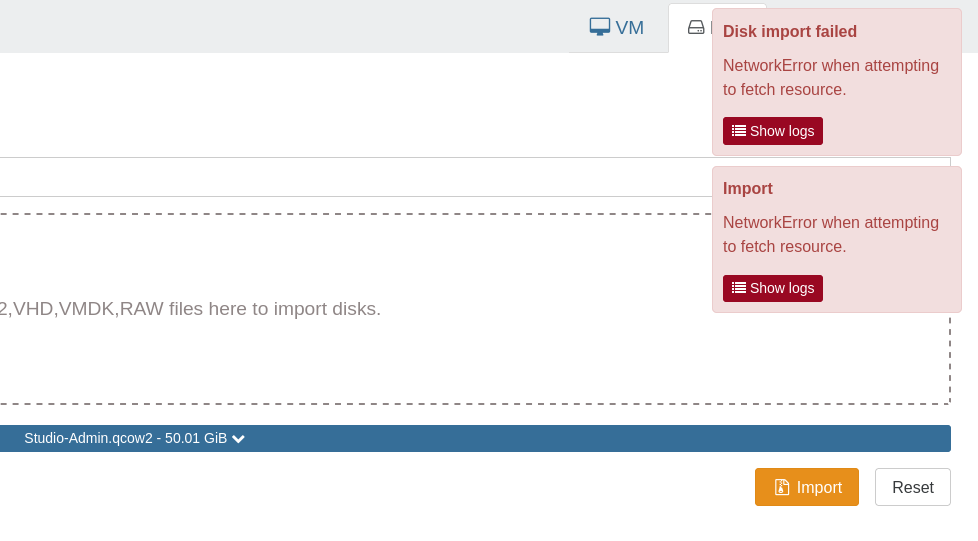
After this is when I attempted to create the qcow2 SR. My XOA is located on my Redhat 10 Server/Workstation as a VM.
Thanks!...
-
Ping @julienxovates
-
Hi @nasheayahu,
1/ are you running the latest XO from source ?
2/ did you follow this to create the ZFS volume => https://docs.xcp-ng.org/storage/#zfs ?
3/ did you try with "ext" type instead ? or your requirement is QCOW2 with ZFS ?The "import QCOW2" is currently not yet implemented, hence the API error (it should have been not permitted actually); it should be merged in the next XO release.
-
1/ are you running the latest XO from source ?
Yes, I used the Xen Orchestra Installer / Updater on a Debian 13.
2/ did you follow this to create the ZFS volume => https://docs.xcp-ng.org/storage/#zfs ?
No, I have 3 extra 2TB HDs I did not include in the install, because I have data on them I want to move to a Storage Device first.
3/ did you try with "ext" type instead ? or your requirement is QCOW2 with ZFS ?
I just tried it, but it requires an another device I don't have available as stated above. The QCOWS are coming from the two Redhat 10 Server/Workstations, 1) I just converted to XCO-ng, 2) the other Redhat will convert soon after solving other setup tasks with the first.
-
@nasheayahu so you're actually trying to import those QCOW2 VDIs, not creating them, right ?
You'll have to wait for the import feature for QCOW2 which is coming soon.
You should be able to create a brand new SR with QCOW2, but be aware of the known issue on ZFS with large VDIs (see https://xcp-ng.org/blog/2026/05/05/qcow2-is-now-ga-in-xcp-ng/).
Did you install ZFS on your host ? see https://xcp-ng.org/blog/2018/08/03/xcp-ng-with-zfs/ -
so you're actually trying to import those QCOW2 VDIs, not creating them, right ?
Yes...
You'll have to wait for the import feature for QCOW2 which is coming soon.
You should be able to create a brand new SR with QCOW2, but be aware of the known issue on ZFS with large VDIsOkay...
Did you install ZFS on your host ?
I installed XCP-ng using the defaults and recommended settings, I do not remember if ZFS was a default:
[09:28 xcp-kbbn ~]# df -Th
Filesystem                                                                                                Type      Size  Used Avail Use% Mounted on
devtmpfs                                                                                                  devtmpfs  3.6G   16K  3.6G   1% /dev
tmpfs                                                                                                     tmpfs     3.6G  316K  3.6G   1% /dev/shm
tmpfs                                                                                                     tmpfs     3.6G  9.3M  3.6G   1% /run
tmpfs                                                                                                     tmpfs     3.6G     0  3.6G   0% /sys/fs/cgroup
/dev/sdb1                                                                                                 ext3       18G  2.1G   15G  13% /
/dev/sdb4                                                                                                 vfat      512M  3.3M  509M   1% /boot/efi
/dev/sdb5                                                                                                 ext3      3.9G   88M  3.6G   3% /var/log
192.168.130.102:/media/KbbnNFS04/ITDocuments/ITDocuments/Iso                                              nfs       1.9T  259G  1.6T  14% /run/sr-mount/d7f0d912-ddc4-ab46-6693-39a6b0d49a14
/dev/mapper/XSLocalEXT--d318a008--a239--821f--a9cd--1f1b657e492e-d318a008--a239--821f--a9cd--1f1b657e492e ext4      2.6T   30G  2.5T   2% /run/sr-mount/d318a008-a239-821f-a9cd-1f1b657e492e
tmpfs                                                                                                     tmpfs     731M     0  731M   0% /run/user/0

[09:28 xcp-kbbn ~]# lsblk -f
NAME                                                                        FSTYPE      LABEL       UUID                                   MOUNTPOINT
sdf                                                                         LVM2_member             nl8bHb-caA4-aw3k-S1c2-rm3h-zfXc-4urbyC
└─XSLocalEXT--d318a008--a239--821f--a9cd--1f1b657e492e-d318a008--a239--821f--a9cd--1f1b657e492e
                                                                            ext4                    9cf95f7d-249b-45e3-9584-a02f1b2a367a   /run/sr-mount/d318a008-a239-821f-a9cd-1f1b657e492e
sdd                                                                         xfs         KbbnNFS03   3ff0be13-df43-455f-8af5-bb5278378279
sdb
├─sdb4                                                                      vfat        BOOT-TZOZOJ 1B19-9FAC                              /boot/efi
├─sdb2
├─sdb5                                                                      ext3        logs-tzozoj d09535b9-cd49-4bac-8aeb-17872bda910e   /var/log
├─sdb3                                                                      LVM2_member             0kSCqD-PNaB-0E2Q-xJ1o-rvTW-NAC0-zEzM6D
│ └─XSLocalEXT--d318a008--a239--821f--a9cd--1f1b657e492e-d318a008--a239--821f--a9cd--1f1b657e492e
                                                                            ext4                    9cf95f7d-249b-45e3-9584-a02f1b2a367a   /run/sr-mount/d318a008-a239-821f-a9cd-1f1b657e492e
├─sdb1                                                                      ext3        root-tzozoj 70792b7e-b92d-4913-a2cc-4ed6f8fe014e   /
└─sdb6                                                                      swap        swap-tzozoj 46d5a332-2728-452e-9c30-1e837fb6cf25   [SWAP]
tdc
tda
sde                                                                         LVM2_member             xRwg78-m9o1-mGki-KfO7-MSY3-gLjD-UKZjQo
└─XSLocalEXT--d318a008--a239--821f--a9cd--1f1b657e492e-d318a008--a239--821f--a9cd--1f1b657e492e
                                                                            ext4                    9cf95f7d-249b-45e3-9584-a02f1b2a367a   /run/sr-mount/d318a008-a239-821f-a9cd-1f1b657e492e
sdc                                                                         xfs         KbbnNFS02   765ca566-c434-45a5-9b9f-f066c770a7d4
sda                                                                         xfs         KbbnNFS01   a91987c0-1c2e-4e88-bcf6-fe7662e77cb6
tdd
tdb
but you can see sd(a,d,c) are from the 3 HDs I did not include in the install are ZFS, I attached them as SRs so I can move the data later to a Storage Device using the methods by your help from Attach a Physical HD to a VM?.
Both systems (well be converting the other one later) are Redhat 10s formatted with ZFS, and was importing from the other Redhat. Will this be and/or the reason for the import failure?
-
@nasheayahu qcow2 disk import has been merged recently ( https://github.com/vatesfr/xen-orchestra/pull/9817 ) , but there is a caveat
the clusters in the disk must be in order to work . This is generally the case for a disk exported by any system, but not the case for a disk used in production that you want to import
where does this disk comes from ? if you have access to your SR from the outside, you can also put the qcow2 file directly , by renaming it as a valid uuid ( I think uuidgen can do this ) and putting it directly in the SR/uuid repository
-
also do you have a reverse proxy/ http proxy in front of xo ? it can block the bigger upload by default
-
where does this disk comes from
From my Redhat 10
if you have access to your SR from the outside, you can also put the qcow2 file directly
I create a VM to be a NFS to access the 3 HDs, the qcow disks are on the Redhat 10 that I was trying to import from. Do you mean I put the qcow disks on one of the HDs and access them when I create a VM?



Hello! It looks like you're interested in this conversation, but you don't have an account yet.
Getting fed up of having to scroll through the same posts each visit? When you register for an account, you'll always come back to exactly where you were before, and choose to be notified of new replies (either via email, or push notification). You'll also be able to save bookmarks and upvote posts to show your appreciation to other community members.
With your input, this post could be even better 💗
Register Login