Ubuntu 24.04 VMs not reporting IP addresses to XCP-NG 8.2.1
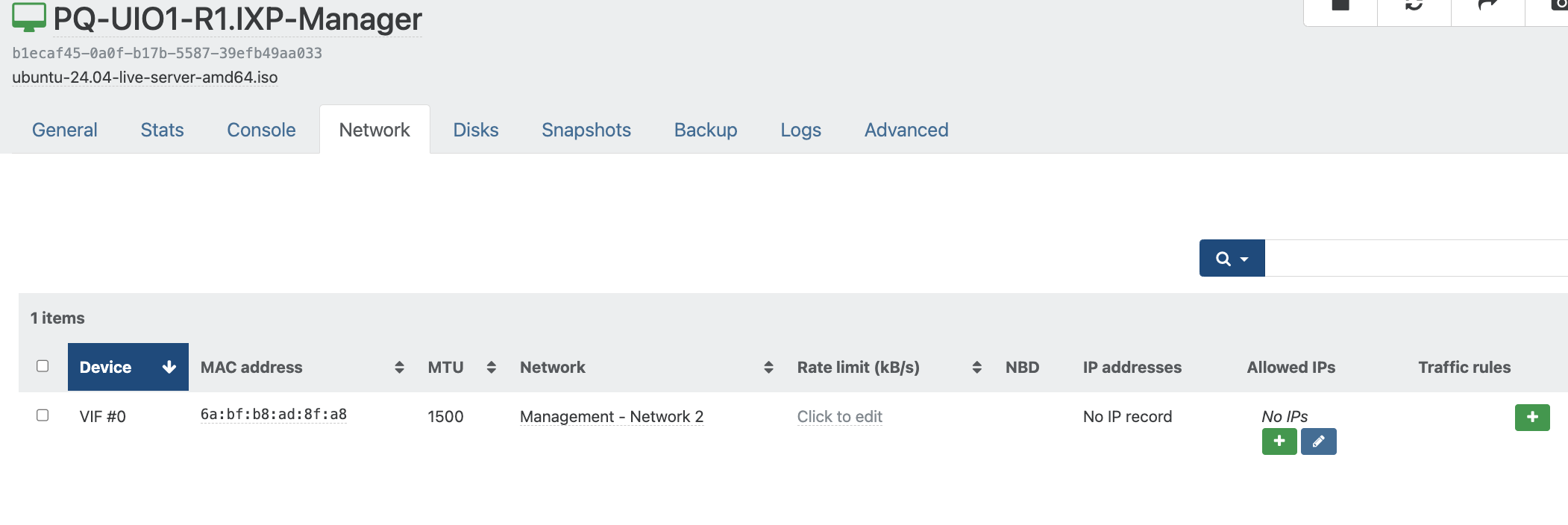
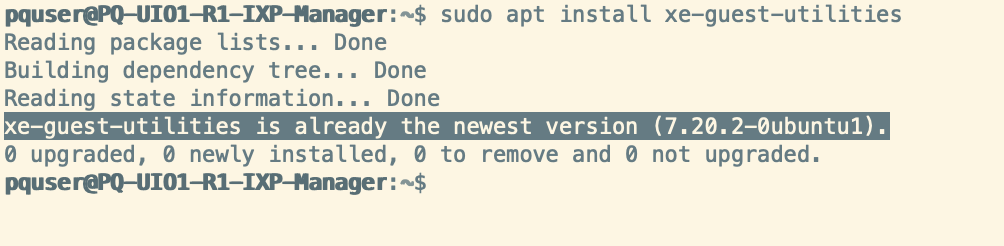
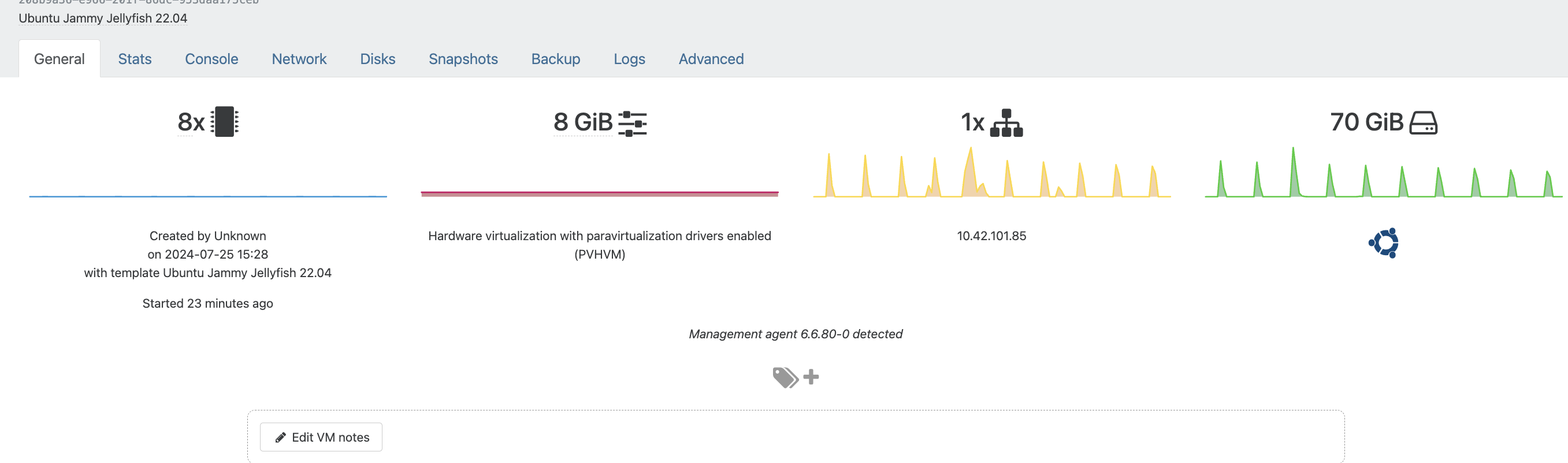
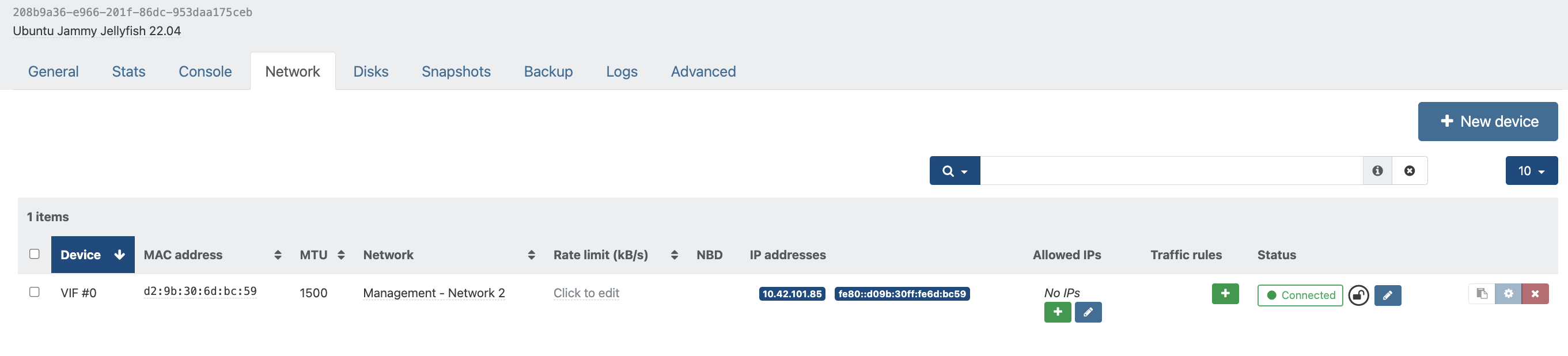

-
I checked terminal history of my Ubuntu VM and the guest agent was installed from guest-tools.iso
-
Can you try the new Rust Guest tools out of curiosity? (don't forget to remove the old ones first).
Wget/download this deb and install it: https://gitlab.com/xen-project/xen-guest-agent/-/jobs/6041686362/artifacts/file/target/release/xen-guest-agent_0.4.0_amd64.deb
-
I just tried to install Ubuntu 24.04 to test it out, and I experienced the same problem with it not recognizing the IP address. I was first using the Ubuntu-provided package (xe-guest-utilities=7.20.2-0ubuntu1), which was failing. I then tried the package I had been using with my Ubuntu 22.04 servers that used to be part of the XCP-ng guest-tools.iso (xe-guest-utilities_7.20.0-9_amd64.deb) and had the same results. I mounted my current guest-tools.iso, which now has xe-guest-utilities_7.30.0-11_amd64.deb, and installed it. Now it was retrieving the IP address correctly. I'm not sure why the OP was still having trouble with that version (I'm using UEFI instead of BIOS, but I wouldn't think that would matter).
I went ahead and tried out the Rust-based tools mentioned (xen-guest-agent_0.4.0_amd64.deb), and it was properly getting the IP address as well. I'm guessing there's some incompatibility (probably with the 6.x kernel) that was fixed between 7.20 and 7.30 (intentionally or accidentally).
Given how much the Linux tools have changed over the years and the fact that they're not used for PV drivers anymore, is there a particular reason to use one over the other (legacy vs Rust)? What features do they really provide now? Is it just CPU/memory/disk/network status?
-
This post is deleted! -
Same behavior:
Tools from the ubuntu repo 7.20 don't work on Ubuntu 24.04 (but they work on ubuntu 22.04.
But manually installing the tools from the cdrom (version 7.30) work fine
-
Commenting for my future self and others as I just came across this issue too and it's not overly well documented and comments on the forums are often missing a a full story for how to debug and get this working......
When using Ubuntu 24.04, the usual apt method of installing XE Guest Utilities via the command;
apt-install xe-guest-utilitiesWorks, but doesn't. It successfully brings through the Memory information through to XO/XOA/XCP-ng Server, but not the IP Address, which is a tad strange.
When checking the version of xe-guest-utilities that is contained within the APT Repository that comes configured out of the box with Ubuntu 24.04 using the following command;
apt info xe-guest-utilitiesYou can see the response is that it is running version "7.20.2-0" (as at the time of writing, which is before running an apt update command.
Even when after running an update command;
sudo apt updateThen checking what packages are available to be updated using the following command;
apt list --upgradablexe-guest-utilities wasn't available for an update past this point unfortunately.
So to uninstall xe-guest-utilities installed via APT, simply run the following command;
sudo apt remove xe-guest-utilitiesThen install via XO/XOA/XCP-ng Guest-Tools.iso Mount + Command Line by following these steps. Firstly, Select the guest-utilities.iso from the Disk within the XO/XOA/XCP-ng Platform for the VM. Then SSH into the box/console view and run the following commands;
sudo mount /dev/cdrom /mnt
sudo bash /mnt/Linux/install.sh
sudo umount /dev/cdrom
What you will notice when you run the second command is that gets installed here is "xe-guest-utilities_7.30.0.12_amd64.deb" - So is further ahead.
Then you'll need to use the following commands to start the service on boot and also start the service.
systemctl enable xe-linux-distribution.service
systemctl start xe-linux-distribution.service
And that now results in the IP Address of the virtual machine flowing through to XO/XOA/XCP-ng, which ever you are using.
-
@MichaelCropper, thank you for the additional details. I followed everything up to mounting the CDrom. Instead I chose to follow the instructions here instead: https://gitlab.com/xen-project/xen-guest-agent/-/releases
BTW... removing the old package may leave some residual config files behind. It should be safe to add
--purgeto theapt removecommand. If not, you may need to do it usingdpkglater. I listed all the packages with residual config using:sudo dpkg -l | grep "^rc" | tr -s ' ' | cut -d ' ' -f 2...and once I was sure of doing so for all packages, I followed with:
sudo dpkg --purge $(COLUMNS=200 dpkg -l | grep "^rc" | tr -s ' ' | cut -d ' ' -f 2)If there is a downside to using the gitlab package rather than the tools on the CDrom, I'm hoping someone will let me know!
-
No downside, the agent coming from Gitlab is better.
-
Unfortunately the Rust-based agent is effectively not progressing. Last commit was months ago, and the 0.4.0-release was over 2 years ago, Issues aren't tagged for many months. Simple and easy MR's are left hanging in limbo.
I'm hoping they will show this project some more love and attention soon. Since I really like the idea of an open source Rust-based agent. As it is clear other things are taking precedent over it.
-
Because it works already better than the GO tool from Citrix… There's no urgent fix to do, I personally use it in my production since it's available.
It's just less a priority for extra features because it's already ultra stable. Right now, we choose to work in priority on XCP-ng 9.0 than the Rust tools, we can't do everything at once yet.


Hello! It looks like you're interested in this conversation, but you don't have an account yet.
Getting fed up of having to scroll through the same posts each visit? When you register for an account, you'll always come back to exactly where you were before, and choose to be notified of new replies (either via email, or push notification). You'll also be able to save bookmarks and upvote posts to show your appreciation to other community members.
With your input, this post could be even better 💗
Register Login