Bringing container visibility back to XO - Docker experimental integration
-
Nice, thanks for the feeder entry and the explanation, @CAPS!

-
While I think we need to do something about containers in VMs, I'm not convinced this is a good idea adding this to the regular guest agent for various reasons.
Docker is one way of running containers, but there are numerous other ones like podman or other runc/containerd based ones. So we can't really make a one size fits all solution. And that doesn't fully answer the maintenance and long-term aspect.
Well, actually what you are looking for is some form of control on guest docker runtime, but without using network, that's actually a solved problem, but plumbing is missing. And we don't need a custom docker-aware agent for this, we mostly need to use one of vsock/pv-channel/pvcalls to build a bridge between e.g guest docker socket and Xen Orchestra (which would talk to guest docker and control/get info from it).
-
Hello there,
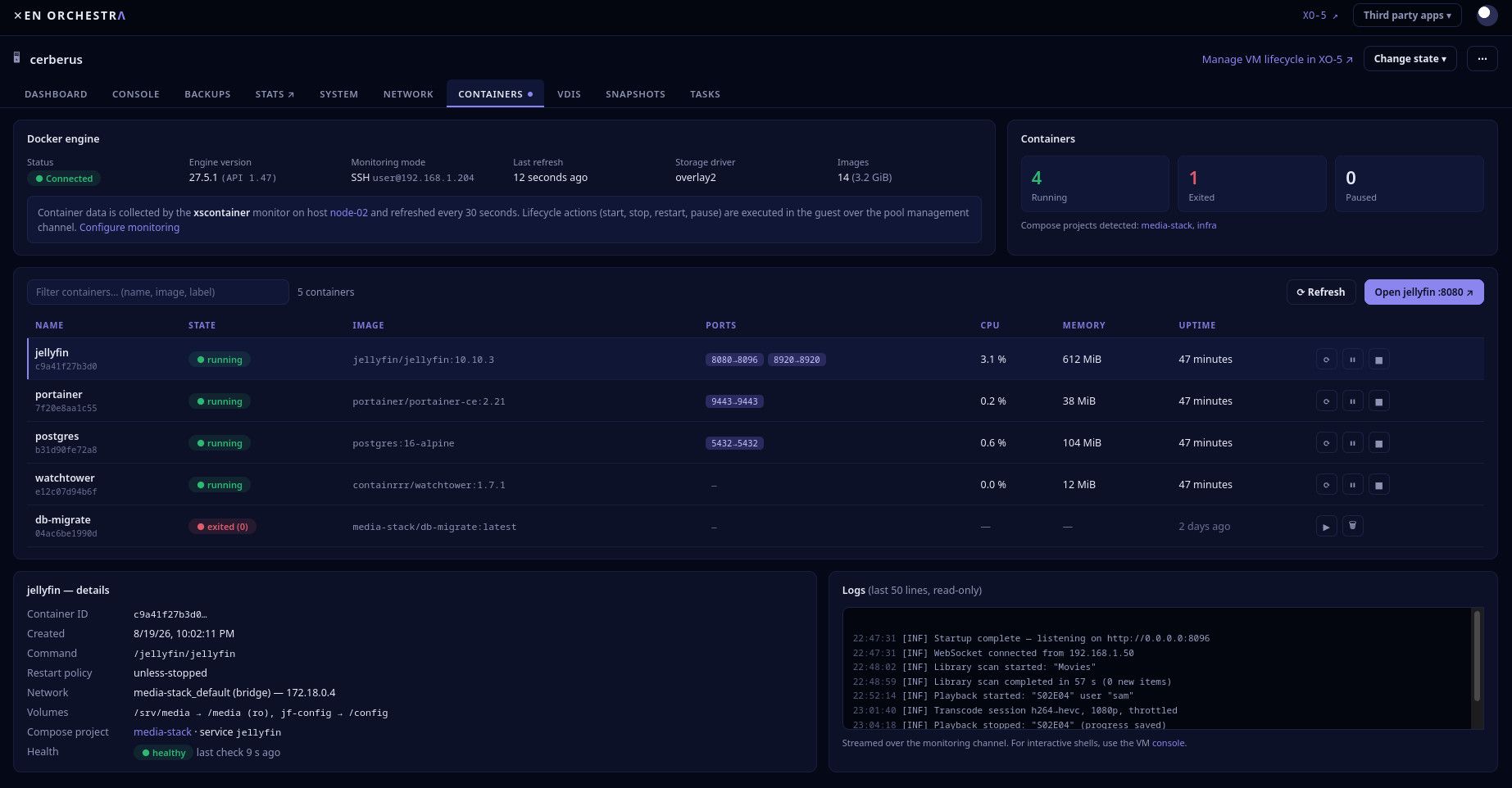
Thanks a lot for raising the question and offering ideas to move forward @caps ! I would like to say that I really like the AI crafted screenshot provided 🤩But, to be clear, the status as of today regarding Docker or other containers integration in XO/XCP-ng is that there is an item in the DevOps Tools team roadmap. The item is just to look and define what could be done (example update xscontainer, do something totally new, ...). Unfortunately this spike has a low priority and is not yet scheduled.
That being said, there is an active project, which is close to what you're asking. It's about a better integration of Kubernetes, including, cluster update, adding nodes, etc. More on this should come in the next months!
 ️
️Also note that I am chatting with different people and teams in Vates about this thread and the Docker integration topic to see if we could do something.
Also last thing is that, the community is always welcome to build on top of our open source softwares. I am pretty sure that if someone would contribute a Xen Orchestra plugin to integrate Docker we would welcome this, and we could give tips and guidance. Like @teddyastie said, I'm not sure having Docker, Podman, related features in the guest agent would be something our colleagues would merge. But maybe the docker daemon socket could be kind of shared between VMs (I'm not sure at all this is possible and if possible how to do it). In the meantime exposing the docker daemon over network (with restrictions) to Xen Orchestra would be quick'n easy and I think safe enough if done carefully.
-
Hello,
I talked with colleagues, and the idea of sharing the docker socket from a VM to the XO VM would not be doable in the near future on XCP-ng 8.3 (ask @teddyastie if you want details, I remember only the conclusion )
)So I took a shortcut - XO <--> Docker - and pushed a quick experimental branch on github,
docker-experimental, https://github.com/vatesfr/xen-orchestra/tree/docker-experimentalWarning, this is experimental. ( NOT PRODUCTION ready
 )
)Key points:
- A container tab on each VM
- XO can connect to the VM via SSH, and reach the docker.sock
- SSH private key and passphrase are stored by XO in the same way as XCP-ng hosts credentials
- XO6 web UI and REST API
- No modification needed in XCP-ng dom0
- No modification needed in the VMs with Docker
- Any docker root or rootless is expected to work (I didn't test rootless yet)
- It should also work with a Podman socket (I didn't test yet)
- Again, it is experimental
- DO NOT RUN IN PRODUCTION
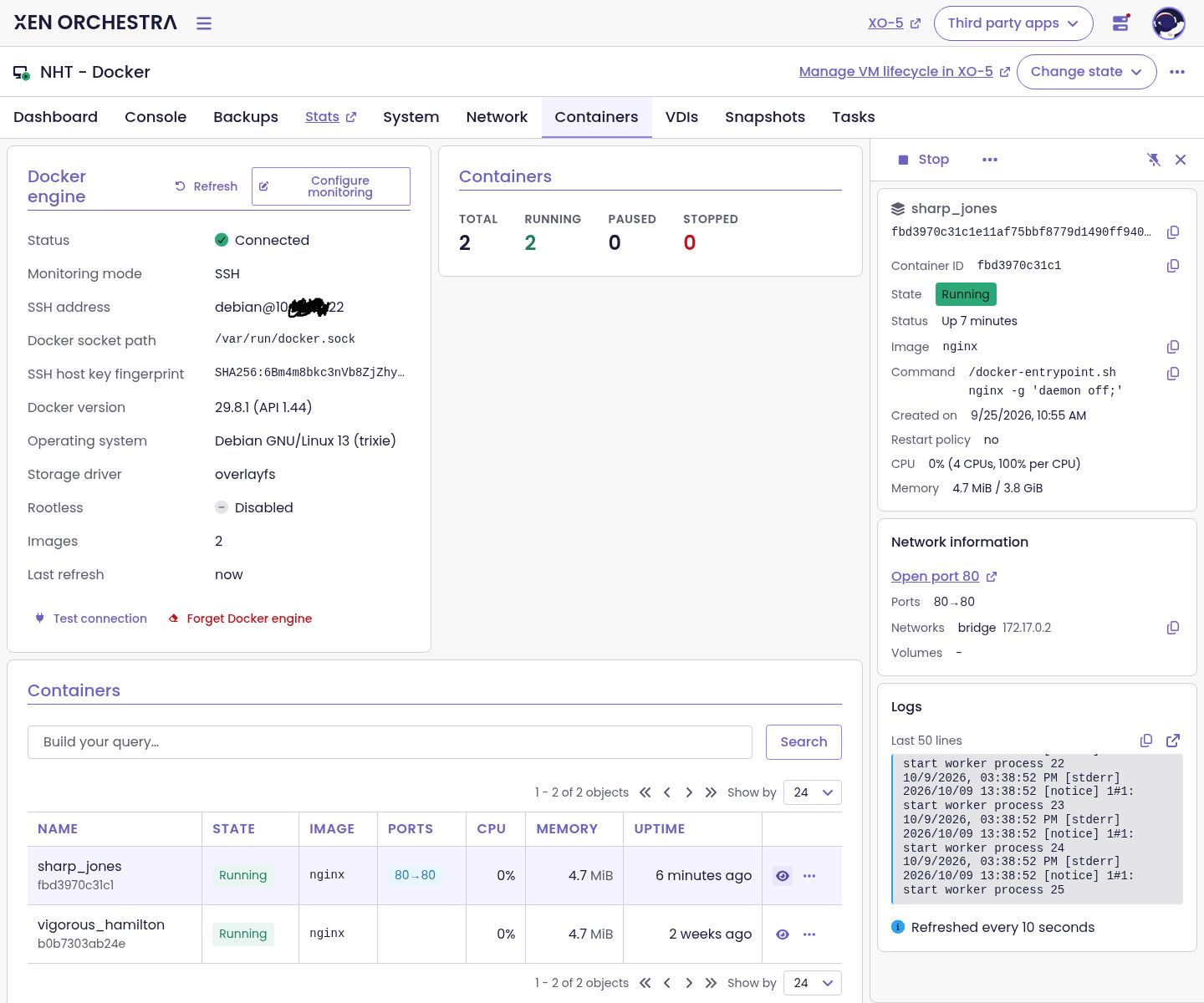
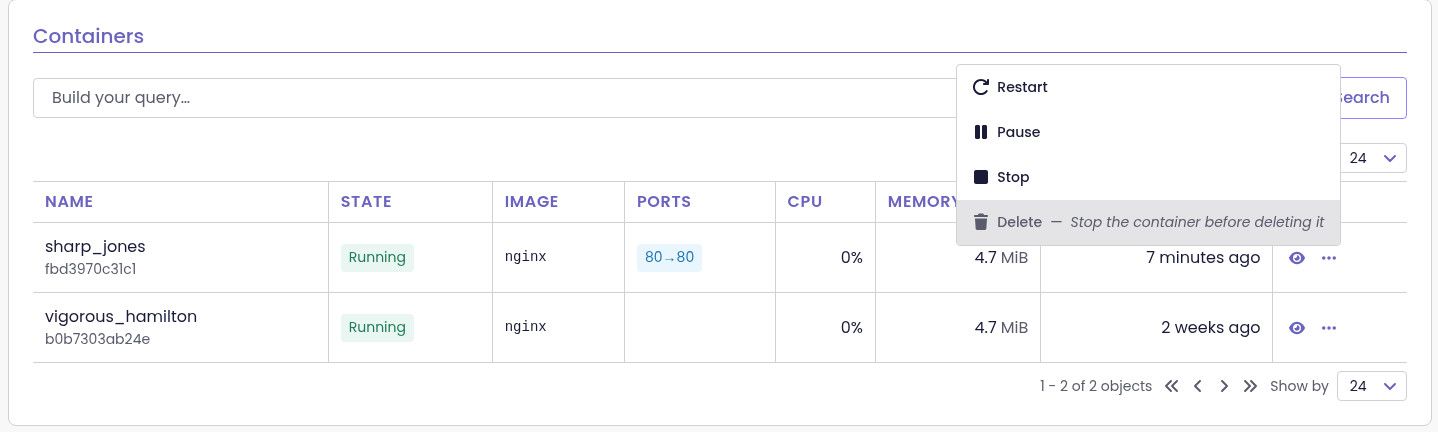
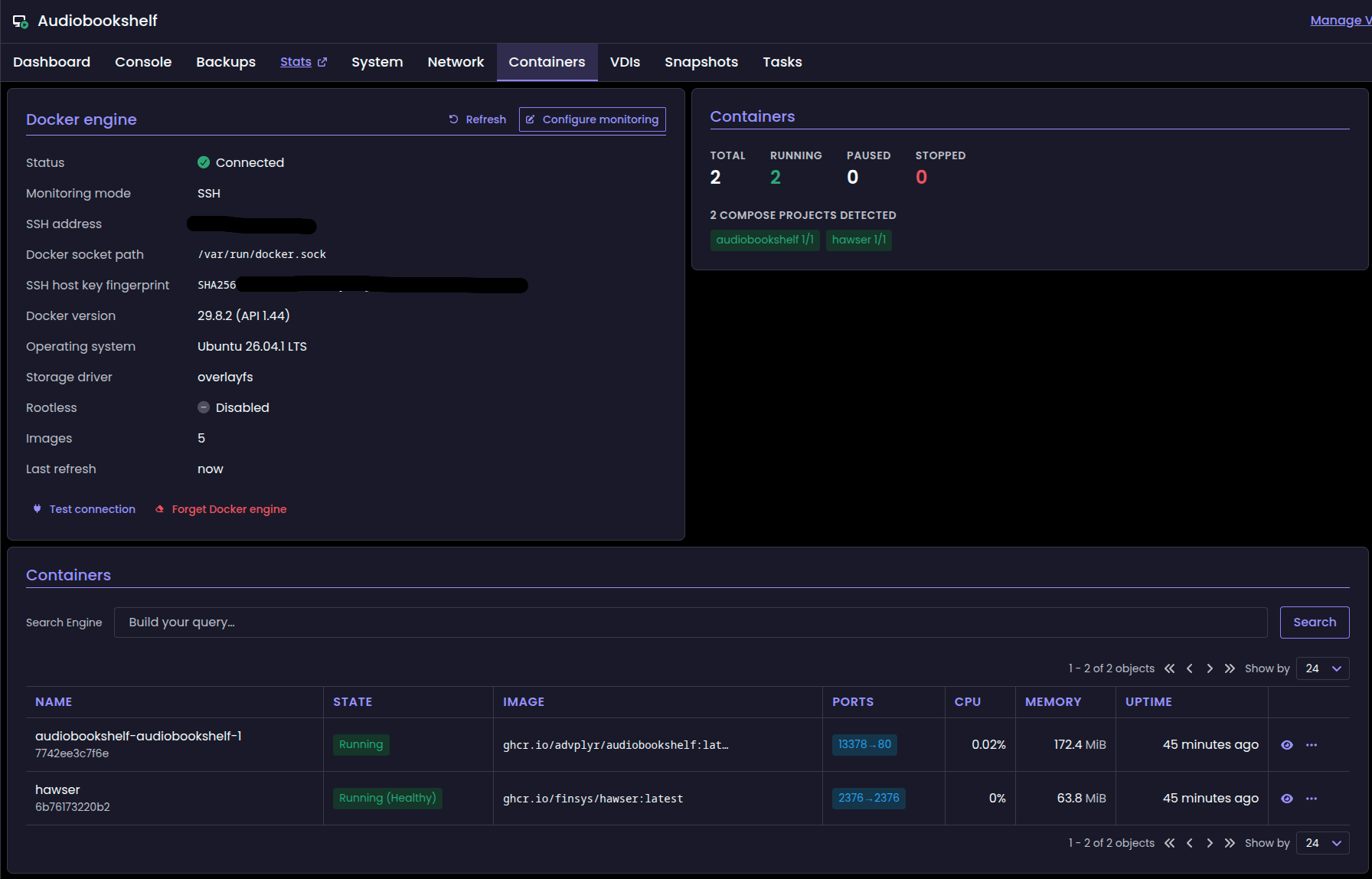
Here are a few screenshots:
Containers tab when connected to the docker socket
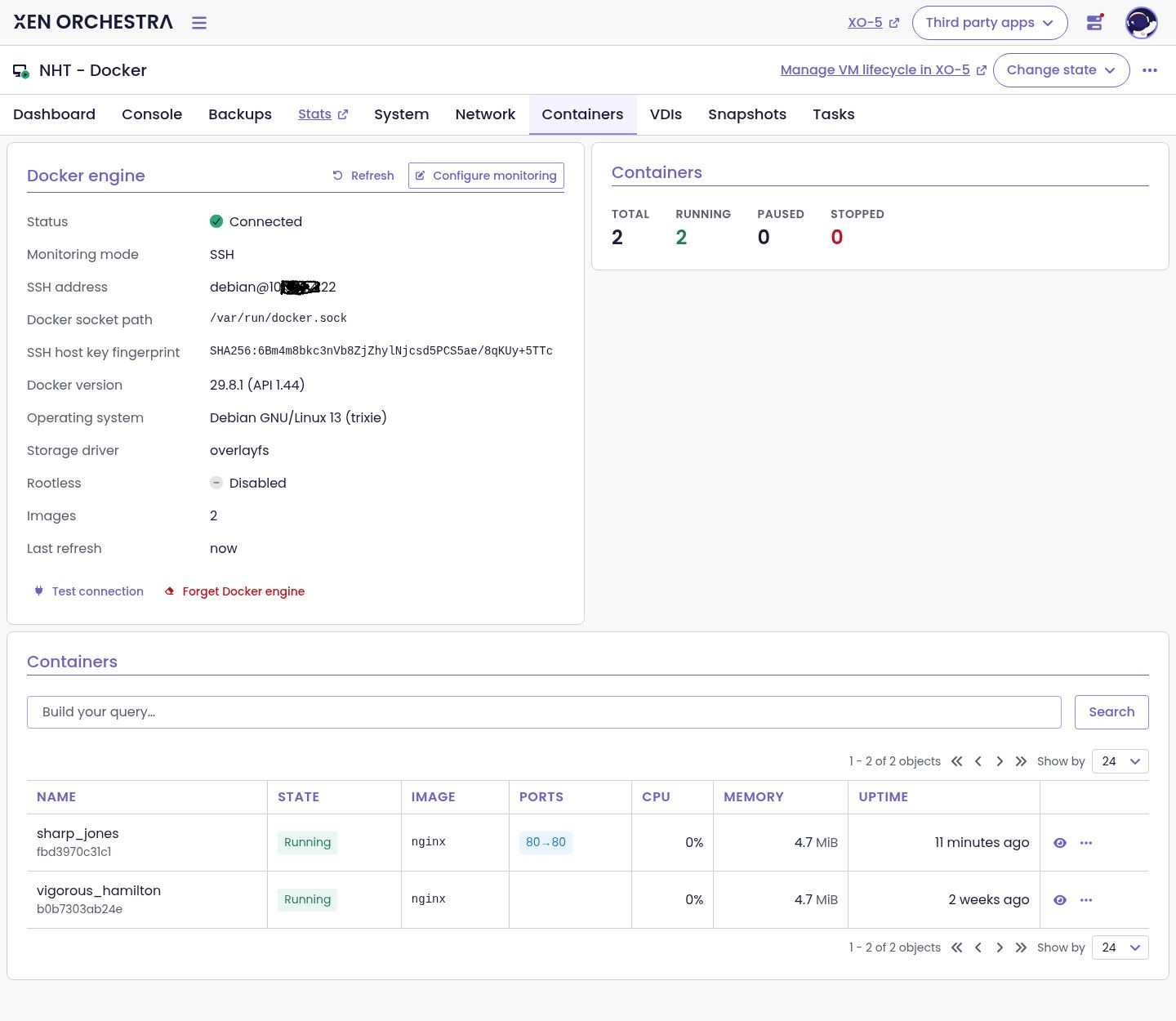
Same with side panel
Actions possible, stop/start, pause, restart, delete container:
Containers tab when no yet connected, with a form to fill:
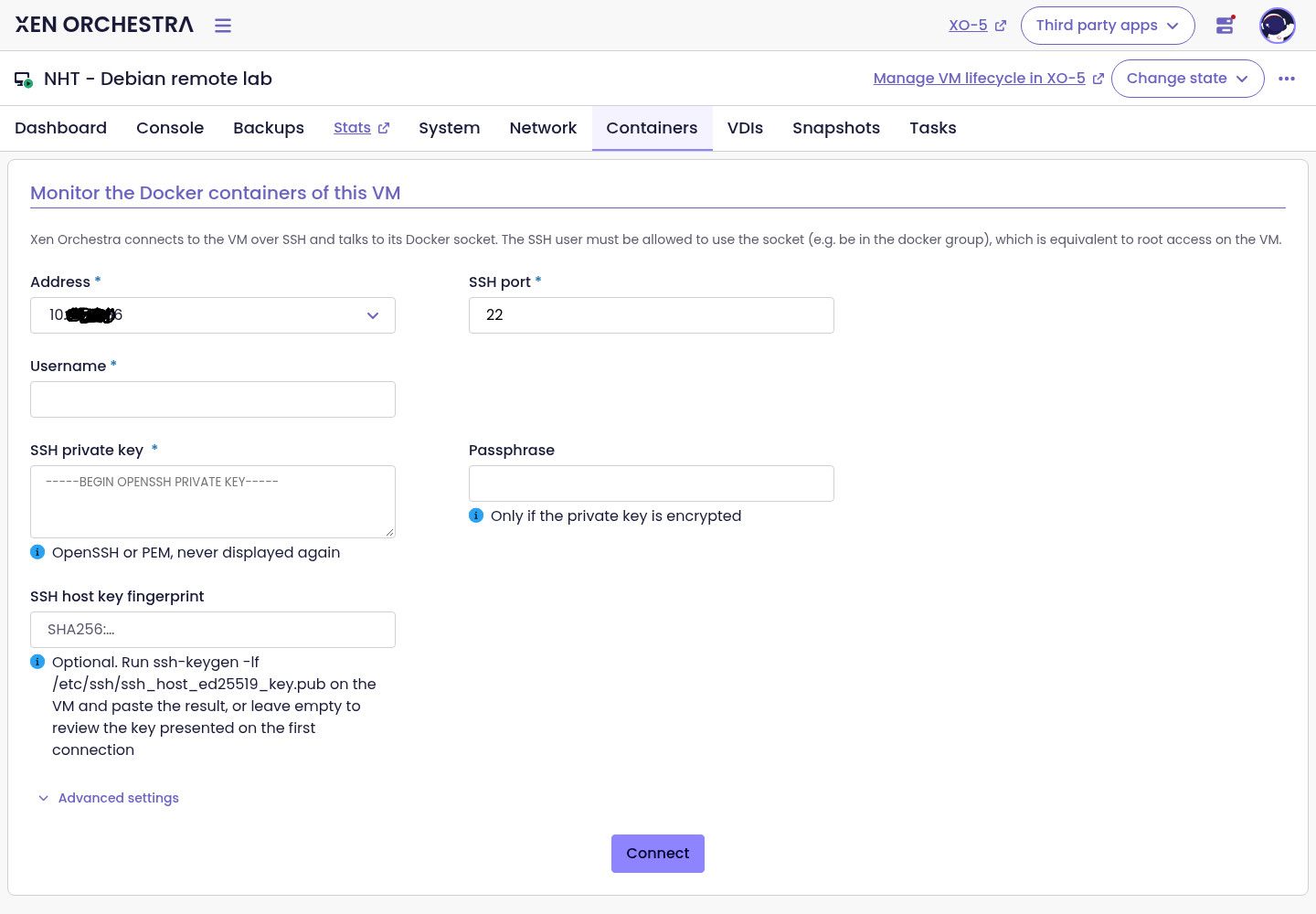
To use this, follow official installation from sources but use this experimental branch instead of master.
Again, this is still experimental, comes with no official support.
We'd be interested to here what you think of this


-
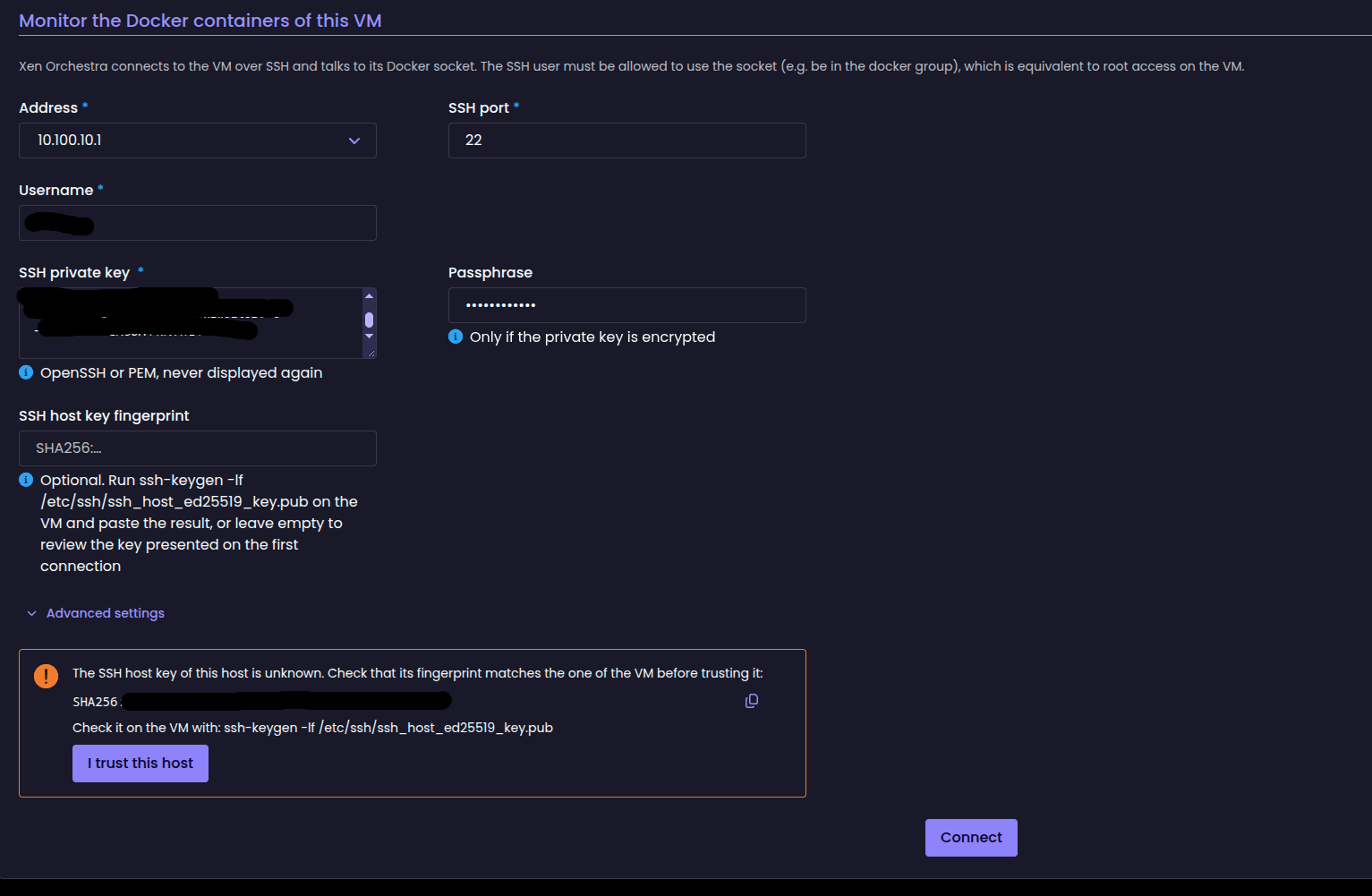
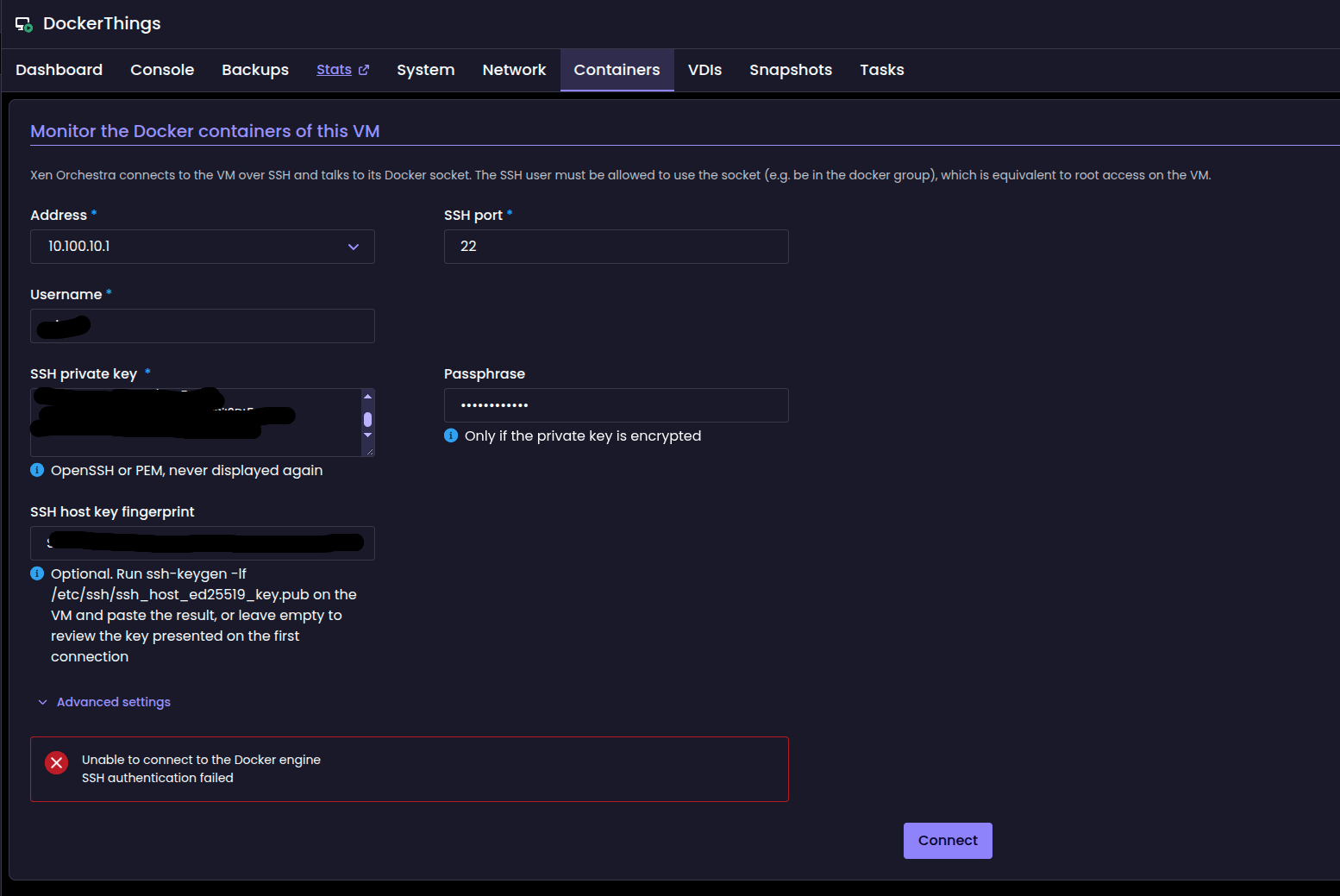
thanks for the build... I have tested and i was able to connect one vms docker to it. Other vms fail. The do prompt for the finger print but fails to connect...
-
@acebmxer Thanks for your very quick feedback, even more with screenshot
for the VM where the connection to the docker socket did not worked, are you sure the public ssh key corresponding to the private ssh key filled in the form is correctly deployed in the VM, to the corresponding ssh user? Do you have any logs from xo-server? -
@nathanael-h This is awesome — genuinely didn't expect to go from "is there any interest?" to screenshots of a working Containers tab in under two months. Thank you (and thanks @TeddyAstie for the architectural context — the vsock/pv-channel angle makes a lot of sense as the "someday" answer).
I'll build and play with the later today and will report proper back with test results, including whether I can reproduce @acebmxer's multi-VM fingerprint issue. (As an aside, I really only use docker - if there's any guru's running podman out there that want to give this a crack and provide some feedback, this is the place to do it ).
).There's a lot to like about the SSH shortcut. No dom0 involvement and nothing to install in the guest makes for lower setup friction than what I originally proposed, honestly. And because it talks to a socket path rather than baking Docker knowledge into an agent, it ends up runtime-agnostic almost by accident — which I think fairly answers Teddy's "one size fits all" concern about my collector idea, so point conceded there
It also means the crypto-rot failure mode that killed xscontainer (fossilized paramiko in dom0 arguing with a modern guest sshd - btw have the old packages been or plan on being removed from dom0?) structurally can't recur, since XO's SSH stack gets updated along with XO itself. And full socket access clearly made lifecycle actions and logs come essentially for free — that's already beyond the read-only v1 I'd imagined.IF ( - big if) this iteration makes it eventually, I'd love to see the docs (or UI) recommend a dedicated unprivileged user for XO's access, a rootless socket where possible, and ideally a forced-command/restrict entry in authorized_keys that limits the key to socket forwarding only — I.E if the connection form could even just nudge people toward that pattern, the security story gets much more comfortable. Related to that, a read-only mode toggle would be valuable (although I realise the irony that if a bad actor already has access to XO they effectively have the keys to the castle and a read-only option is moot - perhaps you could weigh in on this idea?); the biggest win imo is just the basic visibility (as I'd imagined in a v1 release) and I imagine some users would happily take visibility while being nervous about handing XO stop/delete power over their containers, and read-only also shrinks what a compromised XO could do with the stored keys. Two smaller ones, mostly for docs/expectations: XO now needs network reachability to every monitored VM, which is fine for homelabs like mine but a real limit in segmented environments (sorry Networking Team in advance!); and the per-VM connection form is fine at my scale, though at many-VMs scale some way to apply a credential across tagged VMs might eventually be wanted (later down the track - food for thought for the XO6 UI and handling of SSH keys maybe?).
One question I have relates to surfacing data freshness and connection state: how quick would the UI respond if the docker socket was stopped or ssh connection was terminated (or container in a restarting state)? Would it be feasible to add something like "last refreshed Xs ago" / "disconnected since..." if not already so an empty container list could be distinguished from a dead connection (will try and test this later as well and determine how quick it reacts
) NinjaEdit: Just double checked the screenshots - Already implemented - nice workThanks again for actually building the thing — this is exactly the "community raises it, Vates runs with it" loop that keeps me on this stack.
should we read this experimental SSH approach as stopgap — something to validate the feature and UI now — with the longer-term intent being one of the no-network transports Teddy described (vsock/pv-channel bridging of the socket) once the plumbing exists in a future XCP-ng? Asking because the nice property of this design is that the XO-side code and UI shouldn't really care about the transport: if the answer is "yes, SSH now, vsock later," then everything built here survives the swap and the credential/network concerns above largely resolve themselves over time. If instead SSH is intended as the permanent design, the hardening points matter more. Either answer is fine — just keen to know which way to aim feedback.
(Also, this also opens up the possibility of having containers visible across a whole Cluster, similar to how VM's are now viewed, and a whole host of options for container labels/tags and smart(er) backup features! OMG!)
-
 N nathanael-h referenced this topic
-
@acebmxer Thanks for your very quick feedback, even more with screenshot
for the VM where the connection to the docker socket did not worked, are you sure the public ssh key corresponding to the private ssh key filled in the form is correctly deployed in the VM, to the corresponding ssh user? Do you have any logs from xo-server?Yes i double checked the ssh key. As for the logs is there a particular log you would like to look at?
-
Ok i redeployed as a separate xo... I was able to get one of the two vms i had trouble with initially. The one that is not connecting is a Fedora vm running docker.
This test i used same ssh key for all three vms and user name.
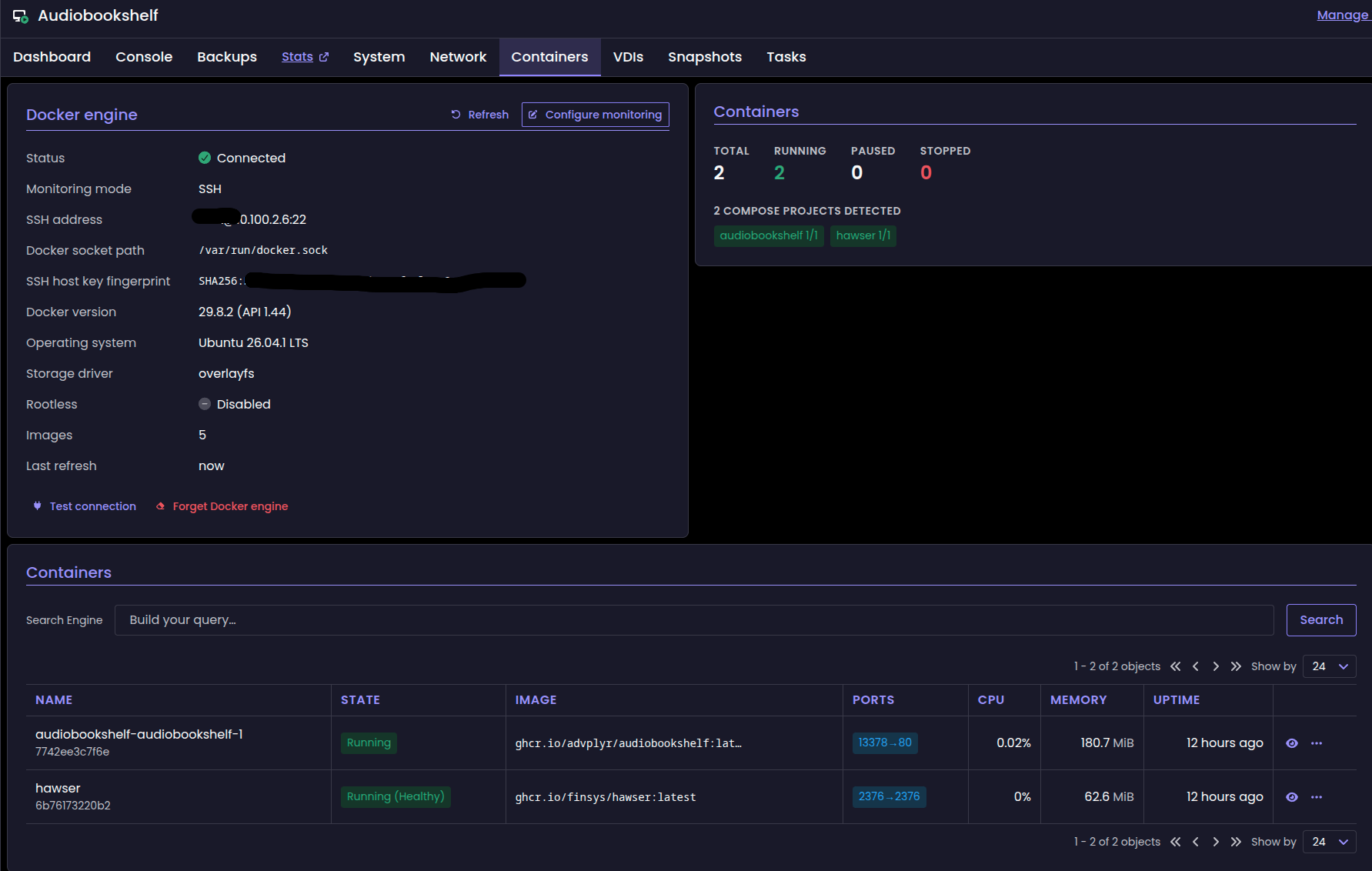
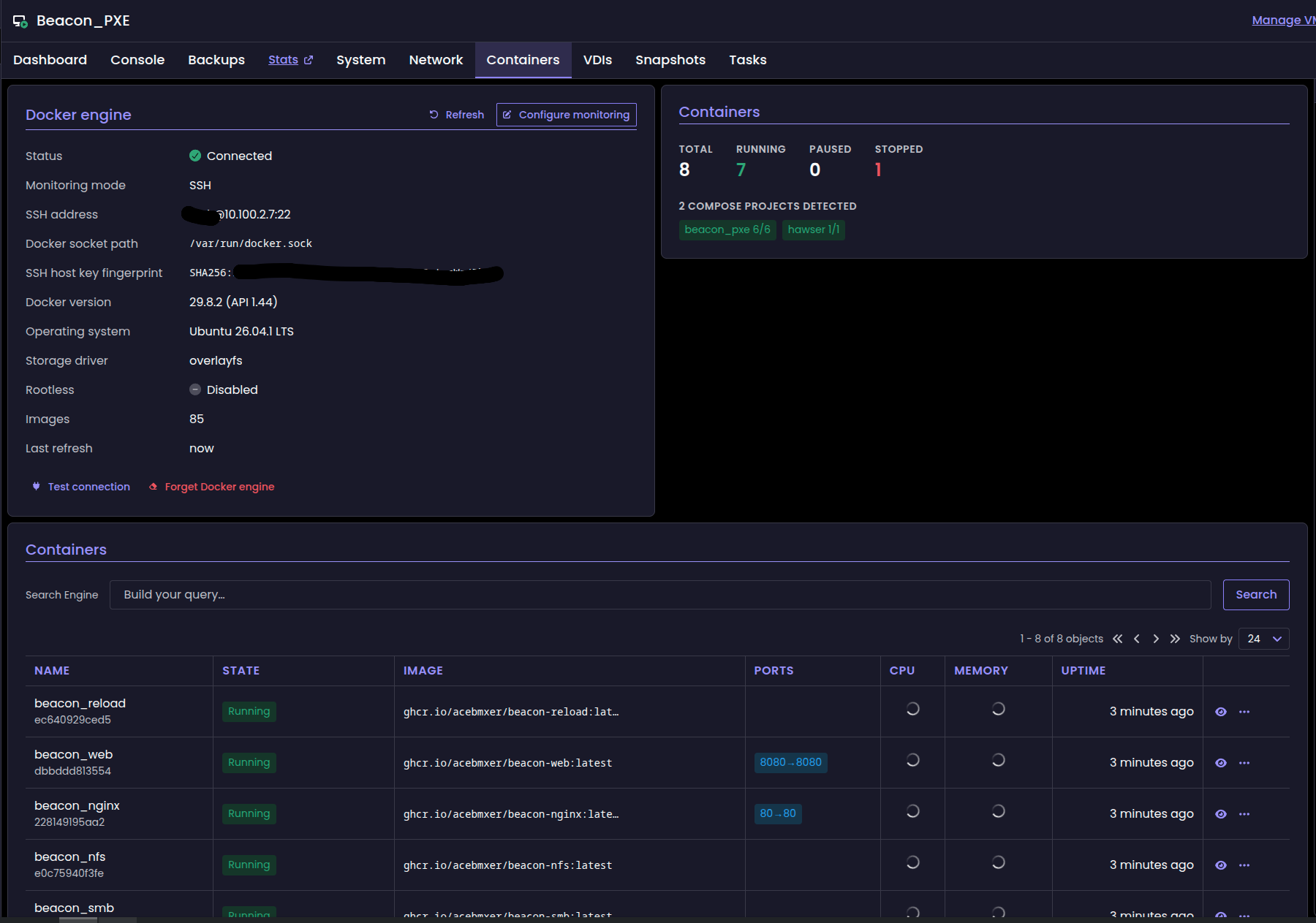
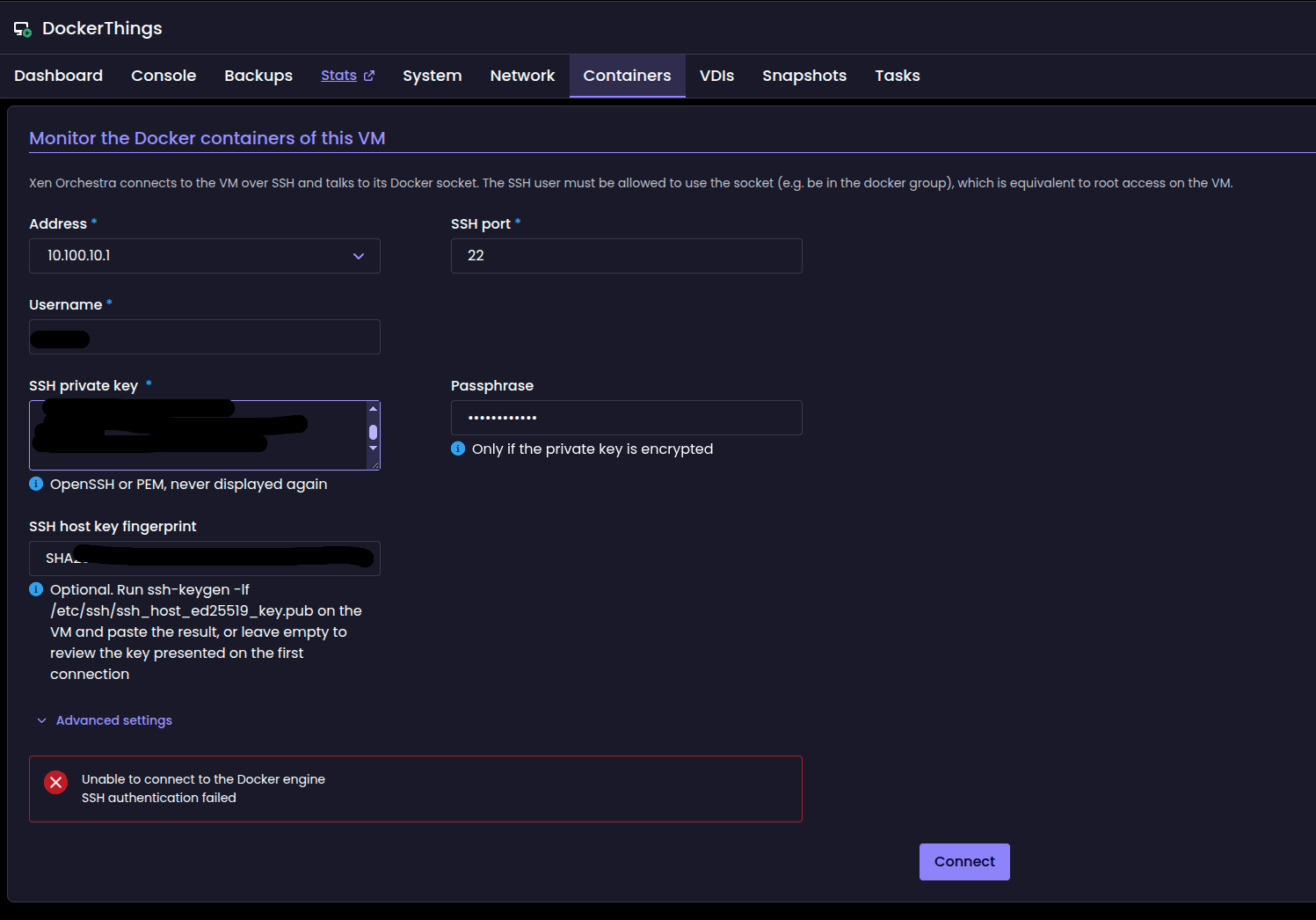
After some digging around and with AI help i got the Fedora Docker vm connected...
There is a possibility i might not had sshkey installed on the vm. I should have looked before re-applying it.
SELinux: Fedora blocked sshd from reaching Docker's socket, which XO needs in order to talk to Docker. It denied two things, writing to
/var/run/docker.sockand connecting to the Docker daemon. The two rules we added withaudit2allowallow both. Ubuntu doesn't enforce SELinux, which is why the other two VMs worked with the same user and key.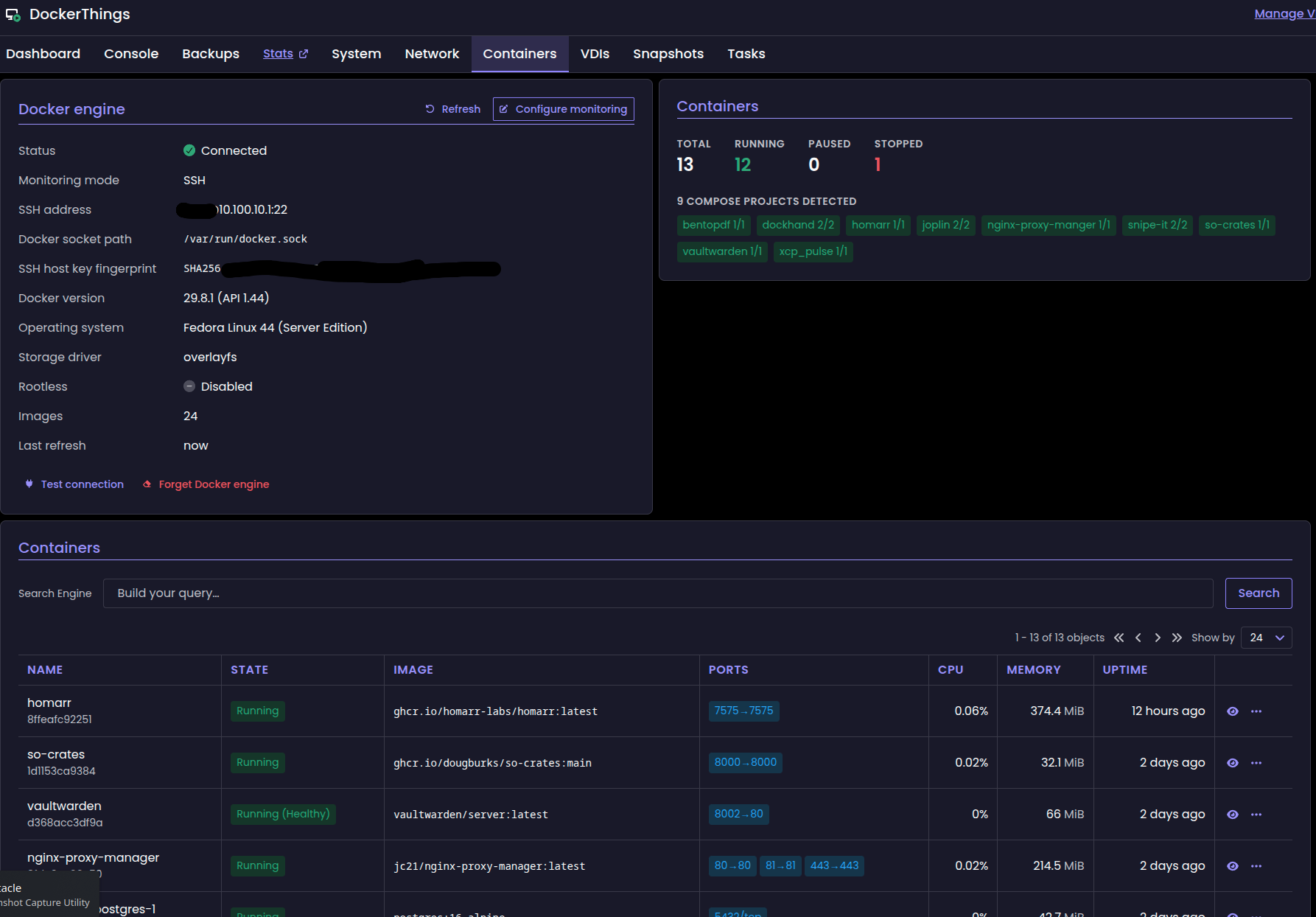
-
@acebmxer I would have said the logs depend on how you deployed XO. Basically it would be an error printed when you ran
yarn start. But it depends if XO is started with systemd or something else. But as you found yourself the solution... this is not needed anymore for now.I'll see if we can report an helpful message in XO. Something like "Cannot reach docker.sock. As you're running a RedHat like distro, ensure SELinux rules let sshd reach it. See this link for more... Etc."



Hello! It looks like you're interested in this conversation, but you don't have an account yet.
Getting fed up of having to scroll through the same posts each visit? When you register for an account, you'll always come back to exactly where you were before, and choose to be notified of new replies (either via email, or push notification). You'll also be able to save bookmarks and upvote posts to show your appreciation to other community members.
With your input, this post could be even better 💗
Register Login