XCP-ng
    • Categories
    • Recent
    • Tags
    • Popular
    • Users
    • Groups
    • Register
    • Login

    HUB Templates

    Scheduled Pinned Locked Moved Solved Xen Orchestra
    29 Posts 10 Posters 22.0k Views 4 Watching
    Loading More Posts
    • Oldest to Newest
    • Newest to Oldest
    • Most Votes
    Reply
    • Reply as topic
    Log in to reply
    This topic has been deleted. Only users with topic management privileges can see it.
    • olivierlambertO
      olivierlambert Vates 🪐 Co-Founder CEO
      last edited by

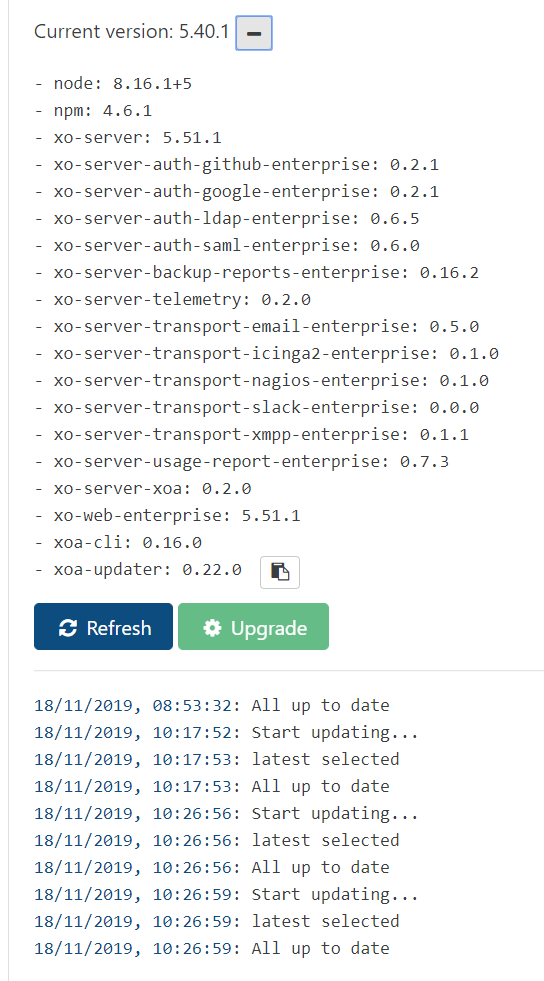
      You need to be on latest release channel, not stable.

      H 1 Reply Last reply
      Reply Quote 1
      • H
        HeMaN @olivierlambert
        last edited by HeMaN

        @olivierlambert Thank you, this was the solution.
        I was able to create an additional pfSense VM and a Debian 10 VM.
        One question, how do I know the username/pw for the installed Debian VM?

        1 Reply Last reply
        Reply Quote 0
        • olivierlambertO
          olivierlambert Vates 🪐 Co-Founder CEO
          last edited by

          @HeMaN you need to use Cloudinit for Debian VM, using you SSH key for example. User is debian.

          1 Reply Last reply
          Reply Quote 0
          • ForzaF
            Forza
            last edited by

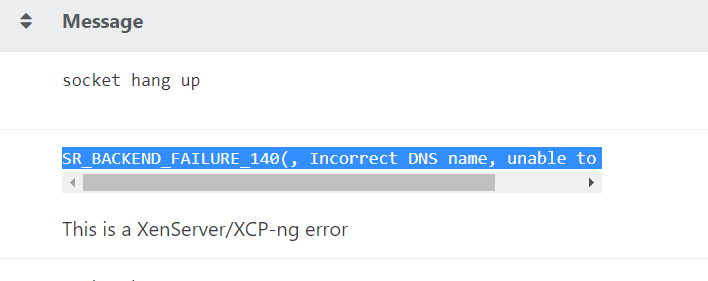
            I can't install any of the templates. I think it's a proxy problem. My XOA gets updates fine through the proxy, but not the templates, it seems.
            dfab8cad-c9bd-4164-9898-db5f208673ed-image.png

            1 Reply Last reply
            Reply Quote 0
            • olivierlambertO
              olivierlambert Vates 🪐 Co-Founder CEO
              last edited by

              Are you sure about your DNS settings? Ping @julien-f if he remembers regarding proxy configuration and XO Hub 🙂 It might be something we didn't check.

              ForzaF 1 Reply Last reply
              Reply Quote 0
              • julien-fJ
                julien-f Vates 🪐 Co-Founder XO Team
                last edited by

                This is a XenServer/XCP-ng error, I don't know what it means.

                @S-Pam please open a support ticket and a support tunnel if you want us to investigate further.

                ForzaF 1 Reply Last reply
                Reply Quote 0
                • ForzaF
                  Forza @olivierlambert
                  last edited by

                  Well, not entirely sure. However both support tunnel and XOA updates work 🙂 Also YUM updates.

                  1 Reply Last reply
                  Reply Quote 0
                  • ForzaF
                    Forza @julien-f
                    last edited by

                    It's not production critical. Was just curious. I can create VMs and boot with ISOs from my ISO SR.
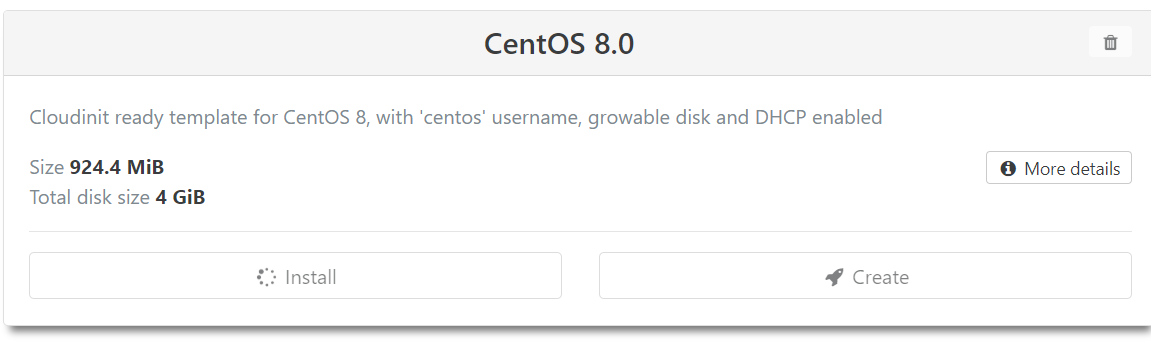
                    What happens is that I click Install
                    afd23e67-f265-4acb-ba5b-b6e5169f6b33-image.png
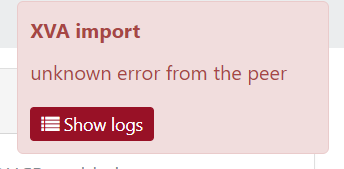
                    The little circle spins around for a bit and then a red error box comes up.
                    4e05ea4f-3f15-4c23-be7a-91ea6abc5fd6-image.png
                    I can't really see any errors in any log on the xcp-ng server or in the xoa console.

                    Perhaps it is because I have not updated xcp-ng to latest patch levels yet?

                    1 Reply Last reply
                    Reply Quote 0
                    • olivierlambertO
                      olivierlambert Vates 🪐 Co-Founder CEO
                      last edited by

                      Can you display the whole message? (in Settings/logs, eye icon)

                      1 Reply Last reply
                      Reply Quote 0
                      • ForzaF
                        Forza
                        last edited by Forza

                        This is the error log when I click the little Eye icon. This is from today. I have the latest xcp-ng patches installed.

                        cloud.downloadAndInstallResource
                        {
                          "namespace": "CentOS8",
                          "id": "a5e60c2e-cf38-4205-b51f-6fe6d5550f86",
                          "version": "1.0.0",
                          "sr": "de54f828-dfd2-c44f-c8c8-552c9392deed"
                        }
                        {
                          "code": "ECONNRESET",
                          "url": "http://localhost:9002/",
                          "message": "socket hang up",
                          "name": "Error",
                          "stack": "Error: socket hang up
                            at createHangUpError (_http_client.js:342:15)
                            at Socket.socketOnEnd (_http_client.js:437:23)
                            at emitNone (events.js:111:20)
                            at Socket.emit (events.js:208:7)
                            at Socket.patchedEmit [as emit] (/usr/local/lib/node_modules/xo-server/node_modules/@xen-orchestra/log/src/configure.js:94:16)
                            at endReadableNT (_stream_readable.js:1064:12)
                            at _combinedTickCallback (internal/process/next_tick.js:139:11)
                            at process._tickCallback (internal/process/next_tick.js:181:9)"
                        }
                        

                        EDIT: Also tested Alpine Linux. Same issue.

                        XOA has connectivity and can update itself through the proxy.I'm thinking that the problem with the HUB installer is that it doesn't use the pre-configured proxy.

                        cloud.downloadAndInstallResource
                        {
                          "namespace": "Alpine3",
                          "id": "053f2391-a122-4b09-98d0-c0902a8eb342",
                          "version": "1.0.0",
                          "sr": "de54f828-dfd2-c44f-c8c8-552c9392deed"
                        }
                        {
                          "code": "ECONNRESET",
                          "url": "http://localhost:9002/",
                          "message": "socket hang up",
                          "name": "Error",
                          "stack": "Error: socket hang up
                            at createHangUpError (_http_client.js:342:15)
                            at Socket.socketOnEnd (_http_client.js:437:23)
                            at emitNone (events.js:111:20)
                            at Socket.emit (events.js:208:7)
                            at Socket.patchedEmit [as emit] (/usr/local/lib/node_modules/xo-server/node_modules/@xen-orchestra/log/src/configure.js:94:16)
                            at endReadableNT (_stream_readable.js:1064:12)
                            at _combinedTickCallback (internal/process/next_tick.js:139:11)
                            at process._tickCallback (internal/process/next_tick.js:181:9)"
                        }
                        

                        6c0a9c43-4cdf-4b18-8d78-7e8a7ffbc8b4-image.png

                        1 Reply Last reply
                        Reply Quote 0
                        • olivierlambertO
                          olivierlambert Vates 🪐 Co-Founder CEO
                          last edited by

                          Ping @pdonias do we have an issue opened with this?

                          1 Reply Last reply
                          Reply Quote 0
                          • pdoniasP
                            pdonias Vates 🪐 XO Team
                            last edited by

                            I'm not seeing any. And I don't think this would be fixed by @julien-f's recent change on xo-server-xoa since it should already use the configured proxy by going through the updater.

                            /cc @Mohamedox

                            1 Reply Last reply
                            Reply Quote 1
                            • julien-fJ
                              julien-f Vates 🪐 Co-Founder XO Team
                              last edited by

                              @pdonias We only see the connection error between xo-server and xo-updater, we need to reproduce to figure out what's going on.

                              1 Reply Last reply
                              Reply Quote 1
                              • luiscamaralL
                                luiscamaral
                                last edited by

                                Sorry, I know this topic is kind of old. But what is the username for alpine? I've loaded my public key and tried a few users without success.

                                luiscamaralL 1 Reply Last reply
                                Reply Quote 0
                                • luiscamaralL
                                  luiscamaral @luiscamaral
                                  last edited by

                                  @luiscamaral Let me reply to myself. If you update xoa it will show user and password as in bellow description:

                                  Template for Alpine Linux 3.10, with 'root' username and 'xohub' password, DHCP enabled
                                  😊

                                  1 Reply Last reply
                                  Reply Quote 0

                                  Hello! It looks like you're interested in this conversation, but you don't have an account yet.

                                  Getting fed up of having to scroll through the same posts each visit? When you register for an account, you'll always come back to exactly where you were before, and choose to be notified of new replies (either via email, or push notification). You'll also be able to save bookmarks and upvote posts to show your appreciation to other community members.

                                  With your input, this post could be even better 💗

                                  Register Login
                                  • First post
                                    Last post