XCP-ng
    • Categories
    • Recent
    • Tags
    • Popular
    • Users
    • Groups
    • Register
    • Login

    XOA Error when installing

    Scheduled Pinned Locked Moved Solved Xen Orchestra
    107 Posts 9 Posters 66.3k Views 1 Watching
    Loading More Posts
    • Oldest to Newest
    • Newest to Oldest
    • Most Votes
    Reply
    • Reply as topic
    Log in to reply
    This topic has been deleted. Only users with topic management privileges can see it.
    • Z
      ZacApplegate
      last edited by

      Getting a new error when trying to install Xen Orchestra on a new box. Never seen this one before and nothing I do seems to get me past it, tried both the web interface and https://xen-orchestra.com/#!/xoa getting the same error on both. I also tried logging in via SSH to install it and that fails silently.

      Fresh install on an older Dell box I am using for testing. XCP-Ng 8.0.0.

      Any thoughts?
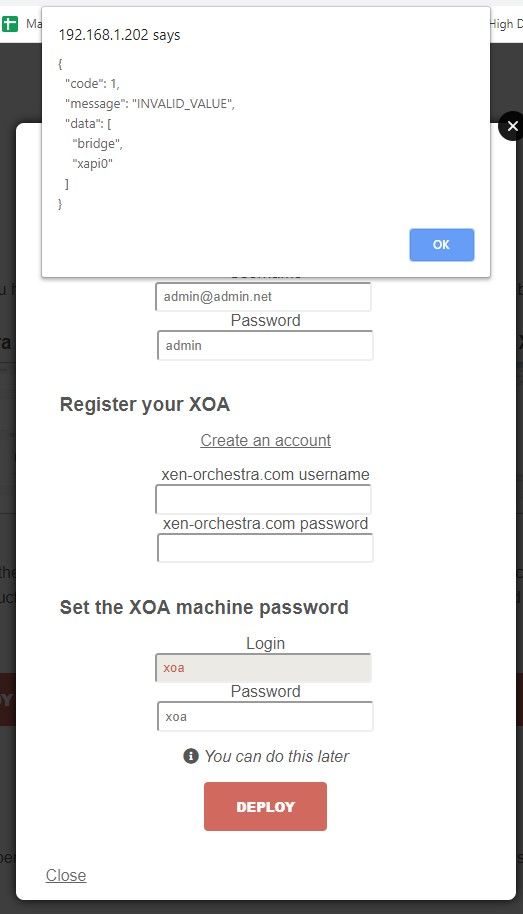
      Annotation 2020-02-29 154440.jpg

      K 1 Reply Last reply
      Reply Quote 0
      • DanpD
        Danp Pro Support Team
        last edited by

        Have you reviewed this thread? Post the output of xe network-list here.

        1 Reply Last reply
        Reply Quote 1
        • olivierlambertO
          olivierlambert Vates 🪐 Co-Founder CEO
          last edited by

          Hmm eager to see the network list too. It's a bit strange.

          Z 1 Reply Last reply
          Reply Quote 0
          • K
            kilo @ZacApplegate
            last edited by

            @ZacApplegate I am facing the same issue....

            1 Reply Last reply
            Reply Quote 0
            • K
              kilo
              last edited by

              This post is deleted!
              1 Reply Last reply
              Reply Quote 0
              • K
                kilo
                last edited by

                This post is deleted!
                1 Reply Last reply
                Reply Quote 0
                • K
                  kilo
                  last edited by

                  This post is deleted!
                  1 Reply Last reply
                  Reply Quote 0
                  • K
                    kilo
                    last edited by

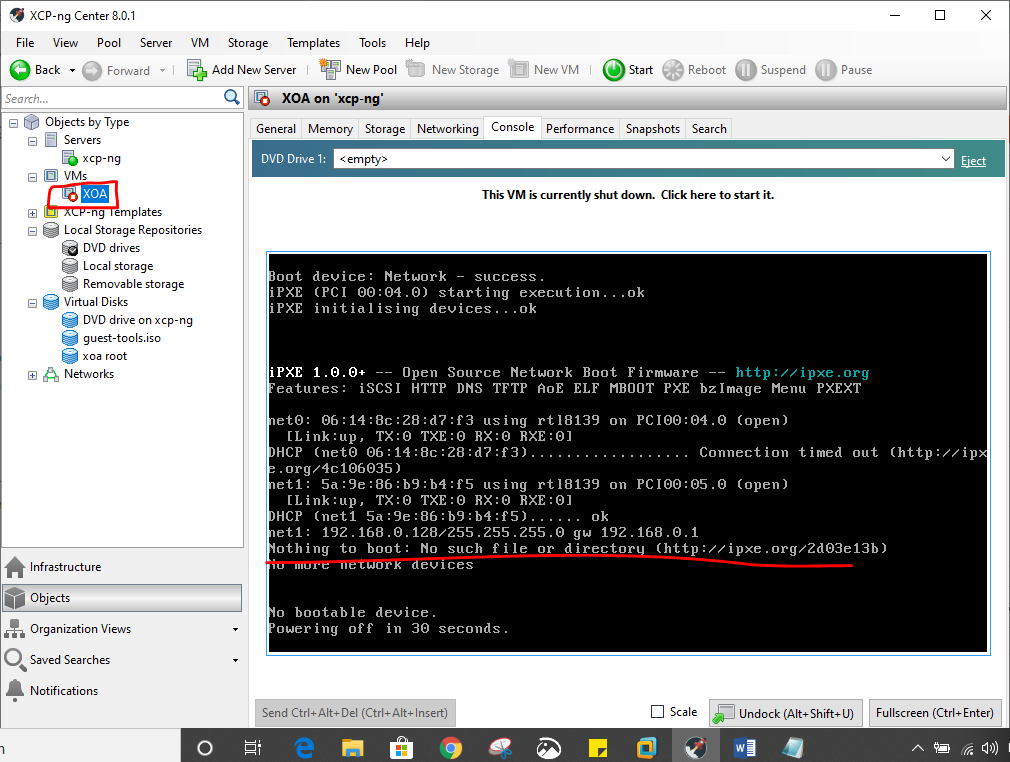
                    I'm facing the same problem please help....even tried importing xva manually. again error...says boot device, hard disk and CD-ROM failure, could not read boot disk...

                    1 Reply Last reply
                    Reply Quote 0
                    • olivierlambertO
                      olivierlambert Vates 🪐 Co-Founder CEO
                      last edited by

                      Do you have HVM enabled on your host?

                      1 Reply Last reply
                      Reply Quote 0
                      • K
                        kilo
                        last edited by

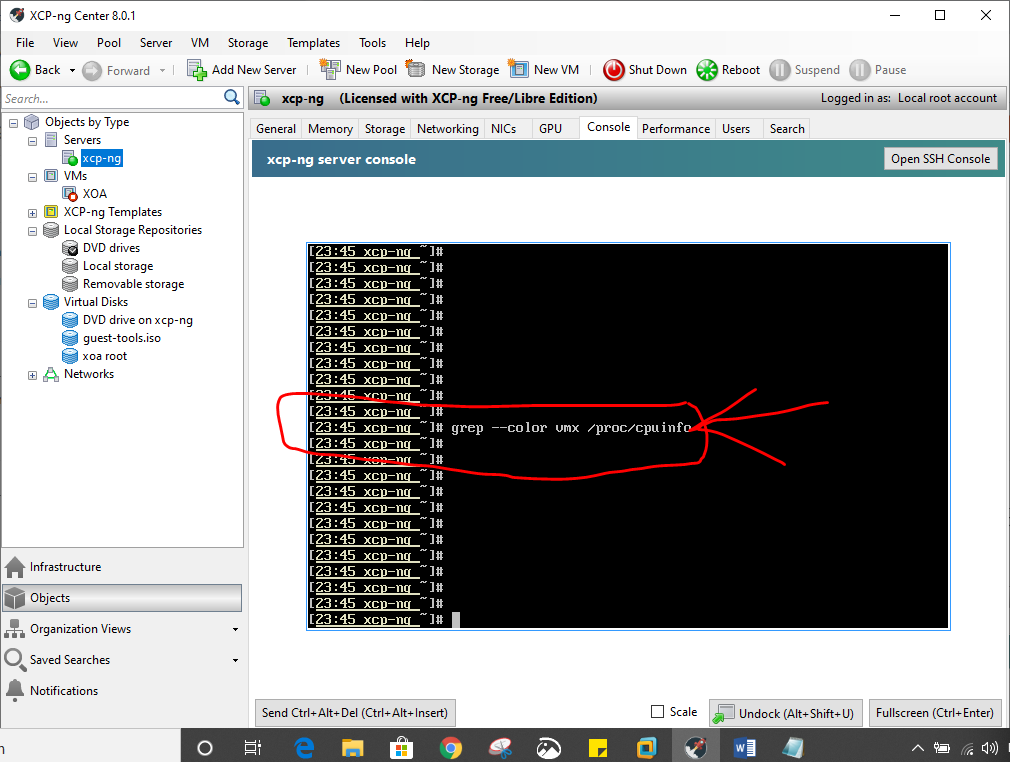
                        the command grep --color vmx /proc/cpuinfo yields no result in the xcp-ng console

                        1 Reply Last reply
                        Reply Quote 0
                        • K
                          kilo
                          last edited by

                          why is this error occuringf061a580-9a70-4eb6-b896-76c9ceff9999-image.png

                          1 Reply Last reply
                          Reply Quote 0
                          • K
                            kilo
                            last edited by

                            as said no results
                            10b6212d-dfd1-4703-9aba-709a3acc30fc-image.png

                            1 Reply Last reply
                            Reply Quote 0
                            • olivierlambertO
                              olivierlambert Vates 🪐 Co-Founder CEO
                              last edited by

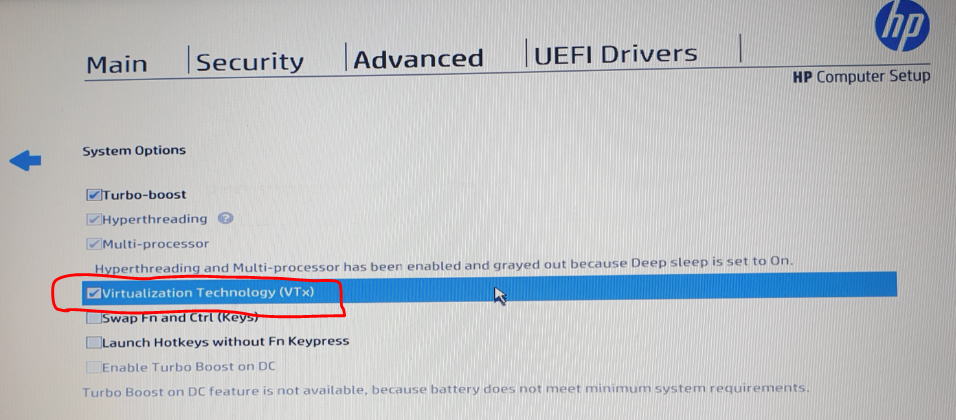
                              Please check in your BIOS if you have Assisted Virtualization enabled.

                              Without HVM, XOA won't boot.

                              1 Reply Last reply
                              Reply Quote 0
                              • K
                                kilo
                                last edited by

                                yes Intel-VTx is enabled in the BIOS
                                1250ca8d-55f4-4735-85bd-80da1a8ca8d1-image.png

                                1 Reply Last reply
                                Reply Quote 0
                                • K
                                  kilo
                                  last edited by

                                  error persists...could not read boot disk
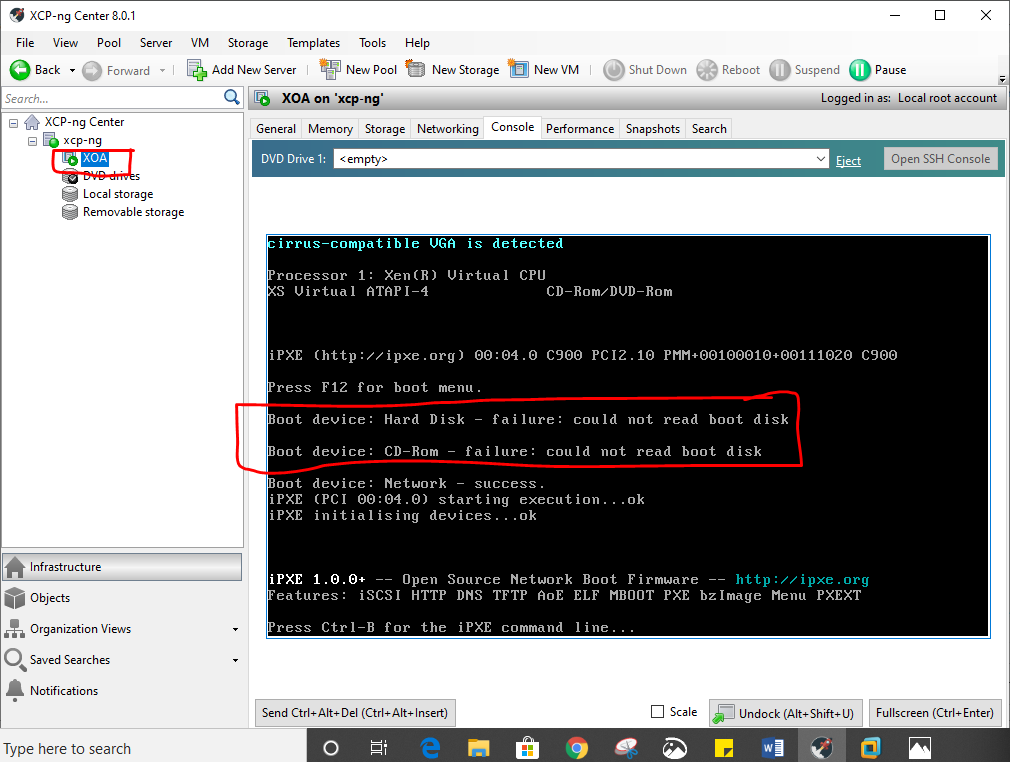
                                  7d1ce96e-8f24-44ed-8a34-dc419ff35ef0-image.png

                                  1 Reply Last reply
                                  Reply Quote 0
                                  • olivierlambertO
                                    olivierlambert Vates 🪐 Co-Founder CEO
                                    last edited by

                                    What's your hardware exactly?

                                    1 Reply Last reply
                                    Reply Quote 0
                                    • Z
                                      ZacApplegate @olivierlambert
                                      last edited by ZacApplegate

                                      @olivierlambert @Danp

                                      this is what I am seeing with xe network-list.

                                      xapi0 is not listed?
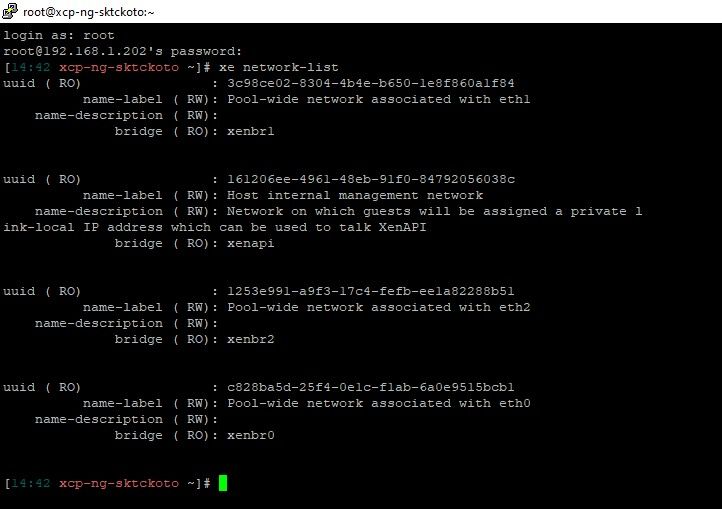
                                      Annotation 2020-03-01 144809.jpg

                                      This is a Dell Optiplex 3010
                                      Core i5
                                      6 gb of memory
                                      240 gb ssd
                                      onboard nic (the one I am trying to use)
                                      add in card intel dual nic

                                      1 Reply Last reply
                                      Reply Quote 0
                                      • K
                                        kilo
                                        last edited by

                                        it now says 'success' after selecting 'guest tools' in the dvd drive section......is that what I was supposed to do??
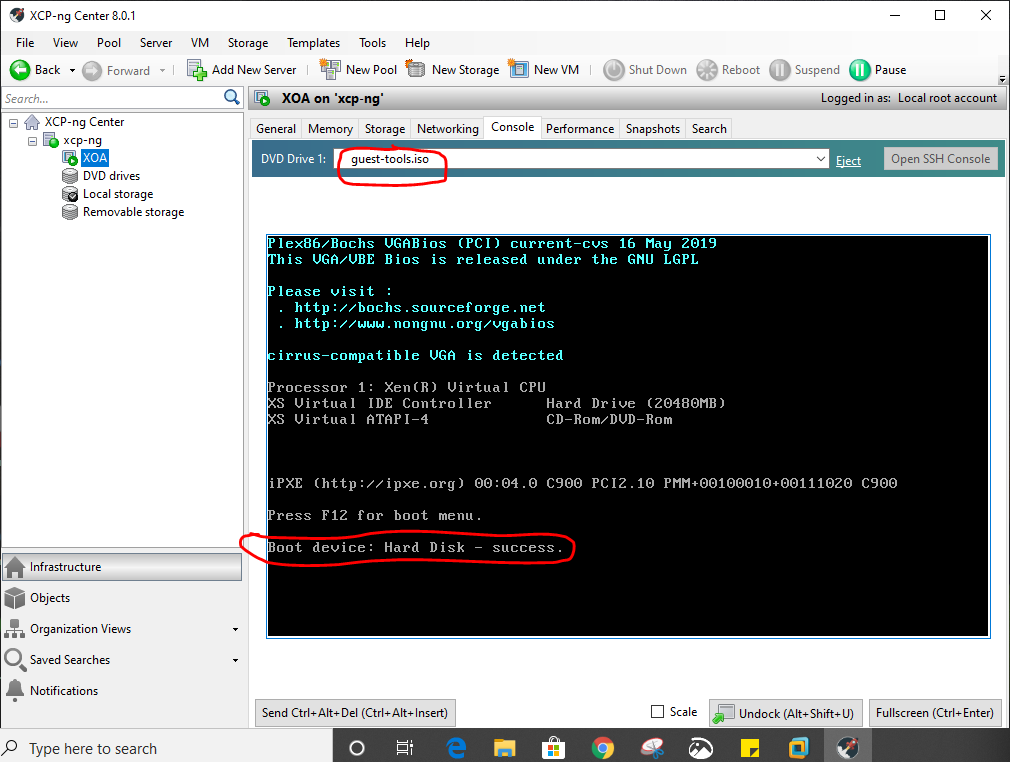
                                        0067d12f-6bbd-4769-92db-106f7bd560e6-image.png

                                        1 Reply Last reply
                                        Reply Quote 0
                                        • K
                                          kilo
                                          last edited by

                                          is this the final thing that i should get???. How do i open the WEB UI ??
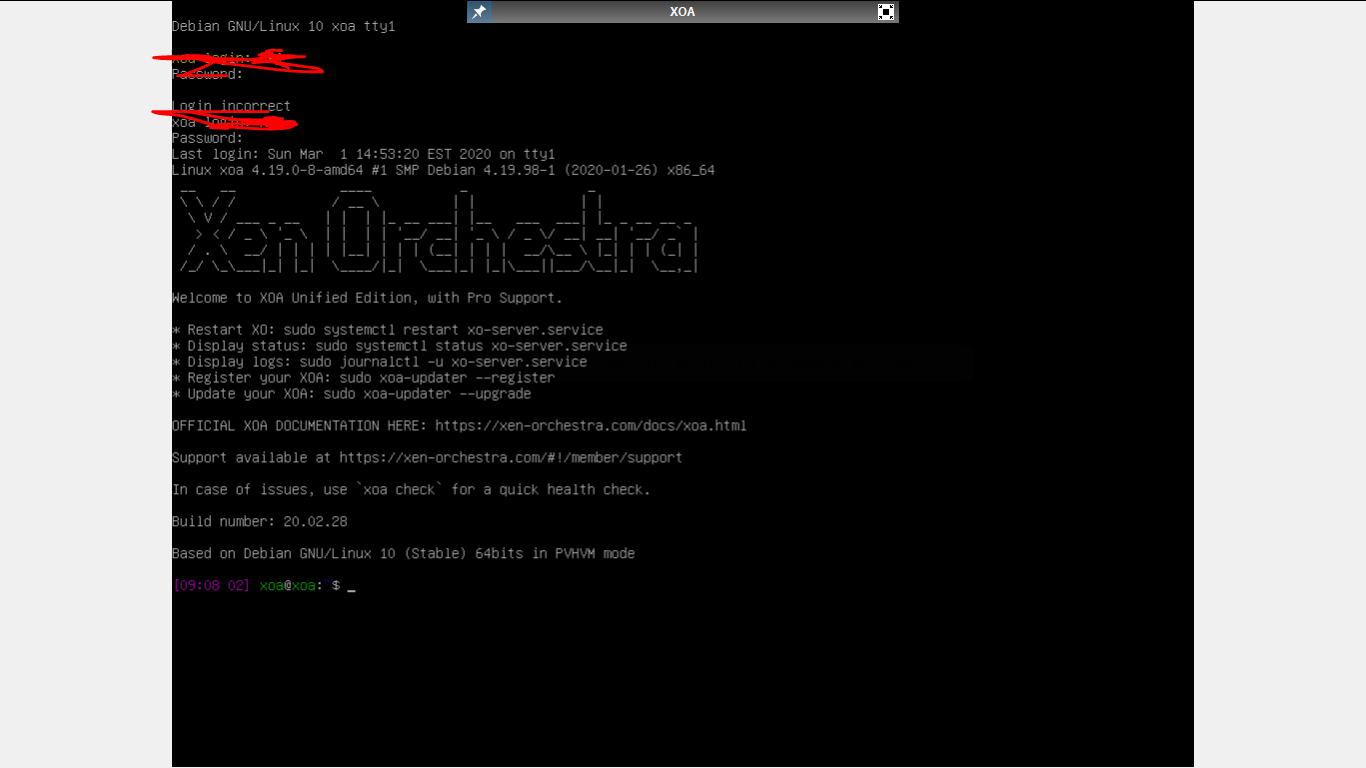
                                          040e49e0-3cde-40a6-a772-83d80465c9f1-image.png

                                          1 Reply Last reply
                                          Reply Quote 0
                                          • olivierlambertO
                                            olivierlambert Vates 🪐 Co-Founder CEO
                                            last edited by

                                            You should have an IP. Go to the HTTPS of this IP and you'll have the UI

                                            1 Reply Last reply
                                            Reply Quote 0

                                            Hello! It looks like you're interested in this conversation, but you don't have an account yet.

                                            Getting fed up of having to scroll through the same posts each visit? When you register for an account, you'll always come back to exactly where you were before, and choose to be notified of new replies (either via email, or push notification). You'll also be able to save bookmarks and upvote posts to show your appreciation to other community members.

                                            With your input, this post could be even better 💗

                                            Register Login
                                            • First post
                                              Last post