Can't upgrade XOA from CLI - ENOENT: no such file or directory, mkdir '/tmp/xoa-updater'
-
I suddenly have trouble launching XOA. I can ssh into the instance but when I try to update XOA from the cli I get this error:
[03:35 01] xoa@xoa:~$ sudo xoa-updater --upgrade
[sudo] password for xoa:
stable channel selected
New versions available:
  xen-orchestra 5.75.0 (5.74.3 installed)
  xo-server 5.103.1 (5.102.3 installed)
  xo-web-free 5.104.0 (5.103.0 installed)
Downloading packages...

✖ {
  message: "ENOENT: no such file or directory, mkdir '/tmp/xoa-updater'"
}
The status of the xo-server status is:
[03:36 01] xoa@xoa:~$ sudo systemctl status xo-server.service
● xo-server.service - XO Server
   Loaded: loaded (/etc/systemd/system/xo-server.service; enabled; vendor preset: enabled)
   Active: active (running) since Tue 2022-11-01 03:32:40 EDT; 6min ago
 Main PID: 456 (node)
    Tasks: 11 (limit: 2330)
   Memory: 146.5M
   CGroup: /system.slice/xo-server.service
           └─456 node /usr/local/bin/xo-server

Nov 01 03:38:59 xoa xo-server[456]:   error: Error: connect ECONNREFUSED ::1:6379
Nov 01 03:38:59 xoa xo-server[456]:       at TCPConnectWrap.afterConnect [as oncomplete] (node:net:1157:16)
Nov 01 03:38:59 xoa xo-server[456]:       at TCPConnectWrap.callbackTrampoline (node:internal/async_hooks:130:17) {
Nov 01 03:38:59 xoa xo-server[456]:     errno: -111,
Nov 01 03:38:59 xoa xo-server[456]:     code: 'ECONNREFUSED',
Nov 01 03:38:59 xoa xo-server[456]:     syscall: 'connect',
Nov 01 03:38:59 xoa xo-server[456]:     address: '::1',
Nov 01 03:38:59 xoa xo-server[456]:     port: 6379
Nov 01 03:38:59 xoa xo-server[456]:   }
Nov 01 03:38:59 xoa xo-server[456]: }
Any help is highly appreciated.
-
Just to further add. It seems that all my VMs are down/inaccessible some how.
Furthermore I can't ping the VM's and they appear faulty in XCP-NGs console.
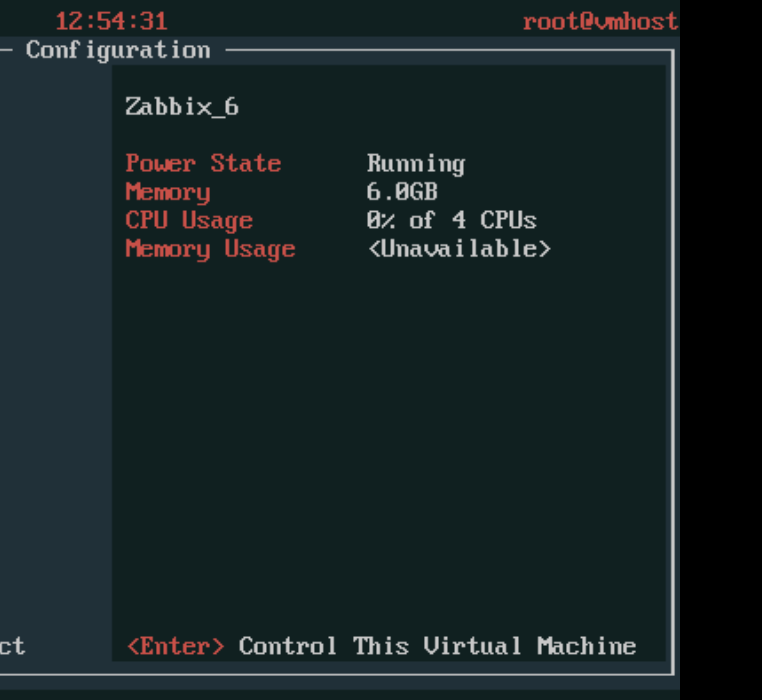
This might have happened since last update of XCP-NG. I'm not sure about this but I just wanted to mention it.
-
Not enough space on your SR? Truly hard to tell with that tiny amount of context

-
@olivierlambert thanks for the hint. I cleaned up VMs on my SR and now everything works perfectly.
Thanks for the help.
-
R runevn marked this topic as a question on
-
R runevn has marked this topic as solved on
-
haha so it was that
 Lucky guess or experience, call that the way you want

Hello! It looks like you're interested in this conversation, but you don't have an account yet.
Getting fed up of having to scroll through the same posts each visit? When you register for an account, you'll always come back to exactly where you were before, and choose to be notified of new replies (either via email, or push notification). You'll also be able to save bookmarks and upvote posts to show your appreciation to other community members.
With your input, this post could be even better 💗
Register Login