XCP-ng
    • Categories
    • Recent
    • Tags
    • Popular
    • Users
    • Groups
    • Register
    • Login

    Windows import from ESXi 6.7 to XCP-ng 8.2 (XOA 5.99.1)

    Scheduled Pinned Locked Moved Migrate to XCP-ng
    12 Posts 3 Posters 2.3k Views 2 Watching
    Loading More Posts
    • Oldest to Newest
    • Newest to Oldest
    • Most Votes
    Reply
    • Reply as topic
    Log in to reply
    This topic has been deleted. Only users with topic management privileges can see it.
    • N
      nullstream 0 @olivierlambert
      last edited by

      @olivierlambert yes.xcp.png

      DanpD 1 Reply Last reply
      Reply Quote 0
      • DanpD
        Danp Pro Support Team @nullstream 0
        last edited by

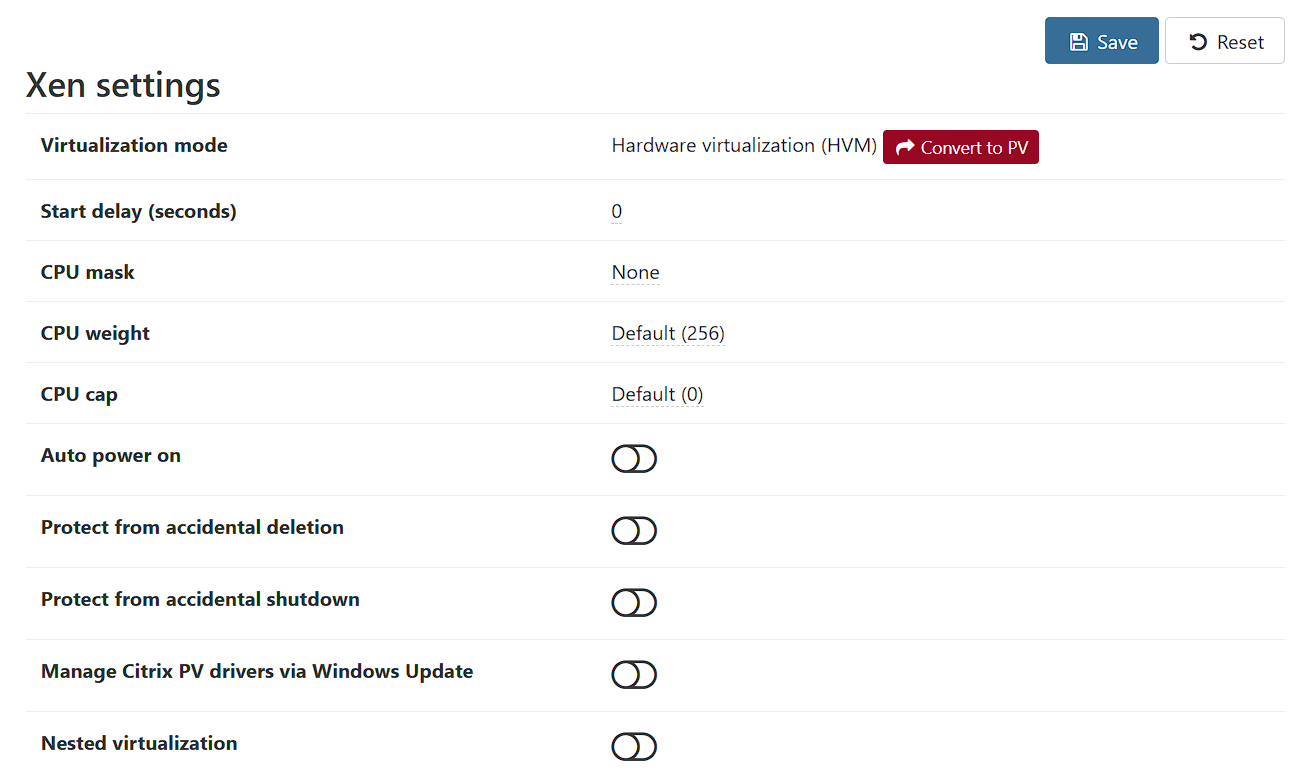
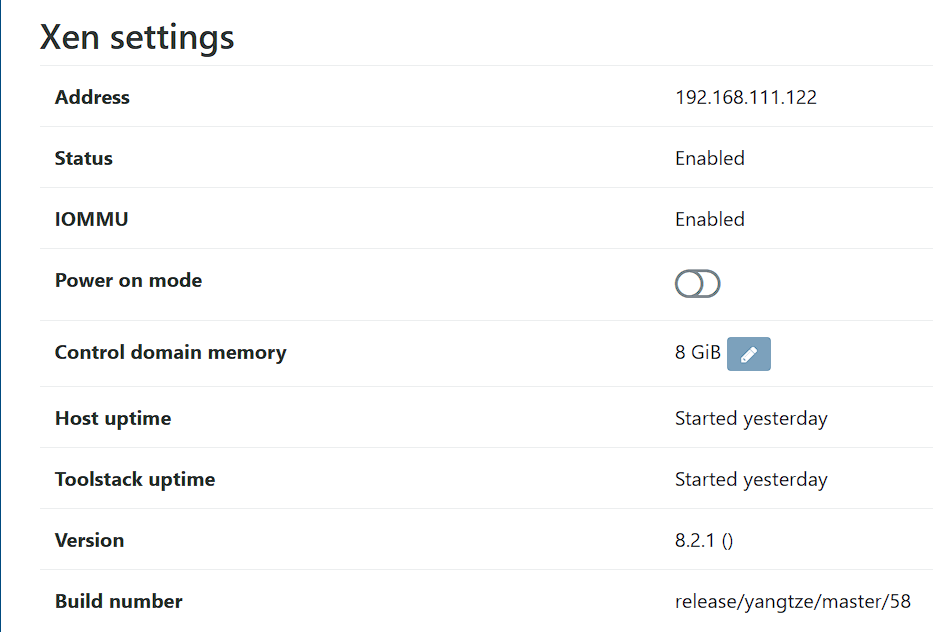
        @nullstream-0 Those are the VM settings. Olivier was inquiring about the XCP-ng host and whether HVM was enabled in the BIOS. Check the host's Advanced tab in XO --

        c596c857-ca4c-4123-8195-aae7137952bf-image.png

        N 1 Reply Last reply
        Reply Quote 0
        • N
          nullstream 0 @Danp
          last edited by

          @Danp ah... my apologies.. both are enabled. i have a bunch of existing vm's built on this host, just the vmware imports have been the trouble.
          xcp.png

          N 1 Reply Last reply
          Reply Quote 0
          • N
            nullstream 0 @nullstream 0
            last edited by

            @nullstream-0
            In BIOS, Dell R630.
            -- Virtualization Enabled
            -- SRV-IO Global Enabled
            -- X2Apic Enabled

            I gather 'virtualization enabled' encompasses IOMMU.
            I have a number of BSD and Linux vms on the system as well as a couple Windows Server VMs built directly on the host (ie. not imported).

            Just having issues with the vm's I'm pulling from the ESXi host (note the VMs were off prior to import and I removed all snapshots and uninstalled the vmware tools on the VMs before attempting the import as noted in the docs.

            DanpD N 2 Replies Last reply
            Reply Quote 0
            • DanpD
              Danp Pro Support Team @nullstream 0
              last edited by

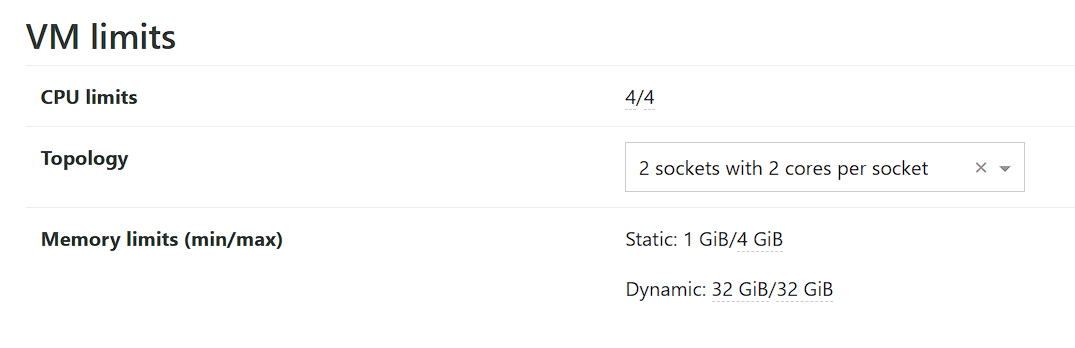
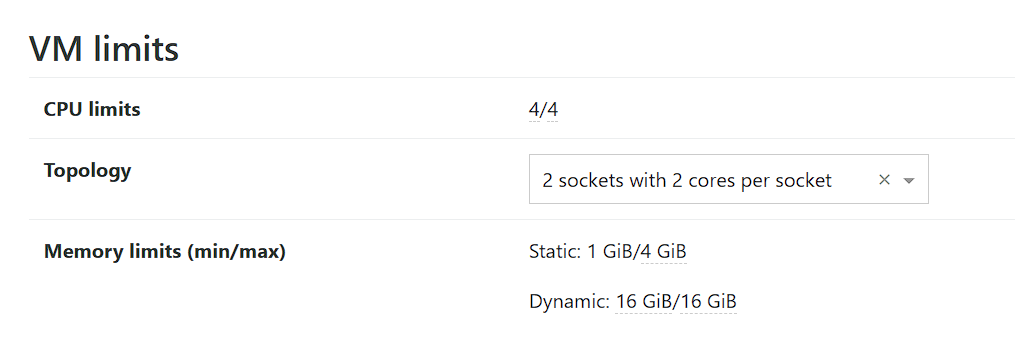
              @nullstream-0 Show us the VM Limits section from the VM's Advanced tab in XOA.

              1 Reply Last reply
              Reply Quote 0
              • N
                nullstream 0 @nullstream 0
                last edited by

                @nullstream-0
                Absolutely

                ac8f0058-136e-431f-af73-b3237072a5c6-image.png

                88f12ecd-ace5-4ab5-9806-64cd2072aac9-image.png

                DanpD N 2 Replies Last reply
                Reply Quote 0
                • DanpD
                  Danp Pro Support Team @nullstream 0
                  last edited by

                  @nullstream-0 Try changing the value for static maximum so that it matches the dynamic value, and then the VM should boot.

                  1 Reply Last reply
                  Reply Quote 0
                  • N
                    nullstream 0 @nullstream 0
                    last edited by

                    @nullstream-0
                    Looks that that did the trick.

                    What was the clue that lead you there, as the error message is pretty inscrutable.

                    N 1 Reply Last reply
                    Reply Quote 0
                    • N
                      nullstream 0 @nullstream 0
                      last edited by

                      @nullstream-0 of course this stares me in the face...

                      https://xcp-ng.org/docs/guests.html#vm

                      Which then leaves the question how to enable dynamic memory...

                      1 Reply Last reply
                      Reply Quote 0
                      • olivierlambertO
                        olivierlambert Vates 🪐 Co-Founder CEO
                        last edited by olivierlambert

                        On which XOA release channel were you when you imported it? Are you up to date? I think we recently fixed the memory settings doing VMware imports.

                        1 Reply Last reply
                        Reply Quote 0

                        Hello! It looks like you're interested in this conversation, but you don't have an account yet.

                        Getting fed up of having to scroll through the same posts each visit? When you register for an account, you'll always come back to exactly where you were before, and choose to be notified of new replies (either via email, or push notification). You'll also be able to save bookmarks and upvote posts to show your appreciation to other community members.

                        With your input, this post could be even better 💗

                        Register Login
                        • First post
                          Last post