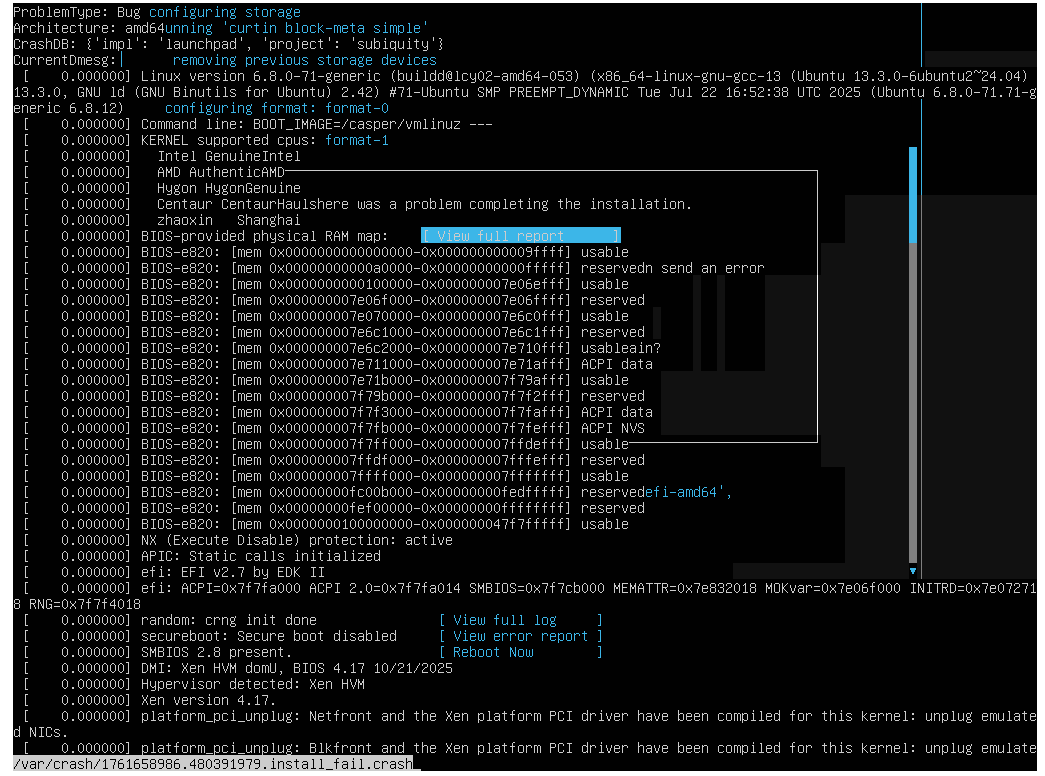
Error installing Ubuntu 24.04 on new xcp-ng host.
-
Ubuntu 24.04.2 installer failed as well...
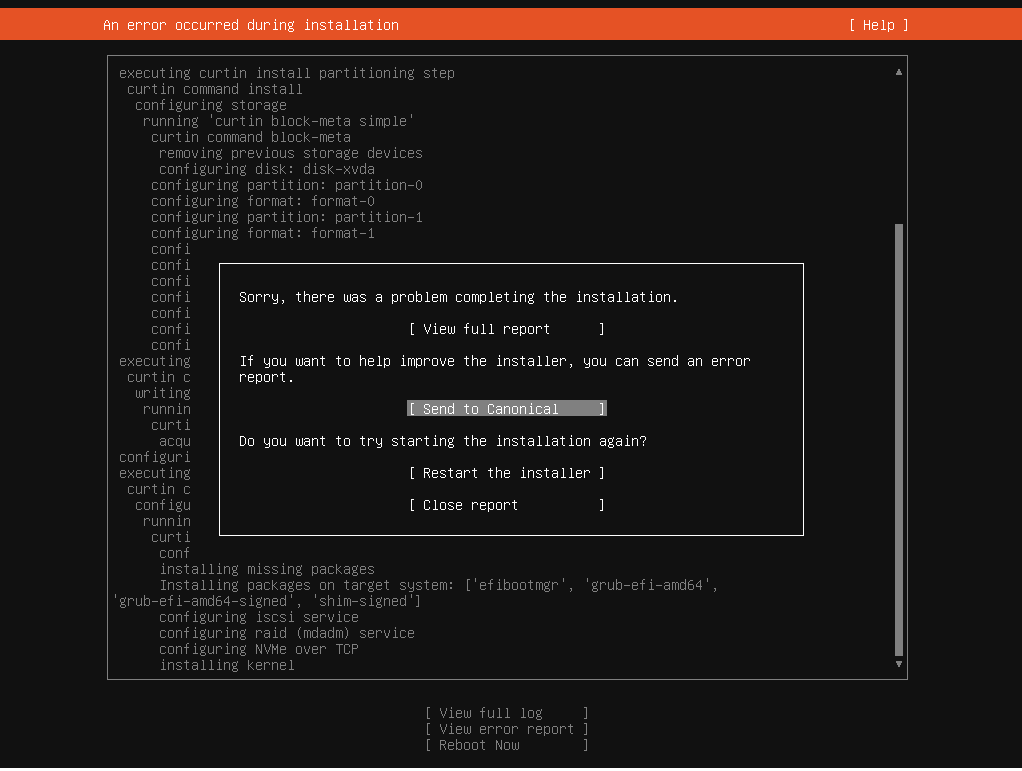
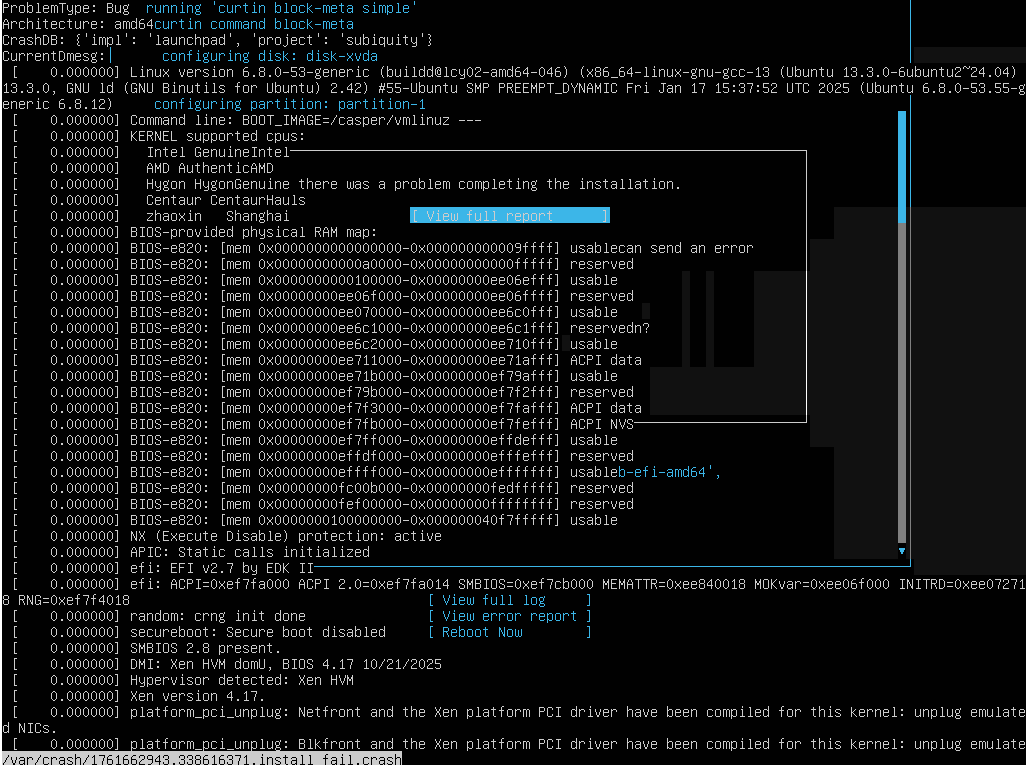
Fresh download of 24.04.3 iso and same error. Also getting same error on my existing host also.

-
@acebmxer Could you fetch and send the error report somewhere?
-
Could you tell me where and how to fetch error report?
The only other cavoite i can state but i dont think should have caused this, but just to be 100% transparent.
When i tried connecting the new host to xo-ce i did try to add the new (Intel) host to a pool that consited of AMD cpus. I also tried using the same SR for VM storage as the other pool but it would not add the SR to the new pool but only to the host.
I have since created a new SR for the vm storage but i was able to mount the ISO SR from the other pool to the new pool. That ISO SR can been see by both pools and see the contents of the SR.
As stated before i was able to success fully install Windows 11 and Ubuntu Server 25.10 with no issues. Only Ubuntu 24.xx.xx fail to install.
-
Just tried Ubuntu 24.04.3 on my work servers and the install failed their as well I will open a support ticket as i have support on these servers.
Edit - Opened support ticket - Ticket#7746678
-
Smells a kernel bug in this specific version

-
Yeah not sure. Trying to remember when i was last successful in creating new vm with ubuntu 24.04.3. The best i can come up with is on 10/22/25 as i created a new vm within a day or two from that date.
But that fact that two separate systems showing the same problem....
-
I can confirm this issue as well. Fresh vanilla install XCP-NG 8.3 on an HP server. Tried multiple builds of the Ubuntu 24 iso and multiple HP servers. All failed consistently. Installed patches on the host, rebooted and it worked. Went to install another VM today and having same issue again. I'm wondering if it was the patches or the reboot of the host that fixed it the last time. Worked fine with XenServer on same box, and I believe it worked fine every time with XCP-NG 8.2 on that same box. Its possible this just happens on XCP-NG 8.3
-
Thank you for also confirming issue. I think Vates is aware from comment in support ticket but still waiting to hear back. I did some extensive testing last night with 7 host consiting of 3 pools.
the one time last night i was succuess i want sure if it was because i rebooted everything or because i changed from LVM group formant to traditional format during the install but was not able to replicate again.
doing some further testing ubuntu server 25.04 will install successfully. Server 24.04.3 lts will not. Desktop 24.0.2 will install successfully.
After multiple test on work server and home lab. I did managed to install ubuntu 24.04.3 by telling the installer to not format the drive in lvm group. But after trying to replicate that i was never successful.
This was tested with between 7 different host. 3 home lab and 4 at work. For at work have paid support. All host fully updated XOA - 5.111.1 XO-CE commit 87471 all host on 8.3 with no available updates.
I also test other Ubuntu templates all end with the same results.
-
 A acebmxer referenced this topic on
-
@olivierlambert I passed through this a lot of times yesterday. Same scenario with Ubuntu 24.04-3. I tried to download the ISO a few times, tried to create the VM with templates, with "other install media", etc, and failed all the times. Strange that I sucessfully created a VM with the same ISOs a few days ago... To solve my problem, I had an older ISO (Ubuntu 24.04-1) where I installed sucessfully (apt update && apt upgrade after) and "stonks"!
-
@dfrizon interesting i tried 24.04.2 iso and that failed but you state 24.04.1 worked?
Other thread believe this is a Ubuntu issue but as stated ISOs that have been download for some time worked in the past until recently.
-
@acebmxer Ubuntu 24.04.00 installed for me! I didn't run any updates during install. Perhaps didn't like something in the kernel that existed in 24.04.3. The 24.04 iso is available under ubuntu old releases.
-
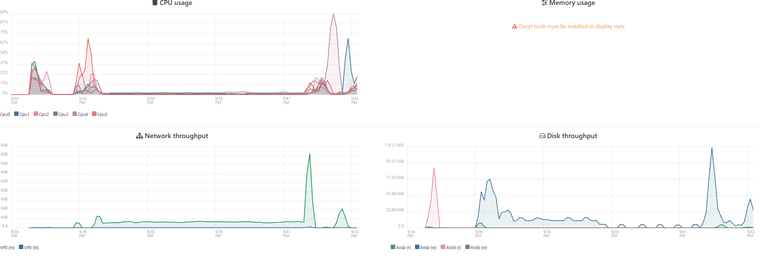
just download Ubuntu server 24.04.01 and that installer did work. However there was a very long pause during the part where the installer would crash. Total install took close to like 10 min defiantly longer then previous installs of 24.04.3. Note my previous installs of 24.04.3 not having any issues. Only new installs failing to install.
-
Fixed issue. But now i have another issue, and that is with the fix.
Found this blog post - https://xcp-ng.org/blog/2025/10/30/xcp-ng-8-3-varstored-update-unbootable-vm-risk-and-remediation/
Running the two commands fixed my home lab no cert issues with vms
yum clean metadata --enablerepo=xcp-ng-lab
yum update varstored-1.2.0-3.3.xcpng8.3 varstored-tools-1.2.0-3.3.xcpng8.3 --enablerepo=xcp-ng-lab
My Pool #2 at work does not like the fix...
[06:24 localhost ~]# fix-efivars.py scan-pool
Scanning pool certs
Scanning all VMs
Found 3 affected variable(s) (0 oversized) in VM 600ab298-8ac3-af99-884b-590bc527584f - VM needs propagating with pool certs.
Found 2 affected variable(s) (0 oversized) in VM c81f1f1b-9f95-38ec-f96e-5ce8fea073e6 - VM needs propagating with pool certs.
Found 2 affected variable(s) (0 oversized) in VM 314958a7-c2ff-0079-4369-24423b4f8dd5 - VM needs propagating with pool certs.
Found 3 affected variable(s) (0 oversized) in VM bf1b61d5-14ca-9f0e-7040-24c177693cea - VM needs propagating with pool certs.
Found 3 affected variable(s) (0 oversized) in VM 3b6f1d1f-58a2-6639-216e-ee450a48614d - VM needs propagating with pool certs.
Found 3 affected variable(s) (0 oversized) in VM 9f36a8c5-c988-8546-b0f9-30ac9d0a5015 - VM needs propagating with pool certs.
Pool scanning done, found 6 affected VMs
[06:32 localhost ~]# fix-efivars.py check-vm 600ab298-8ac3-af99-884b-590bc527584f
INFO:root:Scanning VM 600ab298-8ac3-af99-884b-590bc527584f
INFO:root:Variable contains bogus data: d719b2cb-3d3a-4596-a3bc-dad00e67656f dbx
INFO:root:Variable contains bogus data: d719b2cb-3d3a-4596-a3bc-dad00e67656f db
INFO:root:Variable contains bogus data: 8be4df61-93ca-11d2-aa0d-00e098032b8c KEK
Found 3 affected variable(s) (0 oversized) in VM 600ab298-8ac3-af99-884b-590bc527584f - VM needs propagating with pool certs.
[06:33 localhost ~]# fix-efivars.py check-vm 600ab298-8ac3-af99-884b-590bc527584f --fix
INFO:root:Scanning VM 600ab298-8ac3-af99-884b-590bc527584f
Backing up existing variables to 600ab298-8ac3-af99-884b-590bc527584f.1761906821.efivars.b64
INFO:root:Variable contains bogus data: d719b2cb-3d3a-4596-a3bc-dad00e67656f dbx
INFO:root:Variable contains bogus data: d719b2cb-3d3a-4596-a3bc-dad00e67656f db
INFO:root:Variable contains bogus data: 8be4df61-93ca-11d2-aa0d-00e098032b8c KEK
Traceback (most recent call last):
File "/usr/sbin/fix-efivars.py", line 684, in <module>
main()
File "/usr/sbin/fix-efivars.py", line 677, in main
args.func(args)
File "/usr/sbin/fix-efivars.py", line 608, in scan_vm
dry_run=args.dry_run,
File "/usr/sbin/fix-efivars.py", line 446, in do_scan_vm
raise RuntimeError(f"{vm_type} {vm_uuid} is {power_state}, expected Halted; refusing to fix")
RuntimeError: VM 600ab298-8ac3-af99-884b-590bc527584f is Running, expected Halted; refusing to fix -
Helped if i read the error message....
raise RuntimeError(f"{vm_type} {vm_uuid} is {power_state}, expected Halted; refusing to fix")Shut down vm ran the fix again, and fix applied.
Edit - I did have to disable secure boot on windows vms for them to boot afterwards.
-
A acebmxer referenced this topic on
-
I just want to add that I am seeing the same issue with Ubuntu 24.04.3. Creating a VM does work, but it crashes immediately when trying to start it for setup.
I have not yet tried the approach of starting with 24.04(.00) and then upgrading to the lastest version due to lack of time.
We are still using XCP-NG 8.2.1 on the server in question. If an upgrade to 8.3 solves the issue, please let us know. Reading the thread, it appears to have the same problem, though.
Processor is an AMD Ryzen 9 3900X. We have not had any other issues with the system and it's been running for a few years.
-
@malemburg I had similar issues recently and in the past. The TL;DR version is to use an earlier version. I'm including the long version for those searching. They may be helpful for someone.
I'm rebuilding my netboot.xyz onsite to be more in line with upstream and avoid all the customization I built in a previous version. One issue I kept having was the installer would lock up randomly. CPU usage would be high like 80-90%. Unresponsive to input (if the lockup occurred on the user name screen). The issues didn't happen in 22.04, just 24.04. Sometimes it work and then it wouldn't. Google AI suggest it was a kernel issue. Some of the link suggestion didn't really support that claim, but I assumed that it was right. I even built a new XCP-NG 8.3 server and the issue still occurred. In the previous netboot install I used a earlier version of the 24.04 install. I only remember this after Google AI suggest a kernel issue.
So netboot (3.0.0) uses this as it version for PXE install: 24.04.3 and this ISO: ubuntu-24.04.3-live-server-amd64.iso. 24.04.3-717d3a1a/initrd & 24.04.3-717d3a1a/vmlinuz.
When I use this version: 24.04, ubuntu-24.04-live-server-amd64.iso, 24.04-dac09526/initrd & 24.04-dac09526/vmlinuz
After switching to this earlier version all my issues go away. Install is now 100% successful. My autoinstall file works great.
Doing an in place upgrade to 24.04.3 no issues. Works for bios and uefi. So I have a working PXE autoboot that install a new Ubuntu 24.04 with Rust Tools installed. Takes only about a minute to run.
-
@acp Thank you for confirming this.
I just wonder how stable the solution is for production use, since the 24.04.3 installer should (in theory at least) run with the same kernel as the installed system. And after doing an upgrade from 24.04 to 24.04.3 you should also run the same kernel.
Or is the installer running from the ISO using a different kernel ?
It would feel more secure to know that the issue is with the Ubuntu installer rather than the prod system.
-
@malemburg Kernel versions:
24.04 - Linux ubuntu-server 6.8.0-31-generic #31-Ubuntu SMP PREEMPT_DYNAMIC Sat Apr 20 00:40:06 UTC 2024 x86_64 x86_64 x86_64 GNU/Linux
24.04.3 - Linux ubuntu-server 6.8.0-71-generic #71-Ubuntu SMP PREEMPT_DYNAMIC Tue Jul 22 16:52:38 UTC 2025 x86_64 x86_64 x86_64 GNU/Linux
This is what is running after all the updates:
Linux pxe000 6.8.0-100-generic #100-Ubuntu SMP PREEMPT_DYNAMIC Tue Jan 13 16:40:06 UTC 2026 x86_64 x86_64 x86_64 GNU/Linux
I have this in my autoinstall to install the tools
late-commands:
- echo 'deb [trusted=yes] https://gitlab.com/api/v4/projects/xen-project%252Fxen-guest-agent/packages/generic/deb-amd64/ release/' > /target/etc/apt/sources.list.d/xen-guest-agent.list
- curtin in-target -- apt update
- curtin in-target -- apt install -y xen-guest-agentAnd this to get all the updates:
updates: all


Hello! It looks like you're interested in this conversation, but you don't have an account yet.
Getting fed up of having to scroll through the same posts each visit? When you register for an account, you'll always come back to exactly where you were before, and choose to be notified of new replies (either via email, or push notification). You'll also be able to save bookmarks and upvote posts to show your appreciation to other community members.
With your input, this post could be even better 💗
Register Login