Issue Importing Dell PPDM OVA into XOA
-
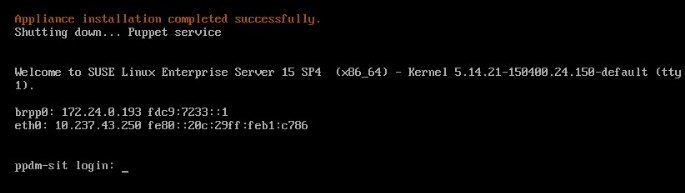
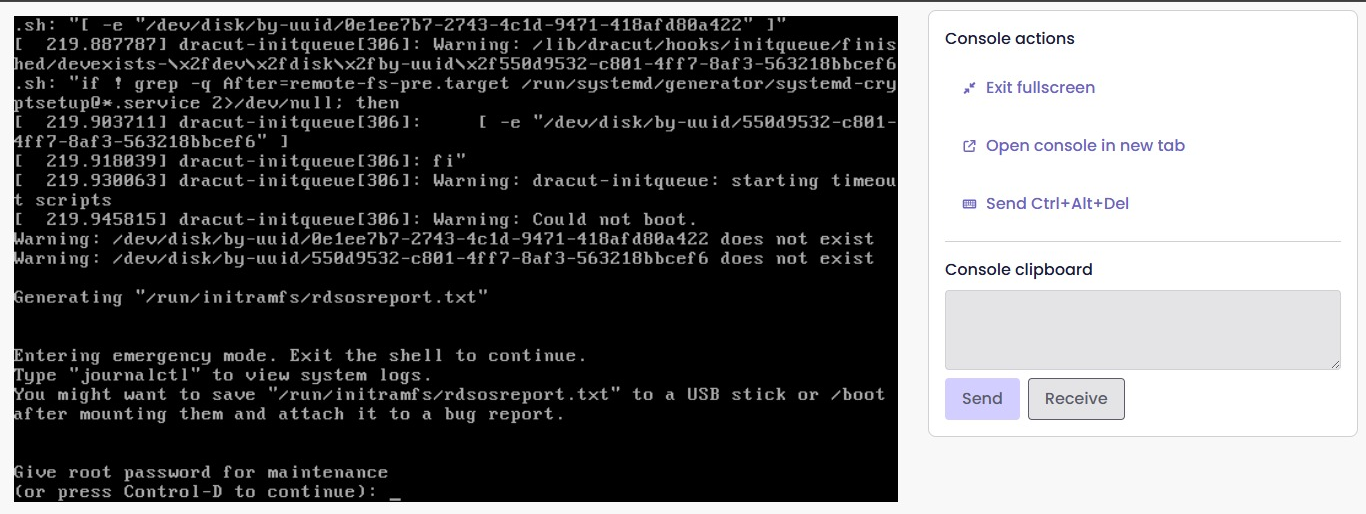
I am trying to import a Dell PowerProtect Data Manager (PPDM) appliance using an OVA file, but I encountered an issue after powering on the VM. It was expected to provide a login prompt on the console; however, it seems the installation did not complete successfully.
May I know if XCP-ng/XOA supports importing Dell PPDM OVA files? I have attached screenshots for your reference.
-
@jeffrey_lim Hi !
I guess is something like the OME appliance (missing Xen driver, see https://xcp-ng.org/forum/post/92384)
Do you have the link to download the appliance, so I can see if I can make it boot ?
-
Hi @AtaxyaNetwork,
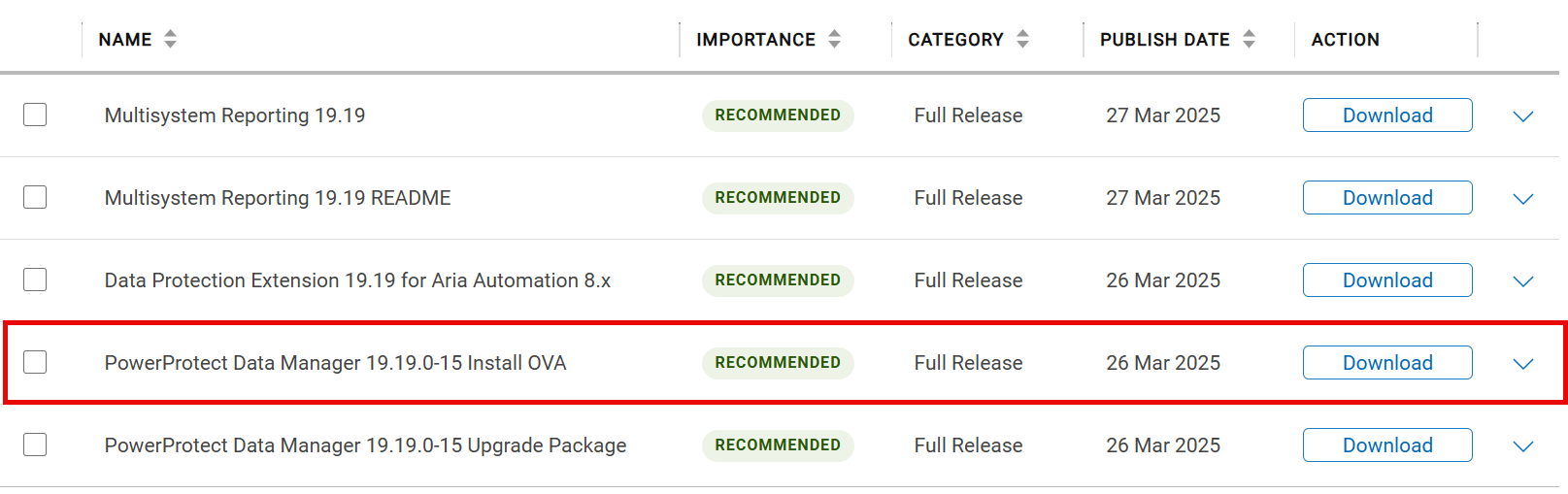
Thanks for the prompt reply! Yes I have attached the link for you to download the OVA file but you need to have Dell account in order to download it. I tried to upload to the forum but it's limit to 2048kb size. Do let me know how I can send it over to you.
URL - https://www.dell.com/support/product-details/en-sg/product/enterprise-copy-data-management/drivers
-
@jeffrey_lim unfortunately I don't have a Dell account

I will send you a link in DM so you can upload it on my nextcloud -
For reference, I got the OVA, import in progress on my pool , hoping is "just" a driver issue
-

-
@AtaxyaNetwork So the issue was in fact the drivers missing. The appliance is now booting
However, I can't figure how to configure the appliance to access the web page.
(I played with the network config, hostname, etc)So for now, I have this:
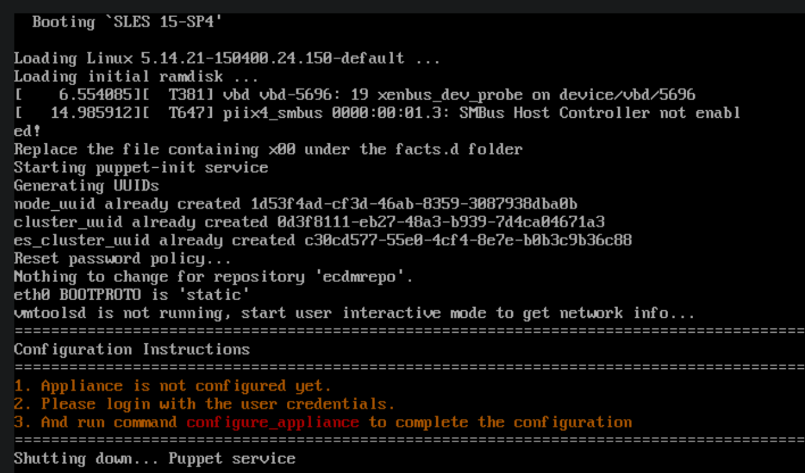
I think the appliance is trying to use the vmware tools to get some infos, but since we are not on vmware...
I'll try to bypass it -
@AtaxyaNetwork ok that’s great to hear! Do let me know if you need more info, I can DM you.
-
@jeffrey_lim I finally figured it out (thanks to my best friend grep)
The
configured_appliancecommand is not working by default because the alias is not set by puppet, but with the full path, I can start the installation and provide network info.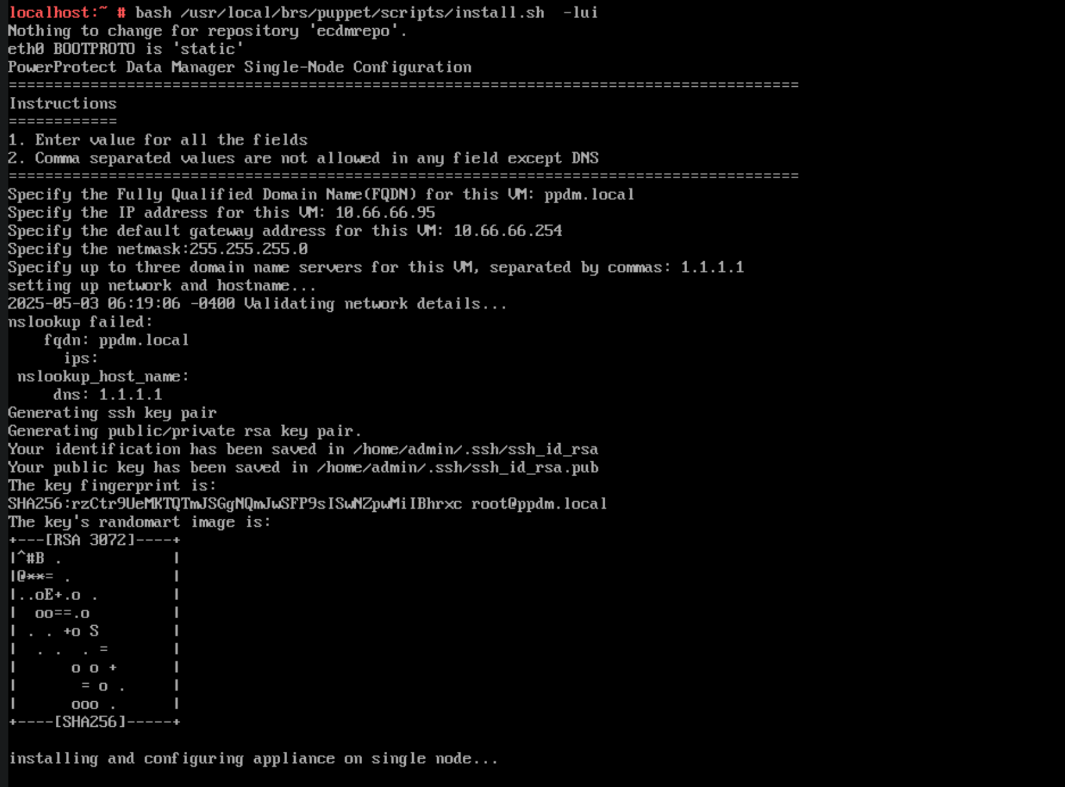
I need to regenerate a clean image, since I played with the current one too much.
@jeffrey_lim do you want me to pre-install the appliance with your network infos, or do you just want the steps to configure it ?
-
@jeffrey_lim Sorry if this is unrelated, but can you please check your DMs? Thank you.
-
Edit to my previous post: the script is checking for working DNS, so i cannot pre-setup network.
If you want the fixed applicance with the drivers installed, ping me !To setup the network, you just need to login (root/changeme, yeah the password is... bleh), and launch the script
/usr/local/brs/puppet/scripts/install.sh -lui


Hello! It looks like you're interested in this conversation, but you don't have an account yet.
Getting fed up of having to scroll through the same posts each visit? When you register for an account, you'll always come back to exactly where you were before, and choose to be notified of new replies (either via email, or push notification). You'll also be able to save bookmarks and upvote posts to show your appreciation to other community members.
With your input, this post could be even better 💗
Register Login