🛰️ XO 6: dedicated thread for all your feedback!
-
@coolsport00 can you try if issue is fixed in branch xo6/fix-opening-console-in-new-tab ?
-
@julienXOvates Hi Julien. I'm on XOS, branch 05aef, and it still doesn't work. Let me know if you need anything.
BTW..I went to the github url (I think it's right - https://github.com/vatesfr/xen-orchestra/actions/runs/38920726809) , but I'm not sure how to add that to my XO to test with. I'm not too knowledgeable about github...even tho I took some vid training on it several mos ago. Still confuses me

-
-
What script are you using for your xo? if my script edit your xo-config.cfg file and change branch to
xo6/fix-opening-console-in-new-tabthat is just the branch name...
-
@acebmxer I use XOS. To update, I run the "xo-install.sh" script. Is there something else I need to try/do? Thanks.
Update - so, in my XenOrchestraInstallerUpdater folder, I have an "xo-install.cfg" file. In there...I see "BRANCH=master". Do I change from "master" to "xo6/fix-opening-console-in-new-tab"?
-
If XOS = Xen Orchestra from sources. what script did you use to install it? My script is here - https://github.com/acebmxer/install_xen_orchestra Possible use used ronivay's script - https://github.com/ronivay/XenOrchestraInstallerUpdater?
I dont remember how to switch branches with ronivays script. You can deploy a new xo with my script. take a backup of your current xo's config from the settings > xo config. Deploy new xo and import the config. To swith branchs on my script use the steps i stated above - edit the xo-config.cfg file from master to
xo6/fix-opening-console-in-new-taband then run update and update to that xo branch. -
@acebmxer Hi "Ace". So what I did was exactly what you were suggesting. I created my XOS from a video from Tom Lawrence (https://www.youtube.com/watch?v=fuS7tSOxcSo). So yes...in that Folder I shared above...there's a .cfg file. I changed the ' BRANCH="master" ' to the path Julien & you shared, then ran an update from the xo-install.sh script. It now works. It's basically the same view as doing the "full screen" view, but just in another browser tab. Thank you for the assist!
 I'm going to change it back to the "master" now though cuz it's the same view I currently have..just in the same browser window.
 -
Glad to help. Yes you can switch back to master and wait for vates to push the changes to master branch. I also started out with ronivays script from Tom Lawrence's video also.
Feel free to check out my script if you like.
-
@acebmxer Thank you!
Will check our your script...thanks!
-
BTW @julienxovates - the same behavior happens in XO-Lite, but even when going to the Console tab normally, not opening in a 2nd tab. It just spins:
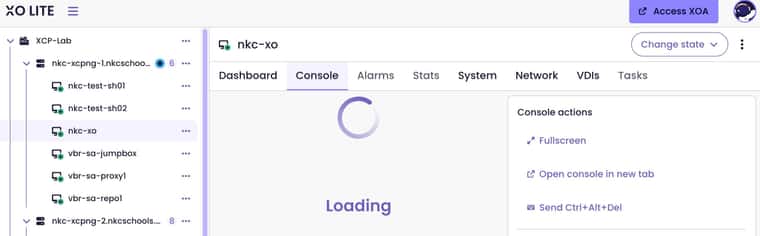
Has been happening for quite a while. I just don't get in XO-Lite often so have never mentioned it. Thanks!
-
Also...I performed an update yesterday afternoon and ever since then...my XO v6 webUI spins now as well:
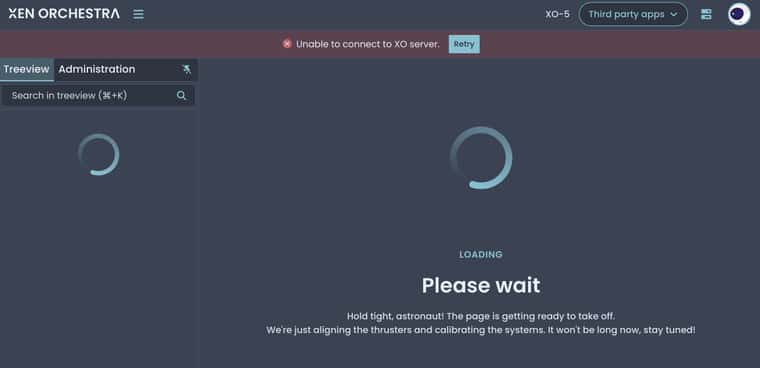
I had a tab open with my v5 web UI & it seemed to work, but I closed it and can't remember the URL to get back to it. But I think the v5 UI is fine. The reason I ask for the v5 URL is because the "XO-5" link in the v6 UI is now not clickable. Anyone else having this issue?
UPDATE: I ran another XO update on my XOS VM, and still have same behavior in v6 web UI

-
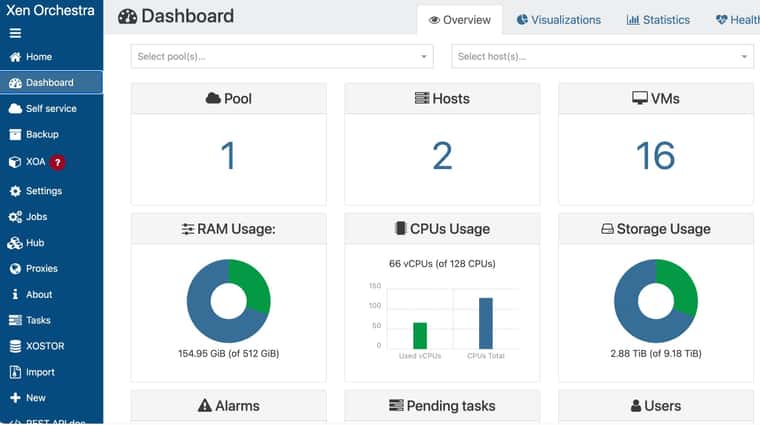
Found my v5 URL. Yep...that UI seems fine:
-
@coolsport00 I think I had this from time to time since a few. I could resolve it by closing my browser completely (not only the XO tab). Can you give a try ? We'll investigate this issue anyway. Thanks
-
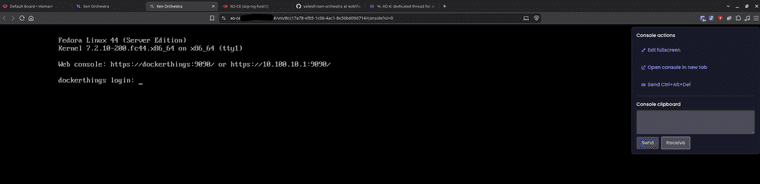
@julienXOvates Hi Julien. Sorry for the late response. Yep...that did it.. Sorry I didn't try that initially (I even rebooted my XO VM & still didn't fix it initially). I was hesitant to close out my browser because of all tabs/sessions I'm working on
hahahaBut yep...that worked. Thanks!


Hello! It looks like you're interested in this conversation, but you don't have an account yet.
Getting fed up of having to scroll through the same posts each visit? When you register for an account, you'll always come back to exactly where you were before, and choose to be notified of new replies (either via email, or push notification). You'll also be able to save bookmarks and upvote posts to show your appreciation to other community members.
With your input, this post could be even better 💗
Register Login