ISO won't show since XO6 Default
-
Hi,
Since XO6 as come default web portal, we aren't able to see ISOs names when deploying a VM, example with a federated user :
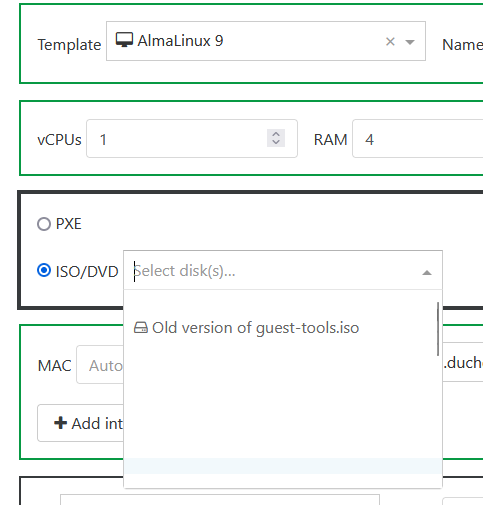
Lines are blank, but ISOs are here ! If I clic on a blank line, one ISO is really selected and boot is OK.
Maybe we can made a game with it in our school
 "Find the right ISO"
With admin, it's not the same :
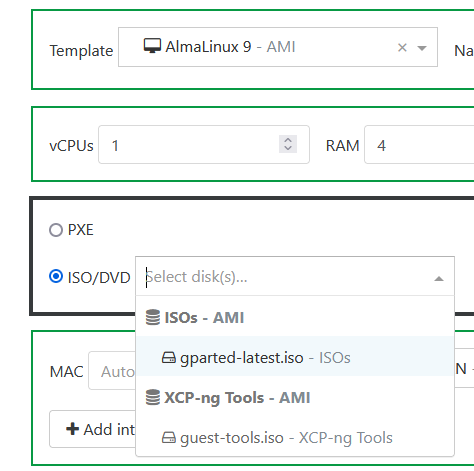
I can see ISO.. but just one of the 24 really on this SR (I can see all of them in SR view).
-
Hi,
Back from holidays, giving some news... But bad news !
After updating to the last commit, same error.
In the drop down list, only two ISOs shown with admin account (guest-tools and another one).
After investigating, thoses files are the only ones without this icon :

All other ISOs are shown with it, as if it were snapshots !
Other problem : we are not able to upload an ISO :
  "message": "OPERATION_NOT_ALLOWED(HVM CDROMs cannot be hotplugged/unplugged, only inserted or ejected)",
  "name": "XapiError",
  "stack": "XapiError: OPERATION_NOT_ALLOWED(HVM CDROMs cannot be hotplugged/unplugged, only inserted or ejected)
Same message if I want to disconnect a disk from a VM.
I repeat that we don't touch this SR from a while, we have just updated XO from the sources...
-
Let me ping @bastien-nollet or @mathieuRA
-
@olivierlambert Hi,
Thank you,
Finally, we have to go ahead and I disconnect manually all ISOs from VMs in "disk" tab (it won't let me disconnect from SR list...), disconnect the SR, forget it and re-add it.
After that, all ISO are now recognize like... ISOs !
Don't know what appened when the upgrade to XO6 was made...
-
Hi @Kptainflintt,
I don't think this is related to XO6, but probably to this PR: https://github.com/vatesfr/xen-orchestra/pull/9231
VDIs withsnapshot_of: <something>are now recognized as snapshots


Hello! It looks like you're interested in this conversation, but you don't have an account yet.
Getting fed up of having to scroll through the same posts each visit? When you register for an account, you'll always come back to exactly where you were before, and choose to be notified of new replies (either via email, or push notification). You'll also be able to save bookmarks and upvote posts to show your appreciation to other community members.
With your input, this post could be even better 💗
Register Login