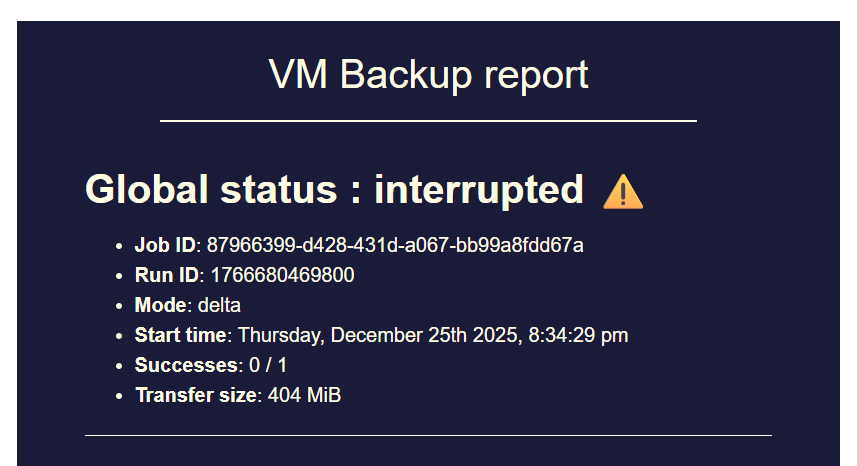
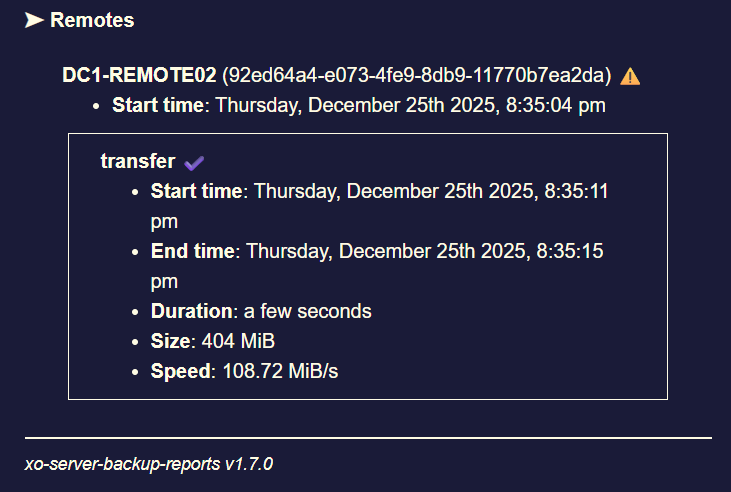
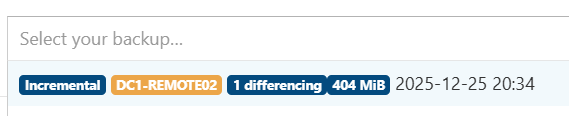
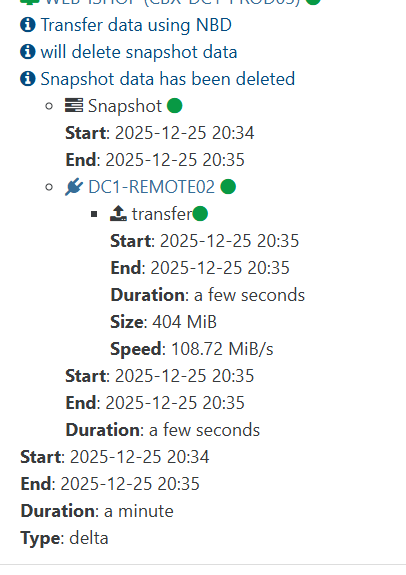
backup mail report says INTERRUPTED but it's not ?

-
@MajorP93 you say to have 8GB Ram on XO, but it OOMkills at 5Gb Used RAM.
did you do those additionnal steps in your XO Config ?
You can increase the memory allocated to the XOA VM (from 2GB to 4GB or 8GB). Note that simply increasing the RAM for the VM is not enough. You must also edit the service file (/etc/systemd/system/xo-server.service) to increase the memory allocated to the xo-server process itself. You should leave ~512MB for the debian OS itself. Meaning if your VM has 4096MB total RAM, you should use 3584 for the memory value below. - ExecStart=/usr/local/bin/xo-server + ExecStart=/usr/local/bin/node --max-old-space-size=3584 /usr/local/bin/xo-server The last step is to refresh and restart the service: $ systemctl daemon-reload $ systemctl restart xo-server -
@Pilow said in backup mail report says INTERRUPTED but it's not ?:
@MajorP93 you say to have 8GB Ram on XO, but it OOMkills at 5Gb Used RAM.
did you do those additionnal steps in your XO Config ?
You can increase the memory allocated to the XOA VM (from 2GB to 4GB or 8GB).
Note that simply increasing the RAM for the VM is not enough.
You must also edit the service file (/etc/systemd/system/xo-server.service)
to increase the memory allocated to the xo-server process itself.

You should leave ~512MB for the debian OS itself. Meaning if your VM has 4096MB total RAM, you should use 3584 for the memory value below.

- ExecStart=/usr/local/bin/xo-server
+ ExecStart=/usr/local/bin/node --max-old-space-size=3584 /usr/local/bin/xo-server
The last step is to refresh and restart the service:

$ systemctl daemon-reload
$ systemctl restart xo-server
Interesting!
I did not know that it is recommended to set "--max-old-space-size=" as a startup parameter for Node JS with the result of (total system ram - 512MB).
I added that, restarted XO and my backup job.I will test if that gives my backup jobs more stability.
Thank you very much for taking the time and recommending the parameter. -
can you remind me the Node version you have, that is exhibiting the problem?
-
@olivierlambert Right now I am using Node JS version 20 as I saw that XOA uses that version aswell. I thought it might be best to use all dependencies at the versions that XOA uses.
I was having the issue with backup job "interrupted" status on Node JS 24 aswell as documented in this thread.
Actually since I downgraded to Node 20 total system RAM usage seems to have decreased by a fair bit which can be seen by comparing the 2 screenshots that I posted in this thread. On first screenshot I was using Node 24 und second screenshot Node 20.
Despite that the issue re-occurred after a few days of XO running.I hope that --max-old-space-size Node parameter as suggested by @pilow solves my issue.
I will report back.Best regards
-
Okay weird, so having a very different RAM usage with Node 24 should be checked when we'll update XOA Node version.
-
@MajorP93 this was found in the troubleshooting section of the documentation when i tried to optimise my xoa/xoproxies deployments
-
not looking better today. still not crashed.
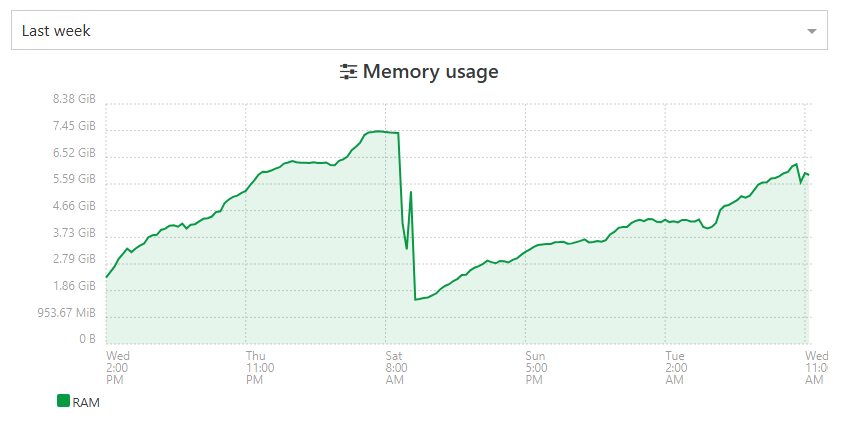
but before the patches at 48h max, i topped the 8Gb and got the OOM killed process. -
before disruption, I prefer to patch/reboot my XOA
We got to the limit
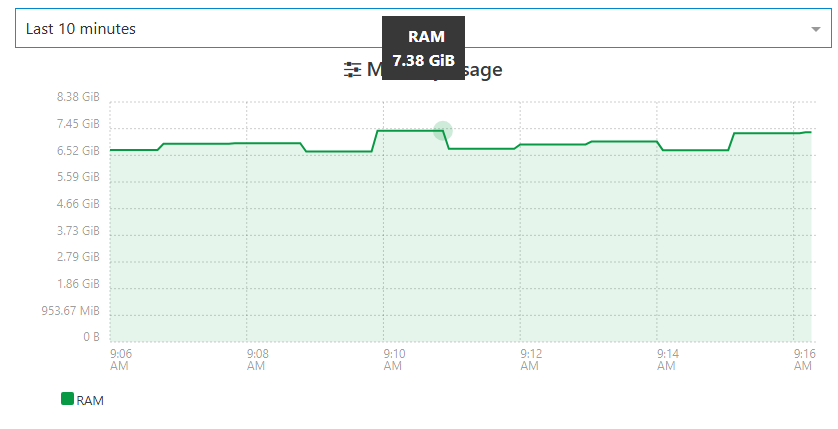
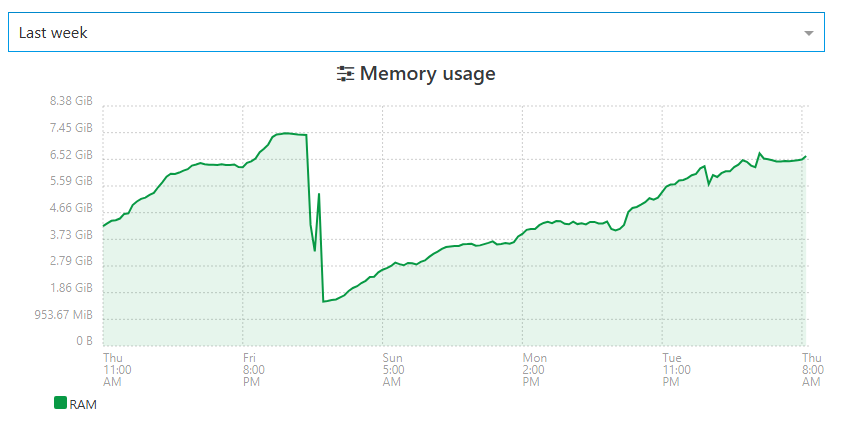
still some memory leak somewhere guys !
-
@Pilow we are still working on it, but for now we didn't find a solution
-
After implementing the --max-old-space-size Node parameter as recommended by @pilow it took longer time for the VM to hit the issue.
Still: backups went into interrupted status.
Memory leak seems to be still there.
With each subsequent backup run the memory usage rises and rises. After backup run the memory usage does not fully go back to "normal".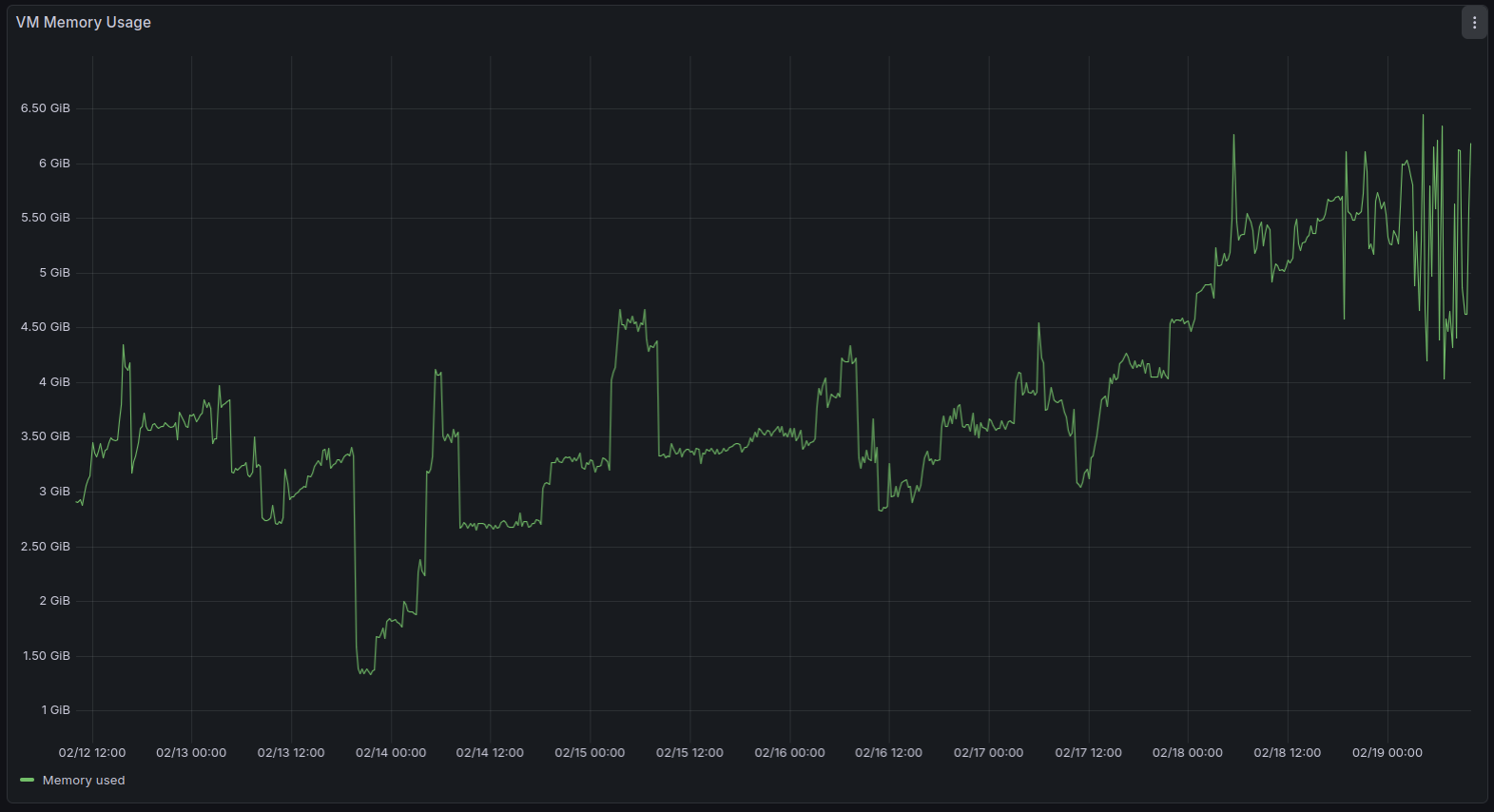
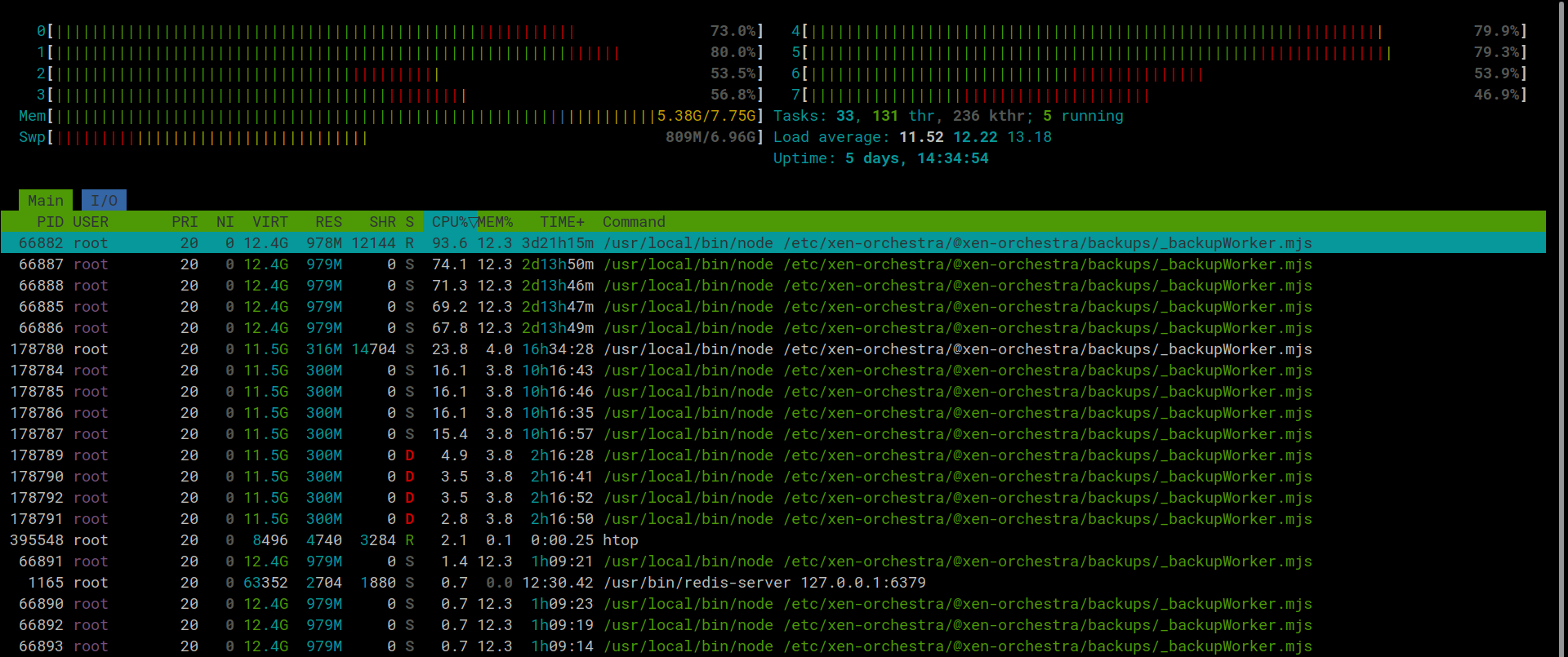
After adding the node parameter there was no heap size error on Node anymore since the heap size got increased. The system went into various OOM errors in kernel log (dmesg) despite not all RAM (8GB) being used.
This is what htop looks like with 3 backup jobs running:
-
While working last night i noticed one of my backups/pools did this. Got the email that it was interupted but when i looked the tasks were still running and moving data it untill it porcess all vms in that backup job.
Edit - note my backup job was run via proxy on the specific pool/job.
2026-02-19T03_00_00.028Z - backup NG.txt
Edit 2 - homelab same last backup was interupted.
-
I wonder if this PR https://github.com/vatesfr/xen-orchestra/pull/9506 aims to solve the issue that was discussed in this thread.
To me it looks like it's the case as the issue seems to be related to RAM used by backup jobs not being freed correctly and the PR seems to add some garbage collection to backup jobs.
I hope that it will fix the issue and if needed I can test a branch. -
Hi @MajorP93,
This PR is only about changing the way we delete old logs (linked to a bigger work of making backups use XO tasks instead of their own task system), it won't fix the issue discussed in this topic.
-
Hi @Bastien-Nollet,
oh okay, thanks for clarifying!
-
P Pilow referenced this topic on
-
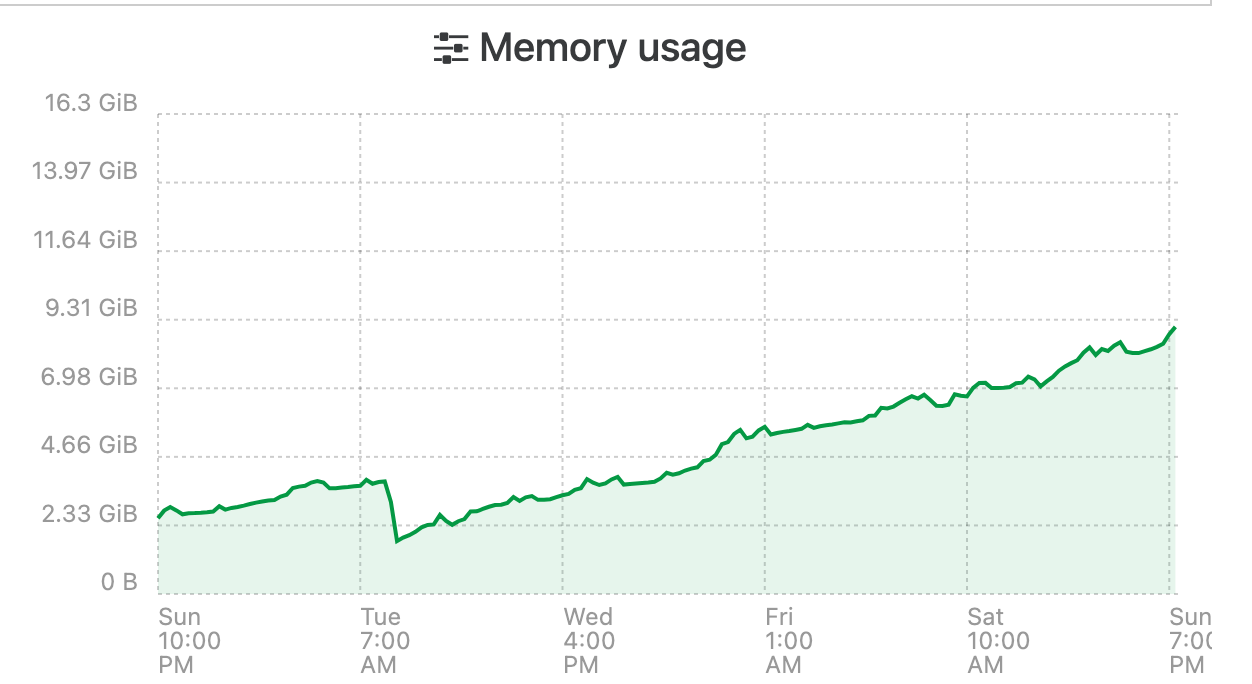
I have been having the same issue and have been watching it for the last couple weeks. Initially my XOA only had 8GB of ram assigned, i have bumped it up to 16 to try an alleviate the issue. Seems to be some sort of memory leak. This is the official XO Appliance too not XO CE.
I changed the systemd file to make use of the extra memory as per the docs,
ExecStart=/usr/local/bin/node --max-old-space-size=12288 /usr/local/bin/xo-serverIt seems that over time it will just consume all of its memory until it crashes and restarts no matter how much i assign.
-
During the past month my backups failed (status interrupted) 1-2 times per week due to this memory leak.
When increasing heap size (node old space size) it takes longer but the backup fails when RAM usage eventually hits 100%.
I guess I’ll go with @Pilow ‘s workaround for now and create a cronjob for rebooting XO VM right before backups start. -
All of you are using a Node 24 LTS version? Do you still have the issue with Node 20 or Node 22?
-
@olivierlambert No.
I reverted to Node 20 as previously mentioned.
I was using Node 24 before but reverted to Node 20 as I hoped it would "fix" the issue.
Using Node 20 it takes longer for these issues to arise but in the end they arise.3 of the users in this thread that encounter the issue said that they are using XOA.
As XOA also uses Node 20, I think most people that reported this issue actually use Node 20. -
Thanks for the recap!
-
@olivierlambert Using the prebuilt XOA appliance which reports:
[08:39 23] xoa@xoa:~$ node  --version
v20.18.3




Hello! It looks like you're interested in this conversation, but you don't have an account yet.
Getting fed up of having to scroll through the same posts each visit? When you register for an account, you'll always come back to exactly where you were before, and choose to be notified of new replies (either via email, or push notification). You'll also be able to save bookmarks and upvote posts to show your appreciation to other community members.
With your input, this post could be even better 💗
Register Login