CPU Usage of empty server
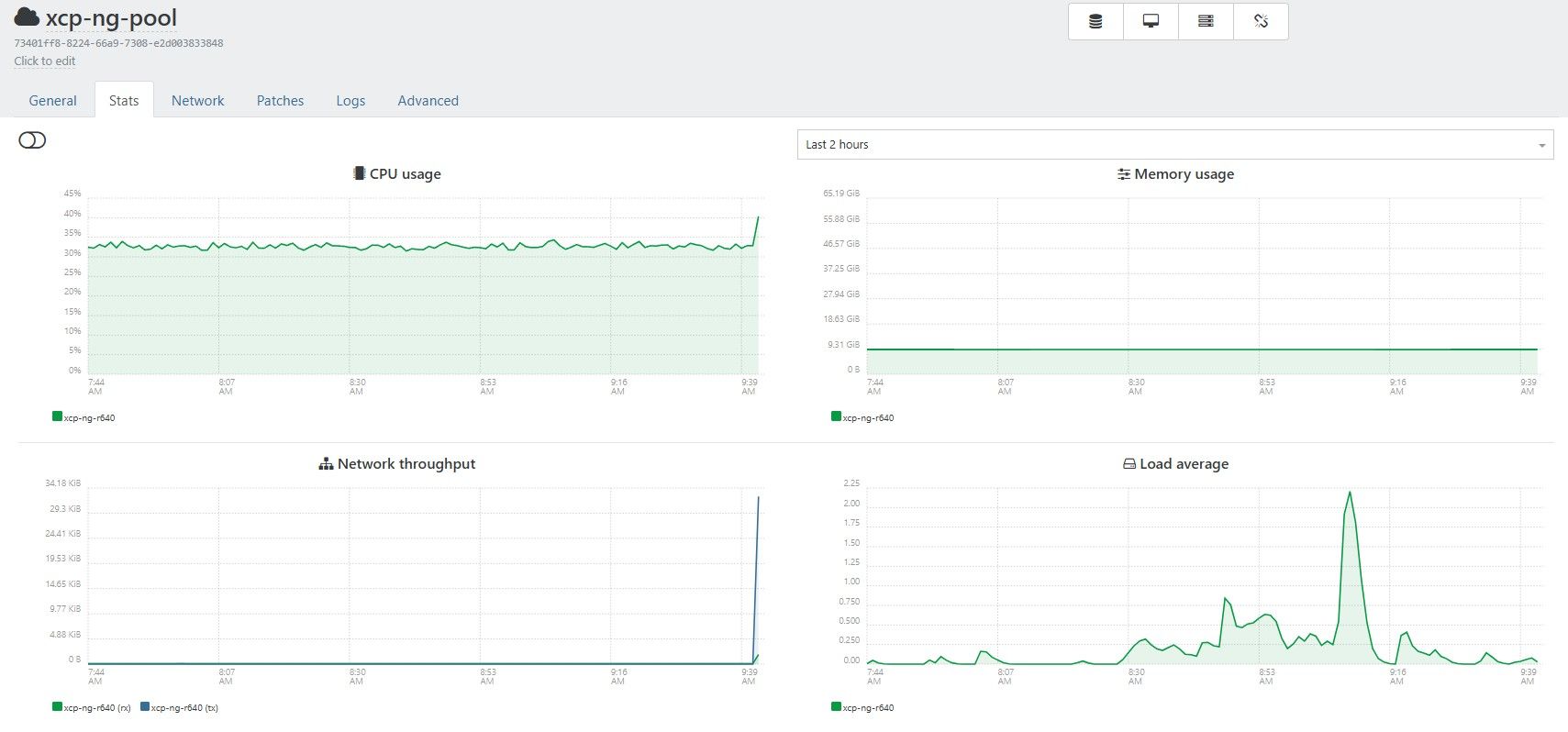
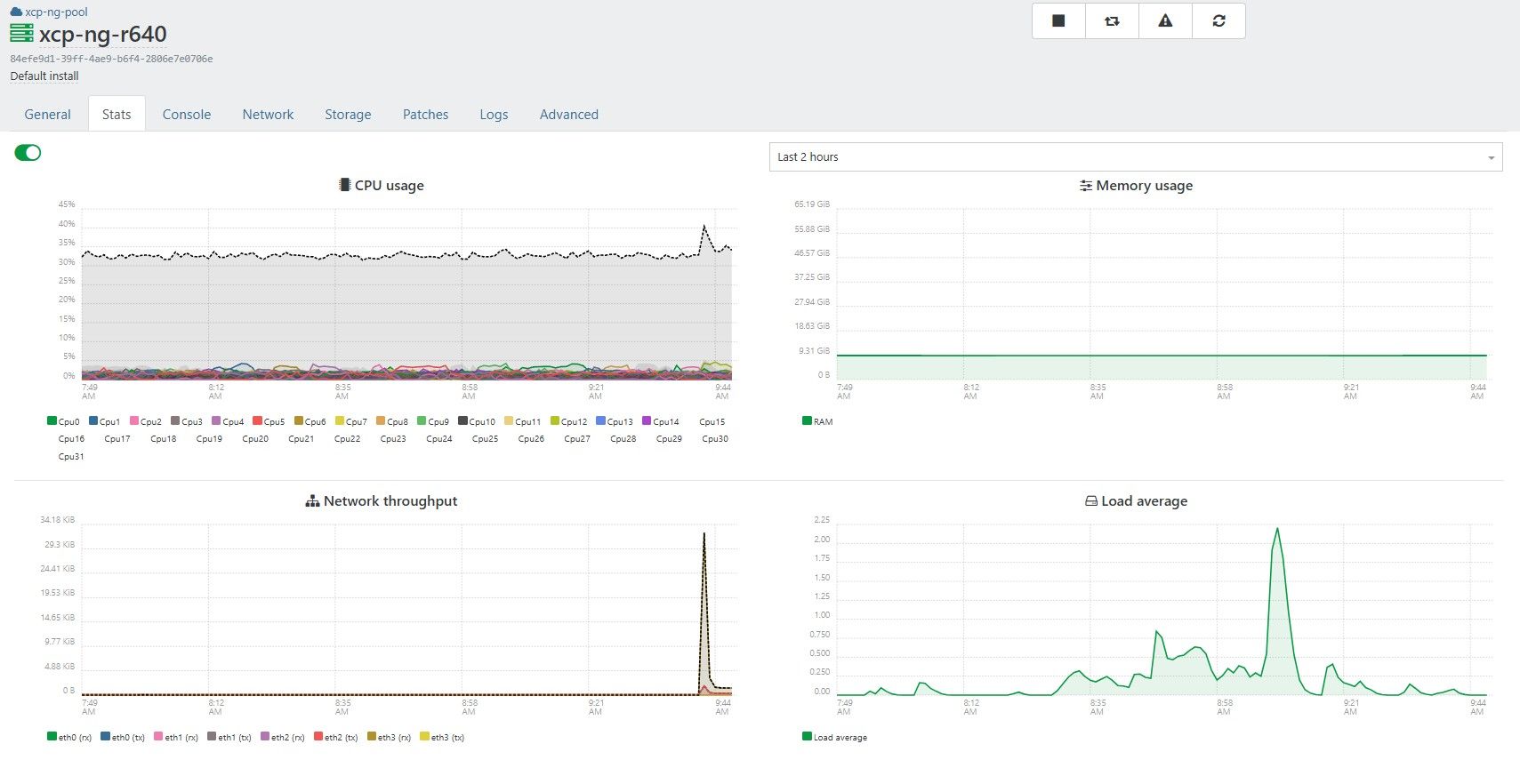
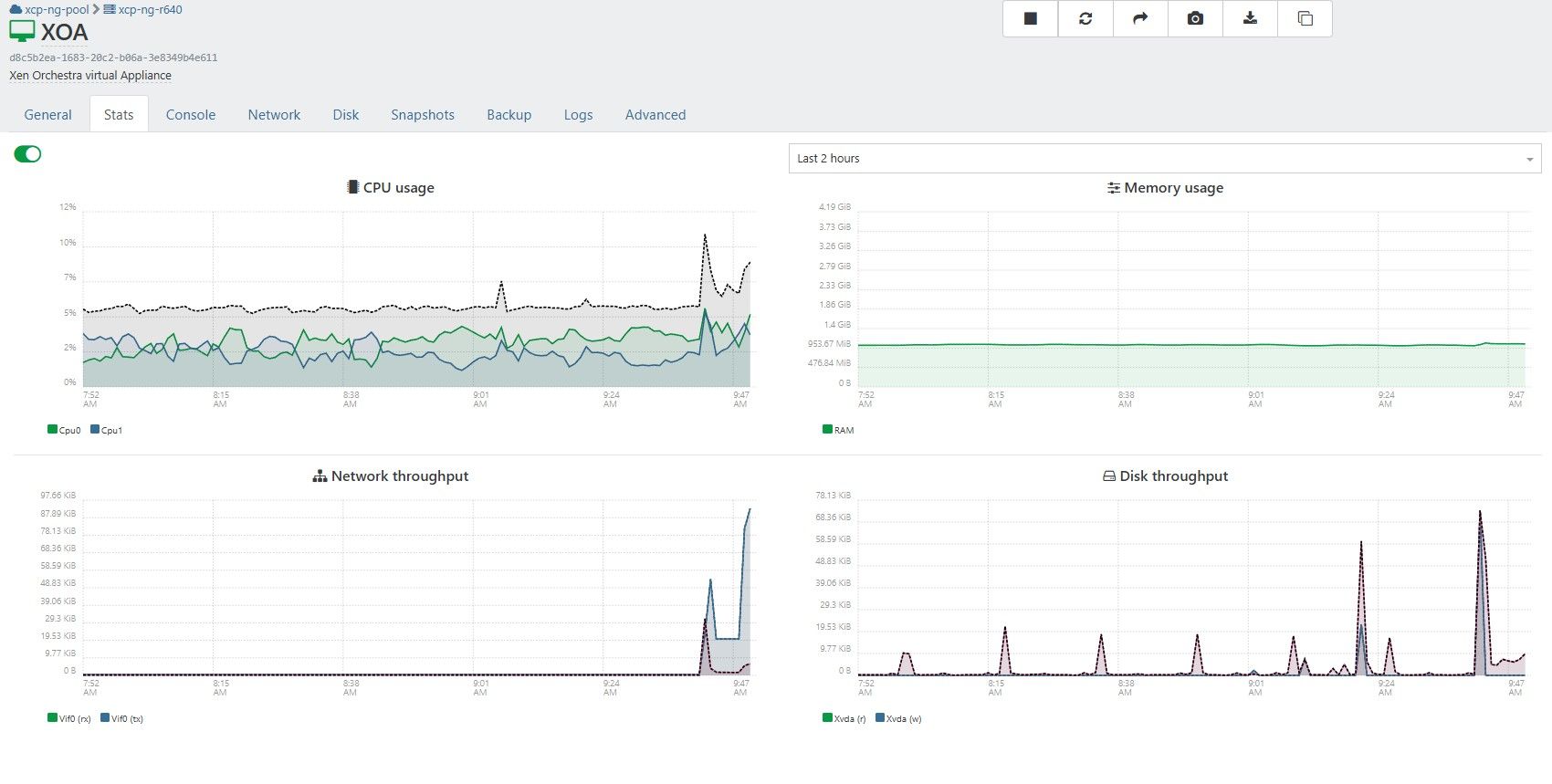
-
@jerry1333 could you do a TOP in XOA vm to identify what consumes CPU ?
-
XOA htop looks like this:
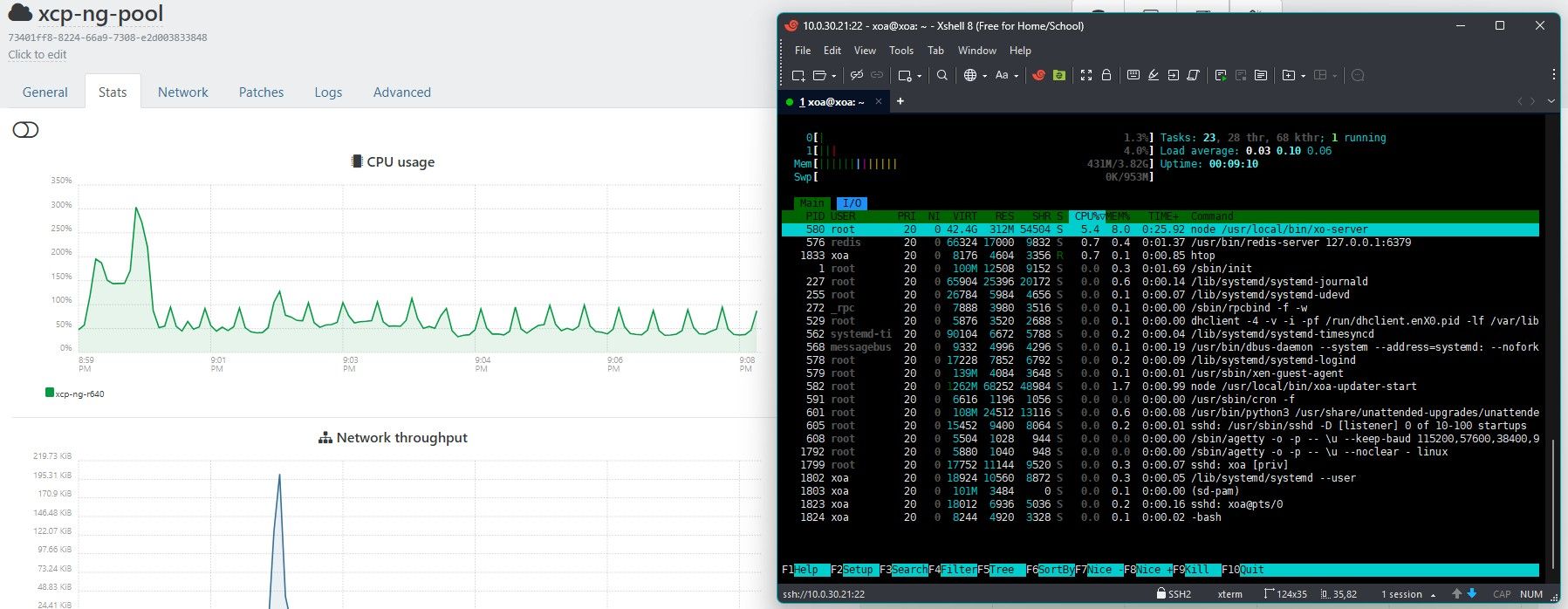
Video from xoa and xo:
https://imgur.com/a/SUyppQr -
@jerry1333 nothing obvious.. except for NETDATA popping on your host

did you enable advanced telemetry ? could be it
-
@Pilow Yes, it was enabled, then cpu usage shown on pool was around 50%.
When I disable plugin then it gets back to ~30%.Is there a way to remove netdata from host?
Anyway I will wipe this server and try new install with custom xoa (self compiled) and keep watching how it will behave.
-
@jerry1333 you could try to stop & disable auto load plugin in SETTING/PLUGINS
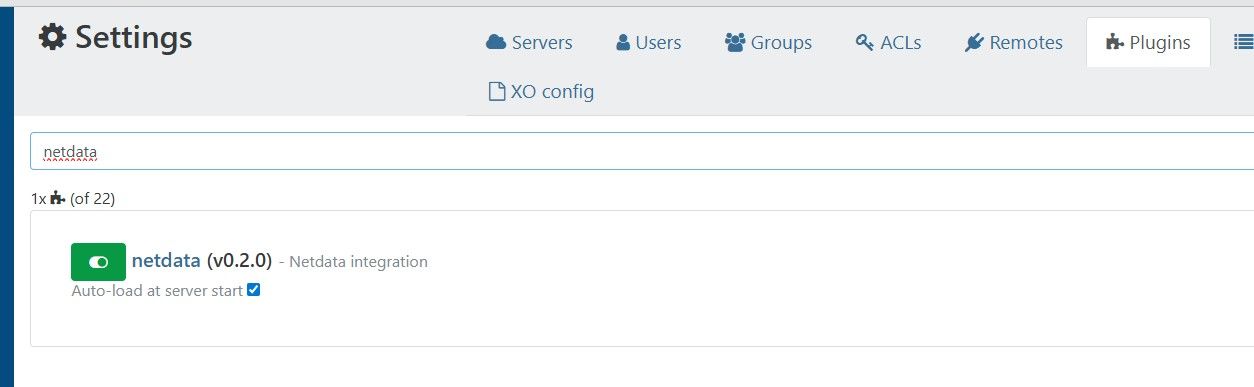
and restart host ?
-
@Pilow did that but netdata on host is still working :

-
If I kill netdata process it will come back by it self.
-
@jerry1333 on your host
# systemctl status netdata
● netdata.service - Real time performance monitoring
   Loaded: loaded (/usr/lib/systemd/system/netdata.service; enabled; vendor preset: disabled)
   Active: active (running) since Sun 2026-02-01 13:55:32 +04; 2 months 4 days ago
  Process: 2425 ExecStartPre=/usr/libexec/netdata/xcpng-iptables-restore.sh (code=exited, status=0/SUCCESS)
 Main PID: 2464 (netdata)
   Memory: 355.1M
   CGroup: /system.slice/netdata.service
           ├─   2464 /usr/sbin/netdata -D
           ├─   2466 spawn-plugins
           ├─   2724 /usr/libexec/netdata/plugins.d/network-viewer.plugin 1
           ├─   2739 /usr/libexec/netdata/plugins.d/apps.plugin 1
           ├─   2743 /usr/libexec/netdata/plugins.d/systemd-journal.plugin 1
           ├─   2745 spawn-setns
           ├─2300997 /usr/libexec/netdata/plugins.d/debugfs.plugin 1
           └─3392346 /usr/bin/bash /usr/libexec/netdata/plugins.d/tc-qos-helper.sh 1
try that :
systemctl stop netdata -
followed by a
systemctl disable netdatait should get rid of it, no easy way by XOA UI to disable this
-
@Pilow After disabling netdata service cpu usage droped by 10% on both host and pool.
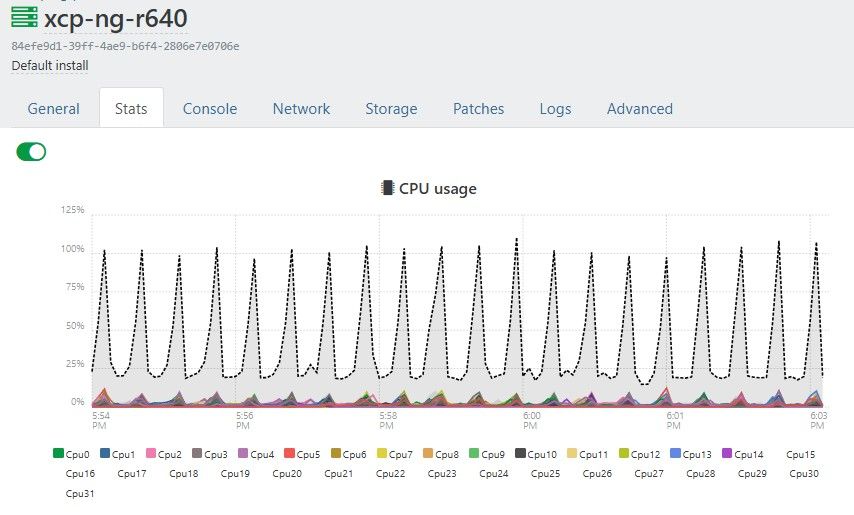
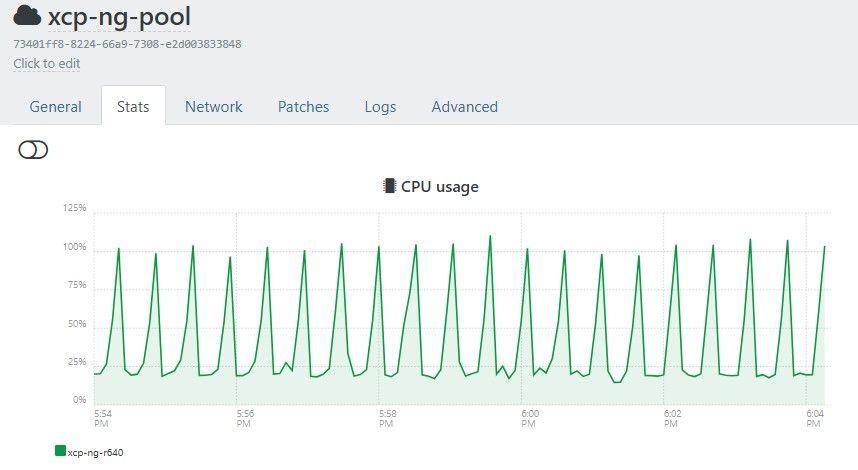
Step in right direction, thanks

I was expecting empty server cpu usage on 2-5% level but maybe xcp behaves like this and it is normal?
-
@jerry1333 I have an empty server in a pool, I do see some regulare bumps in the network, probably XOA polling RRDs for the stats from the master.
but no spikes in CPU as you have
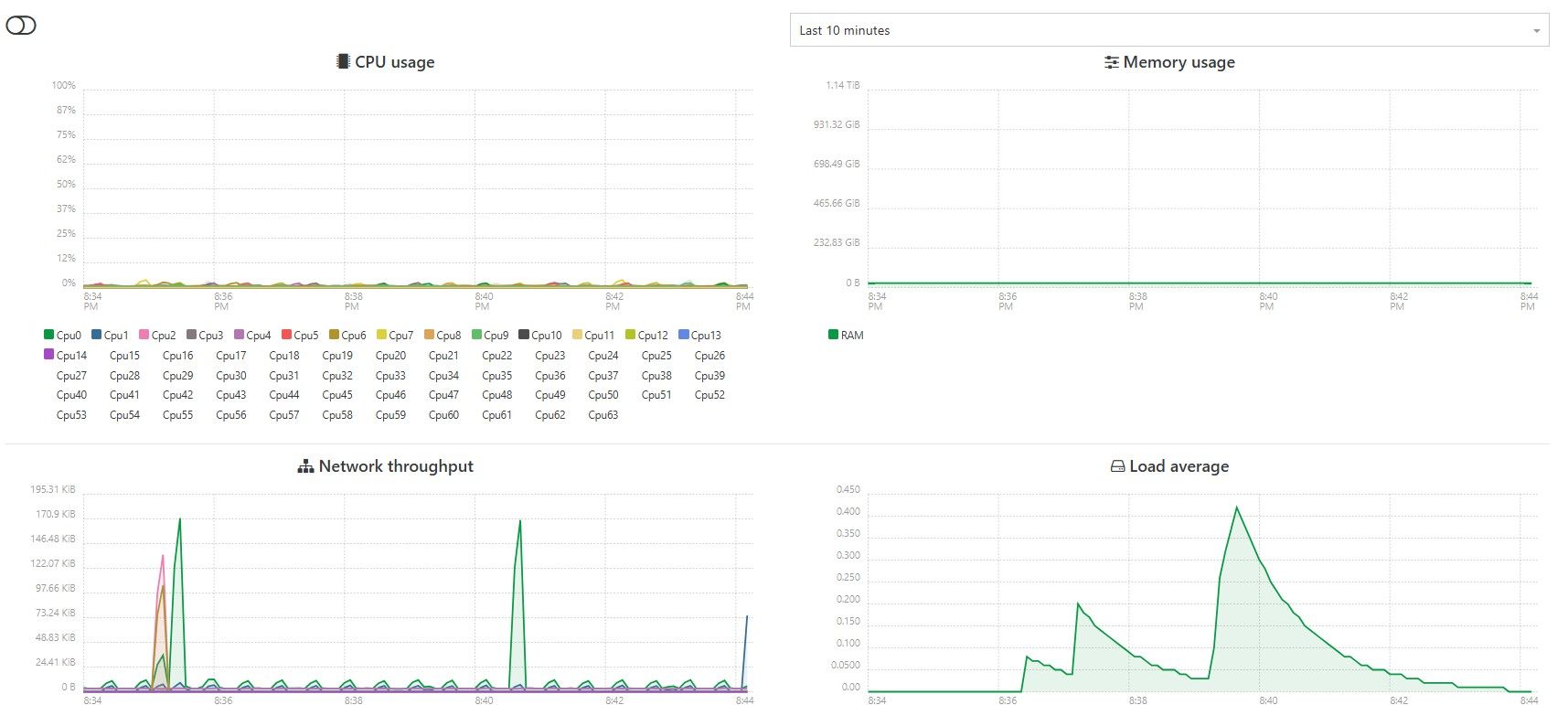
-
haaaa on the pool stats, it spikes to 50% (but I have 2 hosts in this pool)
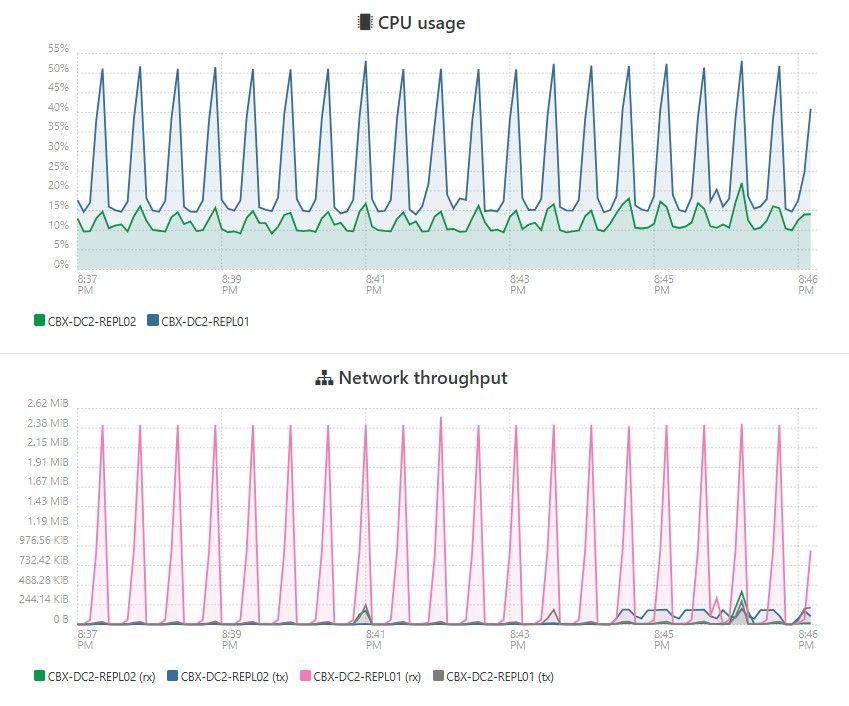
my guess ? false positive
real monitoring do not add up to what we see in XOA stats.
I think we're down a rabbit hole@olivierlambert told once that these stat graphs have not been updated for 10 years.
-
There is nothing else on that host and this is only host in pool but it's using 30% of cpu all the time?
it's not using 30% of CPU, you see a graph of cumulated (switch is on) core consumption of your 32 cores.
never switch this on. it adds up like that : 32x1%=32%, wrongfully letting you think you are at 30%ish CPU usage.
-
i think im seeing the same with fake cpu spikes. I started a second pool yesterday to patch and left it on over night. typically i just shut it down once done so the servers dont get too far behind patching.
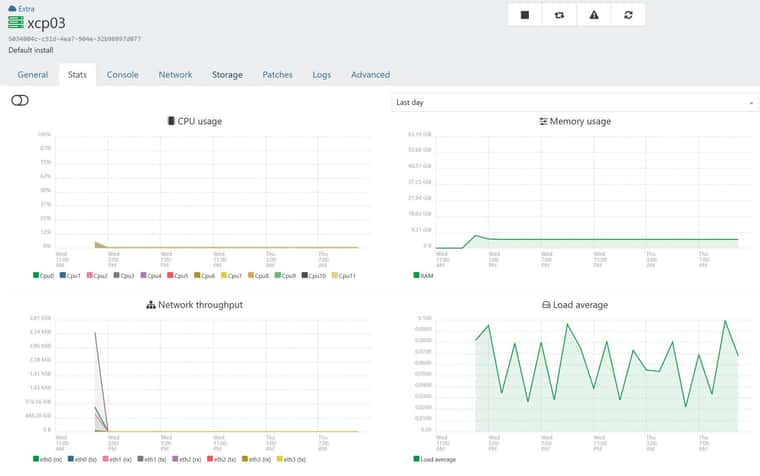
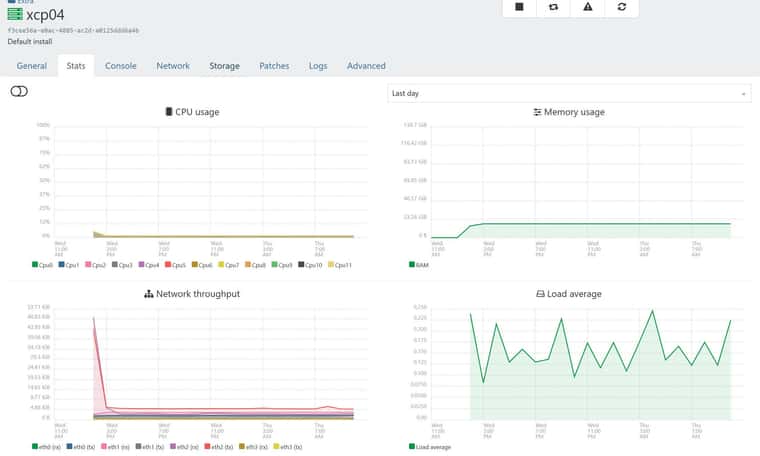
Under the pool stats im seeing spikes but under hosts nothing.
It doesnt really bother me, but figure i add to the thread that im also seeing it.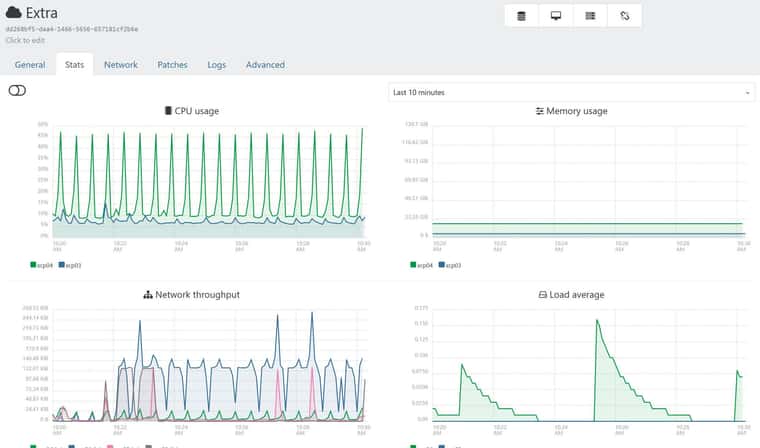
-
 P poddingue marked this topic as a question on


Hello! It looks like you're interested in this conversation, but you don't have an account yet.
Getting fed up of having to scroll through the same posts each visit? When you register for an account, you'll always come back to exactly where you were before, and choose to be notified of new replies (either via email, or push notification). You'll also be able to save bookmarks and upvote posts to show your appreciation to other community members.
With your input, this post could be even better 💗
Register Login