V2V in XO 6: a brand new migration wizard, with Auto-pilot docking 🛬
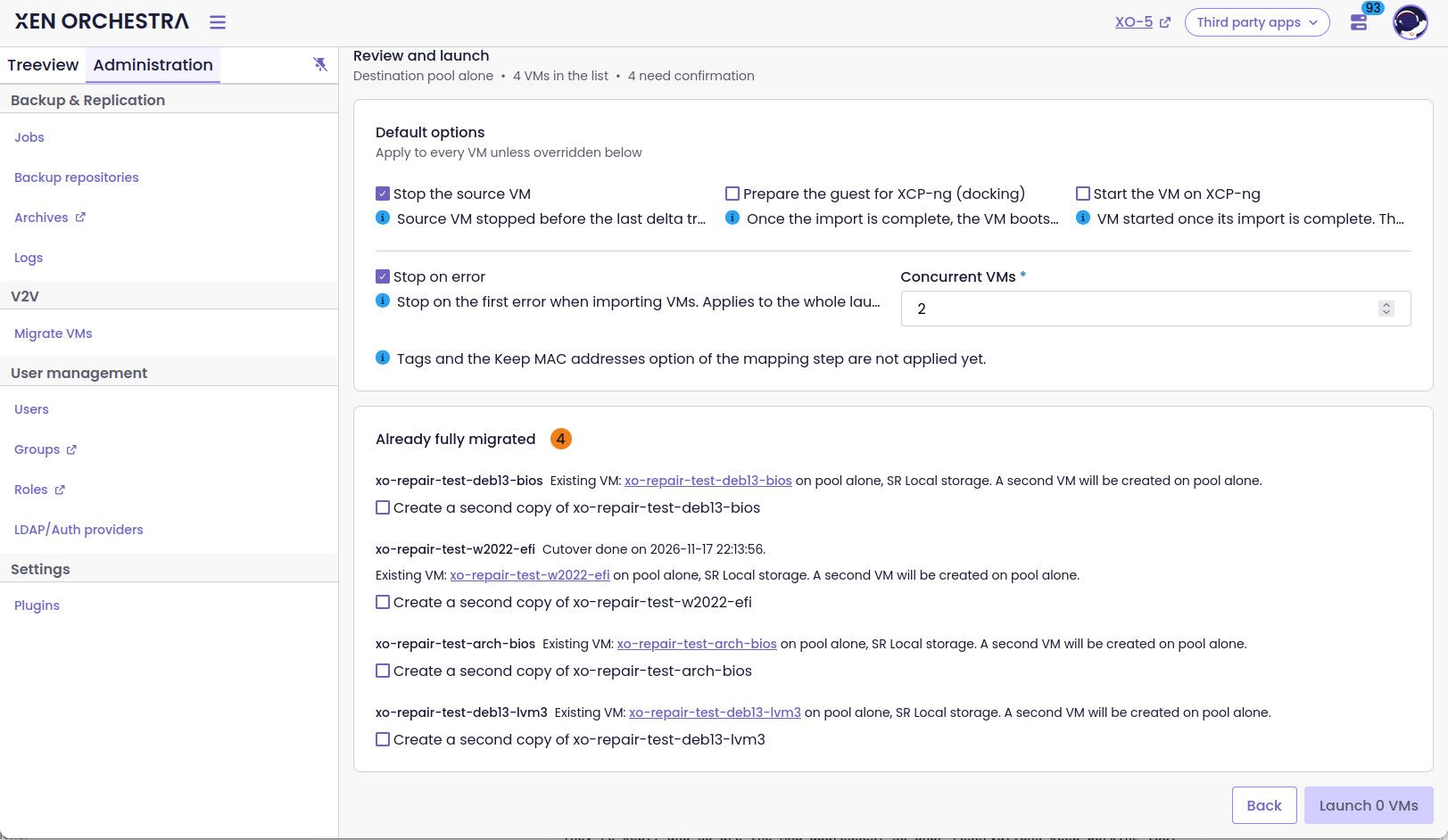
-
I'm going to be testing this more extensively during the week.
Quick question.
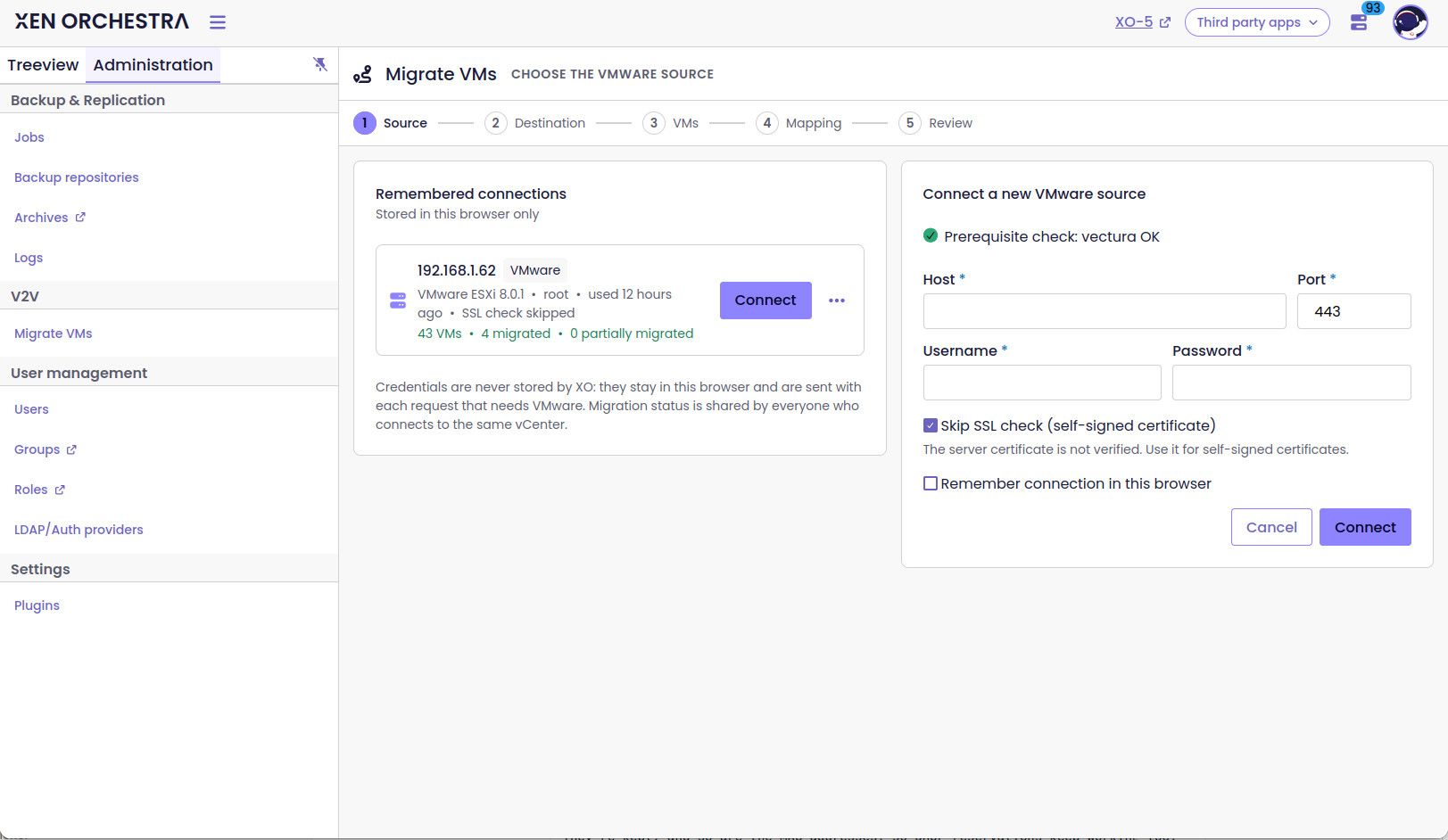
When/If I choose to remember the connection. Will that save my credentials as well? If so, then I would like to propose that splitting that up to being able to save the connection host/target e.g. vcenter.contoso.lan, and the credentials separately.But in my first try-run.
Docking failed: (I'm surely doing something wrong)
no docking ISO vates-autopilot-docking-<YYYYMMDDTHHMMSSZ>-<commit or version>.iso in the poolError: no docking ISO vates-autopilot-docking-<YYYYMMDDTHHMMSSZ>-<commit or version>.iso in the pool at findDockingIso (file:///opt/xen-orchestra/packages/xo-server/src/xo-mixins/vmware/_docking.mjs:48:19) at MigrateVm.migrationfromEsxi (file:///opt/xen-orchestra/packages/xo-server/src/xo-mixins/vmware/index.mjs:344:7) at file:///opt/xen-orchestra/@xen-orchestra/rest-api/dist/v2v/v2v.service.mjs:69:38 at Task.runInside (/opt/xen-orchestra/@vates/task/index.js:204:22) at Task.run (/opt/xen-orchestra/@vates/task/index.js:188:20) at asyncEach.concurrency.concurrency (file:///opt/xen-orchestra/@xen-orchestra/rest-api/dist/v2v/v2v.service.mjs:67:17)And thanks for enabling auto-start of the VM after the migration has completed!
-
both are saved at the same time in your browser, but we could split the UI
@jr-m4 yes, you need to deploy the iso http://xoa.io/vates-autopilot-docking-20261116T173627Z-8c206149.iso on the pool that will receive the migration
automatic boot is really useful after docking, most of the VM don't really like to be booted automatically without changing network / drivers/...
-
@florent
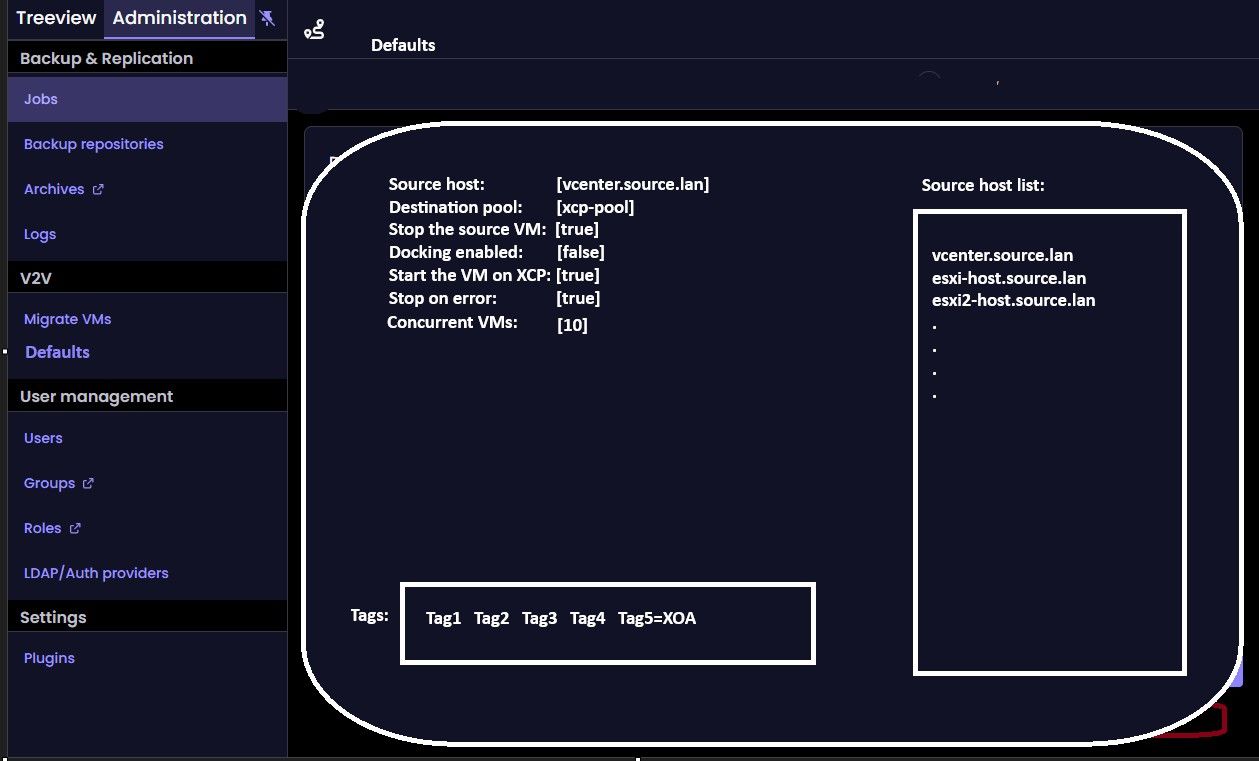
As another suggestion. Maybe we could pre-populate a default list with source-hosts as well?Reason is that I really don't want to save credentials in browser. But if I can get away from typing the host of vcenter each time, then that would be absolutely lovely.
Thanks for pointing out the iso to download. I missed that download link unfortunately. Merci!
-
@florent
Could I bother to have a checksum of the ISO as well, please? -
@jr-m4 sha256sum is
d7eb1b569afe93e3c5a4a07fa889ffcc1df4dff56732f334fef69f062d2e7c05vates-autopilot-docking-20261116T173627Z-8c206149.iso -
This post is deleted! -
I'm having very fun testing this out. And you've really got something with extreme potential here. And I am very impressed. Thank you!
So far I've noticed a couple of things, both very small and medium in size. And I've tried to collect my initial thoughts below.
v2v xo6 thought
-
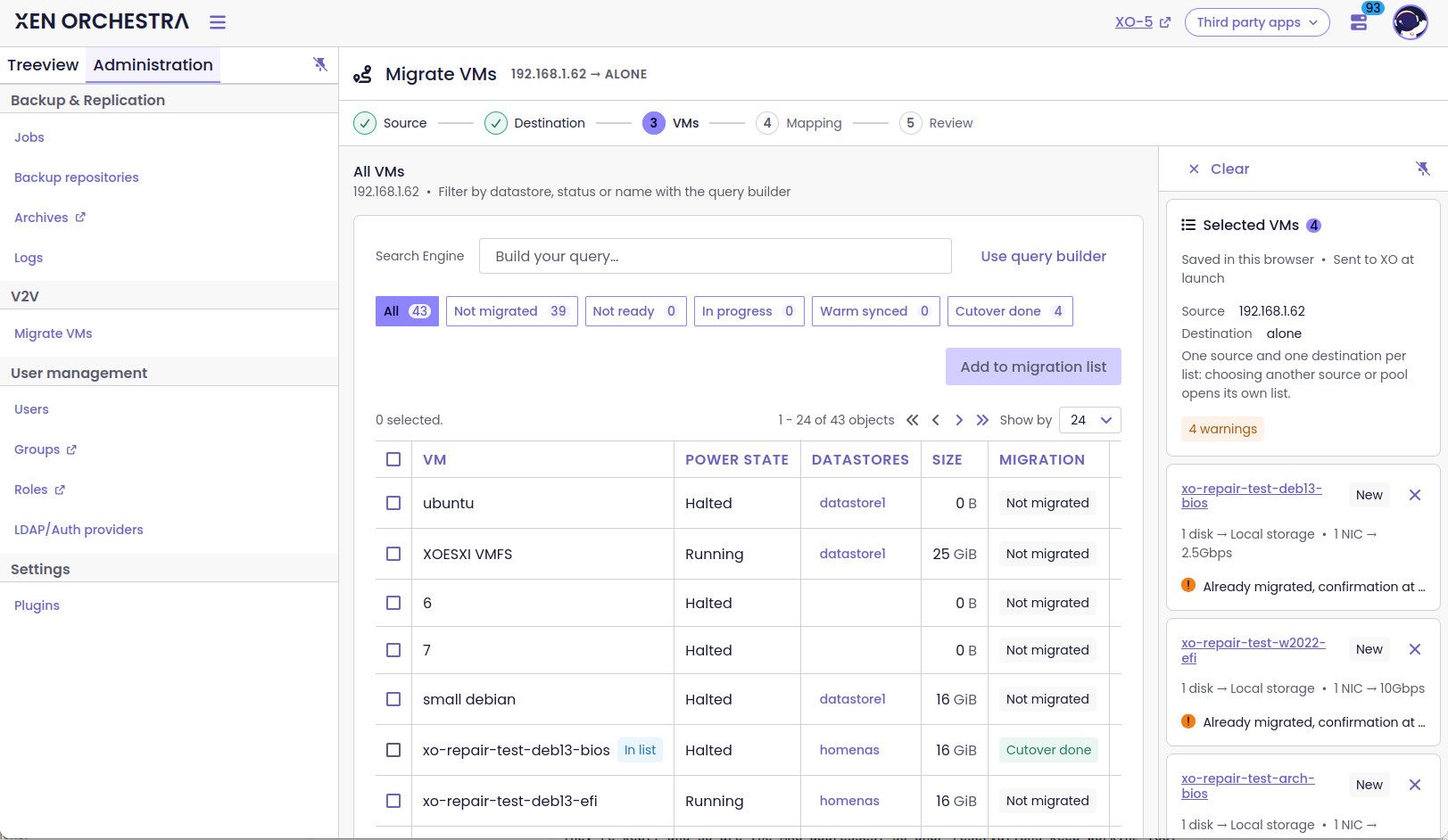
"next: mapping" is far down, when browsing "ALL". Could be remedied with placing it up at the top. With the header fixed at the top as well.
-
Consider showing what networks are attached in the VM-list.
- Further suggestion could be to look into some smart-mapping. A simple (not saying the implementation would be easy, but the matching algorithm), that matches source-VLAN vs target-VLAN.
-
Have a V2V settings page, where many defaults could be set. Examples are:
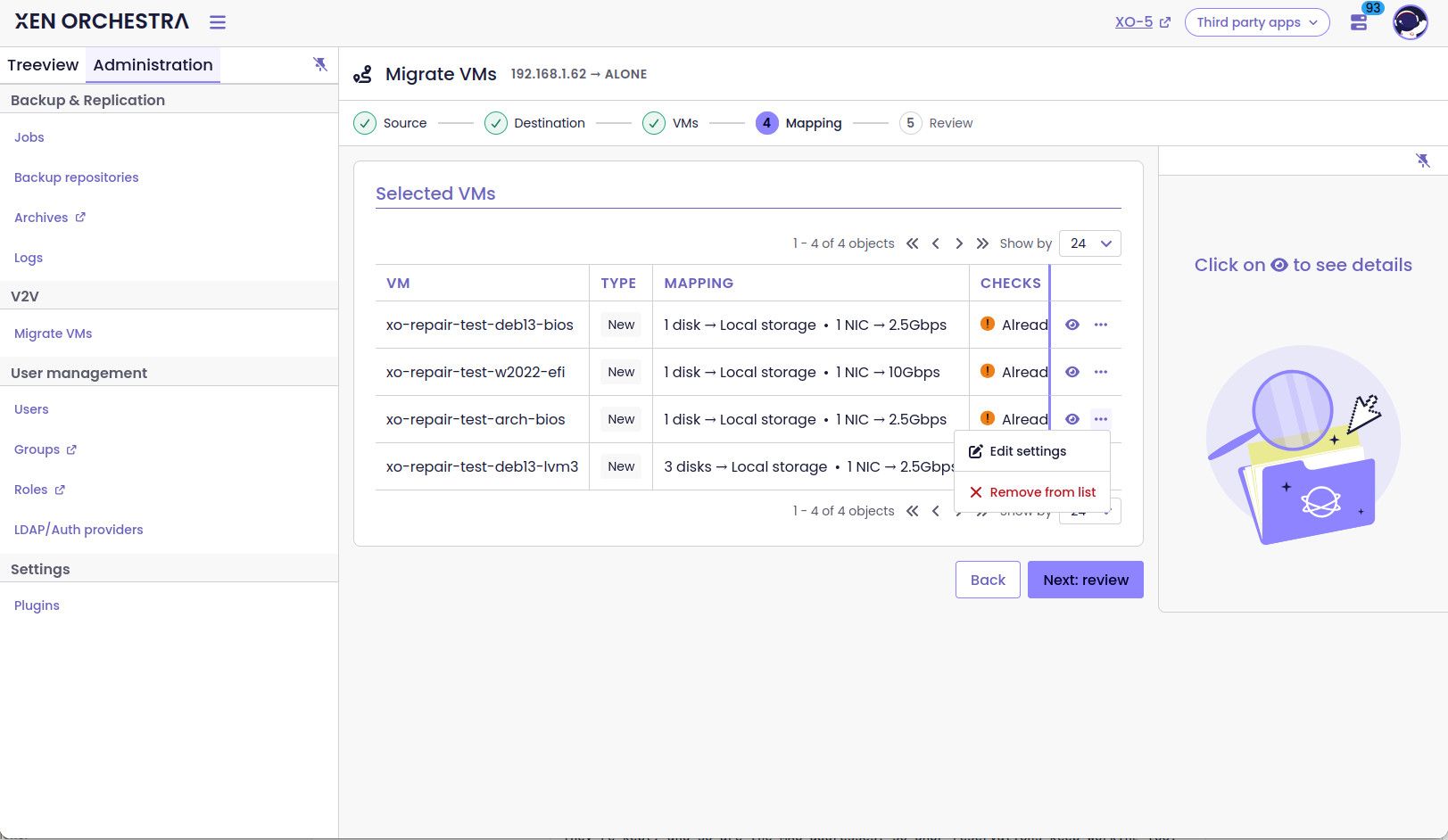
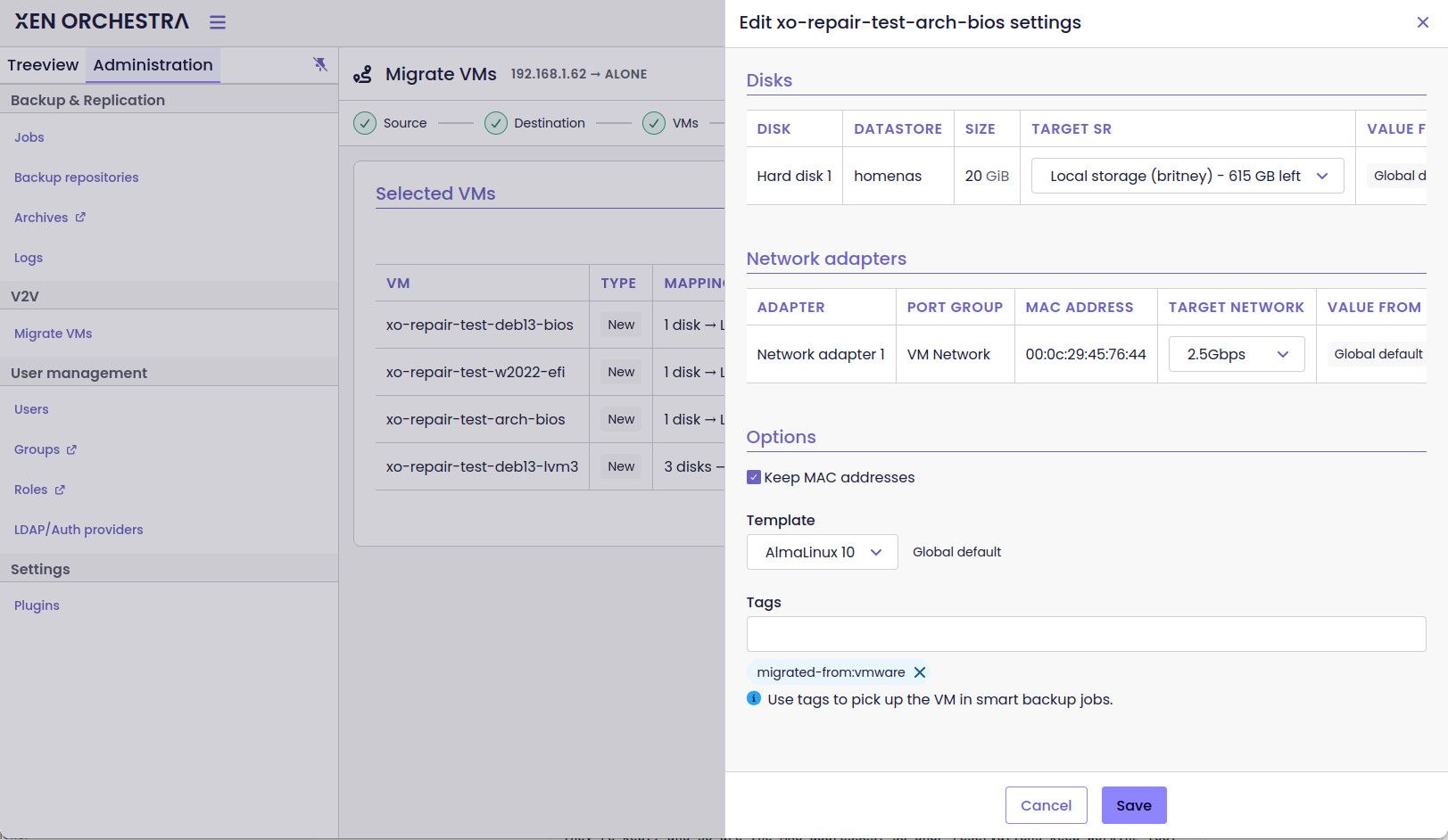
- Tags: Although you can click into each VM that is supposed to be migrated. Doing so for hundreds of VMs would be tedious very quickly. So an on-masse applying of tags would be great. (yes I'm aware there is a notice specifically about tags.
- Deciding what would be the active default. Such as example deciding if Docking and "Start the VM on XCP-ng" would be pre-checked or not (current default).
- Concurrent VMs
-
Incorporate an option to set if a VM should be booted with BIOS or UEFI. Perhaps be able to match with vmware-source?
-
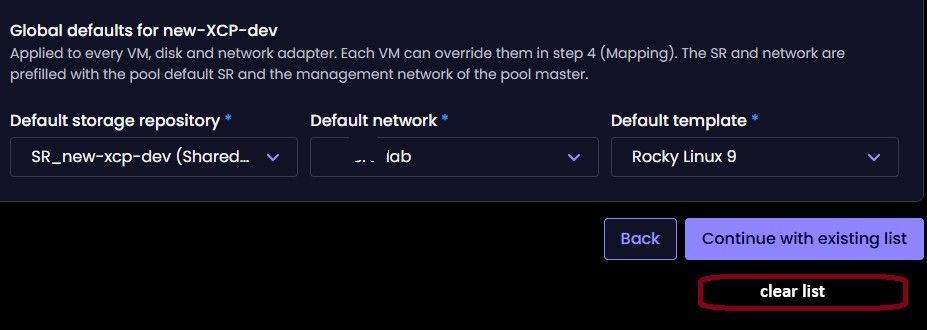
When creating a migration, there is no way to discard already existing list, except for continuing with existing list and clear it inside.
-
When a migration is underway. It would be nice if the migration task for that VM would show up under the Tasks-tab for that particular VM as well. Not just in the "Tasks-section for XO"
Questions:
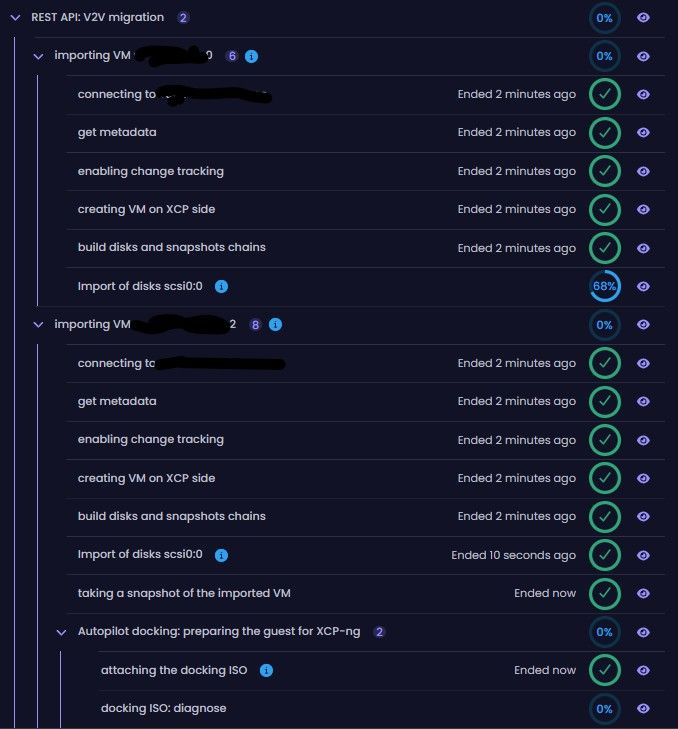
- When importing a VM. The task for that particular VM has a percentage counter for its import. This does not seem to work. So my question is, what is the percentage of completion based on?
-
-
I will a colleague from the front team for the UI/UX question
-
vlan mapping : we hve the same quesiton for migration between xcp-ng, but have yet to find the right approach
-
tags : should be available soon
-
docking by default : we are waiting for more tester before enabling this
-
concurrent VM is already possible ( even in XO5) , by default I think it's 2 VMs
-
it should match the source , at least it did in my tests
-
you have a clear button on the top of the VM list
-
this is planned
on a VM , there is a per disk counter ( that rely on the disk size ) . The global progress bar at the root of the task is the number of vm done Vs the total number of VM to migrate
-
-
"you have a clear button on the top of the VM list":
Yes, but you have to click into that VM-list first. My suggestion is that you could have a clear-list option prior to that. See screenshot:
Regarding having a V2V Settings page. Here is an extremely rough mockup
Again. Great thanks to implementing this to begin with. I will also report back if I find any problems.
-
"on a VM , there is a per disk counter ( that rely on the disk size ) . The global progress bar at the root of the task is the number of vm done Vs the total number of VM to migrate"
in my Humble oppinion. The progress tracker percentage for each individual VM should increase with each step. Otherwise it feel like it just goes from 0% -> 100% completed.
In my example below. The VMs has completed 7/7 steps in the importing. And one has moved on to the Docking section. Yet the tracking progress for that VM is still at 0%
-
@jr-m4 yes, the global counter is updated only when the VM has finished the docking and is completely done
thank you for testing it.
Are you using windows or liinux VMs ? which flavors ? -
@jr-m4 yes, the global counter is updated only when the VM has finished the docking and is completely done
I'm talking about the sub-counters. not the global one (that one is behaving as expected). It is the sub-counters, that I find to be goinf from 0% -> 100%, and nothing inbetween.
thank you for testing it.
Are you using windows or liinux VMs ? which flavors ?I've so far only tested with a couple of Linux VMs. Rocky 9 based. Destined to two pools, with varying amounts of NICs and such.
Will do tests with windows server (22 & 25) later as well. -
Small thing I noticed:
I have set the job to import 4 VMs. (2 concurrent)
The Global counter is listing 3, as it has completed 1 and therefore gone up from 2->3.. However, the global counter-circle is listing 3. But the tracking percentage is counting the overall job. So in this case, the percentage tracker, is the correct one.
Whereas the acctual counter is not showing the acctual amount of VMs that are in the job.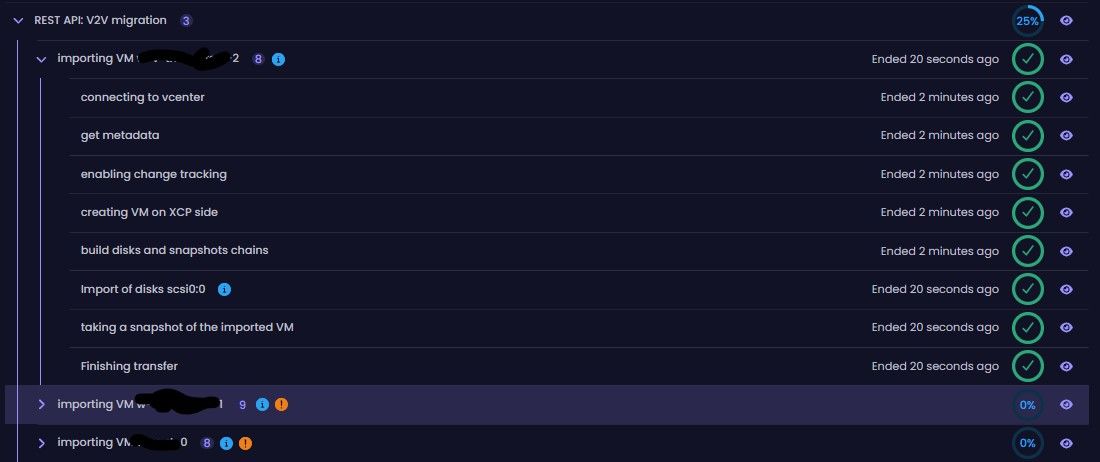


Hello! It looks like you're interested in this conversation, but you don't have an account yet.
Getting fed up of having to scroll through the same posts each visit? When you register for an account, you'll always come back to exactly where you were before, and choose to be notified of new replies (either via email, or push notification). You'll also be able to save bookmarks and upvote posts to show your appreciation to other community members.
With your input, this post could be even better 💗
Register Login