XCP-ng
    • Categories
    • Recent
    • Tags
    • Popular
    • Users
    • Groups
    • Register
    • Login

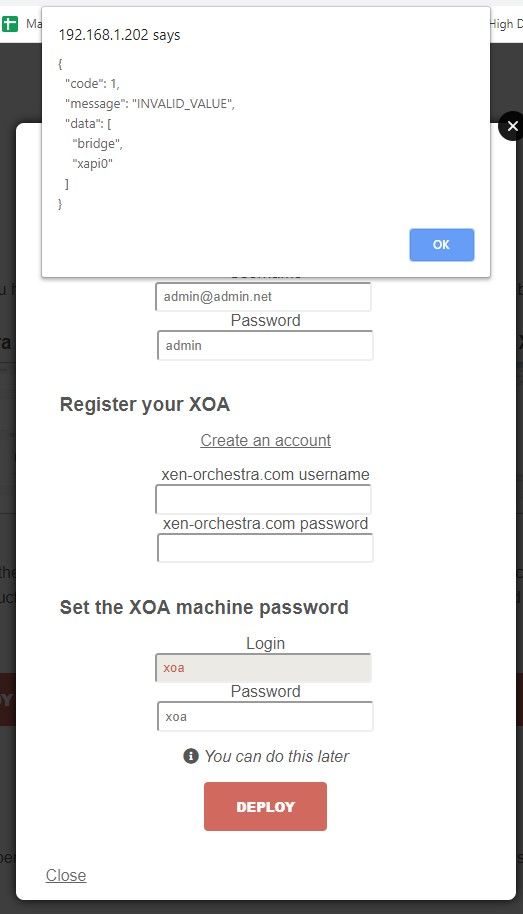
    XOA Error when installing
    Scheduled Pinned Locked Moved Solved Xen Orchestra
    107 Posts 9 Posters 66.3k Views 1 Watching
    Loading More Posts
    • Oldest to Newest
    • Newest to Oldest
    • Most Votes
    Reply
    • Reply as topic
    Log in to reply
    This topic has been deleted. Only users with topic management privileges can see it.
    • K
      kilo
      last edited by

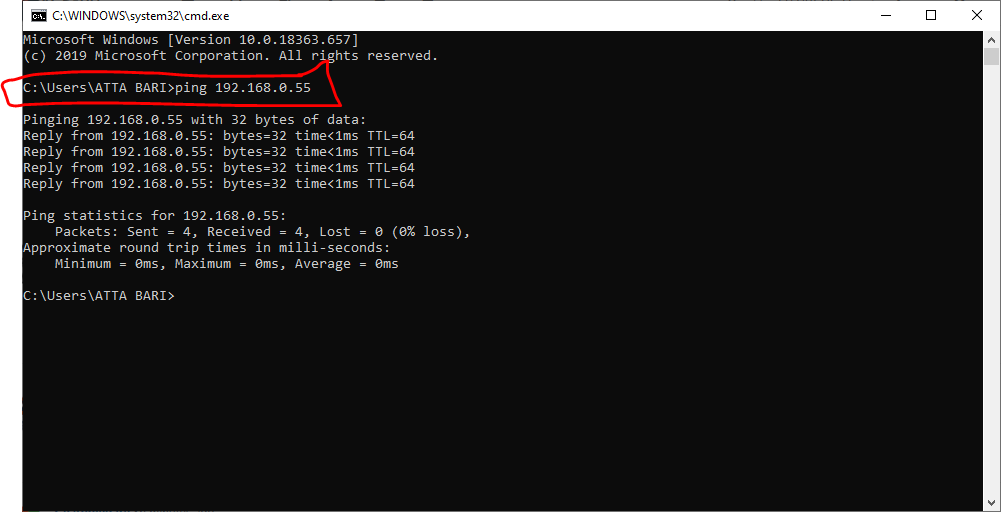
      Indeed i can ping xcp-ng host (192.168.0.55) from my pc .......
      cfda6422-517b-446e-9f3c-f5baec52eedf-image.png

      1 Reply Last reply
      Reply Quote 0
      • K
        kilo @Danp
        last edited by

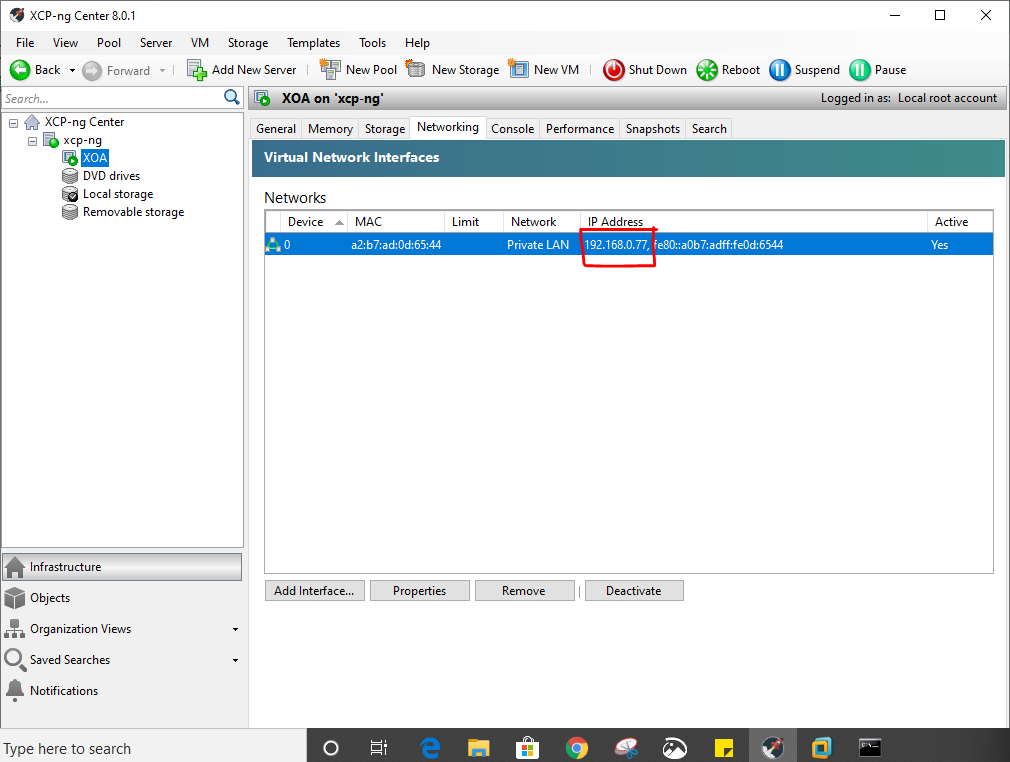
        @Danp IP address is same 192.168.0.77 in the networking tab
        1dba9660-f14f-44d7-b610-e7b7a589b399-image.png

        1 Reply Last reply
        Reply Quote 0
        • K
          kilo
          last edited by

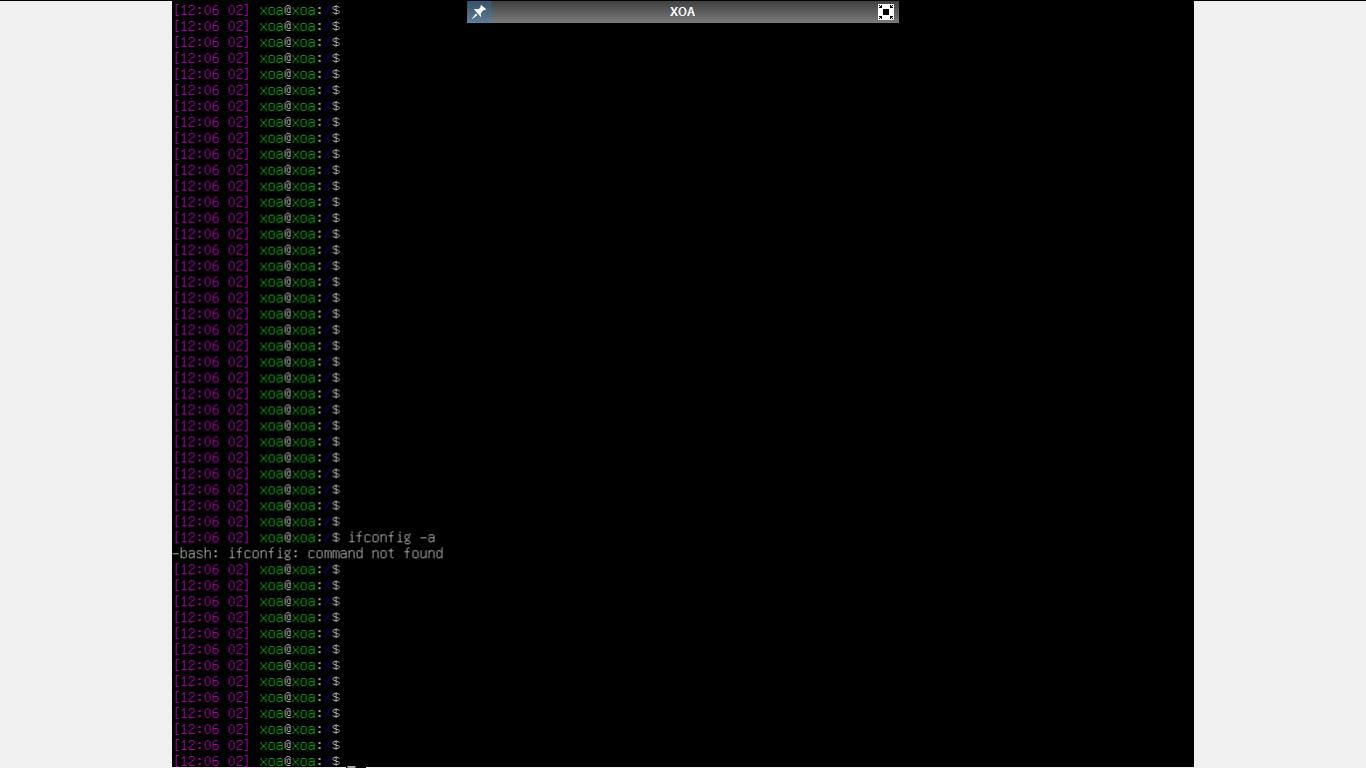
          no result of ifconfig -a.
          2419b8ce-494c-4970-8ab2-1a50d3a3e21a-image.png

          1 Reply Last reply
          Reply Quote 0
          • K
            kilo @olivierlambert
            last edited by

            @olivierlambert yes indeed

            1 Reply Last reply
            Reply Quote 0
            • olivierlambertO
              olivierlambert Vates 🪐 Co-Founder CEO
              last edited by

              As sudoer, so with sudo before.

              1 Reply Last reply
              Reply Quote 0
              • N
                nackstein @kilo
                last edited by nackstein

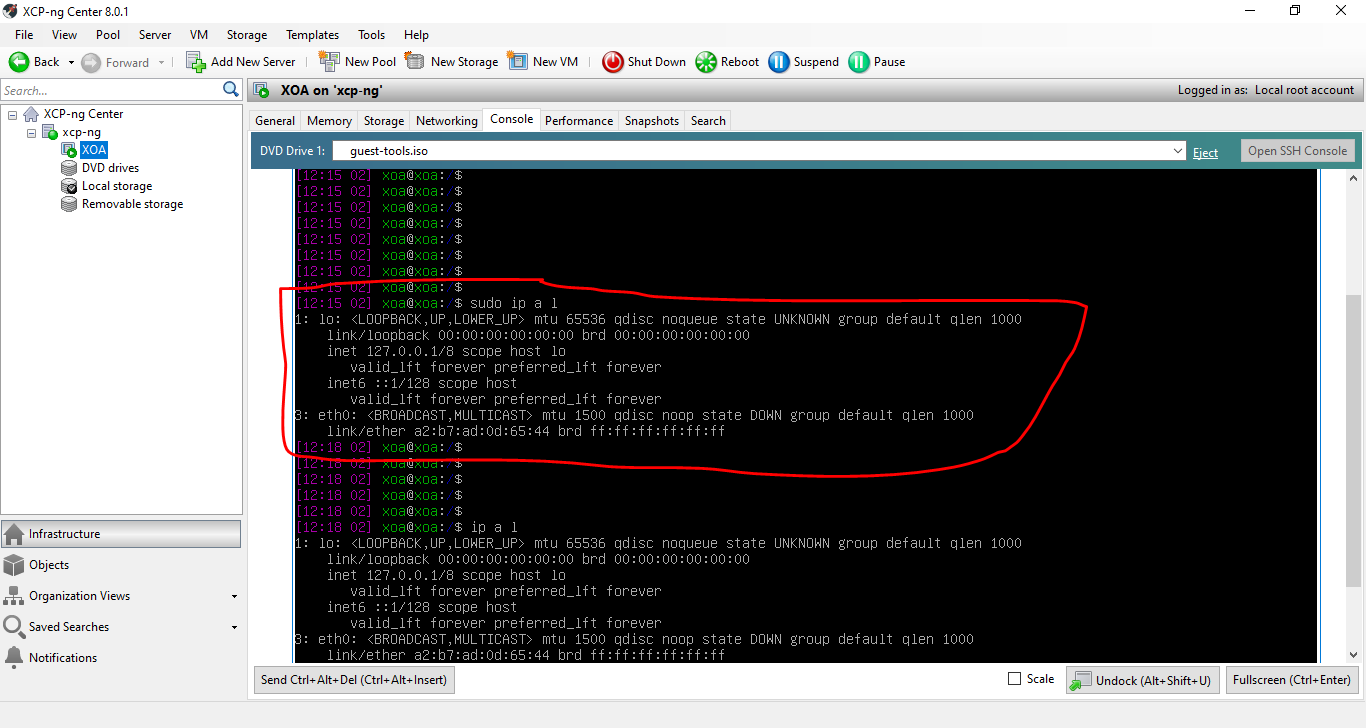
                @kilo at the shell prompt (as root user) type:

                ip a l
                

                you will see the IP if static of if DHCP worked.
                if you need to configure the network edit (using vi or nano) /etc/network/interfaces
                I show you mine as reference:

                # and how to activate them. For more information, see interfaces(5).
                
                source /etc/network/interfaces.d/*
                
                # The loopback network interface
                auto lo eth0
                iface lo inet loopback
                
                # The primary network interface
                allow-hotplug eth0
                iface eth0 inet static
                    address 172.27.217.231
                    network 255.255.254.0
                    gateway 172.27.217.254
                

                once the file is edited restart the network:

                systemctl restart networking
                

                note: remember to set auto on eth0 (see the line auto lo eth0)or when you give a network restart eth0 does not get the IP address and you need to reboot the VM.

                K 1 Reply Last reply
                Reply Quote 0
                • K
                  kilo
                  last edited by

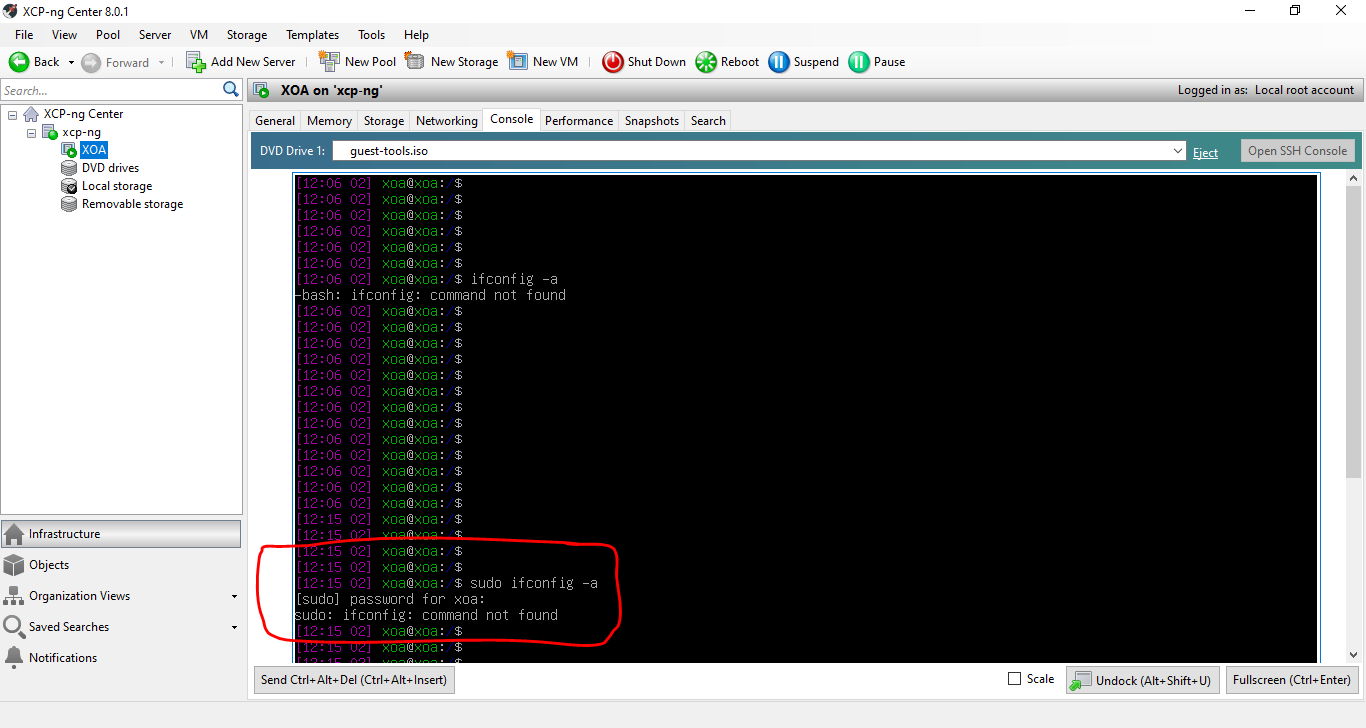
                  still wont work with a sudo
                  b09dba36-71d1-4306-899c-0add3999cd68-image.png

                  N 1 Reply Last reply
                  Reply Quote 0
                  • N
                    nackstein @kilo
                    last edited by

                    @kilo ifconfig is deprecated by many year and some distro does not install it anymore.
                    now the suite of utilities to configure the network stack is iproute2 and it contain ip, tc, ss, bridge etc...

                    1 Reply Last reply
                    Reply Quote 0
                    • olivierlambertO
                      olivierlambert Vates 🪐 Co-Founder CEO
                      last edited by

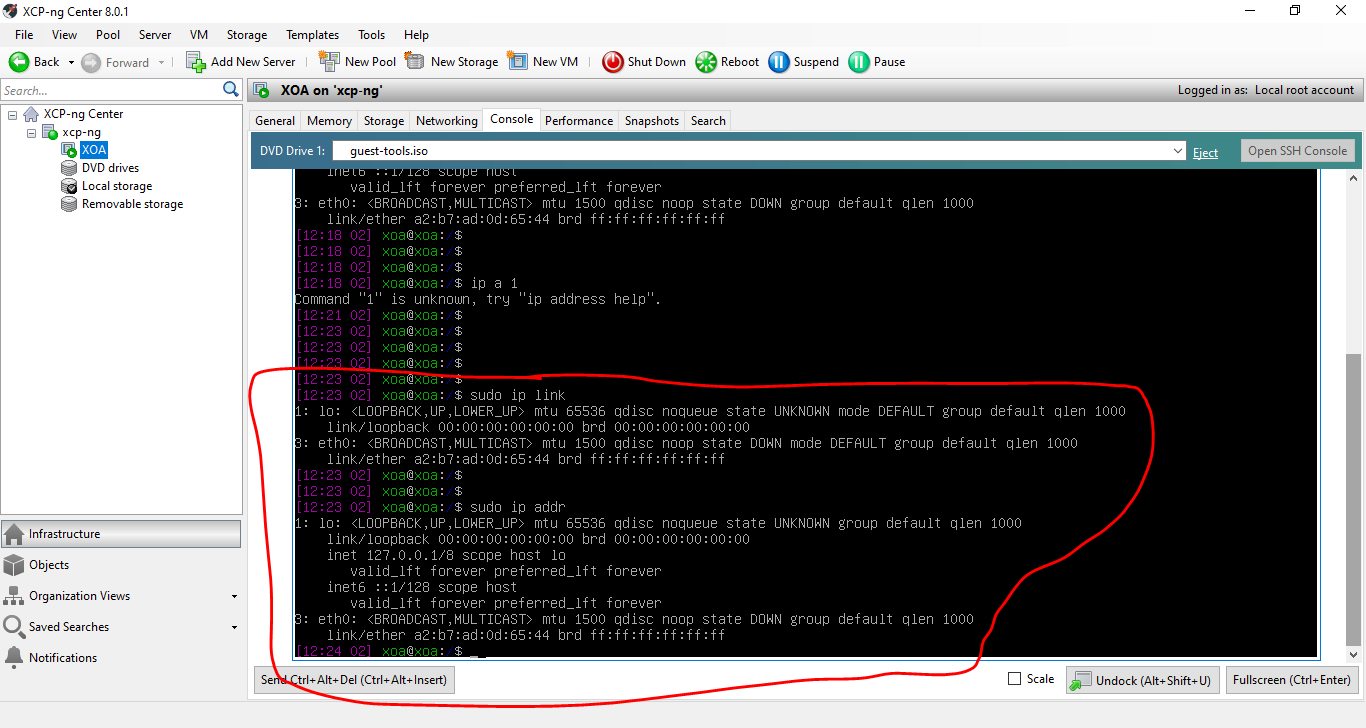
                      Yep sorry do a sudo ip link and a sudo ip addr

                      1 Reply Last reply
                      Reply Quote 0
                      • K
                        kilo
                        last edited by

                        i dont see my ip in any case
                        e02f435b-c4c2-49db-b82b-7230f3f06aff-image.png

                        f0200854-4496-4c09-a350-bcab4260dbb8-image.png

                        1 Reply Last reply
                        Reply Quote 0
                        • K
                          kilo @nackstein
                          last edited by

                          @nackstein is it interfaces.d or just interfaces

                          f7889a44-96e5-4337-b560-401b79f3bc59-image.png

                          N 1 Reply Last reply
                          Reply Quote 0
                          • olivierlambertO
                            olivierlambert Vates 🪐 Co-Founder CEO
                            last edited by

                            Interface is down, don't know why. sudo ip link set dev eth0 up

                            1 Reply Last reply
                            Reply Quote 0
                            • N
                              nackstein @kilo
                              last edited by nackstein

                              @kilo interfaces.d it's a directory while interfaces it's a file. In recent debian you can configure just interfaces or create new file one for each interface and put them into interfaces.d, for your purpose it's enough to edit interfaces

                              before editing, try to bring the interface up as suggested by Olivier. maybe you can post the content of interfaces type

                              cat interfaces
                              

                              to show its content

                              1 Reply Last reply
                              Reply Quote 0
                              • K
                                kilo
                                last edited by

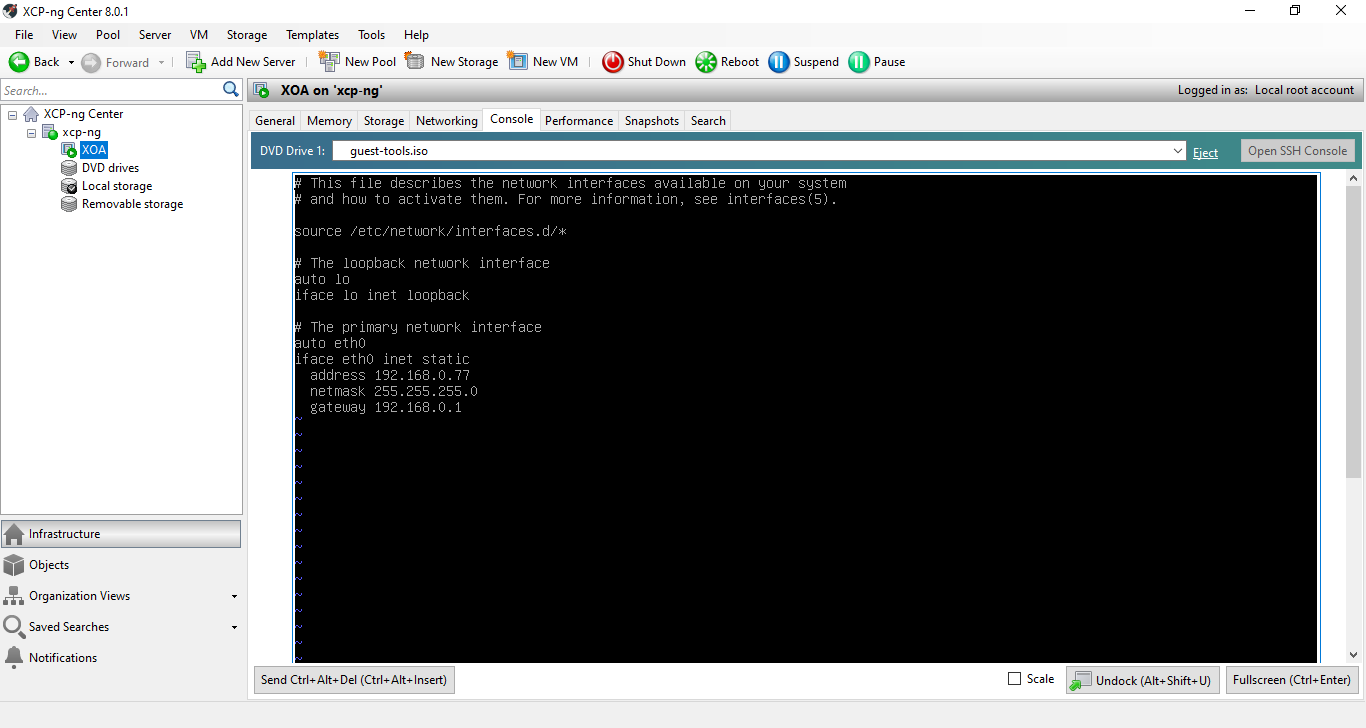
                                okay now it shows network config....thats correct config. question remains same....why not pinging then???
                                cc723cbb-fc92-4066-8eb9-84c27f219371-image.png

                                1 Reply Last reply
                                Reply Quote 0
                                • K
                                  kilo
                                  last edited by

                                  Please note that my LAN is 192.168.0.x

                                  1 Reply Last reply
                                  Reply Quote 0
                                  • olivierlambertO
                                    olivierlambert Vates 🪐 Co-Founder CEO
                                    last edited by

                                    Because it's down. Put it up and see (or just reboot)

                                    1 Reply Last reply
                                    Reply Quote 0
                                    • Z
                                      ZacApplegate
                                      last edited by

                                      @olivierlambert any thoughts on my issue from the post above?

                                      1 Reply Last reply
                                      Reply Quote 0
                                      • K
                                        kilo
                                        last edited by

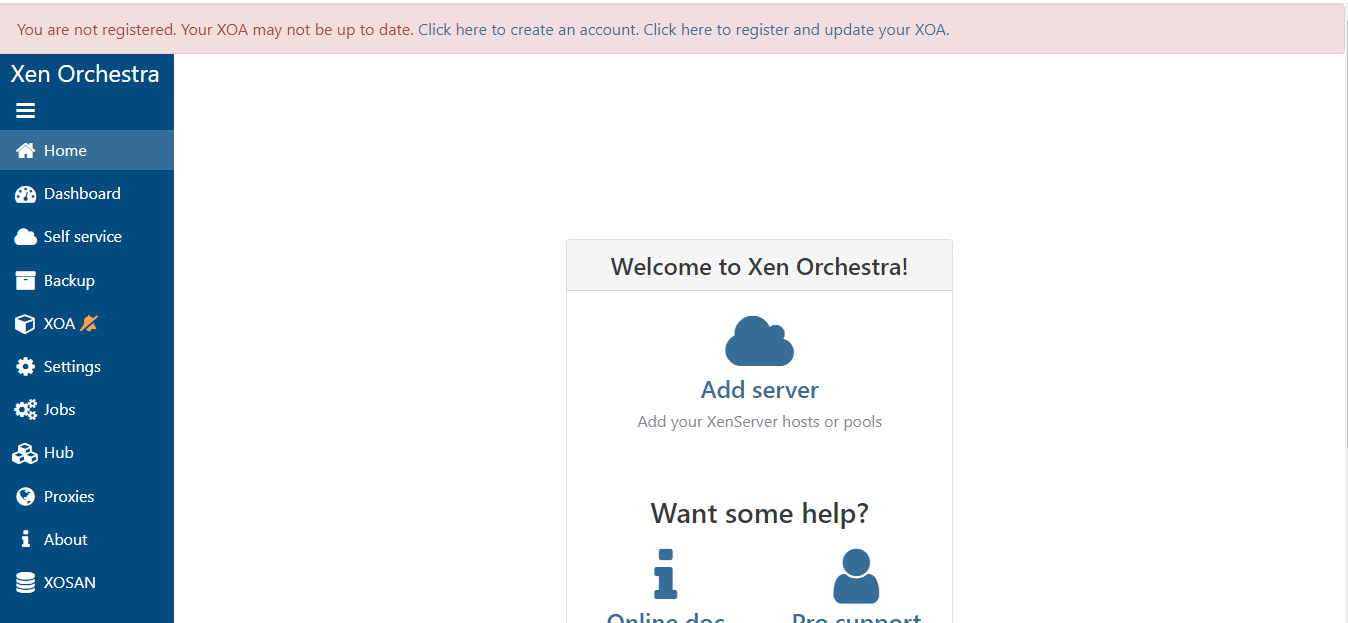
                                        @olivierlambert @nackstein rebooted...and finally there........it really helped, you guys are great!...thnx a bunch for the support....
                                        923f757f-9d88-46a1-bcfe-e6d7f84d91ad-image.png

                                        1 Reply Last reply
                                        Reply Quote 1
                                        • N
                                          nackstein
                                          last edited by nackstein

                                          uhm... I contributed to increase entropy. sorry. the original post was about another issue.

                                          1 Reply Last reply
                                          Reply Quote 0
                                          • Z
                                            ZacApplegate
                                            last edited by

                                            @olivierlambert any thoughts on my issue from the post above?

                                            1 Reply Last reply
                                            Reply Quote 0

                                            Hello! It looks like you're interested in this conversation, but you don't have an account yet.

                                            Getting fed up of having to scroll through the same posts each visit? When you register for an account, you'll always come back to exactly where you were before, and choose to be notified of new replies (either via email, or push notification). You'll also be able to save bookmarks and upvote posts to show your appreciation to other community members.

                                            With your input, this post could be even better 💗

                                            Register Login
                                            • First post
                                              Last post