XCP-ng
    • Categories
    • Recent
    • Tags
    • Popular
    • Users
    • Groups
    • Register
    • Login

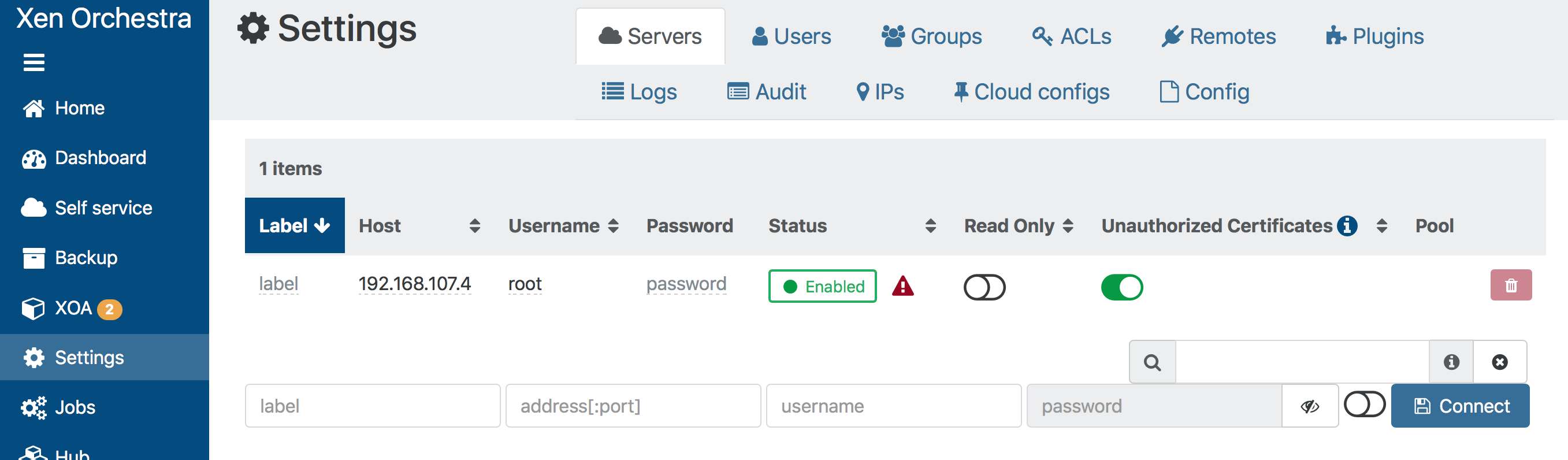
    Servers: connection failed, Invalid XML-RPC message / Error with plaintext password
    Scheduled Pinned Locked Moved Solved Xen Orchestra
    17 Posts 4 Posters 6.7k Views 4 Watching
    Loading More Posts
    • Oldest to Newest
    • Newest to Oldest
    • Most Votes
    Reply
    • Reply as topic
    Log in to reply
    This topic has been deleted. Only users with topic management privileges can see it.
    • D
      dtree @olivierlambert
      last edited by

      @olivierlambert
      Sorry, so how do I put them on different IP addresses? I had thought they were both using 192.168.107.4.

      If I try to ssh to 192.168.107.4, it says ssh_exchange_identification: read: Connection reset by peer.

      1 Reply Last reply
      Reply Quote 0
      • olivierlambertO
        olivierlambert Vates 🪐 Co-Founder CEO
        last edited by olivierlambert

        That's because you have an IP conflict. Just change the IP address of one of the two.

        You can have any different addresses on the same host for your VMs, it's using a bridge.

        1 Reply Last reply
        Reply Quote 0
        • D
          dtree
          last edited by

          Thanks! That worked (changing the IP address of the XOA from the host). I was not aware that they were separate IP addresses. I'm still not sure how to change the XOA IP address, but that's ok.

          1 Reply Last reply
          Reply Quote 0
          • olivierlambertO
            olivierlambert Vates 🪐 Co-Founder CEO
            last edited by

            By reading the documentation 😉 https://xen-orchestra.com/docs/xoa.html#network-configuration

            1 Reply Last reply
            Reply Quote 0
            • DanpD Danp referenced this topic on
            • E
              ebaker8571 @olivierlambert
              last edited by

              @olivierlambert

              When you stated one for the host and one for the xoa... I presume you mean 1 for the physical machine and 1 for the xoa appliance install?

              I have done this and am getting this same error rpc error.

              I created machine .69, used the CLI to create the XOA appliance on .70 and logged in to xoa to add the server. when I use .70 it says it connects then gets the rpc error. if I attempt to use a different IP, it fails to connect.

              olivierlambertO 1 Reply Last reply
              Reply Quote 0
              • olivierlambertO
                olivierlambert Vates 🪐 Co-Founder CEO @ebaker8571
                last edited by olivierlambert

                @ebaker8571 said in Servers: connection failed, Invalid XML-RPC message / Error with plaintext password:

                @olivierlambert

                When you stated one for the host and one for the xoa... I presume you mean 1 for the physical machine and 1 for the xoa appliance install?

                That's a bit tricky in Xen world. What you call "the physical machine" (ie the host) is in fact already a VM. But yes, one for the Dom0 and one for XOA.

                I have done this and am getting this same error rpc error.

                I created machine .69, used the CLI to create the XOA appliance on .70 and logged in to xoa to add the server. when I use .70 it says it connects then gets the rpc error. if I attempt to use a different IP, it fails to connect.

                Are you sure your Dom0 is the right IP? XOA must connect to the host/Dom0 IP address. If you visit this address with your browser, what do you see?

                E 2 Replies Last reply
                Reply Quote 0
                • E
                  ebaker8571 @olivierlambert
                  last edited by

                  @olivierlambert

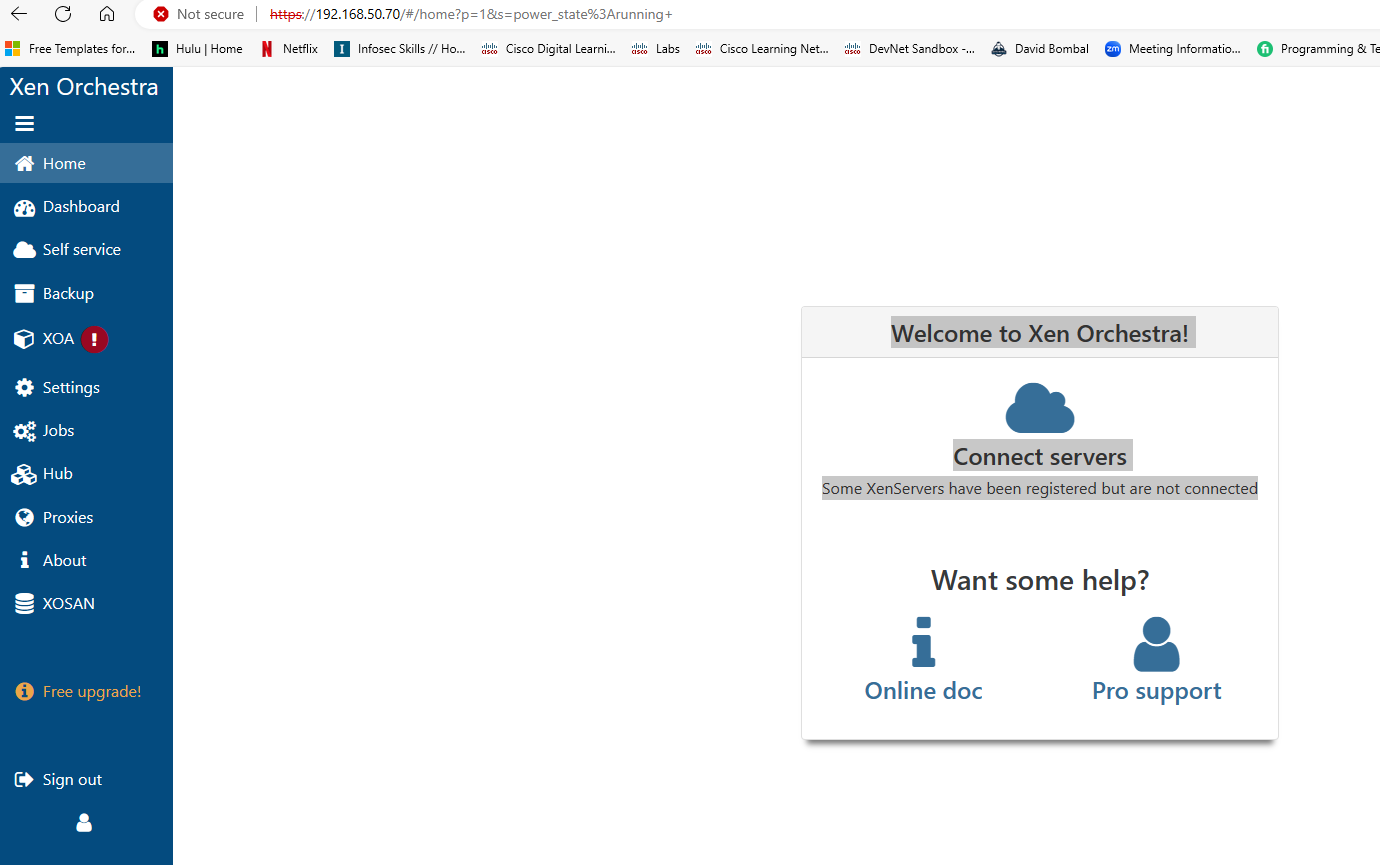
                  i get the screen that says connect server

                  Screenshot 2024-02-29 132708.png

                  1 Reply Last reply
                  Reply Quote 0
                  • E
                    ebaker8571 @olivierlambert
                    last edited by

                    @olivierlambert

                    I created the host on .69

                    i SSH in to .69 and used the CLI to create the xoa on .70

                    I log in to .70 and get the above screen shot that says add server.

                    I attempted to add the .70 server and get the RPC error

                    1 Reply Last reply
                    Reply Quote 0
                    • olivierlambertO
                      olivierlambert Vates 🪐 Co-Founder CEO
                      last edited by

                      The server to connect is 69 not 70.

                      E 2 Replies Last reply
                      Reply Quote 0
                      • E
                        ebaker8571 @olivierlambert
                        last edited by

                        @olivierlambert

                        OK thank you. when I attempted that it just seems to take me to xo-lite

                        But the initial steps sound like I did correctly? Install xcp on .69, use cli to create xoa on .70 then when attempt to log in to .70 and get the connect server screen, connect .69 to it?

                        Or am I totally as confused as I think I am.

                        1 Reply Last reply
                        Reply Quote 0
                        • E
                          ebaker8571 @olivierlambert
                          last edited by

                          @olivierlambert

                          I figured it out and got it working.

                          The issue I'm running in to now though, when I log in to the xoa now and attempt to import an iso (disk) I don't have an option to import an ISO, it only gives me the options for VMDK or VHD.

                          AtaxyaNetworkA 1 Reply Last reply
                          Reply Quote 0
                          • AtaxyaNetworkA
                            AtaxyaNetwork Ambassador @ebaker8571
                            last edited by

                            @ebaker8571 Hi !

                            You need to create an ISO SR first: https://docs.xcp-ng.org/storage/#-iso-sr

                            E 1 Reply Last reply
                            Reply Quote 0
                            • E
                              ebaker8571 @AtaxyaNetwork
                              last edited by

                              @AtaxyaNetwork

                              Sorry, user error. I wasn't clicking and selecting the SR that was created for the ISO

                              1 Reply Last reply
                              Reply Quote 0
                              • olivierlambertO olivierlambert marked this topic as a question on
                              • olivierlambertO olivierlambert has marked this topic as solved on
                              Hello! It looks like you're interested in this conversation, but you don't have an account yet.

                              Getting fed up of having to scroll through the same posts each visit? When you register for an account, you'll always come back to exactly where you were before, and choose to be notified of new replies (either via email, or push notification). You'll also be able to save bookmarks and upvote posts to show your appreciation to other community members.

                              With your input, this post could be even better 💗

                              Register Login
                              • First post
                                Last post