XCP-ng
    • Categories
    • Recent
    • Tags
    • Popular
    • Users
    • Groups
    • Register
    • Login

    NBD connection during backup


    Scheduled Pinned Locked Moved Solved Backup
    15 Posts 3 Posters 2.3k Views 2 Watching
    Loading More Posts
    • Oldest to Newest
    • Newest to Oldest
    • Most Votes
    Reply
    • Reply as topic
    Log in to reply
    This topic has been deleted. Only users with topic management privileges can see it.
    • M Offline
      manilx @manilx
      last edited by manilx

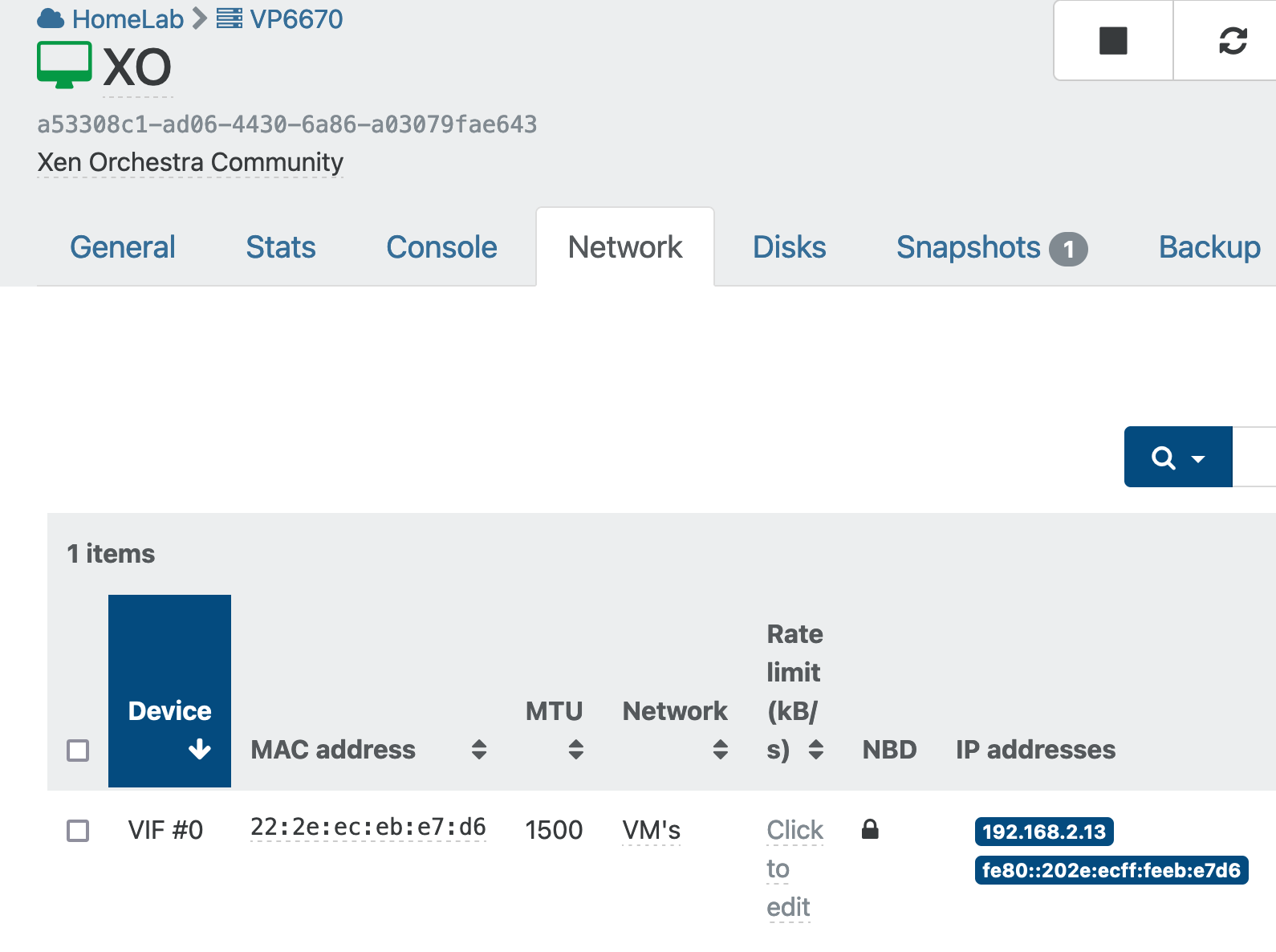
      @manilx P.S: I have only 2 networks. Management and VM and both had NBD on.

      XO VM is using VM network. Should I put it on the management one?

      M 1 Reply Last reply Reply Quote 0
      • M Offline
        manilx @manilx
        last edited by

        @manilx Tested putting XO on the Management network. Same result, backups do not use NBD...

        1 Reply Last reply Reply Quote 0
        • olivierlambertO Offline
          olivierlambert Vates 🪐 Co-Founder CEO
          last edited by

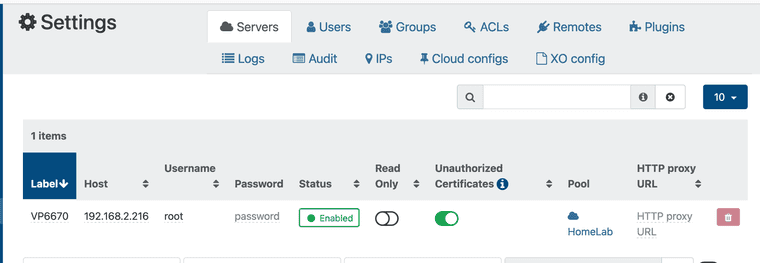
          Remove the "backup network" entry to leave it as default, check that XO is connected in Settings/server to that mgmt IP of the host and try again.

          M 1 Reply Last reply Reply Quote 0
          • Tristis OrisT Offline
            Tristis Oris Top contributor
            last edited by

            that looks similar my problem https://xcp-ng.org/forum/topic/8336/nbd-setup-no-such-item

            1 Reply Last reply Reply Quote 0
            • M Offline
              manilx @olivierlambert
              last edited by

              @olivierlambert Did that. No change.

              1 Reply Last reply Reply Quote 0
              • olivierlambertO Offline
                olivierlambert Vates 🪐 Co-Founder CEO
                last edited by

                Maybe @florent will know

                M 1 Reply Last reply Reply Quote 0
                • M Offline
                  manilx @olivierlambert
                  last edited by

                  @olivierlambert Here are the respective screenshots:
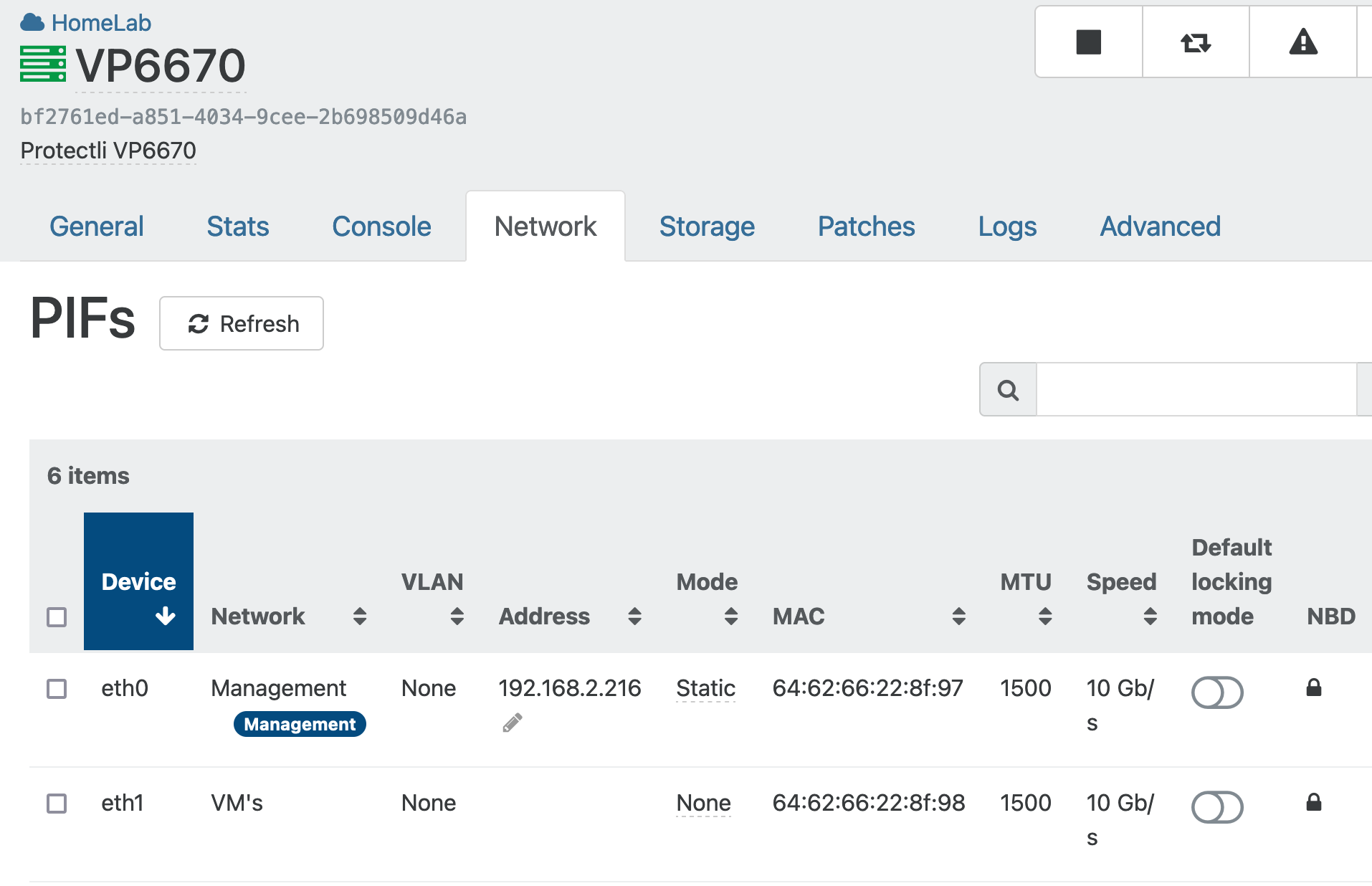
                  ScreenShot 2024-03-27 at 12.46.03.png
                  ScreenShot 2024-03-27 at 12.46.16.png
                  ScreenShot 2024-03-27 at 12.48.33.png
                  ScreenShot 2024-03-27 at 12.47.43.png

                  M 1 Reply Last reply Reply Quote 0
                  • M Offline
                    manilx @manilx
                    last edited by manilx

                    @manilx Found it.

                    The backup I had was "backup" not "delta".

                    Choosing delta and Advanced settings I can turn on NBD:
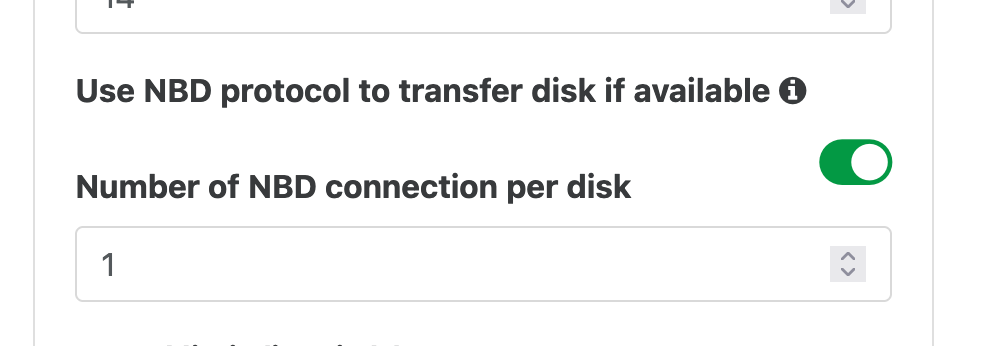
                    ScreenShot 2024-03-27 at 21.03.22.png

                    Turned on and all is well. Sorry for the confusion. My bad.

                    Backup speed doubled. 🙂

                    1 Reply Last reply Reply Quote 0
                    • olivierlambertO Offline
                      olivierlambert Vates 🪐 Co-Founder CEO
                      last edited by

                      Ahhh !! Great news 🙂 I missed it myself, so no worries. So you went from which speed to which?

                      M 1 Reply Last reply Reply Quote 0
                      • olivierlambertO olivierlambert marked this topic as a question on
                      • olivierlambertO olivierlambert has marked this topic as solved on
                      • M Offline
                        manilx @olivierlambert
                        last edited by

                        @olivierlambert 50-80MB/s to up to 160/180

                        1 Reply Last reply Reply Quote 0
                        • olivierlambertO Offline
                          olivierlambert Vates 🪐 Co-Founder CEO
                          last edited by

                          Nice speed increase! Probably also with less CPU load on the Dom0 at the same time 🙂

                          M 1 Reply Last reply Reply Quote 0
                          • M Offline
                            manilx @olivierlambert
                            last edited by

                            @olivierlambert Haven't checked the CPU as CPU is never a problem on my load 😉
                            But yes this speed is a lot better so I can backup more frequently (every 2hrs for the important VM's)

                            Actually the speed on my homelab is faster than the ones we get at the enterprise with "real" hardware.

                            1 Reply Last reply Reply Quote 0

                            Hello! It looks like you're interested in this conversation, but you don't have an account yet.

                            Getting fed up of having to scroll through the same posts each visit? When you register for an account, you'll always come back to exactly where you were before, and choose to be notified of new replies (either via email, or push notification). You'll also be able to save bookmarks and upvote posts to show your appreciation to other community members.

                            With your input, this post could be even better 💗

                            Register Login
                            • First post
                              Last post