🛰️ XO 6: dedicated thread for all your feedback!
-
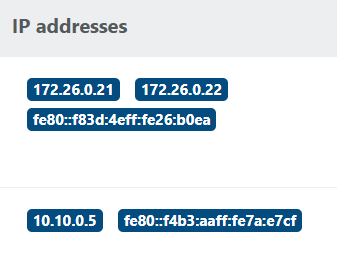
It looks like the same IP addresses are being displayed for multiple adapters. Each adapter should only show its own assigned IP addresses.
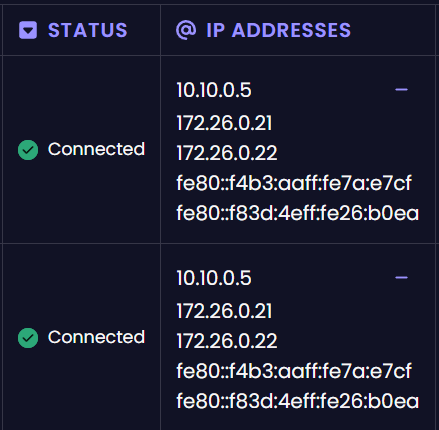
In the old interface every adaptar show his own IPs.
Best regards,
-
Hi!
In XO-5 you can see clearly if a host is in maintenace mode" or not. I'm missing a similar thing to the little green/gray dot from XO-5 in the XO6 treeview.
You can see it in the System- Tab under General Information, but only if the host is already selected.I personally find it difficult to distinct between hosts and VMs in the treeview if a large amount entries are shown. Especially while scrolling.
-
@aesparragon said in
 ️ XO 6: dedicated thread for all your feedback!:
It looks like the same IP addresses are being displayed for multiple adapters. Each adapter should only show its own assigned IP addresses.
I saw that the other day, you should be able to expand the next block to the right to see the individual connection ports. I think this is one of those "need to get accustomed" to the new interface things. But I'd agree that it is more clear in XO5.
XO-Lite does break them down by PIF, but does not currently show the IP address of that host. Seems like we are wanting a mix between XO-Lite and XO6.
-
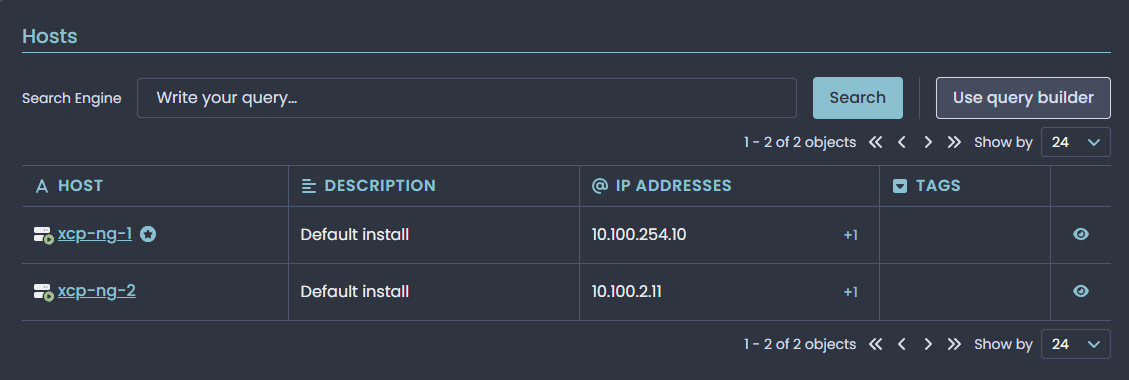
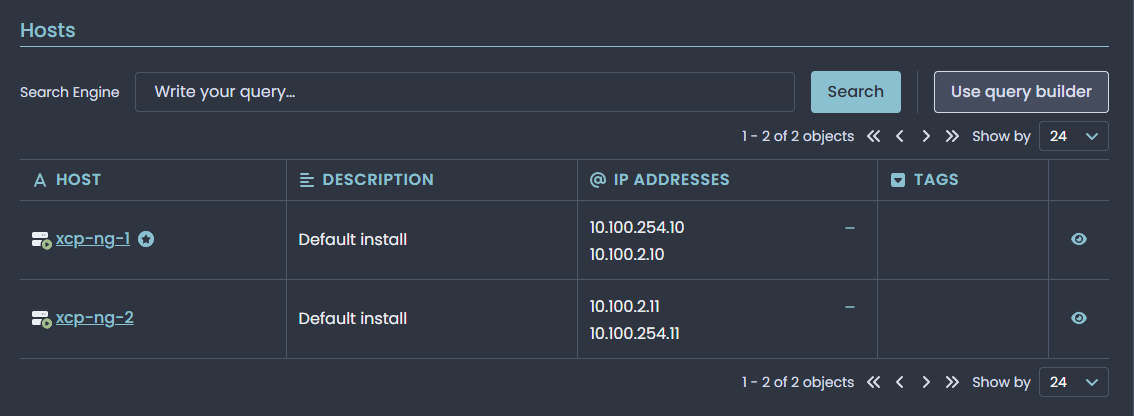
For me it shows the interfaces with static ip address. (Management and migration network)
When callapsed one will show the migration nic first vs the management port.
-
I think I need to update mine, probably a ton of commits old by now.
-
Also themes are still not staying applied. Same with XOA.
-
@acebmxer said in
️ XO 6: dedicated thread for all your feedback!:Also themes are still not staying applied. Same with XOA.
Do you mean the light, dark and auto mode?
I've not had any issue with either XOA or my XOCE installs keeping my selected mode.
-
Yes dark mode light mode work just fine. Just themes do not stay applied. I tried from different computer and different browsers same results.
Win 11 pc with chrome and brave.
Ubuntu desktop - Brave and fresh install Firefox.I even changed the domain name my XO-CE uses and same difference. It will stay working if i dont close the browser. The moment i close all tabs to the browser it defaults back to the default theme.
Open to other ideas.
-
@acebmxer said in
️ XO 6: dedicated thread for all your feedback!:Yes dark mode light mode work just fine. Just themes do not stay applied. I tried from different computer and different browsers same results.
Win 11 pc with chrome and brave.
Ubuntu desktop - Brave and fresh install Firefox.I even changed the domain name my XO-CE uses and same difference. It will stay working if i dont close the browser. The moment i close all tabs to the browser it defaults back to the default theme.
Open to other ideas.
I'm not surprised that it isn't "keeping" between different computers and to a lesser extent browsers.
Odds are it's a client-side cookie and nothing is saved to XO for your user account preference.
Interesting though.
-
Yes i expect it not to working between pc's but just to rule one one having an issue vs. both or to rule cookie issue (may still be). Trying to upload HAR files but the form keeps rejecting the file due to file size.
Here are 3 HAR files. first xo-ce.har from current session in brave.
xo-ce.1.har - navigated around and then closed browser.
xo-ce.2.har - opened brave again and see theme no longer selected.https://drive.google.com/file/d/1PILY5hhz-QDIpvdGzsCr0AwOYxrnaN2a/view?usp=sharing
https://drive.google.com/file/d/1JcT8DN3LCnw2euBNpt3vf2NEHyOVXApr/view?usp=sharing
https://drive.google.com/file/d/154pmtYDwECH7xKofiYh4gBxX7LPTQwQt/view?usp=sharingI can open a support ticket and/or a support tunnel as the same happens with XOA.
Edit - Just tried to create a new user and same issue. Works fine until i close the browser. It will stay working if i log out and log back in. Close browser and open back up back to default.
-
Right now updates are still being done in the V5 interface but I assume that will change once V6 is fully implemented...but wondering if the current version and maybe an update link which goes to the V5 interface in the meantime can be added?
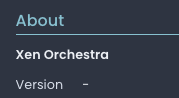
Currently the version in the V6 settings page just shows as blank.
-
In Ubuntu 24.04 VM with two PIFs: XO6 report the same IP addresses on VIF #1 as VIF #0. IPv4 and IPv6s on VIF #0 are reported correctly.
XO5 reports both IPs correctly.
Xen Orchestra, commit 7399a
Guest tools 7.30.0-15 -
@acebmxer Themes are in preview for now. Don't worry, persistency and other features will come after user management arrives in XO 6

@fluxtor Do you mean that you edit the backup job through the API before running it?
@aesparragon We're looking into that, thanks!
@jacob.becker We're adding the maintenance icon very soon, thanks for the feedback. Regarding VM vs host in the treeview, do you mean that the icon isn't clear enough? Do you have the same issue with pools?
@capeschools Indeed, updates are still done in XO 5 for now, we're trying to implement critical features first, but don't hesitate to upvote it on our dedicated platform if it's a priority for you: https://feedback.vates.tech/posts/11/add-xo-updater-tab
-
As of commit - a3139
VM creation in v6 number of cpu is set to 1 not what is chosen. I choose 5 cpus and 1 is set after creation. ISO is mounted now and Ram is set correctly with correct network.
Still have issues with themes but did not se any mention of them in latest commits.
-
I ran into backup failure this morning, I think someone else mentioned about it in another post. I went to check if there was a newer version of XO since usually things get fixed quickly. so I updated XO to build 9dbc09011.
Few things
- XO loads up now using interface 6 as default.
- As someone else mentioned, about version is blank in v6.
- When I click on V5 link it brings me back to V5 but its broken for me. Sits there saying loading.
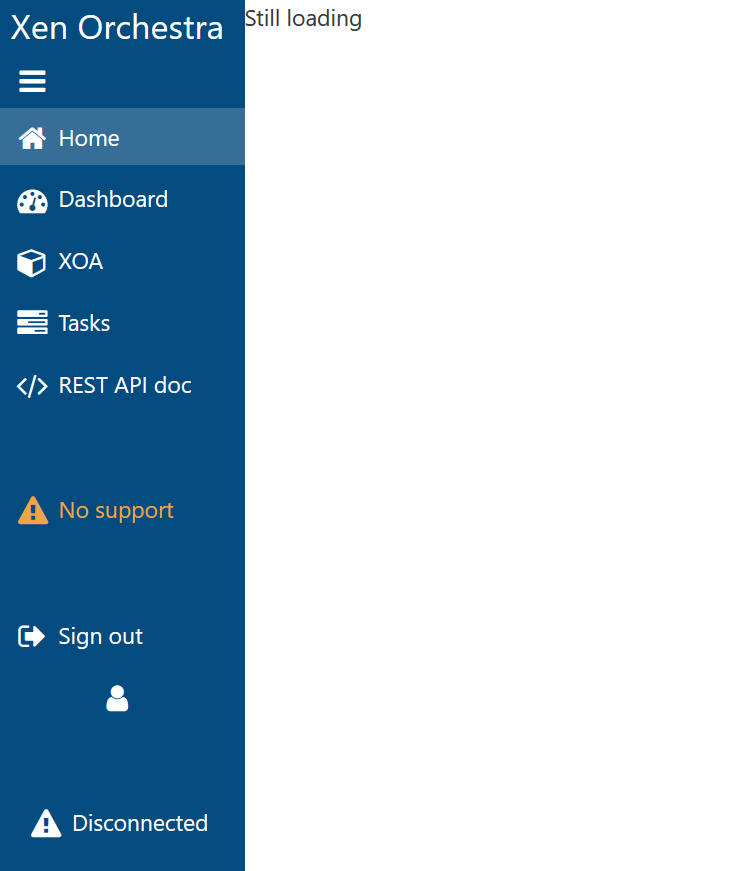
- Havent tried using guide to go back to V5 to see why backup failed. Not sure if V6 has enough to figure out backup issue since i havent used it much.
Update: looks like it failing to get something on v5 url.

Update 2: I had to remove LISTEN_ADDRESS="" from my xo-install.cfg to get version 5 working again
-
@pdonias said in
️ XO 6: dedicated thread for all your feedback!:@jacob.becker We're adding the maintenance icon very soon, thanks for the feedback. Regarding VM vs host in the treeview, do you mean that the icon isn't clear enough? Do you have the same issue with pools?
I don't have that many pools, sorry.
The icon for each host got lost in a wall of VMs if you have lets say >50 VMs per host. AFAIK the tree-view allways starts fully expanded. Since all VM belonging to any host are on the same depth of the tree you can scroll over a host easy.
Another thing are VMs which do not belong to a host - they are shown on the same depth as a host.I personally would color the line for a host, but i know that this not the way most design guidlines agrees with.
-
@acebmxer Thanks for the report, we'll check that! Regarding themes, it will remain non-persistent until we implement the full theme system.
@jacob.becker Thanks for the detailed feedback, we'll see how we can improve that
-
@marcoi Sounds like your issue is related to: https://github.com/vatesfr/xen-orchestra/issues/9500
-
yeah that was it, i removed the ip address from cfg file and it working now.
-
XO 6 (Enterprise) VM Interfaces shows incorrect IP address assignment on a given VM for a multi NIC VM.
XOA Version 6.0.3
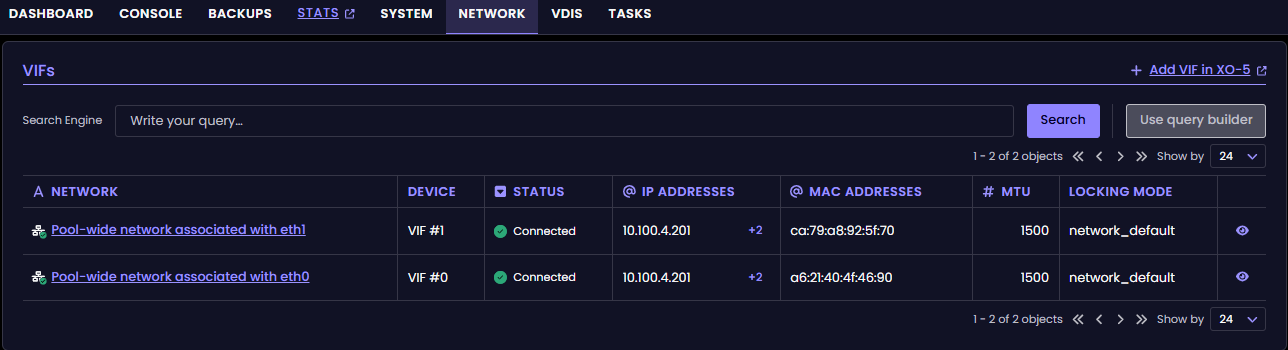
This shows correctly in XO5 Enterprise (and XOCE) without issue.
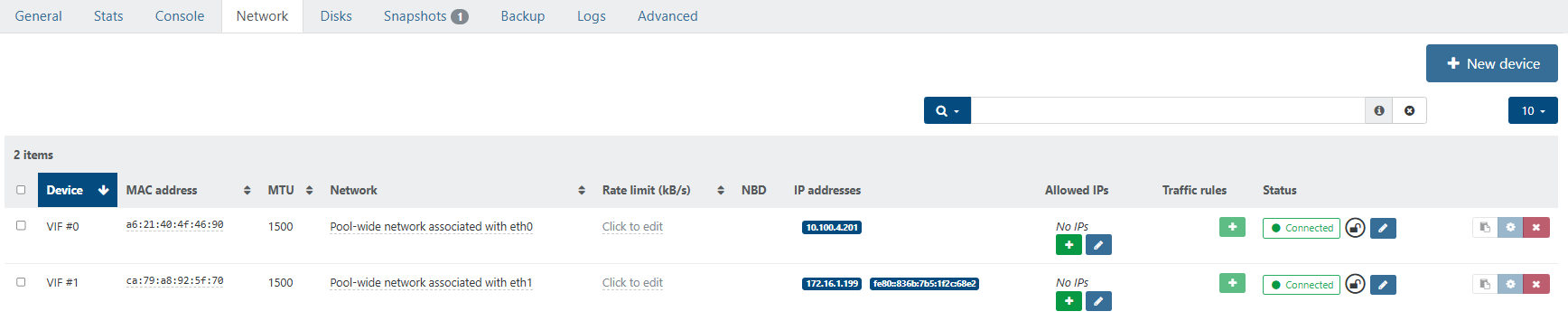
The expanded view shows both IP addresses that are assigned to different interfaces, but it doesn't delineate nor show properly which IP address is actually assigned to the VIF. See below.
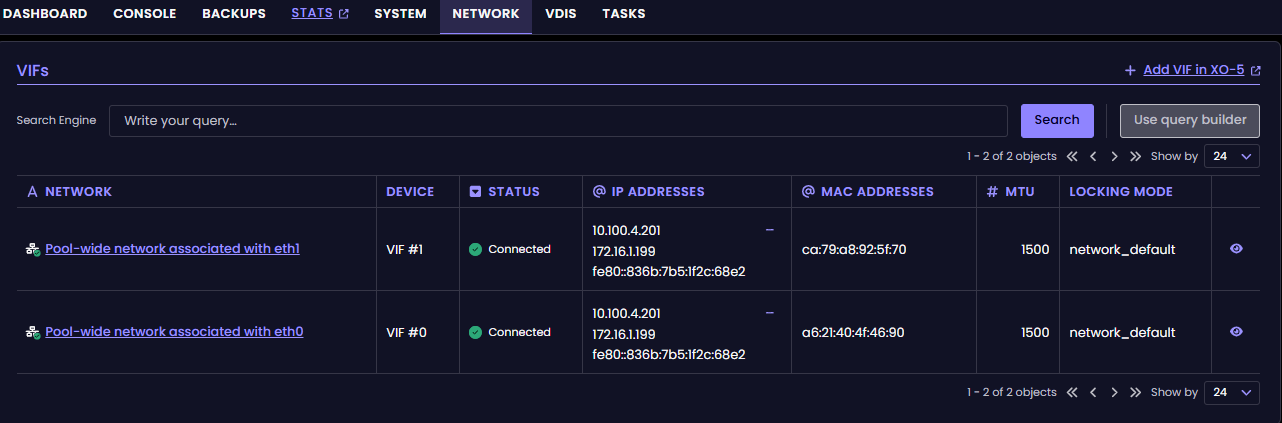
On VIF1, this nic is assigned to the 172.16.1.199 address.





Hello! It looks like you're interested in this conversation, but you don't have an account yet.
Getting fed up of having to scroll through the same posts each visit? When you register for an account, you'll always come back to exactly where you were before, and choose to be notified of new replies (either via email, or push notification). You'll also be able to save bookmarks and upvote posts to show your appreciation to other community members.
With your input, this post could be even better 💗
Register Login