Xenorchestra V6 issue
-
Team,
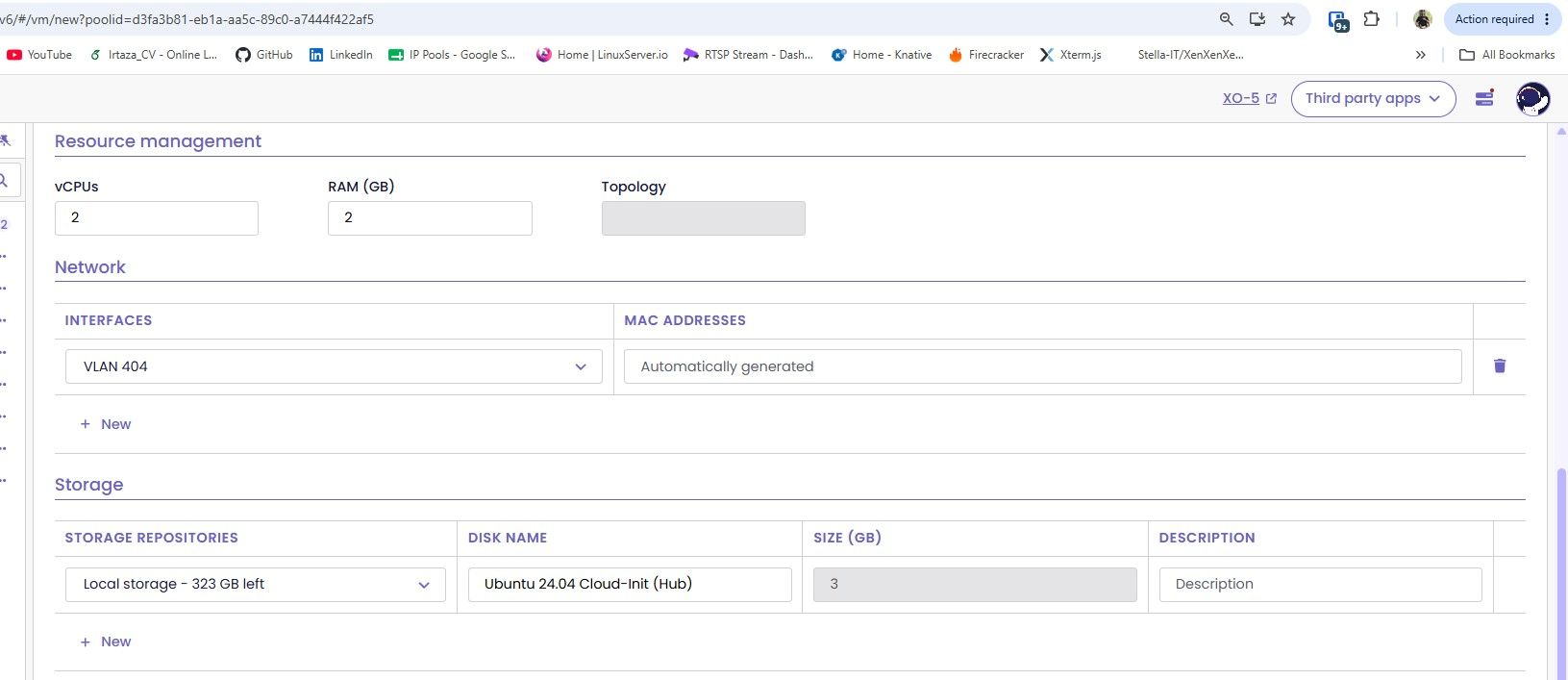
I am facing issue while giving extra storage when i select any Installation source. But when i select storage then it allow me to give size.
XO info: Xen Orchestra, commit 91314
-
Ping @Team-XO-Frontend
-
Hi @irtaza9, I think your question is about why the size input is disabled in your screenshot, is that right? This happens because there are two types of VDIs you can use when creating a VM:
- A brand new VDI, created from scratch. You choose its size, and it will be created empty.
- An existing VDI that is already attached to the template you're using. This VDI already has content and a fixed size, so it is simply cloned during VM creation.
Your case is the second one, which is why you can't change its size.
-
-
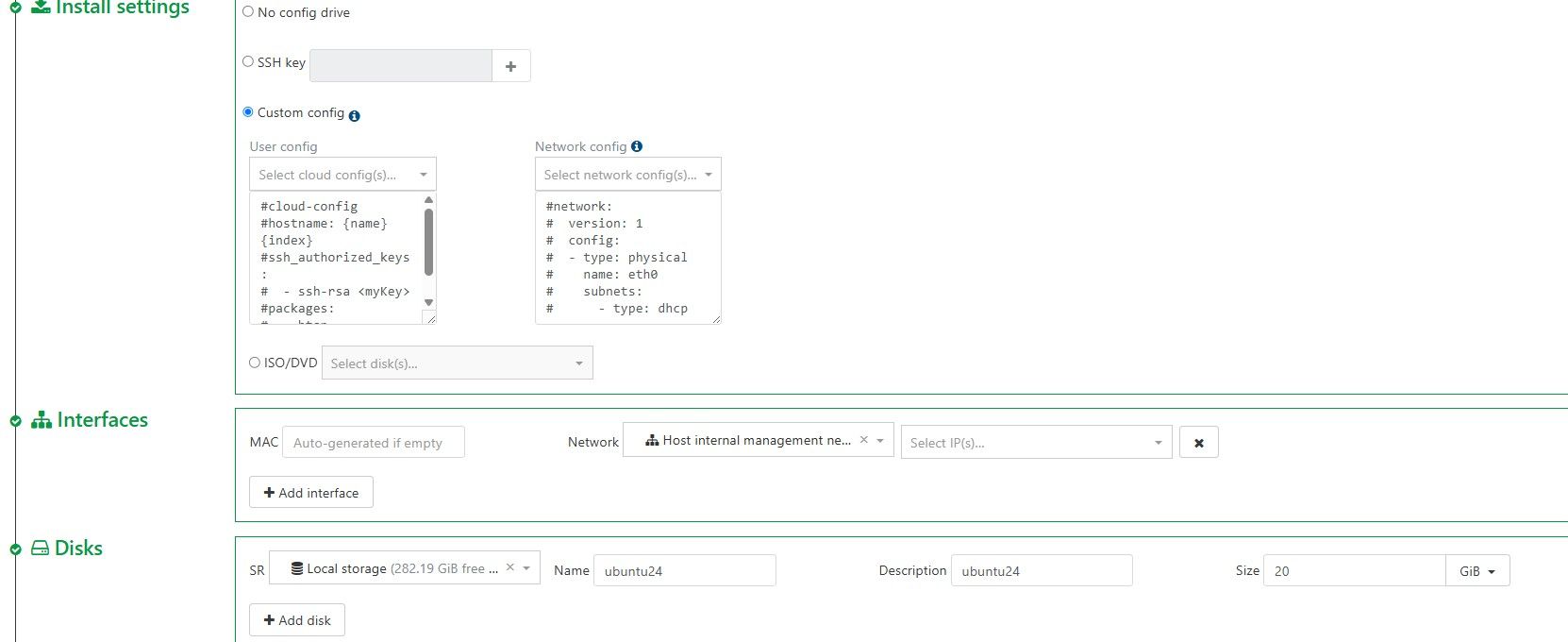
Can confirm cloud-init images does not allow you adjust disk size in v6 but does in v5 ui.
I think the main issue is on cloud-init images you can not select a pre-configured custom config templates to apply to the cloud-init image in v6.
This is true on v5 you have to select a config before you can incrase the disk size.
-
@acebmxer I can confirm that, we'll fix it, thanks




Hello! It looks like you're interested in this conversation, but you don't have an account yet.
Getting fed up of having to scroll through the same posts each visit? When you register for an account, you'll always come back to exactly where you were before, and choose to be notified of new replies (either via email, or push notification). You'll also be able to save bookmarks and upvote posts to show your appreciation to other community members.
With your input, this post could be even better 💗
Register Login