Backup job creation is available, feedback welcome
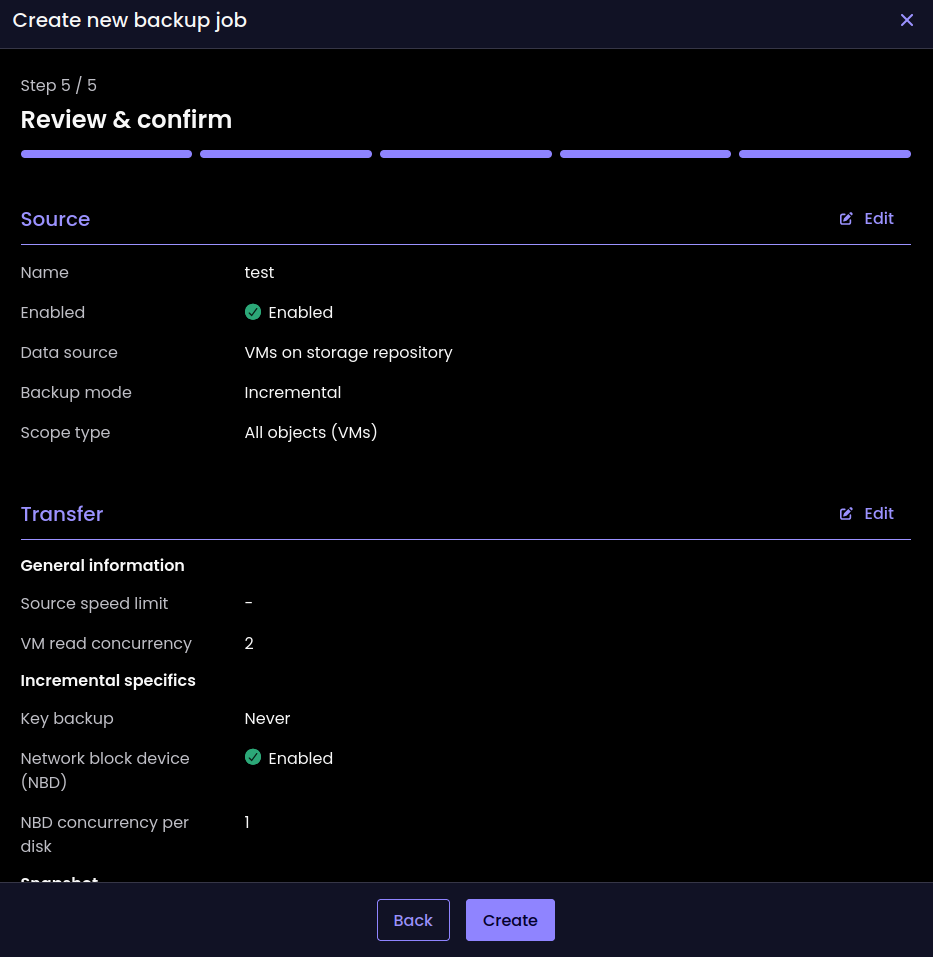
-
Great news that creating backup jobs in v6 is now possible...
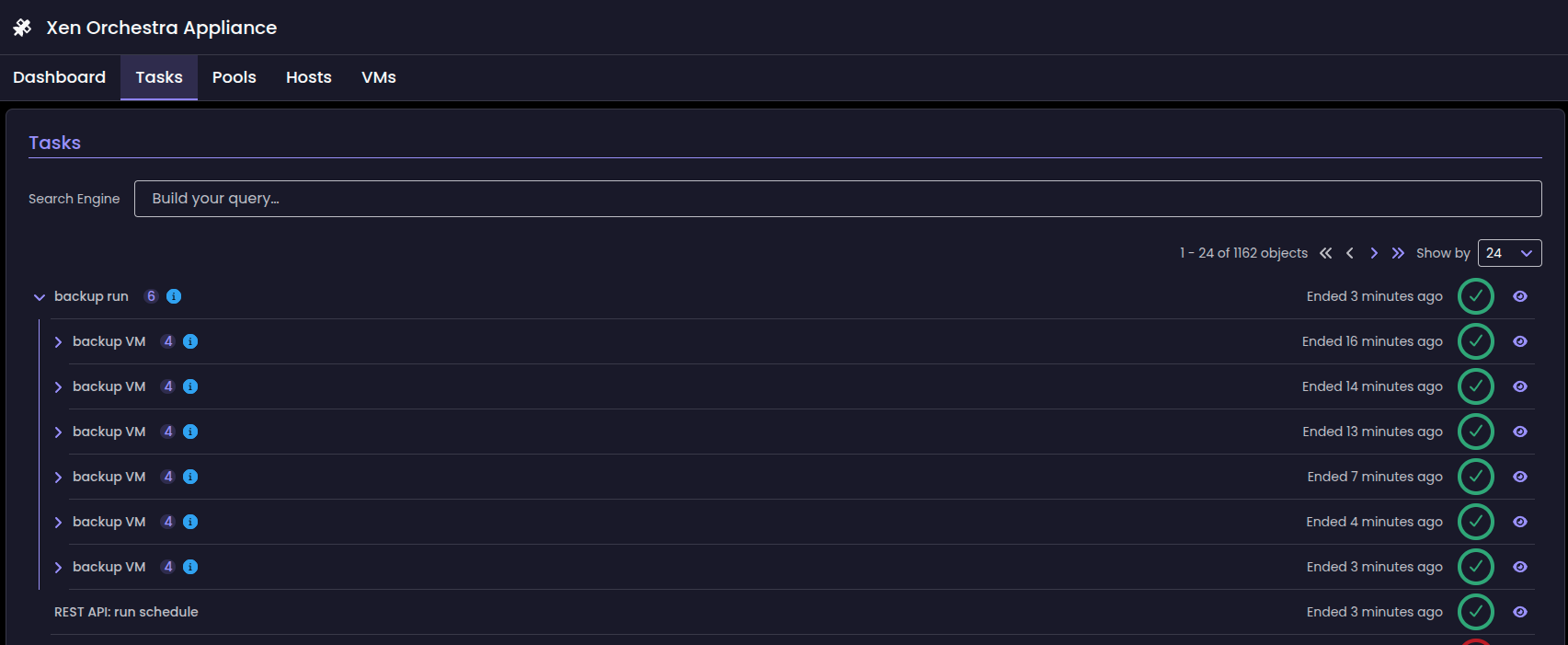
So I created a new backup job in v6 and a new job to backup xo config/meta data. (I duplicated the same settings from v5 into v6 were possible.) This is the first backup run and no health check as of yet.
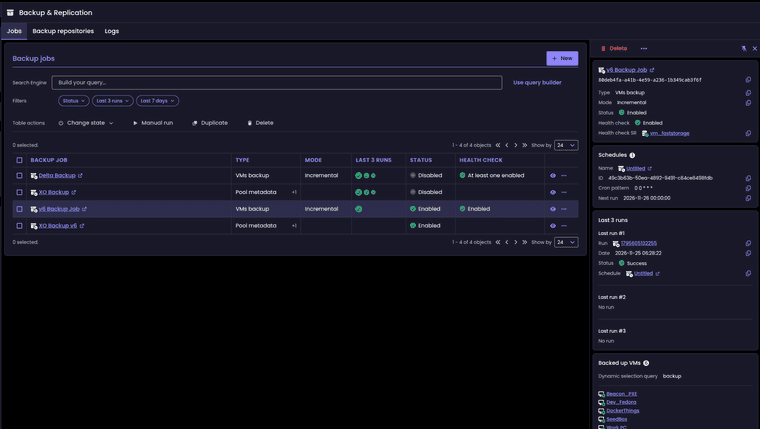
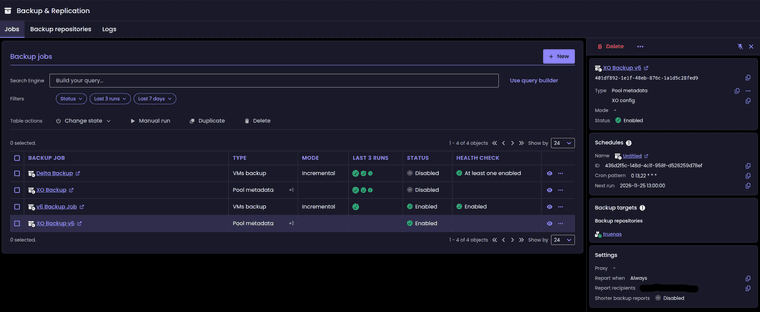
I missed taking a picture before starting the v6 backup job but it did show me the previous v5 backup jobs along with the new v6 backup. After running the v6 backup job I now see this in v5 backup.
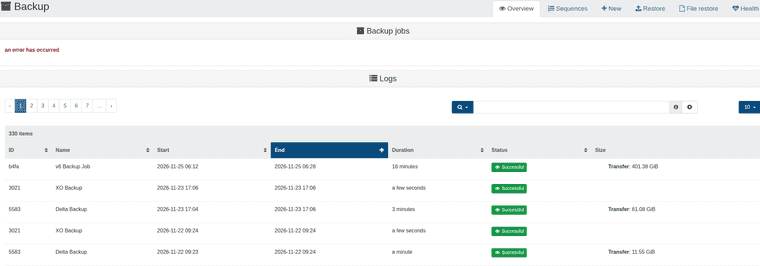
Here I missed taking a picture while the job was running but each vm backing up stayed on 0% until completion.
-
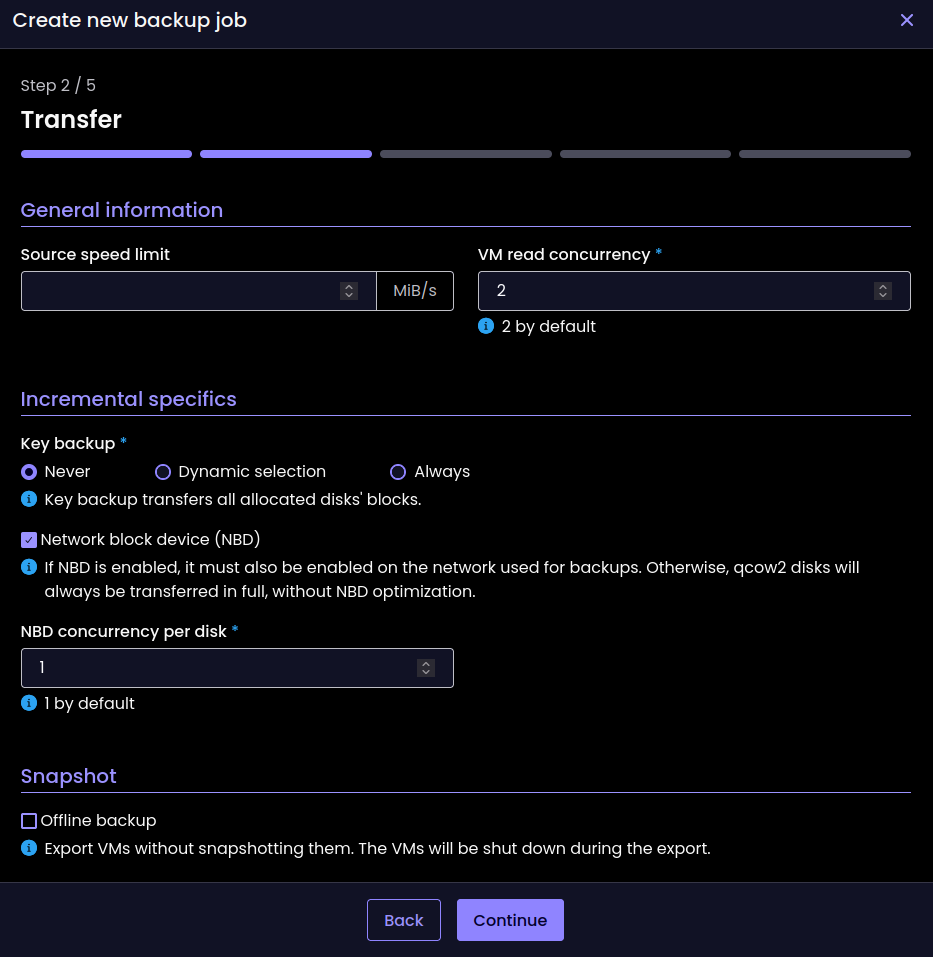
Is there more information about what "Key backup" is and what the differences between the options are/do?
-
Is there more information about what "Key backup" is and what the differences between the options are/do?
this was called "full backup " as in "full backup interval" (when storing the full disk and starting a new incremental chain), but was confusing with "full backups" (one XVA file for the vm bacckup, called only "backup" in the ui)
Thanks for clarifying.
For what it's worth. I didn't find that "previous" terminology confusing. Quite the opposite. It was quite self-explanatory imho.Calling it "Key backup" doesn't explain anything by itself. Hence me asking. Have you considered calling it something else? Suggestions could be something alike
"Create new incremental chain"
"Reset entire delta-chain"
Or whatever..I'll learn this new term too. Just thought that it maybe could use some more time in the proverbial oven.
I'll be back with some acctuall testing soon.
-
@jr-m4 this is inspeired by the video processing terminology ( key frame ) . We did check the "chain" terminology, but we though that it would create a new confusion between the action on chains and individual backup archives
naming is hard
-
@florent
Naming is hard, indeed.Chain is more logically close, imho. And you guys use it as well quite often to describe backups and such. So comming in from the left with a terminology inspired from video, was unexspected.
Regardless. I have given my two cents on the naming. And I greatly apreciate your efforts and how involved you all are with the community (me included). Thanks!!
-
@acebmxer
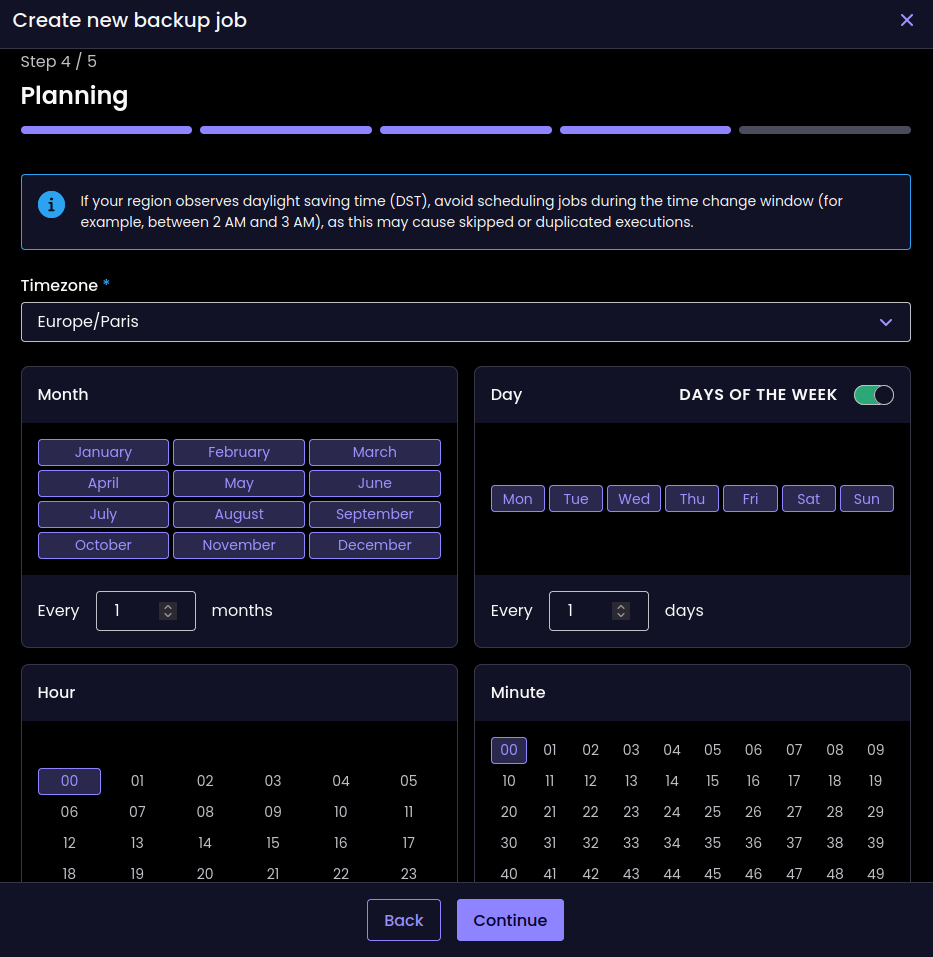
I wish the cron field for the schedule would be writable.
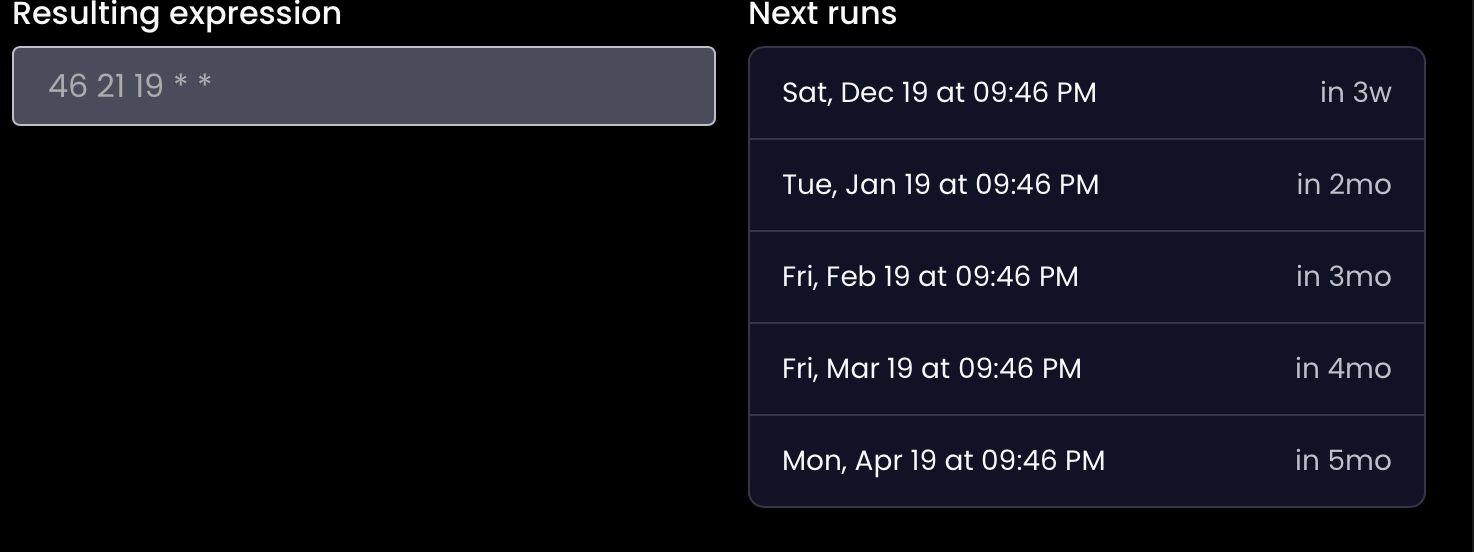
If I want to have a monthly backup on a specific day I always have to deselect 30 other days.
Also either I missed it or it changed but the key backup only allows a schedule to be used and not every X backups?
-
Making a collecting post for feedback. Otherwise I will flood the thread with many small posts. So I will update this one in a living manner.
Usage feedback
If you click off from the sidepanel midst backup job. The entire thing disapears. And if you've made alot of effort with manually typing tags etc etc, then all of that is lost. (could be aleviated with copy function, see feedback at vates).
I can't choose which pool I want to take backups on/from?
UI-feedback:
Header isn't sticky. It would be nicer if the header section, which contains the info about what step you're on. Would be sticky at the top.
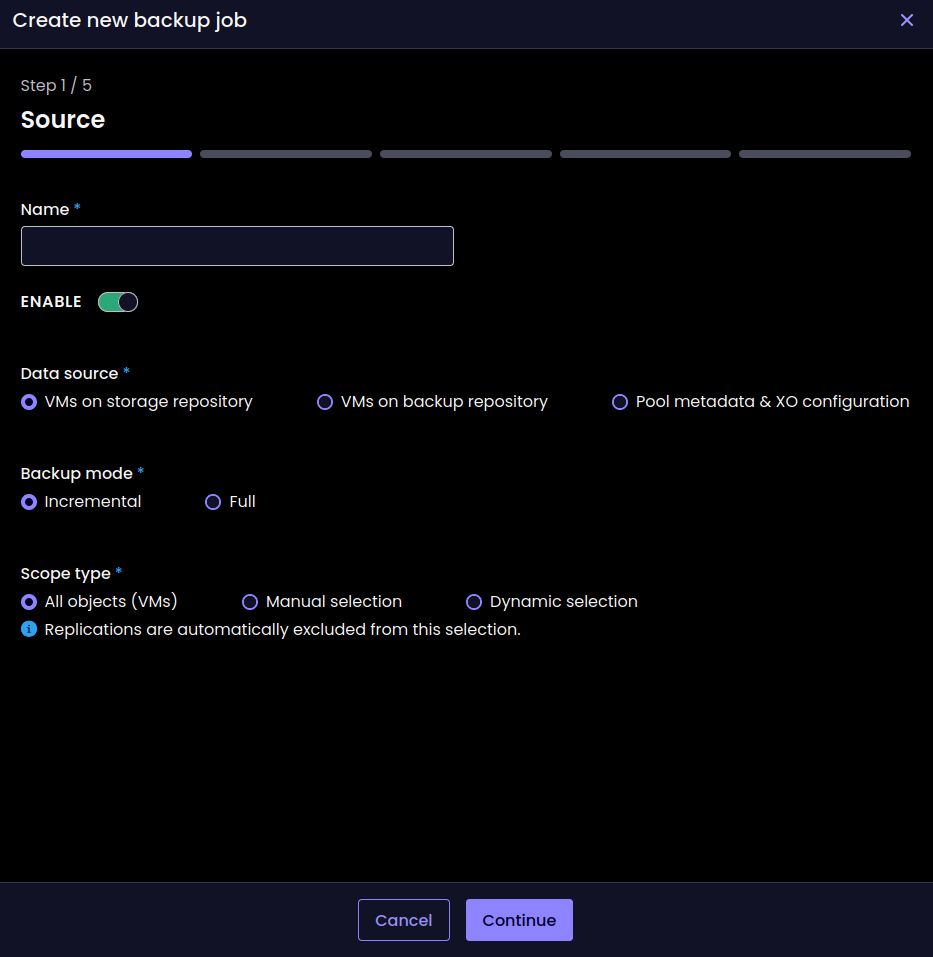
Step 1/5
General remark.
The informational sections, marked with a circle-i symbol. Should be a light line weight. They're competing heavily with the attention as being main bullet points. In later section 2/5, there is an example of where the weight is different. And it is MUCH better on the eyes. Even if the actual circle markiline itself is to heavy. But the part below it is what I'm talking about
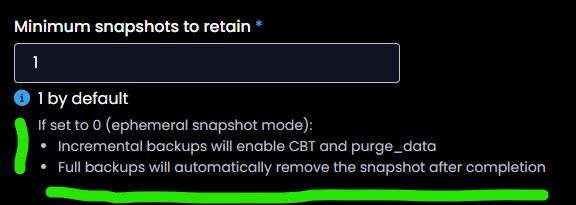
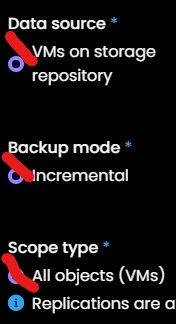
The circluar marks arent alinged in columns. Screenshot with red to emphasize where it is misalinged. And green where I believe it should be.
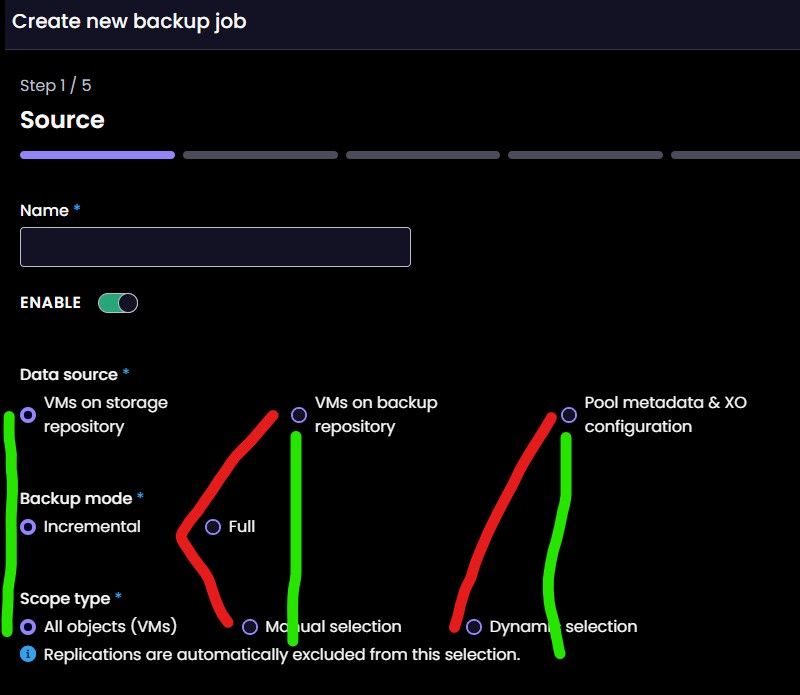
Having the circle mark text imediately under the section title. Makes it look misaligned from the start. And the eye doesn't know where the actual anchor part is. Empasized in red
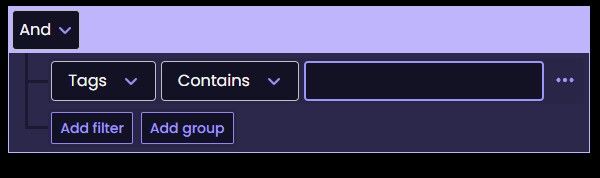
When trying to match for tags. Available tags don't show up. Leading to having to manually type them from memory. This leads to either having another tab open (trying to find what tags to match against) and large potential for human errors with typing.
There isn't any indication of which pool things are supposed to belong to.
Step 2/5
Offline backup: Feels like it doesn't belong under
Snapshot-sectionSnapshot section is suddenly changes circle marks from being horisontal to being vertical.
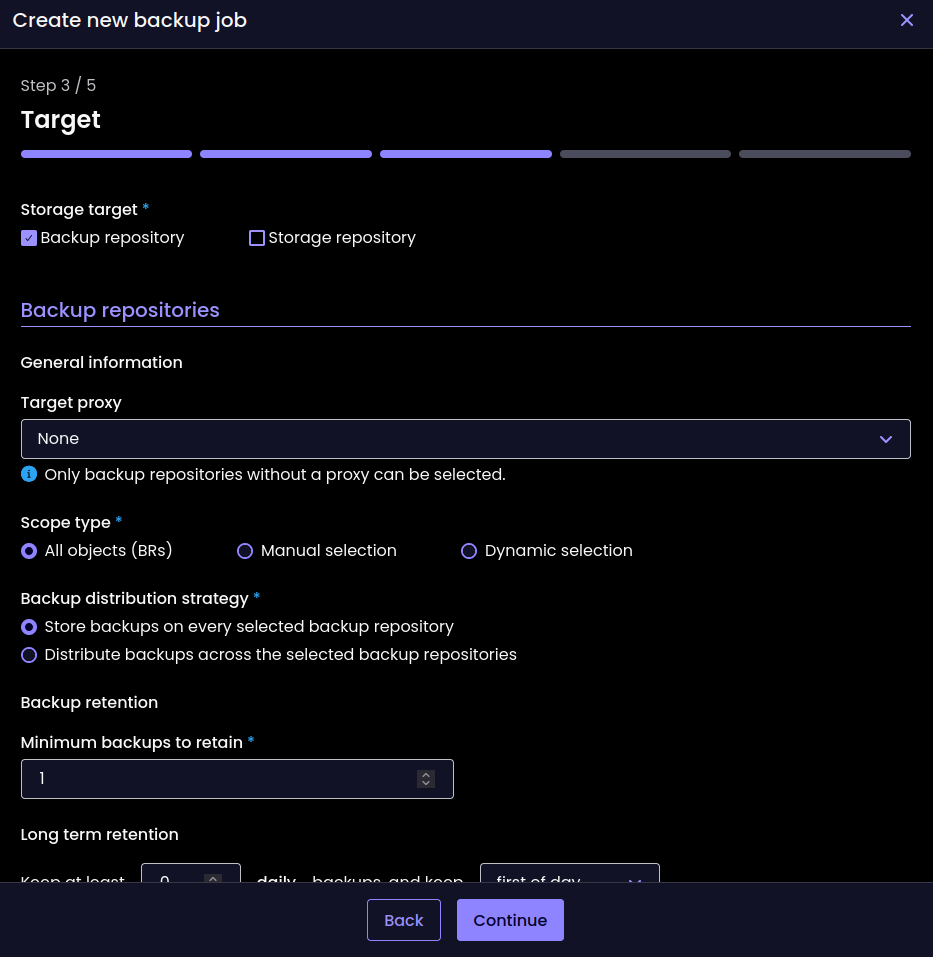
Step 3/5
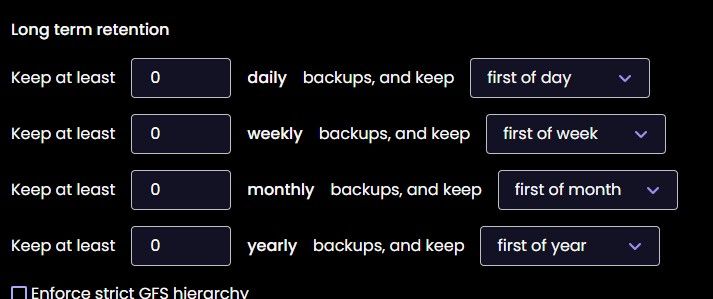
Long term retention is misaligned. Due to word lengths?
Step 5/5
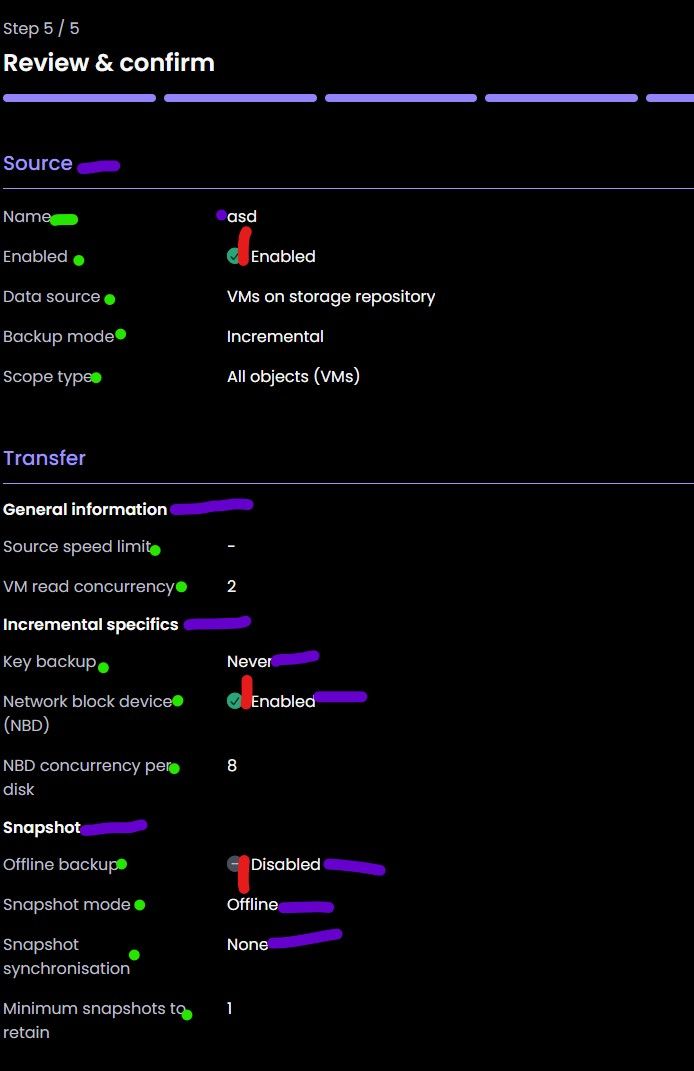
Doesn't mention what pools.
Mixed text weight all of a sudden.
Everywhere else, most of the text is a (horrible imho) bold:ish weight (purple). But here all of a sudden there is a lighter text weight on some things (green). And not on some. General feedback here would be to take a step back and have a look at font choice and what weight everything uses.Line spacing here is odd as well. Previous steps it has been quite compact and tight line-spacing. But here there is larger gaps between the lines. (yellow)
Circlular graphics makes text misaligned. (red)
Sorry for the messy screenshots
-
 F florent referenced this topic
-
When I created my backup job I thought I told it to run twince per day. It have not run at the scheduled time (may not be set correctly) but I cant seem to find how to modify the backup job in v6. Am I missing something?
-
Having backup retention before planning seems backwards to me.
I wish planning or review visualised the schedule and retention as simple as the pictures in the documentation makes it seem. Adding what backup is expected to occur (Full, differential, incremental, key, etc) to next runs would go a long way.
https://docs.xen-orchestra.com/backups-and-dr/backup-types/incremental_backups

Hello! It looks like you're interested in this conversation, but you don't have an account yet.
Getting fed up of having to scroll through the same posts each visit? When you register for an account, you'll always come back to exactly where you were before, and choose to be notified of new replies (either via email, or push notification). You'll also be able to save bookmarks and upvote posts to show your appreciation to other community members.
With your input, this post could be even better 💗
Register Login