XCP-ng
    • Categories
    • Recent
    • Tags
    • Popular
    • Users
    • Groups
    • Register
    • Login

    Internal error: Not_found after Vinchin backup

    Scheduled Pinned Locked Moved XCP-ng
    56 Posts 4 Posters 9.1k Views 2 Watching
    Loading More Posts
    • Oldest to Newest
    • Newest to Oldest
    • Most Votes
    Reply
    • Reply as topic
    Log in to reply
    This topic has been deleted. Only users with topic management privileges can see it.
    • R Offline
      rustylh @olivierlambert
      last edited by

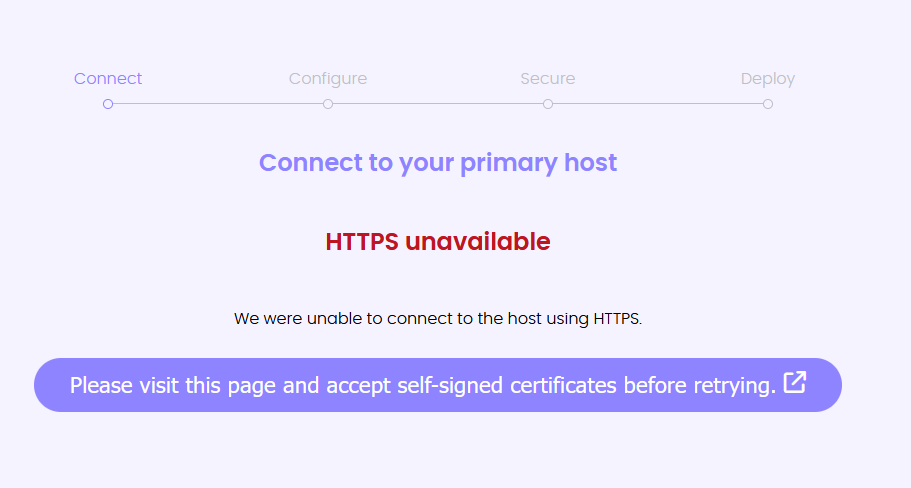
      @olivierlambert 7cbf941b-caa7-400d-ac7d-a7a996b428cc-image.png

      DanpD 1 Reply Last reply Reply Quote 0
      • DanpD Offline
        Danp Pro Support Team @rustylh
        last edited by

        @rustylh Did you follow the instructions to visit the page and a cept the self-signed certificates?

        1 Reply Last reply Reply Quote 0
        • R Offline
          rustylh
          last edited by

          Yes

          DanpD 1 Reply Last reply Reply Quote 0
          • DanpD Offline
            Danp Pro Support Team @rustylh
            last edited by

            @rustylh Great! Are you now able to move beyond the error you posted above?

            1 Reply Last reply Reply Quote 0
            • R Offline
              rustylh
              last edited by

              It just keeps looping now.
              42137d8e-6bc3-4d20-aec2-3f7508f05940-image.png

              1 Reply Last reply Reply Quote 0
              • R Offline
                rustylh
                last edited by

                I am just downloading the xva.
                Thank you

                1 Reply Last reply Reply Quote 0
                • R Offline
                  rustylh
                  last edited by

                  I give up lol. Import the XVA "The attempt to load the VDI failed"

                  R 1 Reply Last reply Reply Quote 0
                  • R Offline
                    rustylh @rustylh
                    last edited by

                    Ok, so I have XOA up and running. Now anyone know what I do This SR has 34 VDIs to coalesce
                    Just one example
                    a685063b-20e9-4a18-a175-6fb006332663-image.png

                    R 1 Reply Last reply Reply Quote 0
                    • R Offline
                      rustylh @rustylh
                      last edited by

                      This snapshot has been purged of it's data. It only contains metadata and changed blocks.

                      R 1 Reply Last reply Reply Quote 0
                      • R Offline
                        rustylh @rustylh
                        last edited by

                        Any ideas if I can remove those? I appreciate the help!

                        1 Reply Last reply Reply Quote 0
                        • olivierlambertO Offline
                          olivierlambert Vates 🪐 Co-Founder CEO
                          last edited by

                          Okay, what abut the remove button on the right? Does it work to remove it?

                          R 1 Reply Last reply Reply Quote 0
                          • R Offline
                            rustylh @olivierlambert
                            last edited by

                            @olivierlambert Sorry do you mean the destroy VI button. Will that cause any issues with the actual VM?

                            ecb60322-47d4-4686-bc94-d094319b7304-image.png

                            1 Reply Last reply Reply Quote 0
                            • olivierlambertO Offline
                              olivierlambert Vates 🪐 Co-Founder CEO
                              last edited by

                              I don't think so, it's just a snasphot.

                              R 1 Reply Last reply Reply Quote 0
                              • R Offline
                                rustylh @olivierlambert
                                last edited by

                                @olivierlambert Is there anything scheduled by default in xcp-ng on Sundays? Or how often does it coalesce. Just trying to figure out why every Sunday these issues happen.

                                1 Reply Last reply Reply Quote 0
                                • olivierlambertO Offline
                                  olivierlambert Vates 🪐 Co-Founder CEO
                                  last edited by

                                  There's no schedule in XCP-ng. It's more about when you remove snapshots (without CBT). You can check about coalesce inside the /var/log/SMlog and try to watch what's going on on Sunday.

                                  R 1 Reply Last reply Reply Quote 0
                                  • R Offline
                                    rustylh @olivierlambert
                                    last edited by

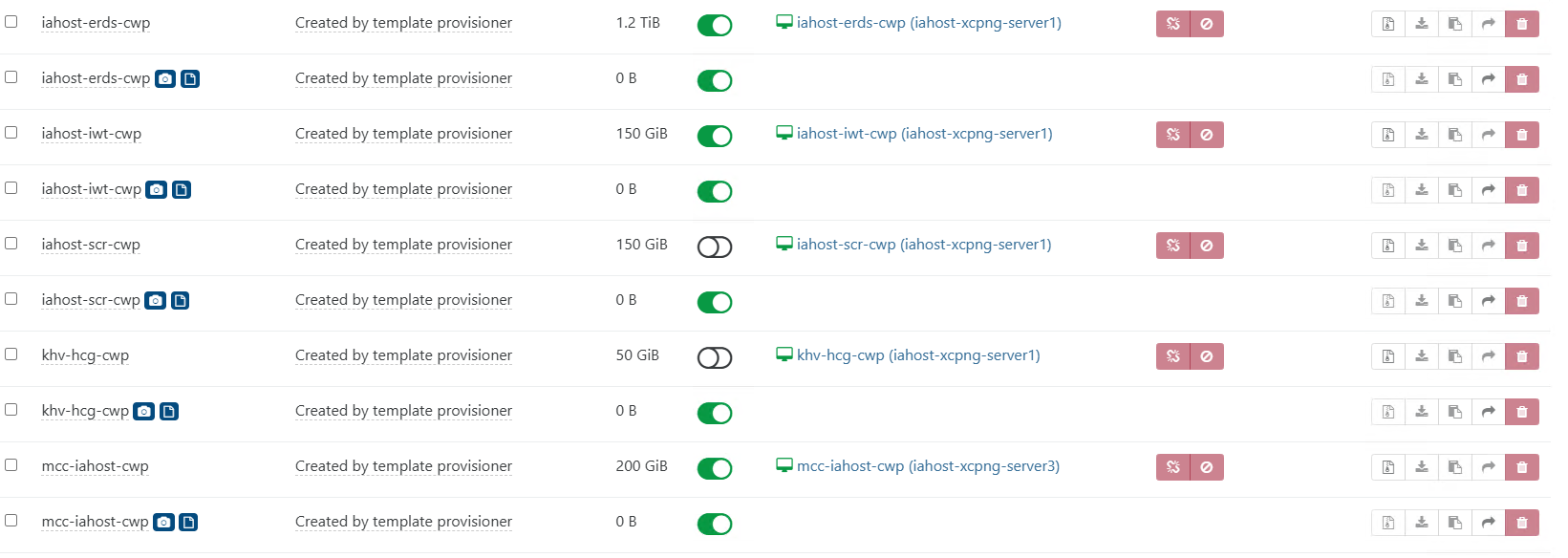
                                    @olivierlambert Ok. Why does XOA show some with CBT and some without? How does that get set? I apologize, I am just trying to narrow this down. I appreciate all the help.
                                    e84505bf-126f-43cc-b440-ffcce66c291b-image.png

                                    1 Reply Last reply Reply Quote 0
                                    • olivierlambertO Offline
                                      olivierlambert Vates 🪐 Co-Founder CEO
                                      last edited by

                                      I suppose those snapshots were done via Vinchin, so I can't tell. You can clean all snapshots to get back on something clean before trying anything else.

                                      R 1 Reply Last reply Reply Quote 0
                                      • R Offline
                                        rustylh @olivierlambert
                                        last edited by

                                        @olivierlambert Ok, will do. Synology says that xcp-ng is sending LUN disconnects to the LUN based on the dmesg on on the Synology.

                                        iSCSI:target_core_tmr.c:629:core_tmr_lun_reset LUN_RESET: TMR starting for [fileio/Synology-VM-LUN/9c706a83-1e77-47a8-a5c5-18cfe815459d], tas: 1

                                        1 Reply Last reply Reply Quote 0
                                        • R Offline
                                          rustylh
                                          last edited by

                                          So I just click "Destroy VDI" on the snapshot?

                                          1 Reply Last reply Reply Quote 0
                                          • R Offline
                                            rustylh
                                            last edited by

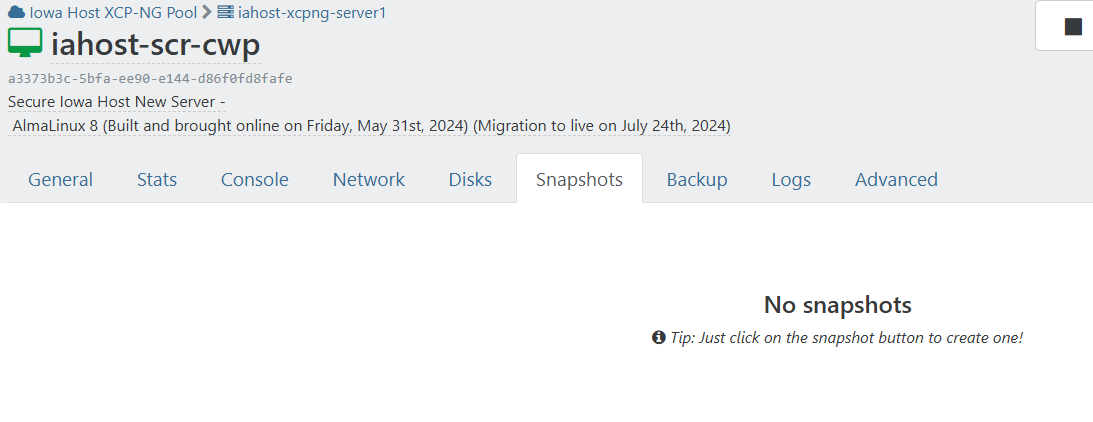
                                            Sorry I'm just a bit confused because it is showing no snapshots on the VM view
                                            7cd196ee-55d5-4c86-9435-479dd9e1cd96-image.png

                                            1 Reply Last reply Reply Quote 0

                                            Hello! It looks like you're interested in this conversation, but you don't have an account yet.

                                            Getting fed up of having to scroll through the same posts each visit? When you register for an account, you'll always come back to exactly where you were before, and choose to be notified of new replies (either via email, or push notification). You'll also be able to save bookmarks and upvote posts to show your appreciation to other community members.

                                            With your input, this post could be even better 💗

                                            Register Login
                                            • First post
                                              Last post