Mirror backup: No new data to upload for this vm?
-
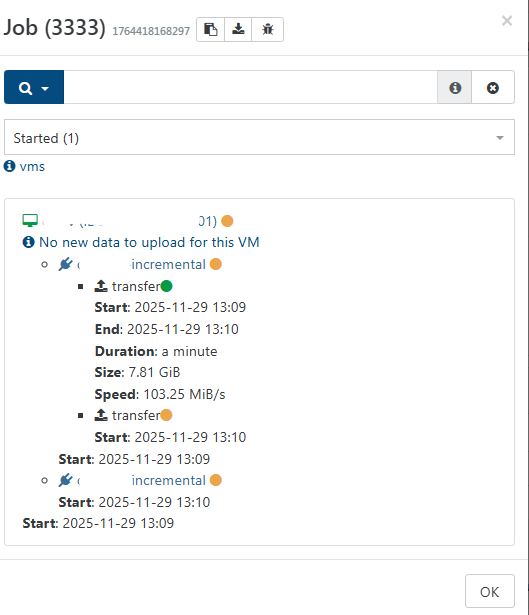
I am testing the mirror backup feature. I see a message "New new data to upload for this VM" although it is clearly transfering data.
I am using XOA on stable channel.
-
Ping @florent or @bastien-nollet
-
I noticed too that both
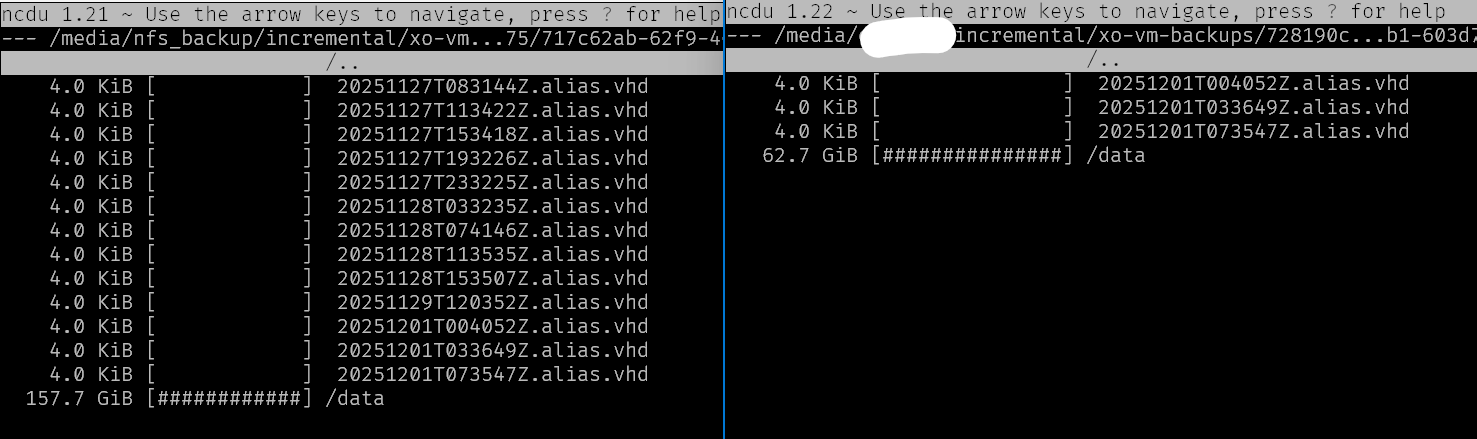
mirror backupandfull backupdo not actually copy all backups.This shows the source Remote on the left and destination remote on the right. I made sure the retention setting in the mirror backup is high enough to not exclude anything, yet we are not getting everything transferred:
Se also the same for full mirror backups: https://xcp-ng.org/forum/topic/11624/mirror-of-full-backups-with-low-retention-copies-all-vms-and-then-deletes-them/
-
Hi @Forza,
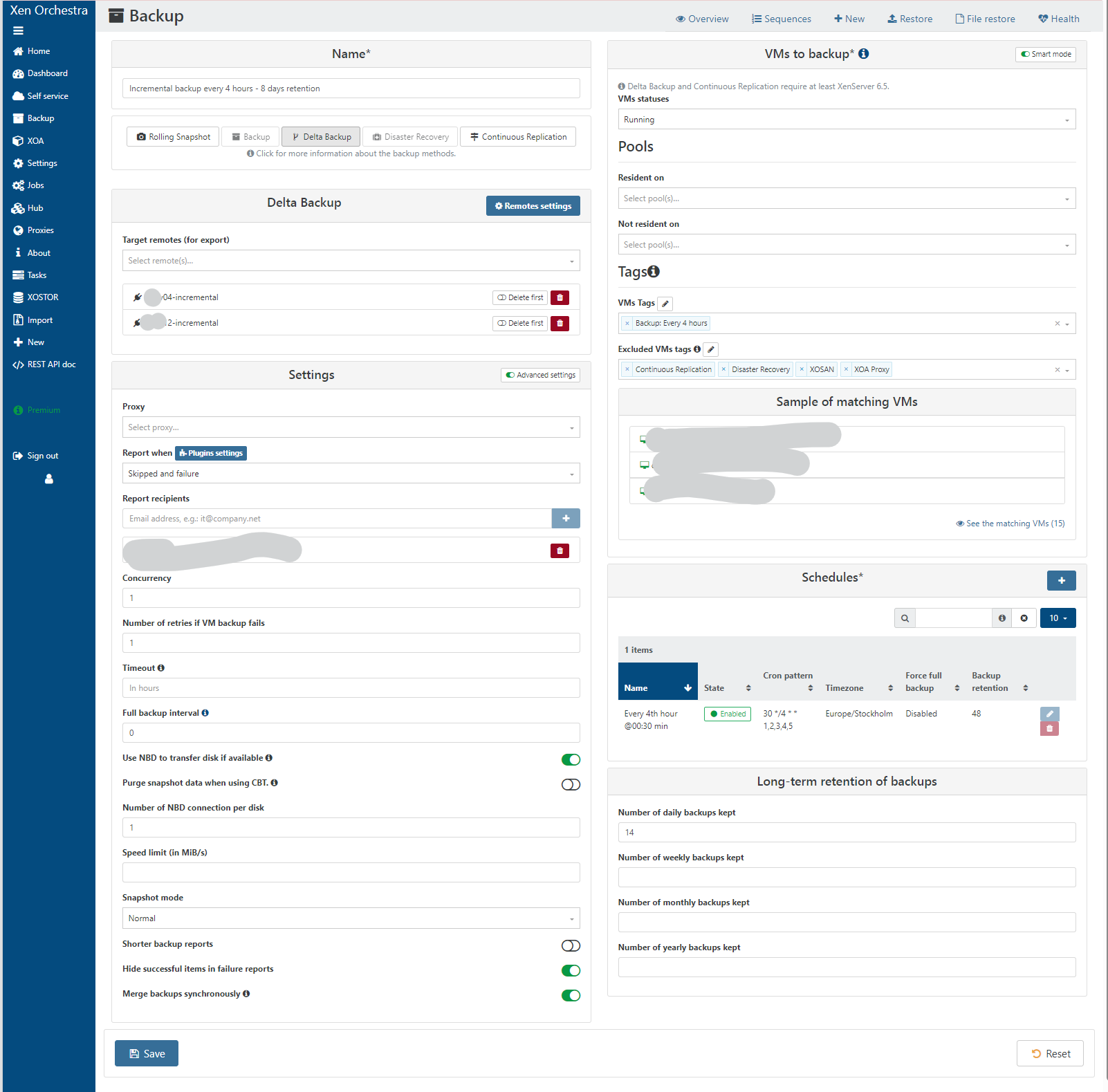
Could you send us a screenshot of your backup job configuration so we can try to reproduce?
-
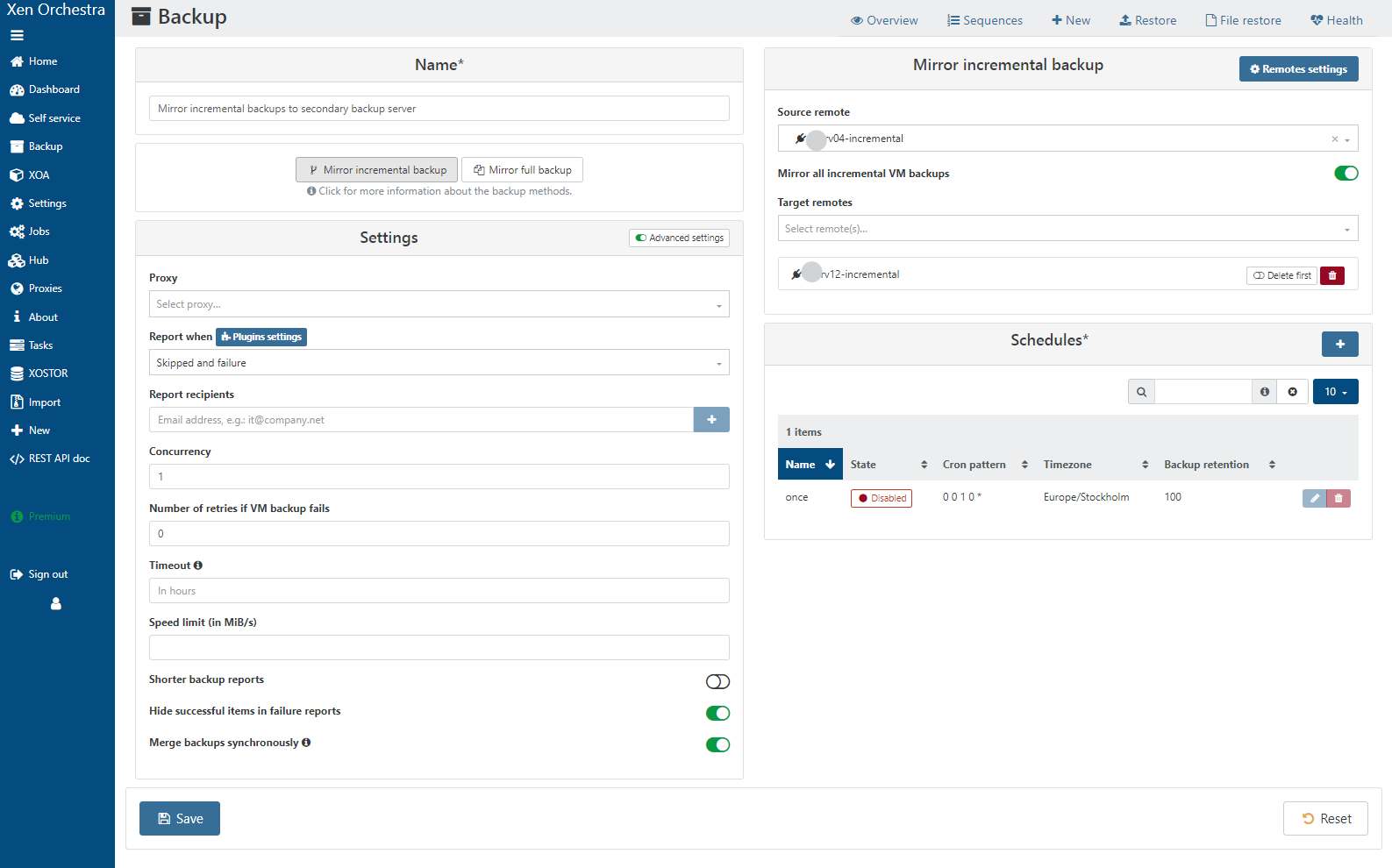
Here is the incremental backup config. Originally we only had the remote called srv04-incremental. I have now added srv12-incremental and wanted to copy over all existing backups to the new remote. I did the same with full backups too. Now I have each backup job using both remotes.
-
Thanks @Forza,
I'll try on my own with a similar configuration. -
As the named are greyed-out, could you confirm that the delta backup job saves the backup to remotes srv04-incremental and srv12-incremental, and the mirror backup job copies the backups from srv12-incremental to srv04-incremental? (or at least confirm these are the same couple of remotes)
Also, could you tell me if the VM with which you got the "No new data to upload for this VM" message was backed up by your backup job "Incremental backup every 4 hours - 8 days retention"?
-
The delta backup job saves to srv04-incremental and srv12-incremental.
The incremental mirror job has srv04-incremental as source and srv12-incremental as destination.The VM that showed no data to copy message was a the "Incremental backup every 4 hours - 8 days retention" backup job.
Originally I only had one remote,
srv04. I createdsrv04-incrementaland renamedsrv04tosrv04-fulland used the mirror backup feature to copy all delta backups tosrv04-incremental(as I did not want to attempt to move the data on the NFS backend side). Then, I set upsrv12-incrementalandsrv12-fulland created mirror jobs to copy fromsrv04-fullandsrv04-incremental. Once the mirror backups were completed I switched the normal backup jobs to store backups on both backup servers.I can set up a support connection if you want to remotely check this.
-
Thanks for the details, I managed to reproduce after a few trials.
I'll try to fix it and keep you informed.
-
Hi @Forza,
I made a fix to prevent the "No new data to upload for this VM" message from appearing if it is only true for a part of the backup jobs of one VM.
It's available here: https://github.com/vatesfr/xen-orchestra/pull/9286
You can test it by switching branch if you're running XO from sources, otherwise you'll need to wait for the next end of month release.
-
@Bastien-Nollet Thanks. I am on Stable channel as I use XOA Premium.
-
@Forza you will have to switch to LATEST to profit from end month release
STABLE is one version behind LATESTboth are production ready.



Hello! It looks like you're interested in this conversation, but you don't have an account yet.
Getting fed up of having to scroll through the same posts each visit? When you register for an account, you'll always come back to exactly where you were before, and choose to be notified of new replies (either via email, or push notification). You'll also be able to save bookmarks and upvote posts to show your appreciation to other community members.
With your input, this post could be even better 💗
Register Login