XCP-ng
    • Categories
    • Recent
    • Tags
    • Popular
    • Users
    • Groups
    • Register
    • Login

    Connecting servers after credential change
    Scheduled Pinned Locked Moved Xen Orchestra
    15 Posts 4 Posters 4.4k Views 1 Watching
    Loading More Posts
    • Oldest to Newest
    • Newest to Oldest
    • Most Votes
    Reply
    • Reply as topic
    Log in to reply
    This topic has been deleted. Only users with topic management privileges can see it.
    • jedimarcusJ Offline
      jedimarcus
      last edited by

      Just disable your current and add the other one with the ip instead of the hostname or vice-versa. Just to be sure your API is responding correctly.

      1 Reply Last reply Reply Quote 0
      • DanpD Offline
        Danp Pro Support Team
        last edited by

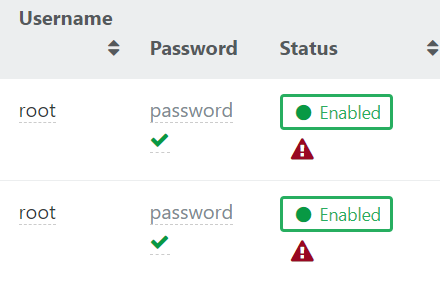
        Have you tried disabling and then enabling the server following the password update?

        1 Reply Last reply Reply Quote 1
        • LEB-IDL Offline
          LEB-ID
          last edited by

          @jedimarcus I tried disabling and then re-adding one of the servers by IP, this failed with a message that the server already exists.

          @Danp This worked, but I had to disable all the servers, then start by re-enabling the master server first. If you didn't do so, the master couldn't re-join because XO thought the pool was already there.

          Thank you folks, for your help. Looks like I just need to add the disable/re-enable bit to the process when changing credentials.

          1 Reply Last reply Reply Quote 0
          • jedimarcusJ Offline
            jedimarcus
            last edited by

            How many Pools do you have? How many Hosts?

            If you have 1 XCP-ng Pool, you only need 1 entry in your XO Servers page, the master only.

            LEB-IDL 1 Reply Last reply Reply Quote 0
            • LEB-IDL Offline
              LEB-ID @jedimarcus
              last edited by

              @jedimarcus One pool, two host servers. So in that situation, you only need to connect the master server? Interesting. Thank you for the info!

              jedimarcusJ 1 Reply Last reply Reply Quote 0
              • jedimarcusJ Offline
                jedimarcus @LEB-ID
                last edited by

                @LEB-ID Yes, in XO > Settings > Servers should only have a single entry.

                Once connected

                XO > Home > Hosts should display your 2 servers

                LEB-IDL 1 Reply Last reply Reply Quote 1
                • LEB-IDL Offline
                  LEB-ID @jedimarcus
                  last edited by

                  @jedimarcus Got it, thank you again. Labeling that part of the settings as 'Servers' is a bit confusing in this case. Perhaps the XO team might want to label that as 'Pools' instead?

                  jedimarcusJ 1 Reply Last reply Reply Quote 0
                  • DanpD Offline
                    Danp Pro Support Team
                    last edited by

                    Or perhaps add a warning when you attempt to add a non-master server to the list?

                    1 Reply Last reply Reply Quote 1
                    • olivierlambertO Offline
                      olivierlambert Vates 🪐 Co-Founder CEO
                      last edited by olivierlambert

                      We already have a warning if you try to add a server that's already connected. At least since 3 or 4 release I think.

                      edit: you need to disable/enable your server when you change the pwd.

                      1 Reply Last reply Reply Quote 0
                      • jedimarcusJ Offline
                        jedimarcus @LEB-ID
                        last edited by

                        @LEB-ID It's called Add new Server in XCP-ng Center too... old habits die hard. But Pools is not the right word either. It's hard coming up with something short and precise.


                        1 Reply Last reply Reply Quote 0

                        Hello! It looks like you're interested in this conversation, but you don't have an account yet.

                        Getting fed up of having to scroll through the same posts each visit? When you register for an account, you'll always come back to exactly where you were before, and choose to be notified of new replies (either via email, or push notification). You'll also be able to save bookmarks and upvote posts to show your appreciation to other community members.

                        With your input, this post could be even better 💗

                        Register Login
                        • First post
                          Last post