XOA Quick Deploy
-
@haribo112 said in XOA Quick Deploy:
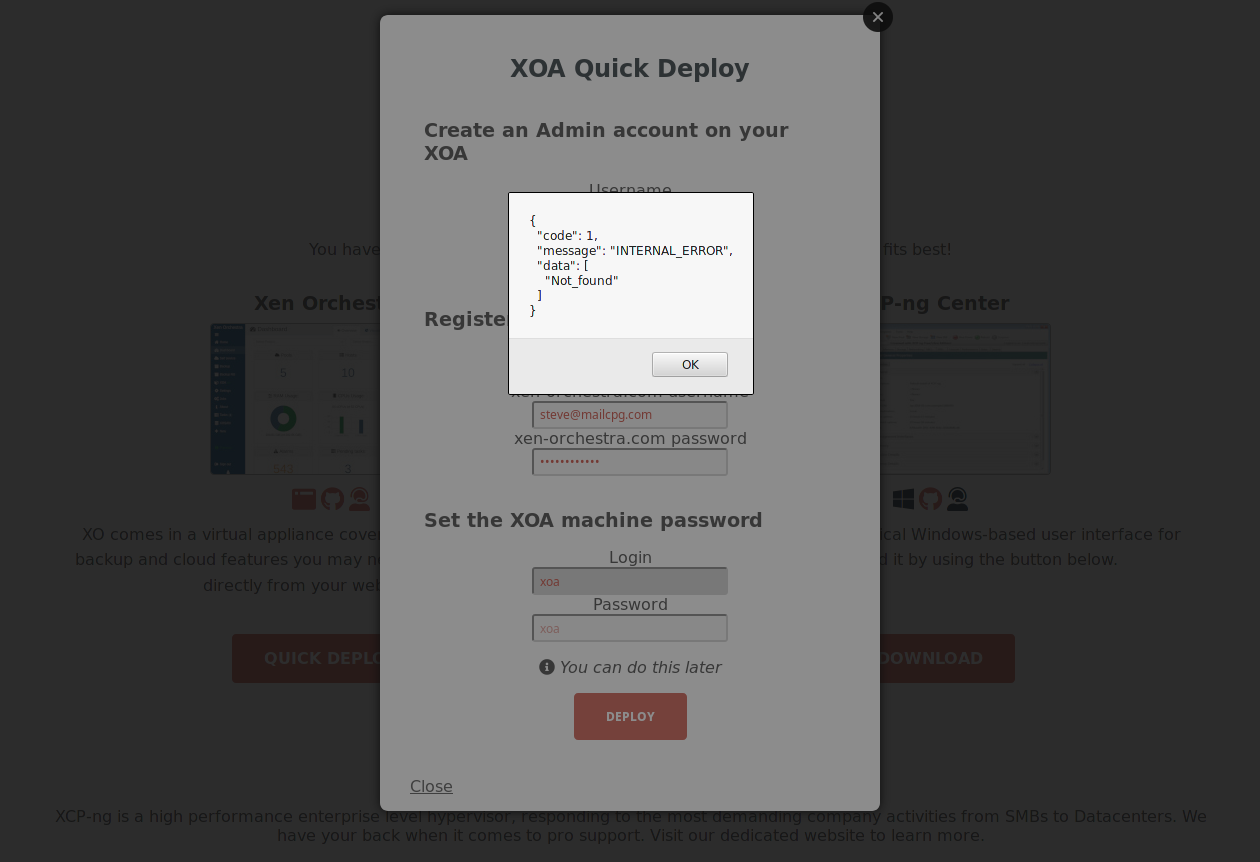
Both the Quick Deploy button on the webpage of the host, and the Deploy form on the XO website don't work.
FWIW, I tested and was unsuccessful with either method. I also tested the alt method with the following results --
# bash -c "$(curl -sS https://xoa.io/deploy)" curl: (35) Cannot communicate securely with peer: no common encryption algorithm(s). -
-
@danp On which hypervisor did you run this command? Which version of
curldo you have? -
@julien-f The command was run directly on my xcp-ng 8.2 host.
# curl --version curl 7.29.0 (x86_64-redhat-linux-gnu) libcurl/7.29.0 NSS/3.34 zlib/1.2.7 libidn/1.28 libssh2/1.4.3 Protocols: dict file ftp ftps gopher http https imap imaps ldap ldaps pop3 pop3s rtsp scp sftp smtp smtps telnet tftp Features: AsynchDNS GSS-Negotiate IDN IPv6 Largefile NTLM NTLM_WB SSL libz unix-sockets -
@danp Thanks for your help, it appears the version of
curlavailable on XCP-ng 8.2 (or CH 8.2) is very old and does not support any ciphers available on https://xoa.ioYou can use
wgetto work around this (we'll update the docs):> bash -c "$(wget -qO- https://xoa.io/deploy)" -
@julien-f said in XOA Quick Deploy:
bash -c "$(wget -qO- https://xoa.io/deploy)"
Thanks, that appears to be working. But it doesn't explain why both web based methods are failing.
-
That's unrelated. Or at least, we did tests and it works here (on multiple hosts).
-
@olivierlambert I just tried the Quick Deploy on your website and it appears to be working now. When I tried it this morning, I couldn't get past the initial "connect" screen (tried with both FF and Chrome).
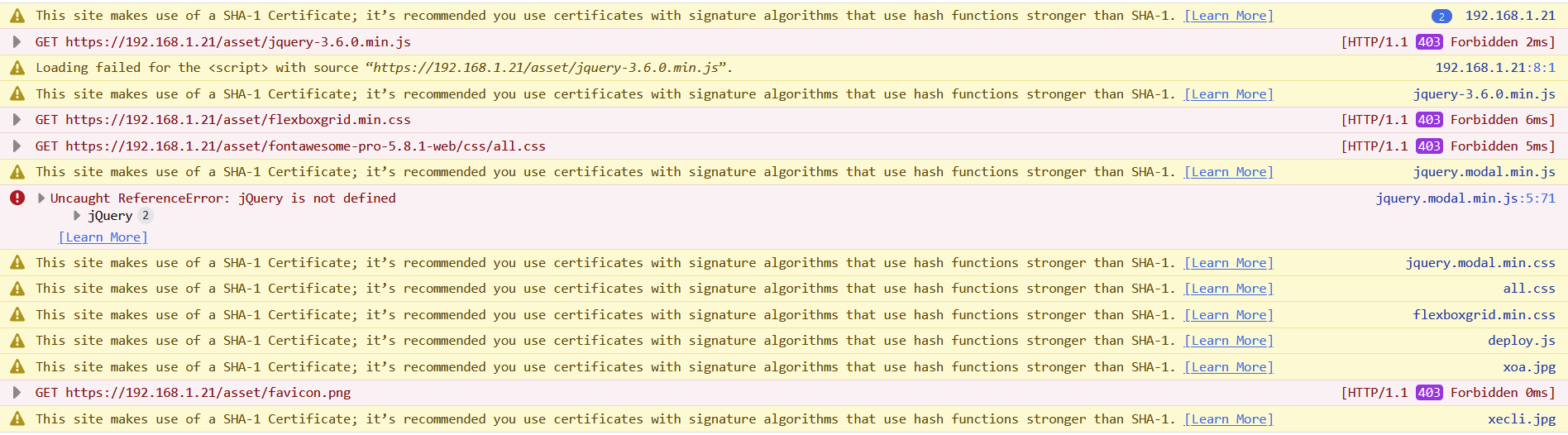
Still having issues with the local deploy via XCP-ng. Looking at the browser console, it appears to be having issues loading jQuery --
-
I can't reproduce with a local deploy on a stock XCP-ng 8.2

It's weird you got a forbidden. Anyone else having the issue?
-
@olivierlambert said in XOA Quick Deploy:
stock XCP-ng 8.2
FWIW, I do have the latest test packages installed on my server.
-
@danp What's the output of
rpm -q xapi-core? You may have a test version of XAPI that regressed on serving files from the webpage. -
# rpm -q xapi-core xapi-core-1.249.10-1.1.xcpng8.2.x86_64 -
@danp OK, so the 403 errors will be solved if you downgrade to the latest released update:
yum downgrade xapi-core xapi-tests xapi-xe -
@stormi Thanks for the solution. Was this a known issue with the test packages?
-
@danp Yes, see https://xcp-ng.org/forum/post/42132
-
Hi,
I'm having the same issues and I tried
bash -c "$(curl -sS http://xoa.io/deploy)"(notice http only to skip the ssl error). I am stuck inImporting XOA VM. Whenever I checkxe vm-listit says XOA is halted. Tried starting it manually but still no luck.Here's my xapi-core version
xapi-core-1.249.9-1.1.xcpng8.2.x86_64. I tried upgrading and downgrading but still no luck. Not sure how to troubleshoot this issue. -
Hi,
On what XCP-ng or XenServer version are you trying to deploy it?
-
@olivierlambert XCP-NG 8.2
-
@jcapagcuan-svi It's a supermicro servers with 32 cores cpu and 128GB memory
-
I've just had exactly the same problems - XOA wouldn't deploy either through the web interface or the CLI. After much squinting and pondering and trial and error, I eventually traced it to a DNS issue. I changed the DNS nameserver to 1.1.1.1 and it now works perfectly.
I then excitedly looked for this thread again to post the solution, and accidentally came across this very similar thread where the solution is in the first reply. https://xcp-ng.org/forum/topic/4500/xoa-deployment-issue
Oh well, those are 2 hours of my life I'll never get back! I hope this helps someone else!





Hello! It looks like you're interested in this conversation, but you don't have an account yet.
Getting fed up of having to scroll through the same posts each visit? When you register for an account, you'll always come back to exactly where you were before, and choose to be notified of new replies (either via email, or push notification). You'll also be able to save bookmarks and upvote posts to show your appreciation to other community members.
With your input, this post could be even better 💗
Register Login