Backup fails with "Body Timeout Error", "all targets have failed, step: writer.run()"
-
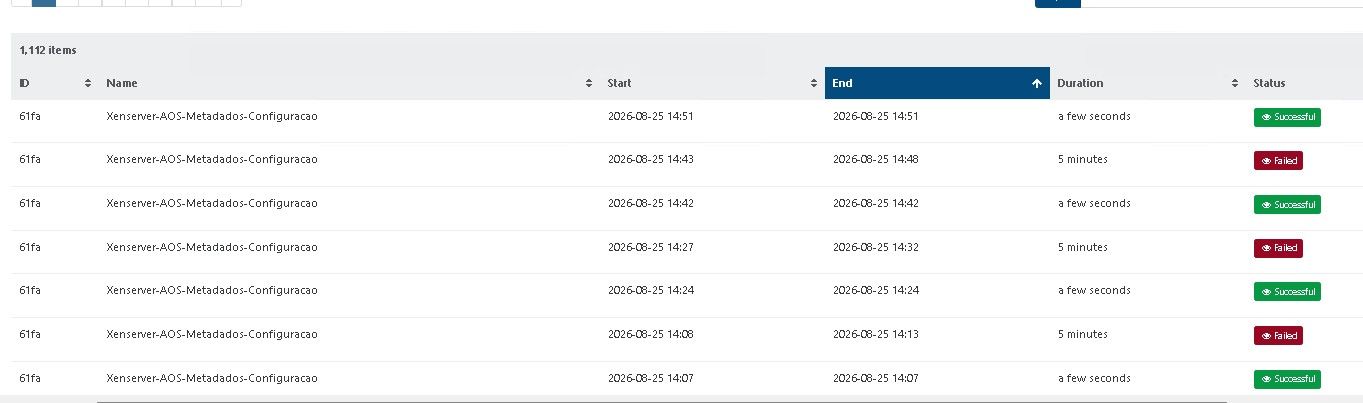
commit 9cdaf
-
Here is my story:
I responded to the notice regarding the latest update of the main branch, Master, commit 9cdaf, by updating the XO-CE vm, rebooting the XO-CE vm, bringing all 3 XCP-ng hosts on line, and then running the XO-CE GUI and selecting Pool Rolling Update.
The rolling update cycled through all 3 hosts in the pool.
I then attempted to run a pool metadata and xo_config backup.
It failed by timing out at 5 minutes.
I decided to shutdown the pool master, so I transferred all VMs to the other 2 hosts and shutdown the master for 15 seconds. I powered on the master, and transferred the VMs back to the master.
I shutdown the other 2 hosts, and then powered them back on. All hosts are indicating "green" status.
At this point I attempted to run the pool metadata and xo_config backup, and it ran successfully.
I waited 2 minutes and ran it again, with success again!
Lastly, I powered down the other 2 hosts, and with the VMs all running on the master, I ran the pool metadata and xo_config backup again, with apparent success.
If someone can tell me the location of the logs that recorded this operation, I will look at them closely to confirm that the pool metadata and xo_config backups actually took place.
Thank you. -
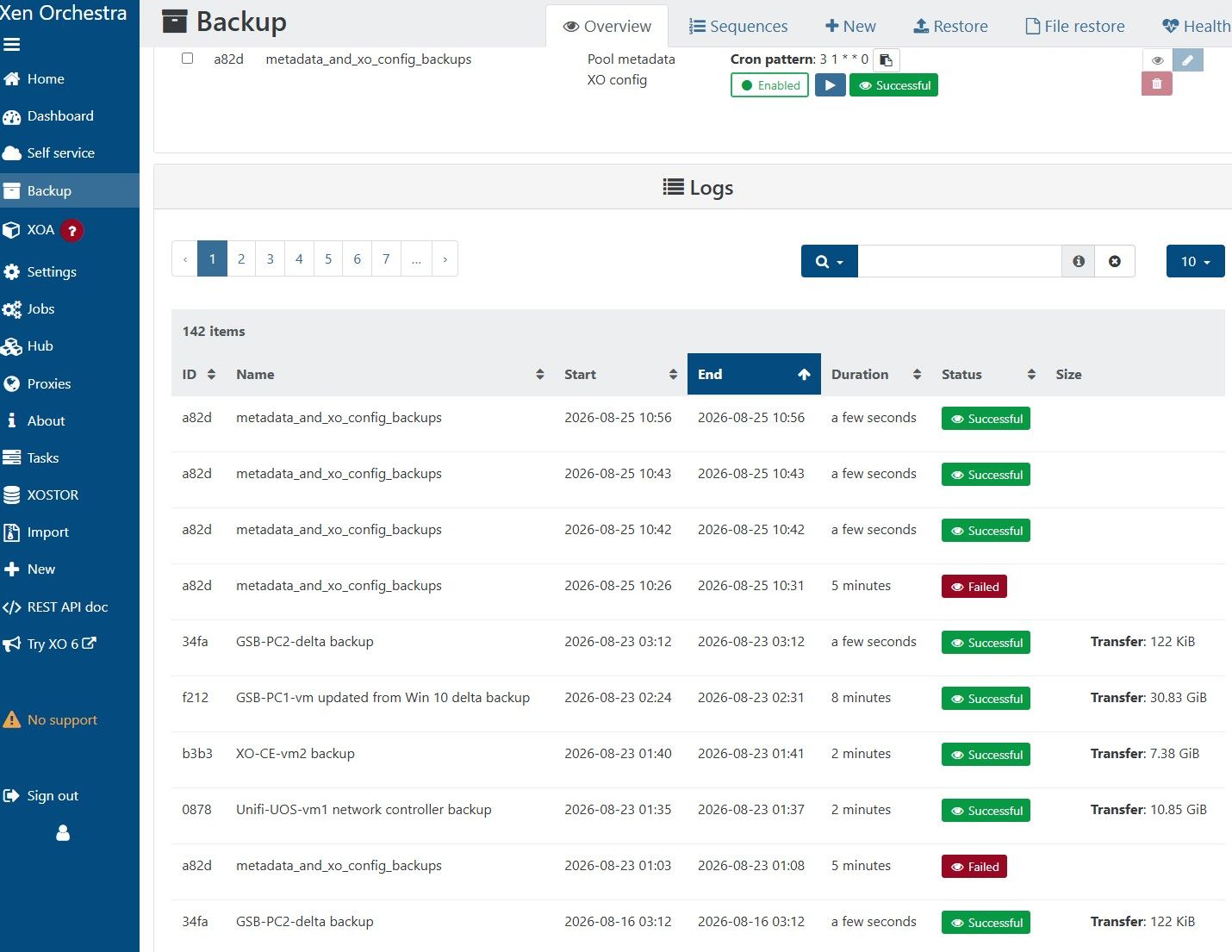
Here is the log for the GUI Backup function:
-
@JB @gregbinsd The fix has not been merged with the master branch yet, so you won't have the fix yet. Follow this pull request https://github.com/vatesfr/xen-orchestra/pull/10282
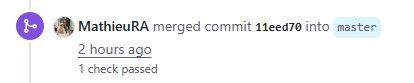
When you see an entry at the end of the activity log which says something like ' merged commit [commit ID] into master' then you'll know the fix has been added to the master branch.
It's important to know that they could close this pull request without committing it to the master branch if they want to approach the resolution in a different way (this has already happened once with this issue).
-
@christopher-petzel Ok! Thanks!
-
@christopher-petzel Hello. Has the fix been merged yet? I'm on commit 03865 and I'm still getting this problem.
-
Looking at Git, it doesn't seem like it, so I guess that answers my question.
-
The fix has been merged into the master branch.
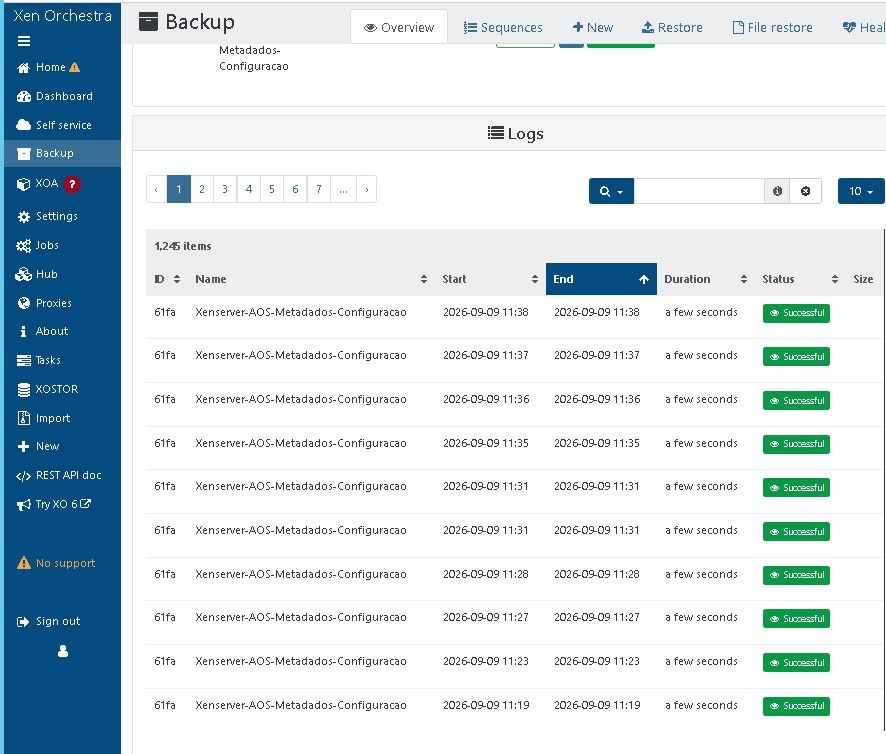
I've updated from master and tested the metadata backup by manually triggering it 10 times. I had no errors. This issue seems to be resolved.
Thanks to the XO team for this fix!
-
Thanks a lot for the feedback, @christopher-petzel !

-
That's wonderful! Thank you, XenOrchestra team!
-
@JB @christopher-petzel Thanks for your patience! We are glad it works well!
-
 P poddingue has marked this topic as solved on
-
FYI, I waited until after the automated backups occurred this morning to tell you that the pool_metada and xo_config backups are now working well to my NFS BR, after I had processed the global update and did a rolling pool update last week.
My thanks to the XO team.
-
Vates tech responded to my ticket - Ticket#7762089 stated there was patch to apply to my XOA. After it was applied the rep stated to reboot XOA..
From then XOA would not connect to either remote proxy with error about unknown state (logs in ticket) XOA keep running into OOM issues after about 5 min idle trying to reconnect to remotes... Multiple reboots of xoa or proxy would not let them reconnect or memory issue to stop...
I had issues trying to revert back to previous snapshot taken during on of the upgrades... Eventualy got to to revert back to 6.8.1 proxies reconnected instantly...
-
Thanks a lot for your feeback, folks!
-
This post is deleted!


Hello! It looks like you're interested in this conversation, but you don't have an account yet.
Getting fed up of having to scroll through the same posts each visit? When you register for an account, you'll always come back to exactly where you were before, and choose to be notified of new replies (either via email, or push notification). You'll also be able to save bookmarks and upvote posts to show your appreciation to other community members.
With your input, this post could be even better 💗
Register Login